
WhatsApp media limits, in short: images up to 5 MB (JPG or PNG), videos up to 16 MB (MP4), and documents up to 100 MB (PDF for template headers). Live Chat attachments in Fast2SMS are limited to 10 MB each, up to 10 files at a time. This page lists the WhatsApp media size and format limits for every place you can send files in Fast2SMS, plus the error messages you will see and how to fix them.
Quick reference: WhatsApp media limits in Fast2SMS
| Where | Image | Video | Document | Audio |
|---|---|---|---|---|
| Template header (Create WhatsApp Template) | JPG, JPEG, PNG, up to 5 MB | MP4, M4V, up to 16 MB | PDF, up to 100 MB | Not available |
| Bulk WhatsApp header file | JPG, JPEG, PNG, up to 5 MB | MP4, M4V, up to 16 MB | PDF only, up to 100 MB | Not available |
| Live Chat attachments | Up to 10 files at once, 10 MB each. Types: jpg, jpeg, png, gif, webp, mp4, mov, avi, webm, mp3, wav, m4a, ogg, pdf, doc, docx, xls, xlsx, txt, zip, csv | |||
| Welcome message and Auto Reply media | JPEG, JPG, PNG, WebP, up to 5 MB | MP4, 3GP, MOV, up to 16 MB | Not available | MP3, OGG, WAV, AAC, AMR, up to 10 MB |
| Flow Builder media library | Images, videos, audio and documents up to 16 MB each | |||
| Session message API | JPEG, PNG, up to 5 MB | MP4, 3GP, up to 16 MB | PDF, DOC(X), PPT(X), XLS(X), up to 100 MB | AAC, MP4, AMR, MP3, OGG |
WhatsApp’s own limits apply on top of these. Fast2SMS checks the size before upload so that you find out early, not after the message fails.
Meta’s WhatsApp media limits (at the time of writing)
| Type | Formats | Max size |
|---|---|---|
| Image | JPEG, PNG, static WebP. Must be 8-bit RGB or RGBA. Edges over 4,096 pixels are rejected. | 5 MB |
| Video | MP4, 3GPP. H.264 video with AAC audio only. | 16 MB |
| Audio | AAC, AMR, MP3, M4A, OGG (Opus only) | 16 MB |
| Document | PDF, DOC, DOCX, XLS, XLSX, PPT, PPTX, TXT | 100 MB |
| Sticker | WebP | 100 KB static, 500 KB animated |
Where to add media in Fast2SMS
-
In a template header
In WhatsApp Manager > Templates > Add Template, open Header (Optional) and choose Image, Video or Document. You upload a sample file here for Meta’s review. The upload hint for images reads “File size is not more 5MB”.
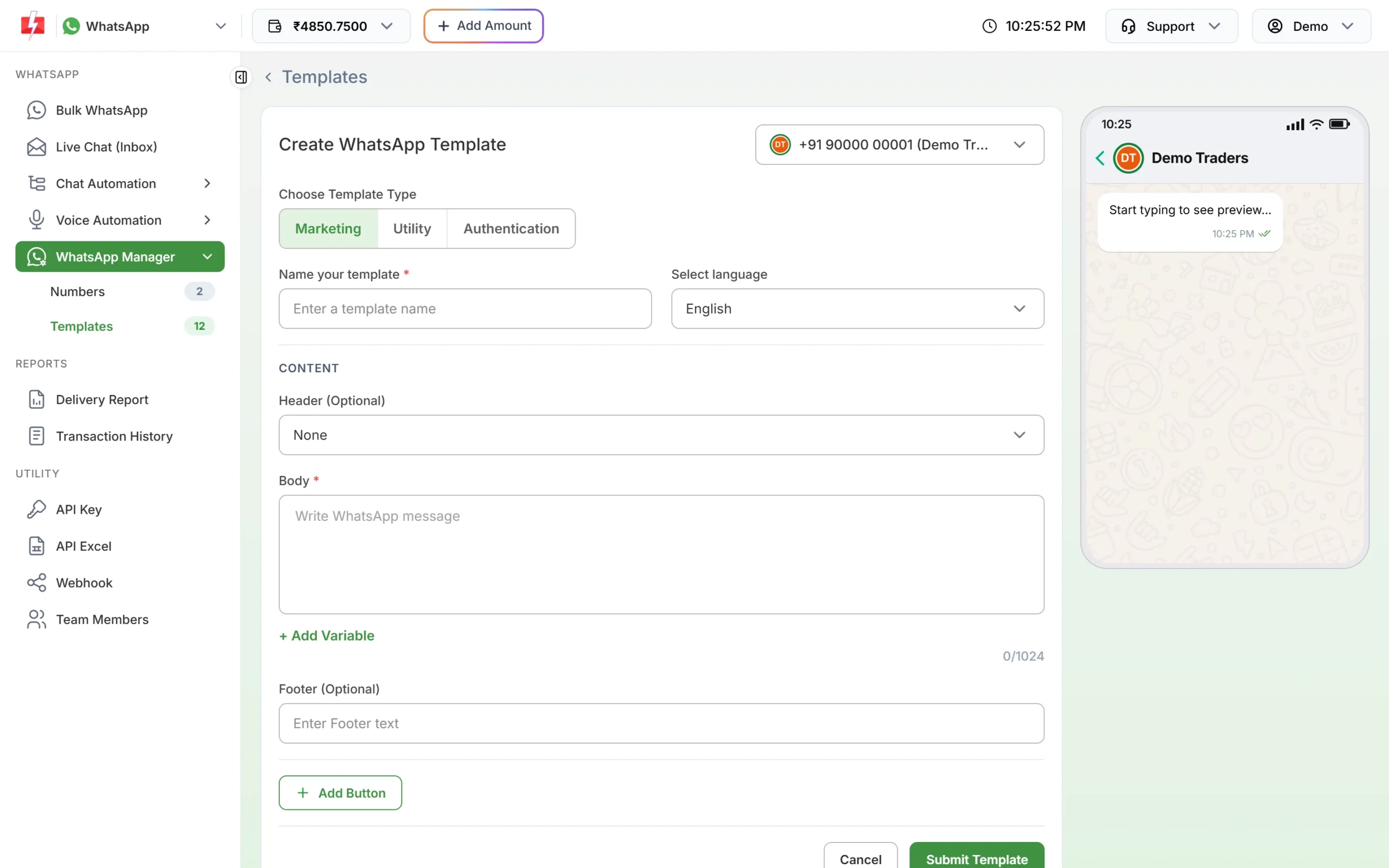
Pick the header type when you create the template. -
In a Bulk WhatsApp campaign
When you pick a template with a media header on Bulk WhatsApp, a file box such as Header (Image) appears. The file you choose here is what customers receive, the same file for everyone in the campaign. A PDF header also needs a Document Filename, which customers see as the file name.
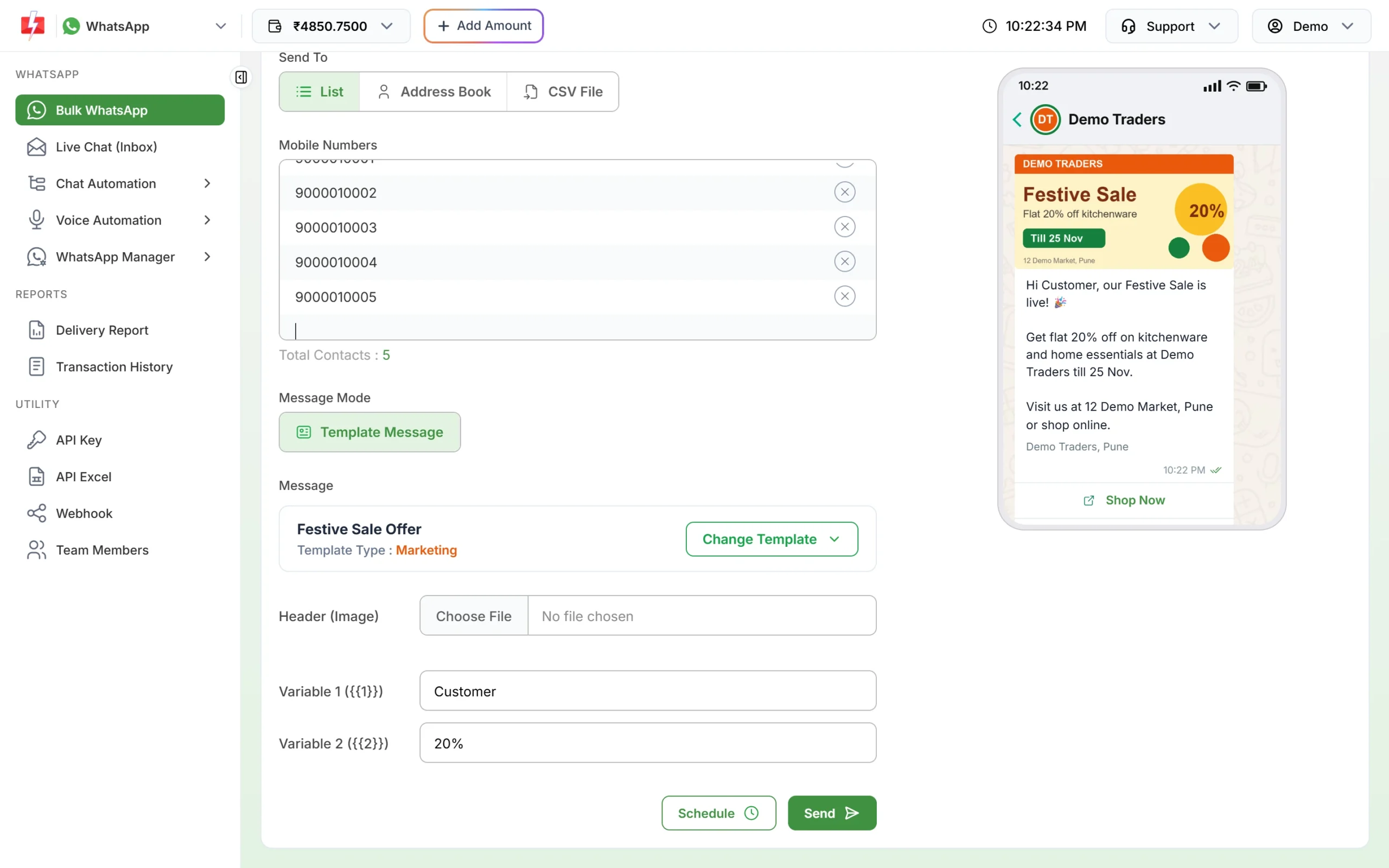
Upload the header file for each campaign. -
In Live Chat
Inside an open 24-hour window, click + next to the message box and choose Image, Video, Audio or Document. You can add up to 10 files, 10 MB each, with a caption for each file of up to 4,096 characters. Each file is sent as its own message, but one batch of files is charged as one session message.
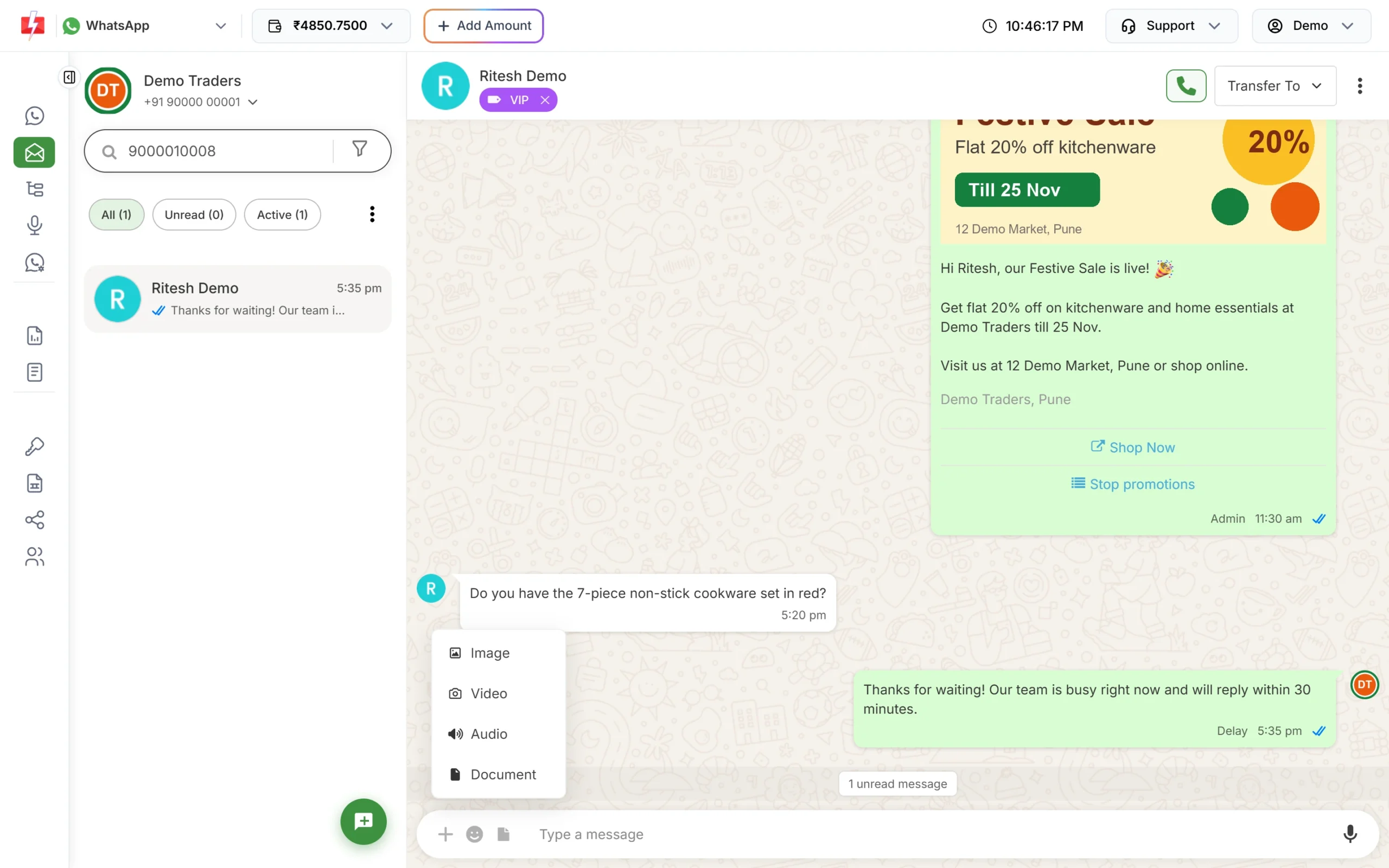
The attachment menu in Live Chat.
Media from customers
Customers can send you photos, videos, voice notes and documents. They appear in Live Chat with a preview and a download button. Media files are available for 30 days, as the Live Chat screen says, so download anything you need to keep. For safety, files with dangerous types are blocked with “This file was blocked for security (dangerous file type). It cannot be downloaded.”
Error messages and fixes
| Message | Where | Fix |
|---|---|---|
| Image is too large. Max size allowed is 5 MB. | Bulk WhatsApp header | Compress the image or save it as JPG at a lower quality. |
| Each file must be less than 10 MB. | Live Chat | Compress the file, or send a link instead. |
| You can upload maximum 10 attachments. | Live Chat | Send the files in two batches. |
| Unsupported file format uploaded. | Live Chat | Convert the file to a type in the list above, for example PDF. |
| Please select and upload required header … | Bulk WhatsApp | The template has a media header. Upload the file before sending. |
| Please enter document filename. | Bulk WhatsApp | Type a file name for the PDF header. |
| Error 131053 in the Delivery Report | Any send | WhatsApp could not upload the media, often because of an unsupported type. Check the format and size, then send again. The failed messages are refunded. |
Tips for media that always works
- Images: JPG or PNG, under 5 MB, ideally much smaller so they load fast on mobile data.
- Videos: MP4 with H.264 video and AAC audio, under 16 MB. Short clips get watched more.
- Documents: PDF is the safest choice. Give it a clear file name like “Invoice_DT1045.pdf”.
- Audio: MP3 or AAC for voice notes and welcome audio.
Frequently asked questions
What is the maximum file size for WhatsApp Business API?
At the time of writing, Meta allows 5 MB for images, 16 MB for video and audio, and 100 MB for documents.
What image size should I use for a WhatsApp template header?
A JPG or PNG under 5 MB. No edge should be over 4,096 pixels.
Can I send a PDF in a bulk WhatsApp campaign?
Yes. Use a template with a Document header, upload the PDF (up to 100 MB) on Bulk WhatsApp and enter a Document Filename.
Can I send GIFs on WhatsApp Business API?
Template headers and welcome messages do not accept GIF in Fast2SMS. Convert it to a short MP4 video instead.
How long are media files kept in Live Chat?
Media is available for 30 days, as shown on the Live Chat screen. Download files you need to keep.
Does adding an image change the message price?
No. The price depends on the template category, not on the media.