
If your WhatsApp message shows “Sent” but not “Delivered”, WhatsApp has accepted it but has not been able to put it on the customer’s phone yet. Most of the time the phone is switched off, has no internet, or WhatsApp has not been opened for a while. This page explains how to check what happened in Fast2SMS, which cases fix themselves and which need action.
Sent vs delivered on WhatsApp
- Sent: WhatsApp has the message and is trying to reach the phone (one grey tick).
- Delivered: it reached the phone (two grey ticks).
- Failed: WhatsApp gave up and returned an error code that explains why.
So “sent but not delivered” is usually a waiting state, not an error. A message that WhatsApp cannot deliver at all normally moves to Failed with a reason.
Why a WhatsApp message is sent but not delivered
| Reason | What happens |
|---|---|
| Phone switched off or out of coverage | Delivered when the phone is back online |
| No mobile data or Wi-Fi, or data saver blocking WhatsApp in the background | Delivered when the app connects again |
| Customer has not opened WhatsApp for a long time | Often delivered when they open it |
| Customer changed phone or uninstalled WhatsApp | May stay undelivered and later fail |
| Number not on WhatsApp, old app version or terms not accepted | Fails with error 131026, not “Sent” |
How to check in Fast2SMS
-
Find the message
Go to Delivery Report > WhatsApp Report. To find one customer, open the filter, choose the Mobile Number tab and enter at least 6 digits of their number. To see all waiting messages, filter Delivery Status by Sent.
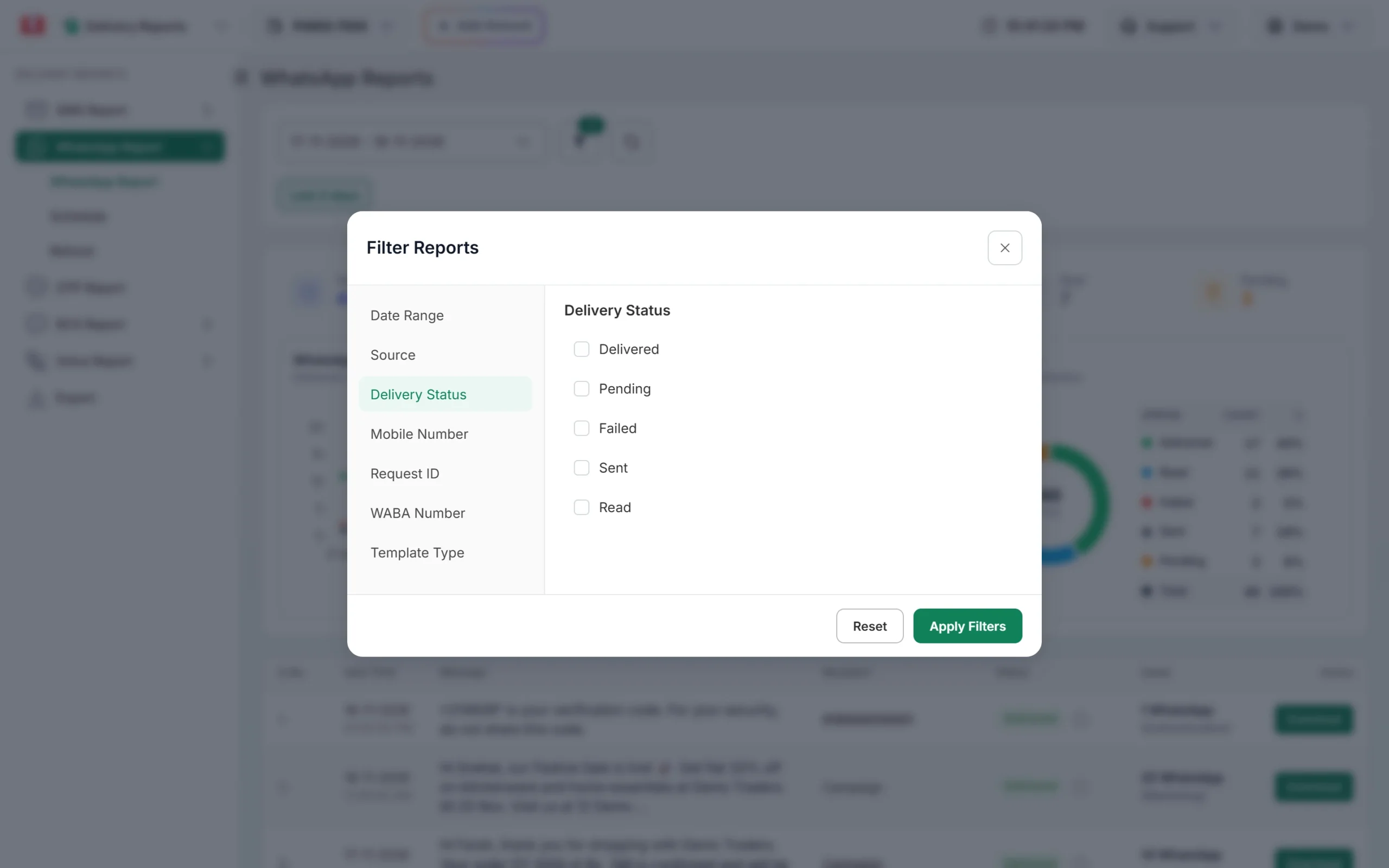
Filter by status or by mobile number. -
Open Delivery Details and click Refresh
Click the message text. In Delivery Details, check the receiver’s Status and Description. Click Refresh at the top to load the latest update from WhatsApp.
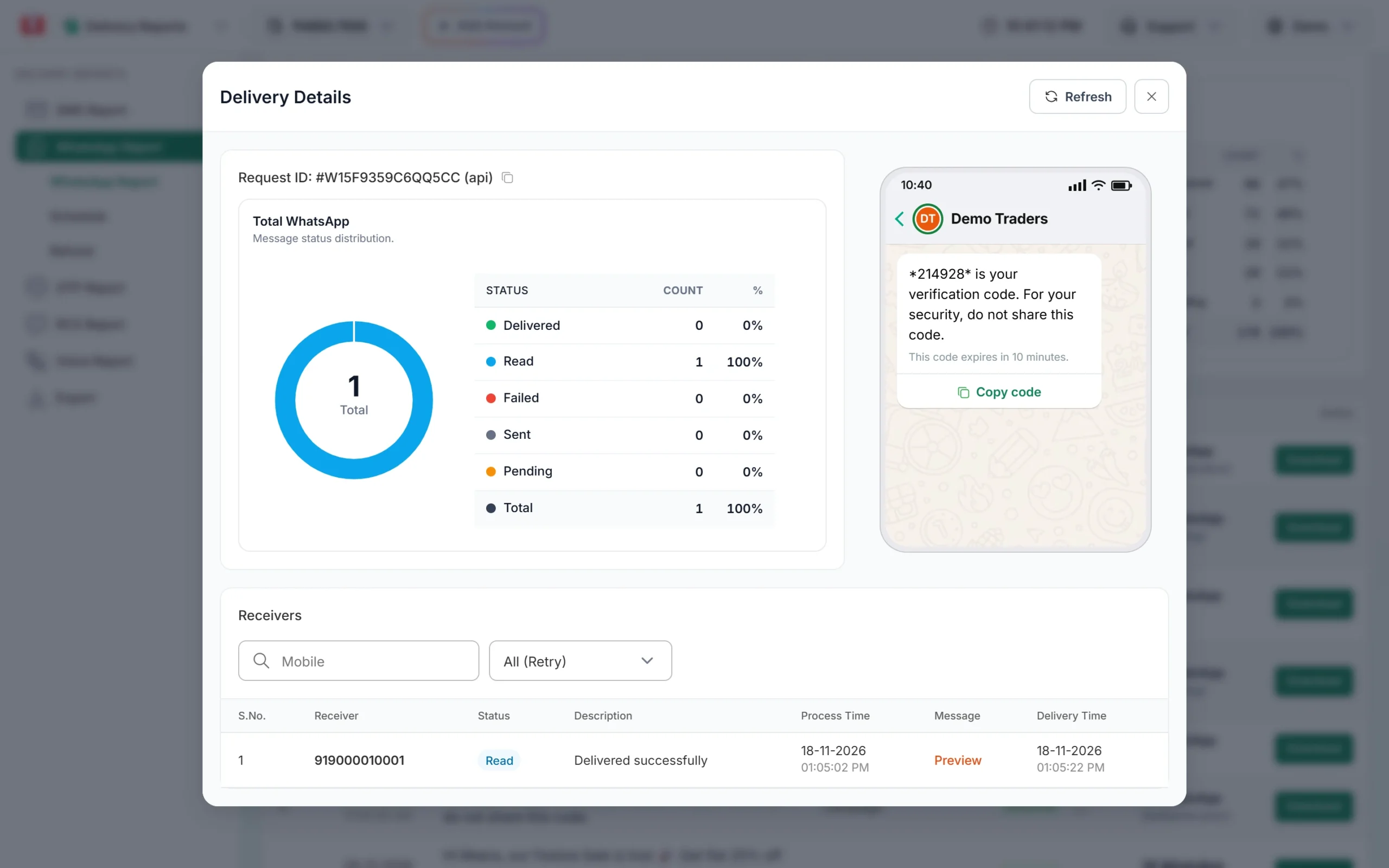
Delivery Details with the Refresh button. -
Wait, then check again
If the status is still Sent, give it some hours. When the customer’s phone connects, the status changes to Delivered or Read by itself.
-
Contact the customer another way if it is urgent
For time-critical messages such as OTPs or delivery updates, send an SMS too. For OTPs, Smart OTP can fall back from WhatsApp to SMS automatically.
What happens if it never gets delivered
If WhatsApp accepts a message but sends no delivery update within 24 hours, Fast2SMS marks it as failed with the description “System has marked this message as failed”. Failed messages are refunded to your wallet automatically, about two days after sending. You can check refunds in the Refund tab of the WhatsApp Report.
When the message failed instead
If the status is Failed, the Description column tells you why. The most common reasons are:
- 131026: number not on WhatsApp, outdated app or terms not accepted.
- 131049: Meta held back a marketing message to limit how many the person receives.
- 131047: a free-form message was sent after the 24-hour window.
- 131050: the customer stopped marketing messages from you.
- 130429: sending speed limit, retried 5 times by Fast2SMS.
Frequently asked questions
Why does WhatsApp show one tick only?
One tick means the message was sent but has not reached the customer’s phone yet, usually because the phone is offline.
How long can a message stay as sent?
Until the customer’s phone connects. In Fast2SMS, a message with no update from WhatsApp for 24 hours is closed as failed and refunded.
Does “sent” mean the customer blocked me?
Not necessarily. WhatsApp does not tell businesses about blocks through the sent status. An offline phone is the most common reason.
Am I charged for messages that stay sent?
Messages that end up failed, including those closed by Fast2SMS after 24 hours with no update, are refunded automatically.
Should I send the message again?
Not straight away. Sending again does not help an offline phone and may annoy the customer when both arrive. Use SMS if it is urgent.