
Yes, you can create a WhatsApp template in Hindi or Gujarati in Fast2SMS. Write the text in that language, choose it under Select language, and Meta reviews it like any other template. This guide explains which WhatsApp template languages the Fast2SMS form offers, what Meta supports, how to send the same message in two languages, and why the language cannot be changed after you submit.
Which languages can a WhatsApp template use?
Every template has one language. In the Fast2SMS template form, the Select language list offers these at the time of writing:
| Language in the form | Meta language code | Shown on the template card |
|---|---|---|
| English | en | EN |
| Hindi | hi | HI |
| Gujarati | gu | GU |
Meta itself supports many more languages, including Marathi (mr), Tamil (ta), Telugu (te), Kannada (kn), Malayalam (ml), Bengali (bn), Punjabi (pa) and Urdu (ur), and several kinds of English such as en_US, en_GB and en_IN. If you need one of these for your business, talk to our team.
How to create a Hindi or Gujarati WhatsApp template
-
Open Add Template
Go to WhatsApp Manager > Templates and click Add Template. Check the sender number at the top right.
-
Choose the type and name
Pick Marketing, Utility or Authentication. The template name must use small English letters, numbers and underscores, even when the message is in Hindi. A name like
diwali_wishes_hindiororder_update_gumakes the language easy to spot later. -
Select the language
Open Select language and choose Hindi or Gujarati. Choose the language your body text is actually written in.
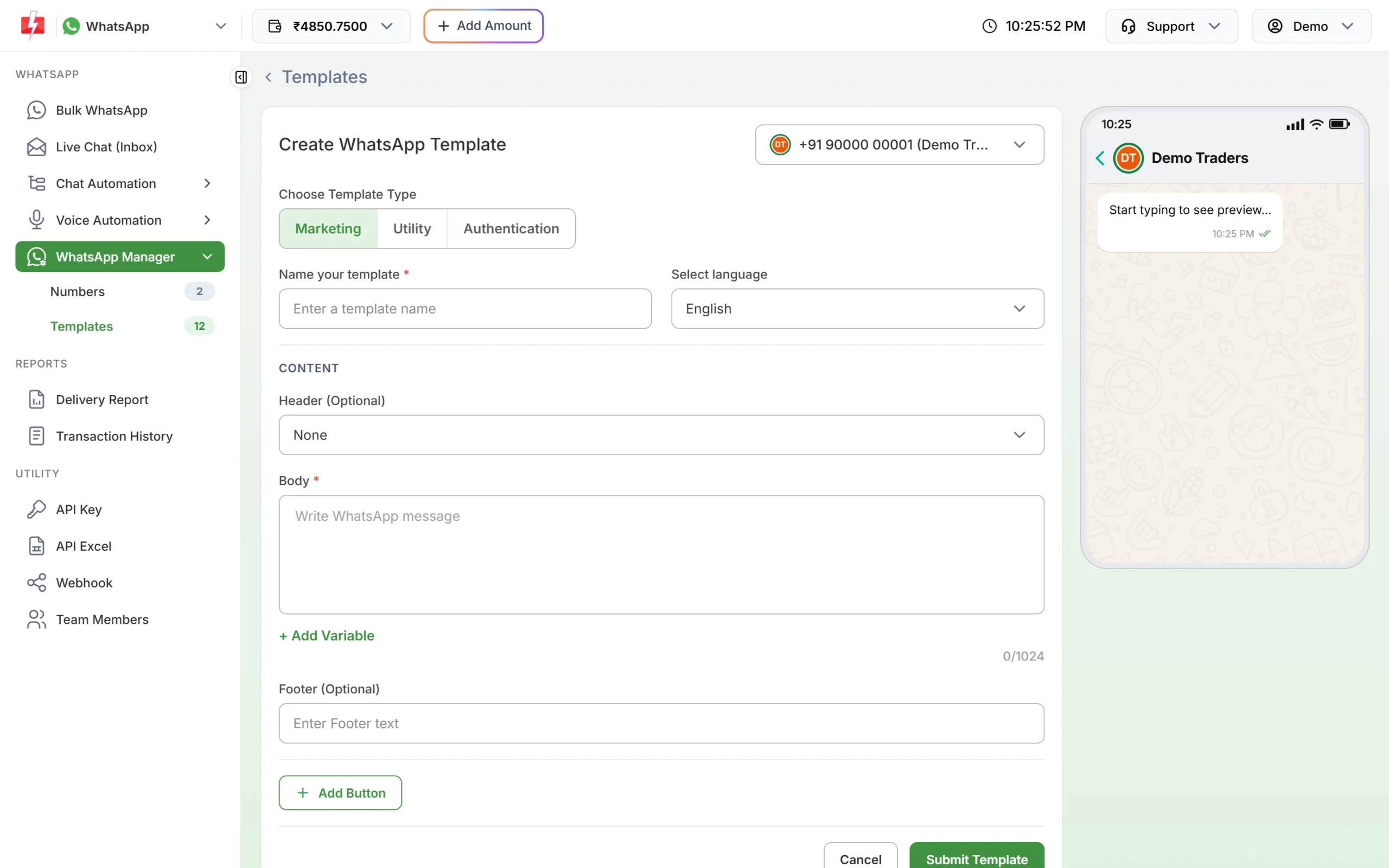
The Select language box sits next to the template name. -
Write the body in that language
Type or paste the text in Devanagari or Gujarati script. Add variables with + Add Variable as usual and give a sample for each one. The live preview on the right shows how the message looks on a phone.
-
Submit and check the card
Click Submit Template. Once Meta approves it, the card shows the language badge, for example HI, next to the category.
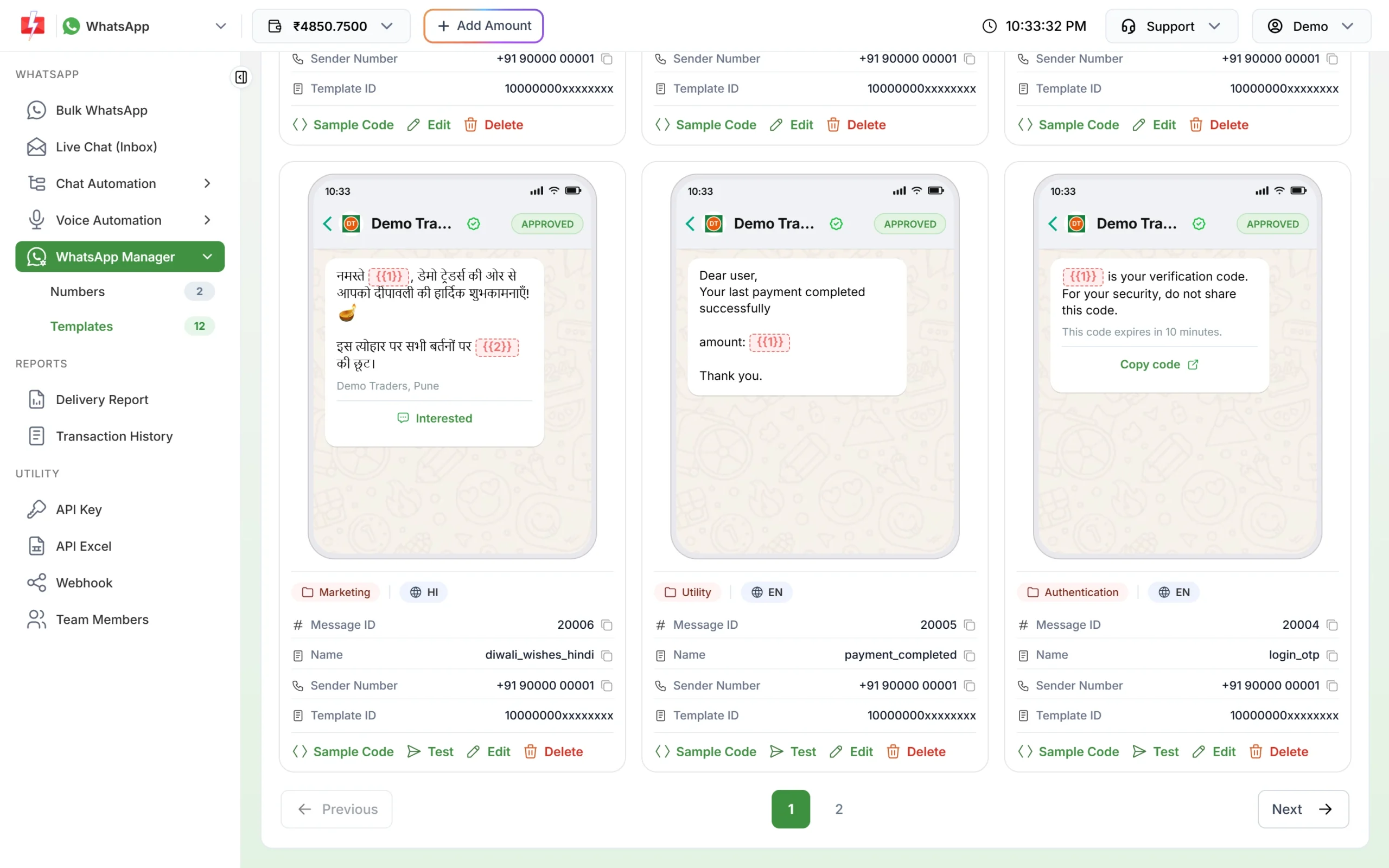
An approved Hindi template with the HI badge.
Sending the same message in two languages
Meta lets one template name have versions in several languages. In the Fast2SMS form, each template name must be new, so the simple way is to create one template per language with its own name:
order_update_enin Englishorder_update_hiin Hindiorder_update_guin Gujarati
Each one gets its own Message ID on the card. When you send, pick the template that matches the customer’s language. In Bulk WhatsApp that means one campaign per language group. In the API, pass the matching message_id for each customer.
You cannot change the language later
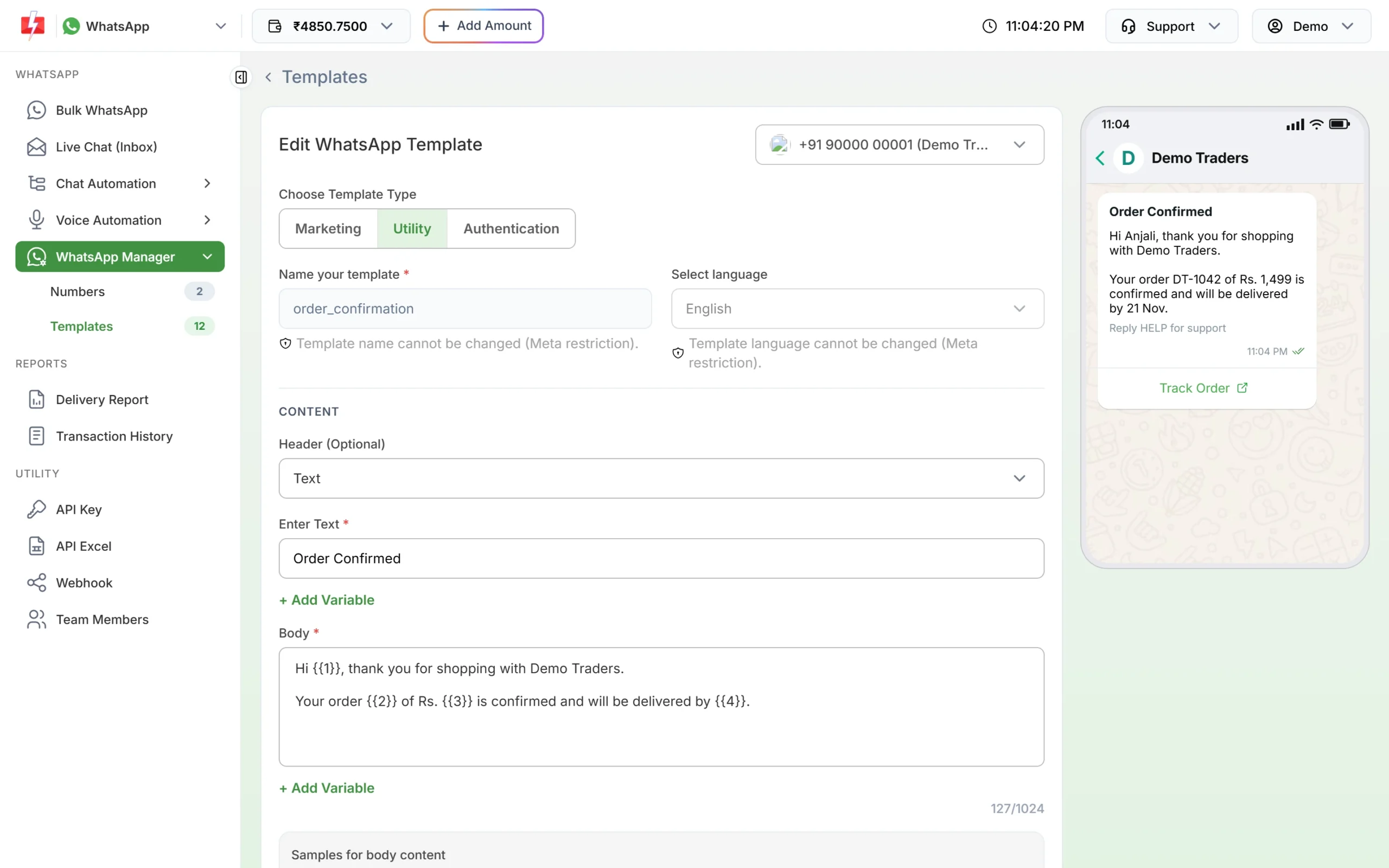
Once a template is submitted, its name and language are fixed. When you edit it, both fields are greyed out with the notes “Template name cannot be changed (Meta restriction).” and “Template language cannot be changed (Meta restriction).” To use a different language, create a new template.
Test before you send
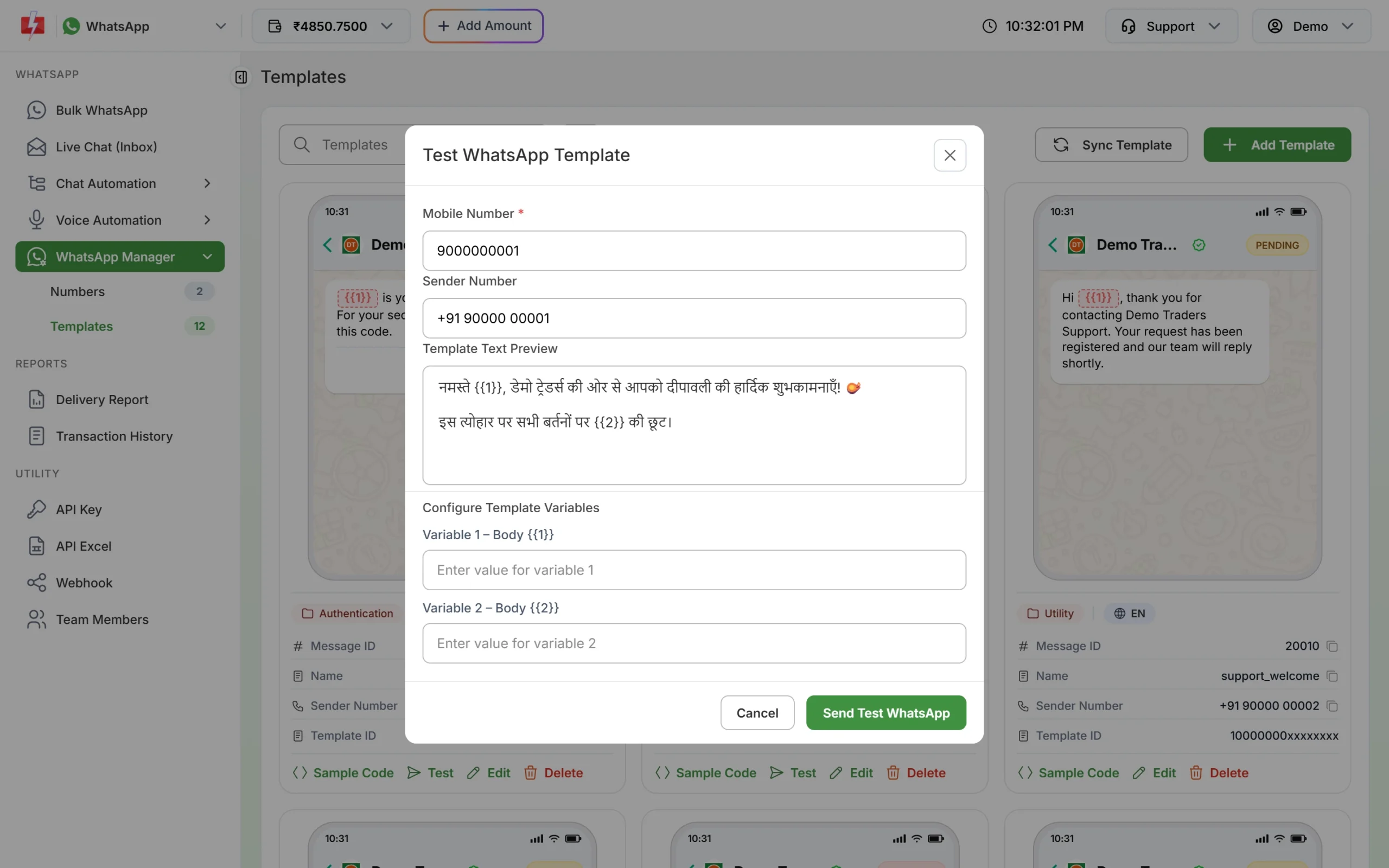
Hindi and Gujarati text can look different on a phone than in your editor, especially with long words and emoji. After approval, click Test on the template card, enter your own mobile number and sample values, and click Send Test WhatsApp. Check the message on your phone before you send it to customers.
Tips for regional language templates
- Use one language per template. Do not write half the body in English and half in Hindi.
- Write numbers, amounts and dates the way your customers read them, for example “Rs. 1,499” or “₹1,499”.
- The body limit is 1,024 characters in every language, and the text header and footer are 60 characters each.
- Variable values can be in any script. A Hindi template can carry a customer name typed in English, and the other way round.
- Keep button labels short. Meta allows 25 characters per button label.
- Authentication (OTP) templates have fixed text set by Meta, which Meta shows in the language you select.
Frequently asked questions
Can I send WhatsApp messages in Hindi?
Yes. Create a template with Hindi as the language and the body written in Hindi. After Meta approves it, you can send it like any other template.
Which languages does Fast2SMS support for WhatsApp templates?
The template form offers English, Hindi and Gujarati at the time of writing. Meta supports more languages; contact our team if you need another one.
Can I change a template’s language after approval?
No. Meta does not allow it. Create a new template in the other language.
Can one template have both English and Hindi text?
Each template has one language. Create two templates, one in each language, and send each customer the one they prefer.
Does a Hindi template cost more?
No. The price depends on the template category, not the language.
Can the template name be in Hindi?
No. Names can use only small English letters, numbers and underscores. Only the message content is in Hindi.
Can I reply to customers in Hindi in Live Chat?
Yes. Within 24 hours of the customer’s last message you can type free text in any language. After that you need an approved template.