
You can add WordPress OTP verification without a plugin: create a free OTP widget in Fast2SMS, then paste two lines of code into a Custom HTML block or your page builder’s HTML element. Visitors verify their mobile number by SMS or WhatsApp through Fast2SMS Smart OTP. Nothing is installed on your WordPress site, no API key goes into WordPress, and you pay only for each OTP sent.
This page covers the block editor, page builders, adding the script once for the whole site, and the Popup button and Mobile field modes for contact and signup forms you already have.
Before you start
- A Fast2SMS account with wallet balance and an approved Smart OTP template (an OTP ID) for SMS or WhatsApp.
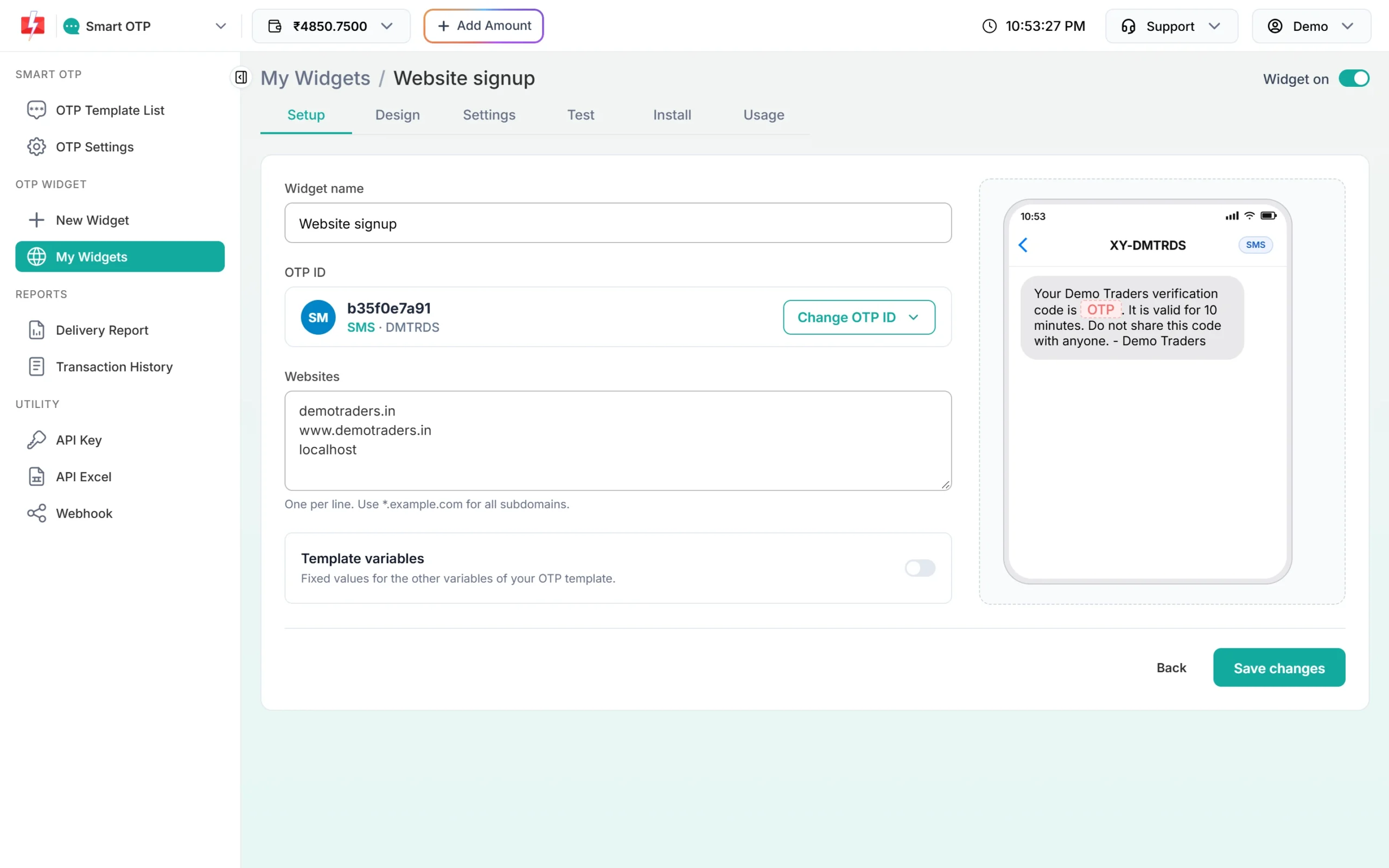
- An OTP widget with your WordPress domain in Websites. Add it with and without www, for example demotraders.in and www.demotraders.in. The free OTP widget guide walks through creating one.
- A WordPress login that is allowed to save script code, usually an Administrator. More on this below.
Add WordPress OTP verification without a plugin
-
Copy the widget code
In Fast2SMS, open Smart OTP > My Widgets, open your widget and go to Install > Widget. Click Copy. You get two lines with your own widget key:
<script src="https://www.fast2sms.com/widget/otp-js?v=1.0.5" defer></script>
<div data-f2s-otp-widget="YOUR_WIDGET_KEY"></div>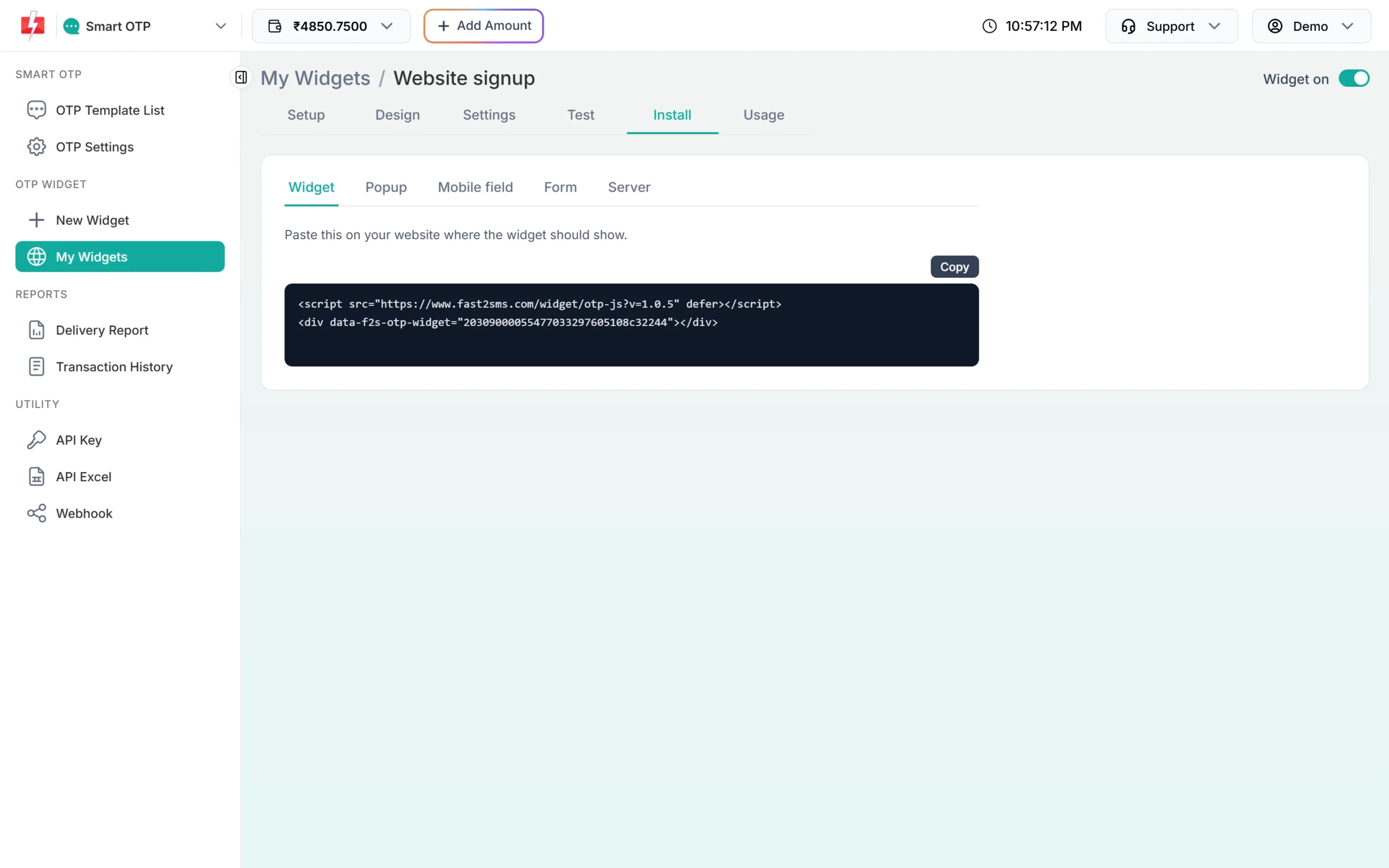
The Widget sub-tab of Install, with the Copy button. -
Block editor: paste it into a Custom HTML block
Open the page in the WordPress editor, click the + button and add a Custom HTML block where the OTP box should appear. Paste both lines into it. Use Preview to check, then update or publish the page. In the editor you may see only the code. The box itself shows in the page preview and on the live page.
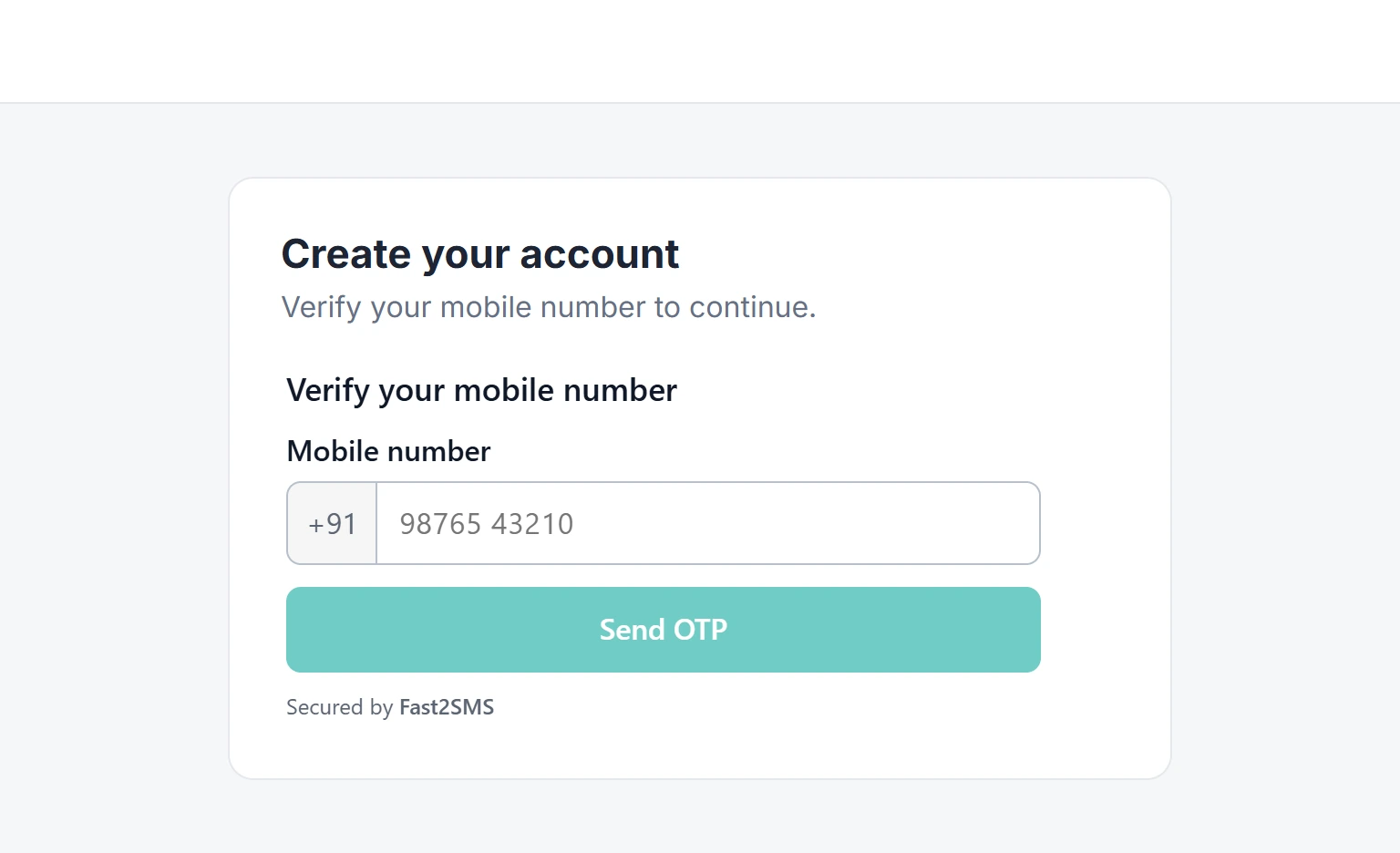
How the widget looks on a sample signup page. -
Elementor and other page builders: use an HTML element
Most page builders have an HTML widget or element for custom code. Drag it into the section where the box should go, paste the two lines and save. Some builders do not run scripts inside their editor, so check the result in the builder’s preview or on the live page, not only in the editing screen.
-
Test it
Use the Test tab of the widget in Fast2SMS to check your OTP template, then open the live page in a private window and verify your own number. Both send a real OTP and both are charged.
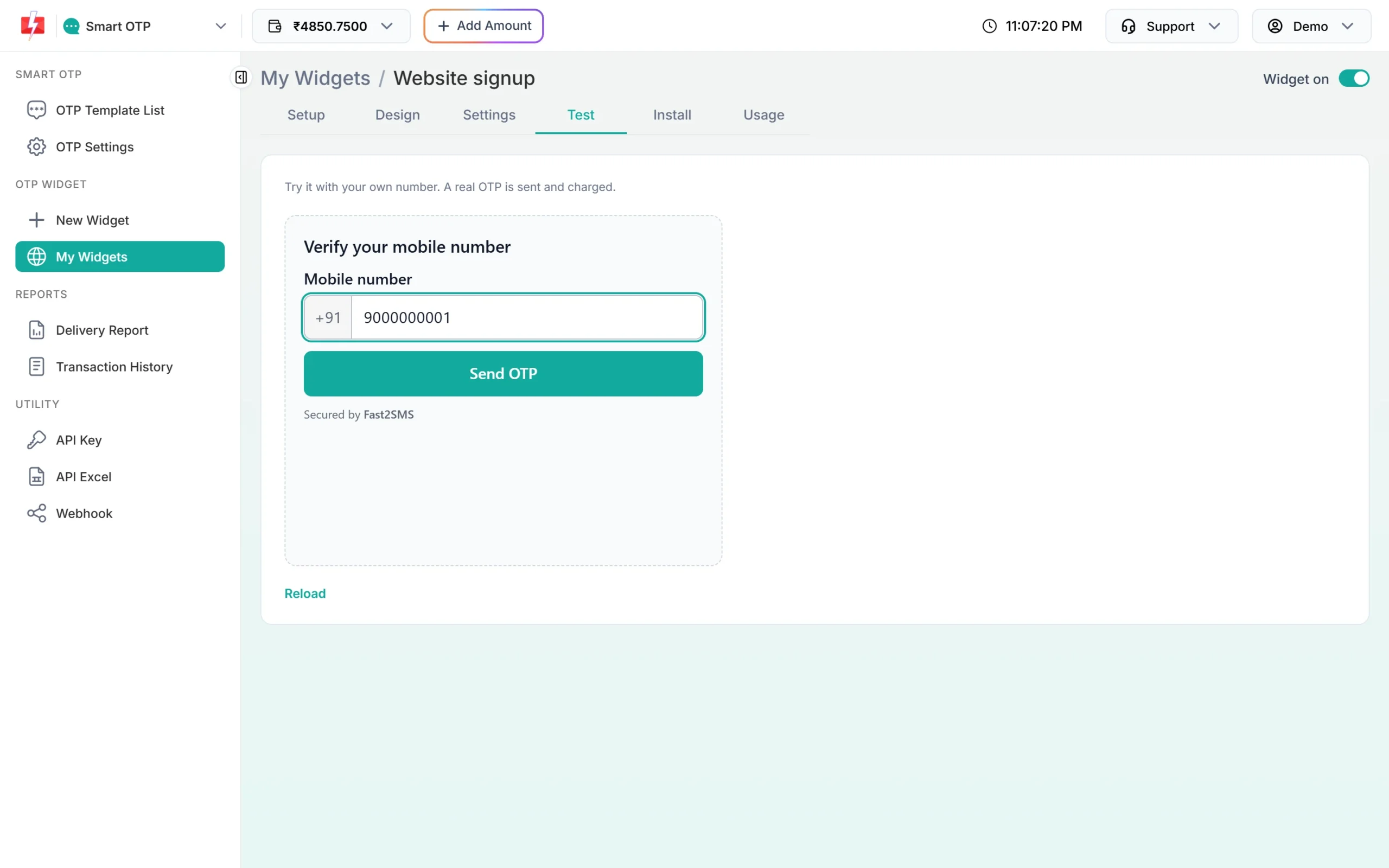
The Test tab runs the real widget before you touch WordPress.
Add the script once for the whole site, or on each page
The first line, the script tag, is the same for all your widgets. The second line is what places the box. You can keep both lines together on each page, or load the script once for the whole site and then paste only the second line where you need a box.
| Way | Where the script goes | Good for |
|---|---|---|
| Per page | Both lines in the same Custom HTML block or HTML element | One or two pages, such as a signup or COD page |
| Site-wide | Your theme’s header or footer code option, or the footer of a child theme | Many pages or forms with an OTP box |
Avoid editing the main theme files directly, because a theme update can overwrite them. A child theme or the theme’s own custom code option keeps the script after updates. Either way, one script tag per page is enough.
OTP verification for a WordPress contact form or signup form
If you already have a form, you may not want a separate OTP box. The widget has four ways to work with a form, all on the Install tab. Which one fits depends on how much of the form’s code you can change.
Mobile field: a Verify button next to your phone field
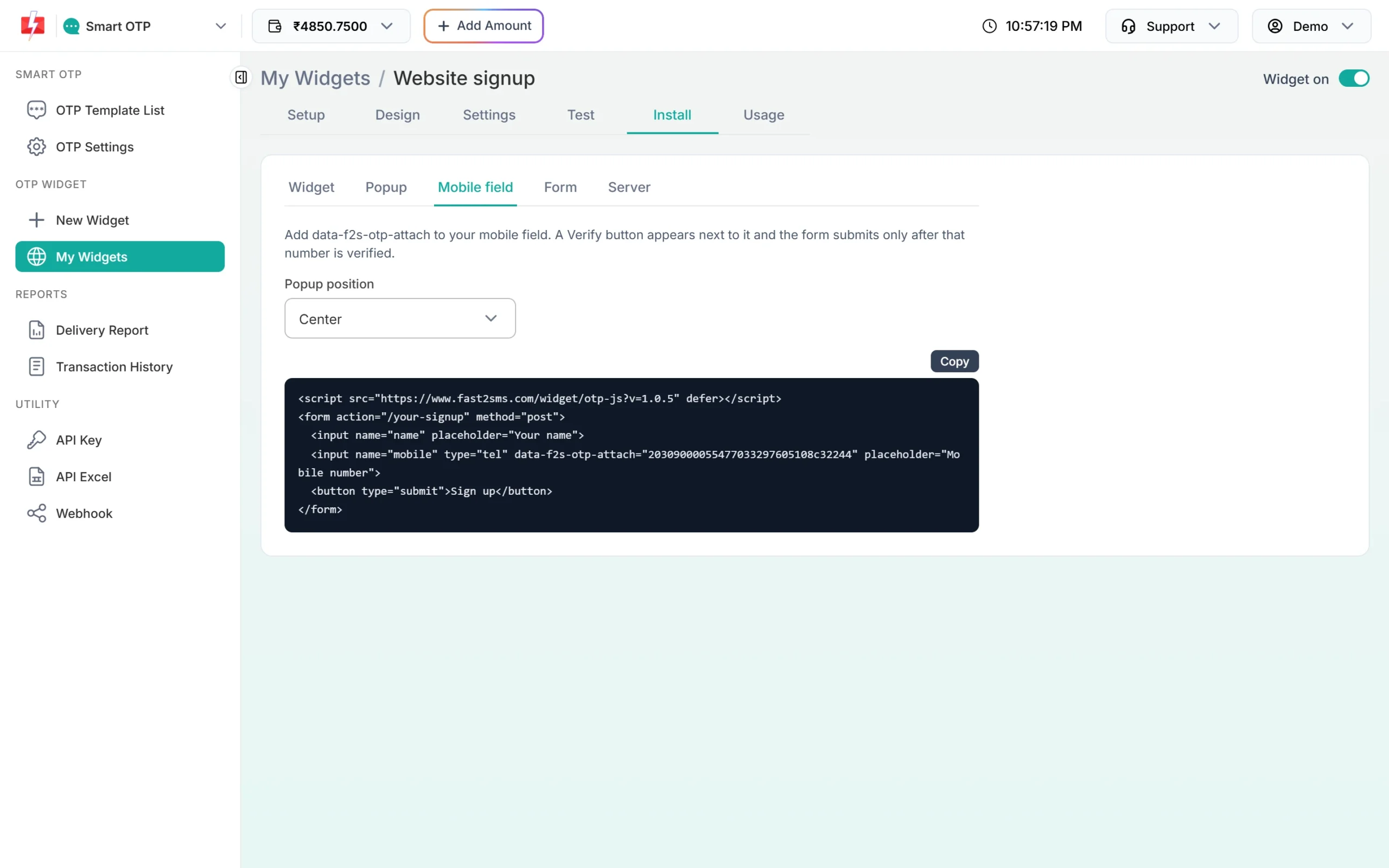
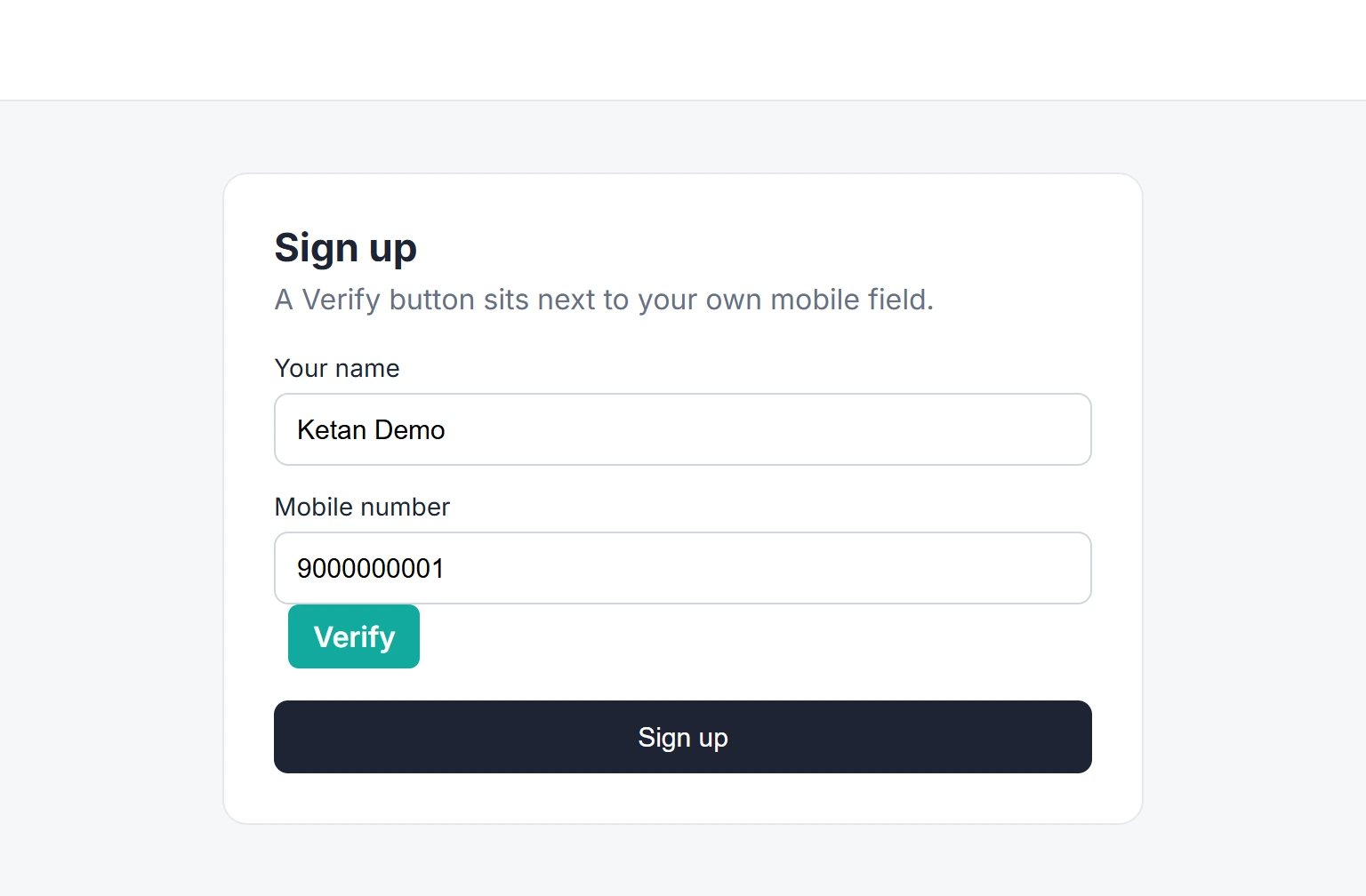
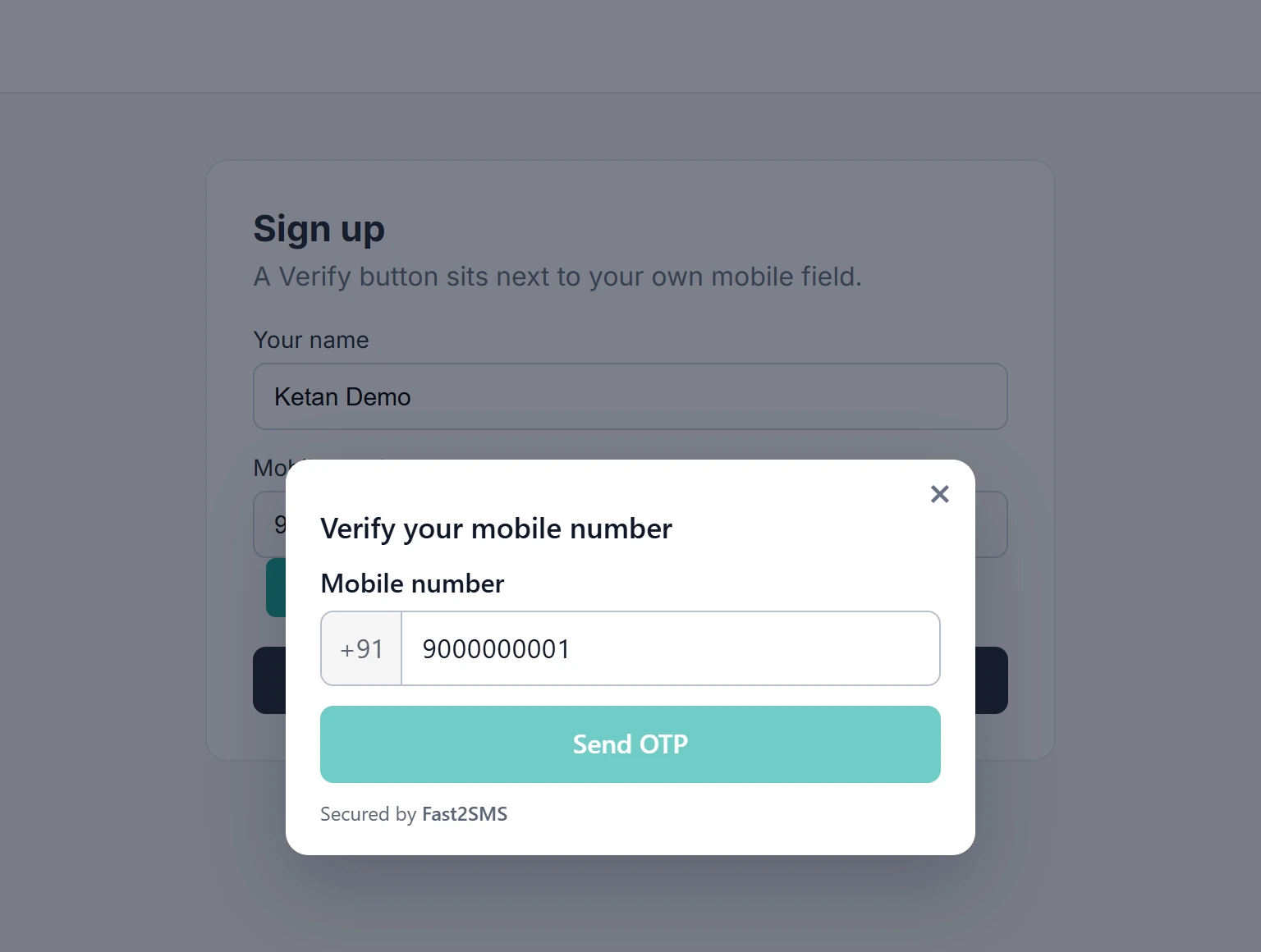
Add data-f2s-otp-attach="YOUR_WIDGET_KEY" to your phone input. A Verify button appears next to it and opens the widget in a popup, and the form submits only after that number is verified. This works when you write the form in a Custom HTML block yourself, or when your form tool lets you add a custom attribute to the phone field.
Popup button: your own button opens the widget
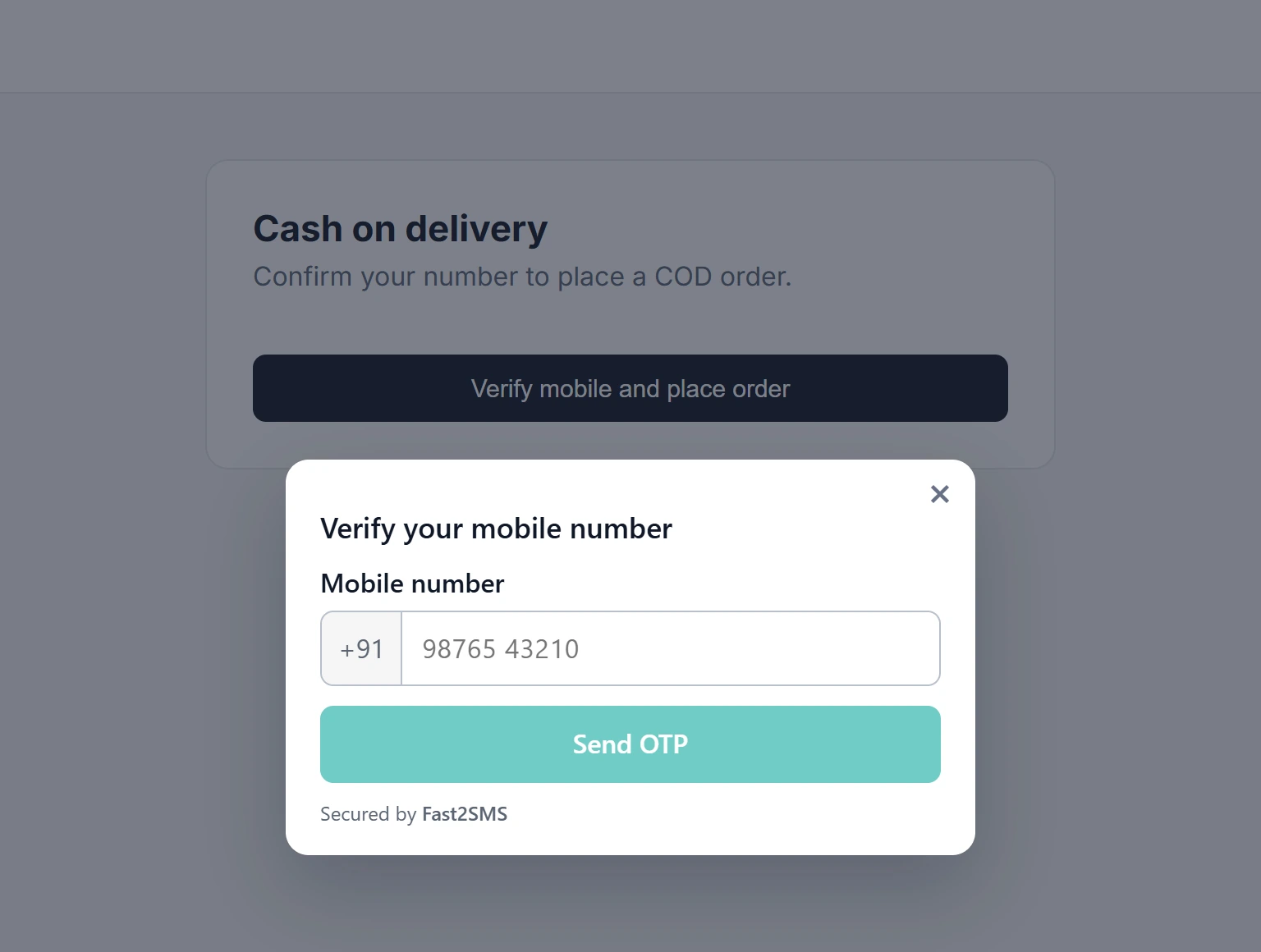
Paste a button such as <button type="button" data-f2s-otp-popup="YOUR_WIDGET_KEY">Verify mobile</button> in a Custom HTML block. Clicking it opens the widget in a popup. Pick the Popup position on the Install tab: centre, top, bottom, left, right or a corner. This mode needs nothing from your form plugin, so it works next to almost any form.
Form mode, and what to do when your form plugin does not allow it
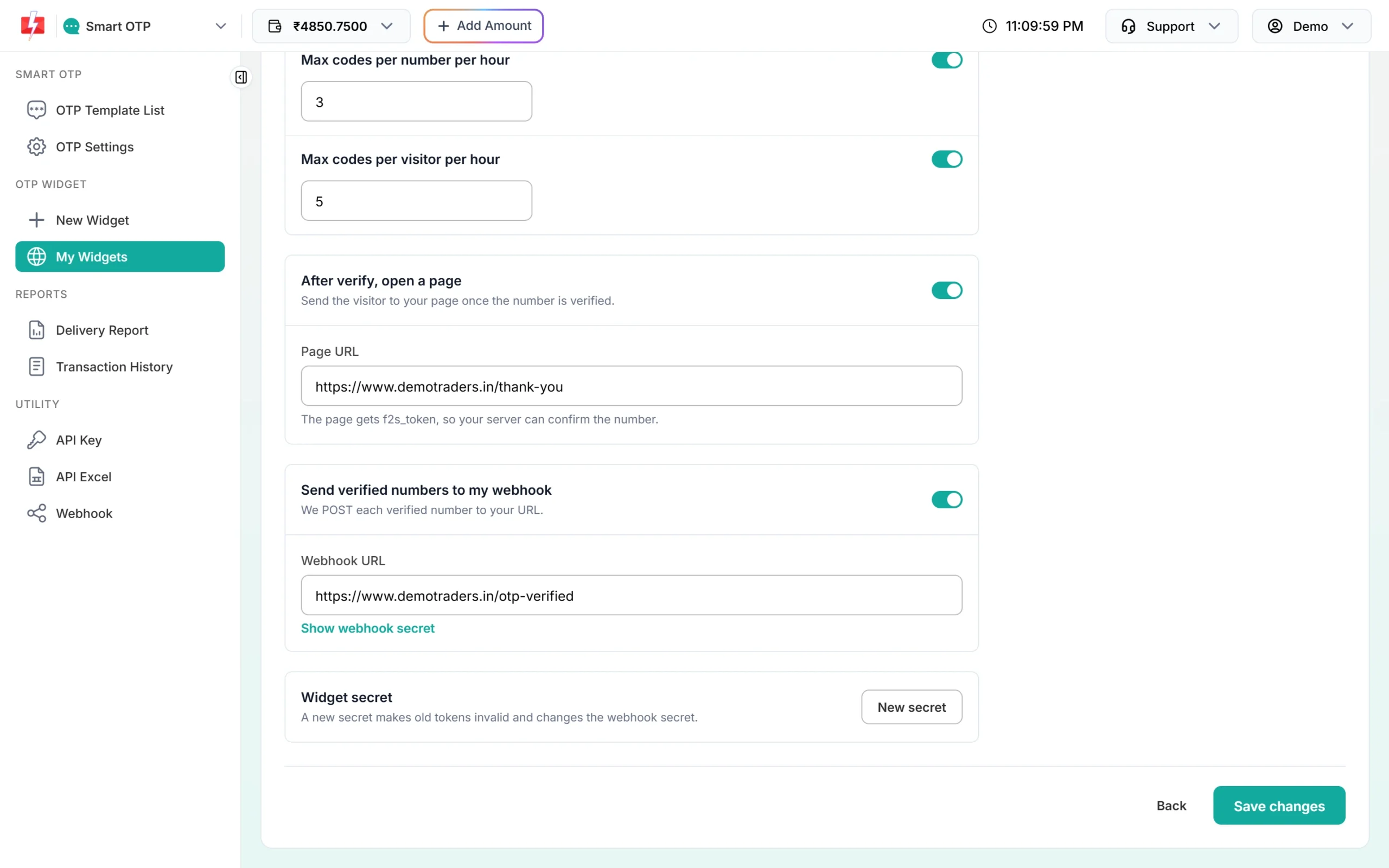
Form mode adds data-f2s-otp-protect to the <form> tag, so the form submits only after verification and gets a hidden f2s_token field. Many form plugins build the form tag themselves and do not let you add attributes to it. In that case use the Mobile field or Popup mode, or place the plain widget on the page and turn on one of these in the widget’s Settings:
- After verify, open a page: the visitor goes to your page, for example a thank-you or next-step page, and that page gets the f2s_token.
- Send verified numbers to my webhook: every verified number is posted to your https URL.
Test any form mode on the live page: try to submit once without verifying and once after verifying. Forms that send by AJAX can behave differently from plain forms, so check that the result is what you expect. For accounts, orders or anything that depends on the number, confirm the token on your server as shown in verify token and webhook. Each mode is explained in more detail in popup button and mobile field.
Who can paste scripts in WordPress
WordPress removes script tags from posts and pages saved by users who are not allowed to post unfiltered HTML. On a normal single site, Administrators and Editors can save the widget code, while Authors and Contributors cannot. On a multisite network only Super Admins can. If the box vanishes after you save, ask an Administrator to add the code. Some hosted WordPress plans do not allow custom scripts at all; check with your host.
Plugin or no plugin
Pasting the widget suits any page or form and needs no updates on your site. If you prefer a plugin, Fast2SMS has those too: see mobile OTP verification with the Fast2SMS WordPress plugin, WooCommerce OTP verification for store login and checkout, and the OTP widget kit plugin with a shortcode if you want to host the code yourself with your own API key.
What it costs
The widget is free to create and use. There is no setup or monthly fee. Each OTP is charged from your Fast2SMS wallet at your normal Smart OTP rate, including tests and resends. Rates are on the Smart OTP page.
Sending in bulk? For high OTP volumes our team offers discounted rates. Talk to our team or see OTP pricing.
Common problems and fixes
| Problem | Fix |
|---|---|
| The page shows “Mobile verification is not available on this page right now.” | Add the exact domain to Websites, with and without www, plus any staging domain. Check that the widget is switched on. |
| The box does not appear at all | The script may have been removed on save (user role), or a caching or script optimisation plugin may be delaying it. Clear the cache and test again. If your site sends a Content Security Policy, allow https://www.fast2sms.com in script-src and frame-src. |
| The form submits without OTP | Your form tool may not have kept the attribute. Use the Popup mode, or the plain widget with the after-verify page or webhook. |
| The widget stopped sending for the rest of the day | A daily cap in Settings was reached. It starts again after midnight IST, or raise the cap. |
Frequently asked questions
Can I add OTP login to WordPress without a plugin?
Yes. Paste the widget code into a Custom HTML block or an HTML element. For a real login, your site also needs to check the f2s_token on the server and sign the user in, which needs a developer or a plugin.
Does it work with Elementor?
Yes, through the builder’s HTML widget. Check the result in preview or on the live page.
Can I add OTP verification to a WordPress contact form?
Yes. Use Mobile field mode if you can add an attribute to the phone field, otherwise a Popup button next to the form, or the plain widget with an after-verify page or webhook.
Can I use WhatsApp OTP on WordPress?
Yes. Pick a WhatsApp OTP ID when you create the widget. See the WhatsApp OTP widget guide.
Is my API key stored in WordPress?
No. The page only has the widget key. The widget runs in a frame from www.fast2sms.com.
How many sites can one widget cover?
Up to 20 websites per widget, and up to 20 widgets per account.