
To add OTP verification to Wix, Webflow, Blogger or any other website builder, create a free OTP widget in Fast2SMS, add your domains, and paste 2 lines of code into the builder’s custom code, HTML embed or code block. The code must run on your own domain. Visitors then verify their mobile number with a 6-digit code on SMS or WhatsApp. You need no server, no plugin and no API key on the site. The same 2 lines work on a plain HTML site and on landing pages.
How the widget works on a website builder
Fast2SMS hosts the widget. Your page loads a small script, and the script shows the verification box in a frame from www.fast2sms.com. The OTP and the full number stay inside that frame. Your page only gets the masked number and a one-time token, and the full number goes to your webhook. That is why no backend is needed. The one rule: the code has to run on a website you listed in the widget.
Before you start
- A Fast2SMS account with some wallet balance.
- An approved Smart OTP template (OTP ID) on SMS or WhatsApp. See the Smart OTP setup guide.
- A builder plan that allows custom code. Some builders allow it only on paid plans or with a connected domain, so check your plan.
Create the widget
-
Start a new widget
In the Fast2SMS panel, open Smart OTP and click New Widget. Enter a Widget name such as “Landing page” and click Select OTP ID to pick your OTP template.
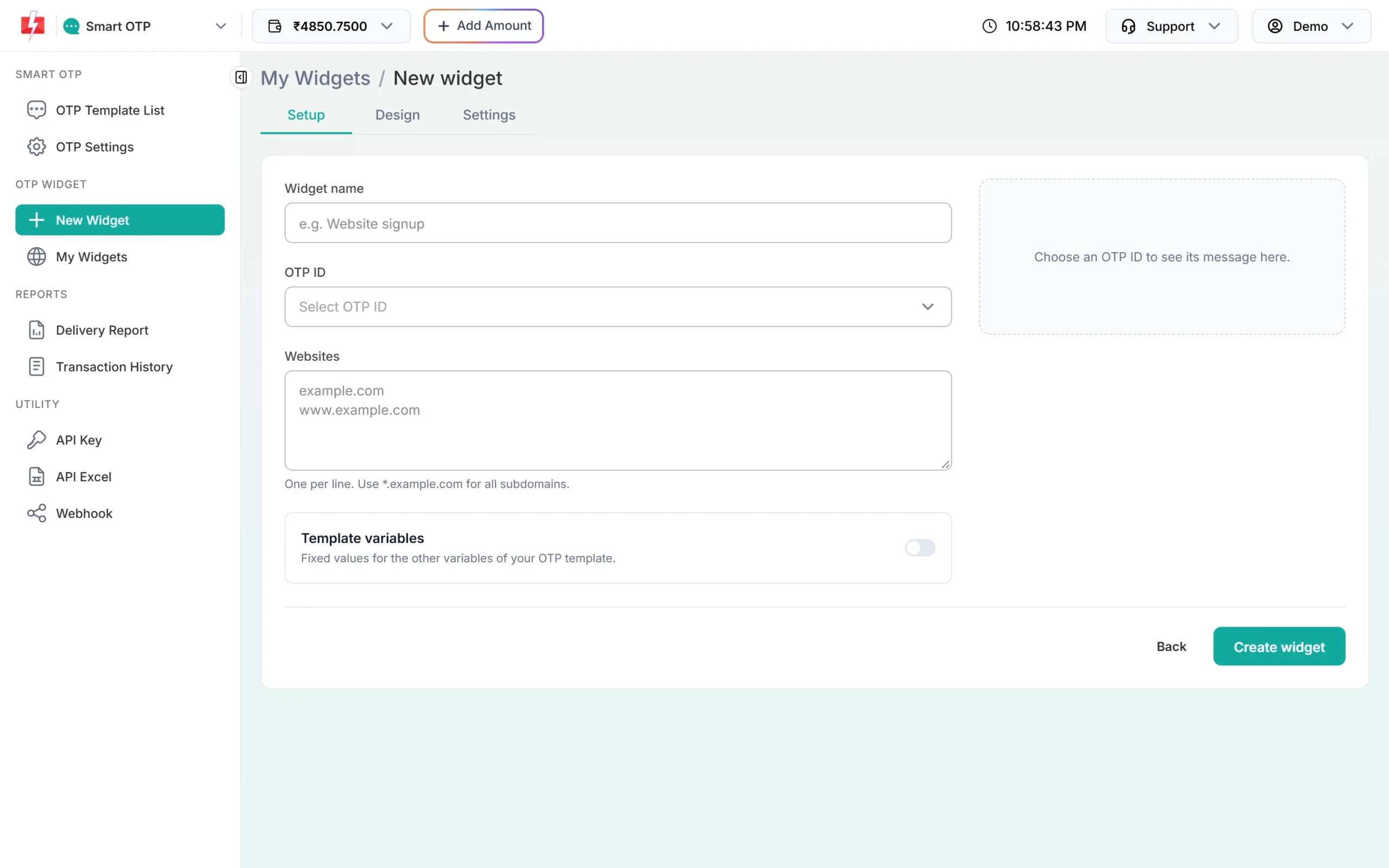
The New widget page: Setup, Design and Settings. -
Add the right domains
In Websites, add one address per line. The widget shows only on these sites; anywhere else it shows “Mobile verification is not available on this page right now.”
Your site What to add Your own domain example.comandwww.example.comSubdomains such as offers.example.com *.example.comA free builder address Your exact address, such as yourblog.blogspot.comoryoursite.webflow.ioA plain HTML file on your computer localhost, for testing onlyNever add a wildcard for the builder’s shared domain, such as
*.blogspot.com. That would let every site on that builder use your widget and your wallet.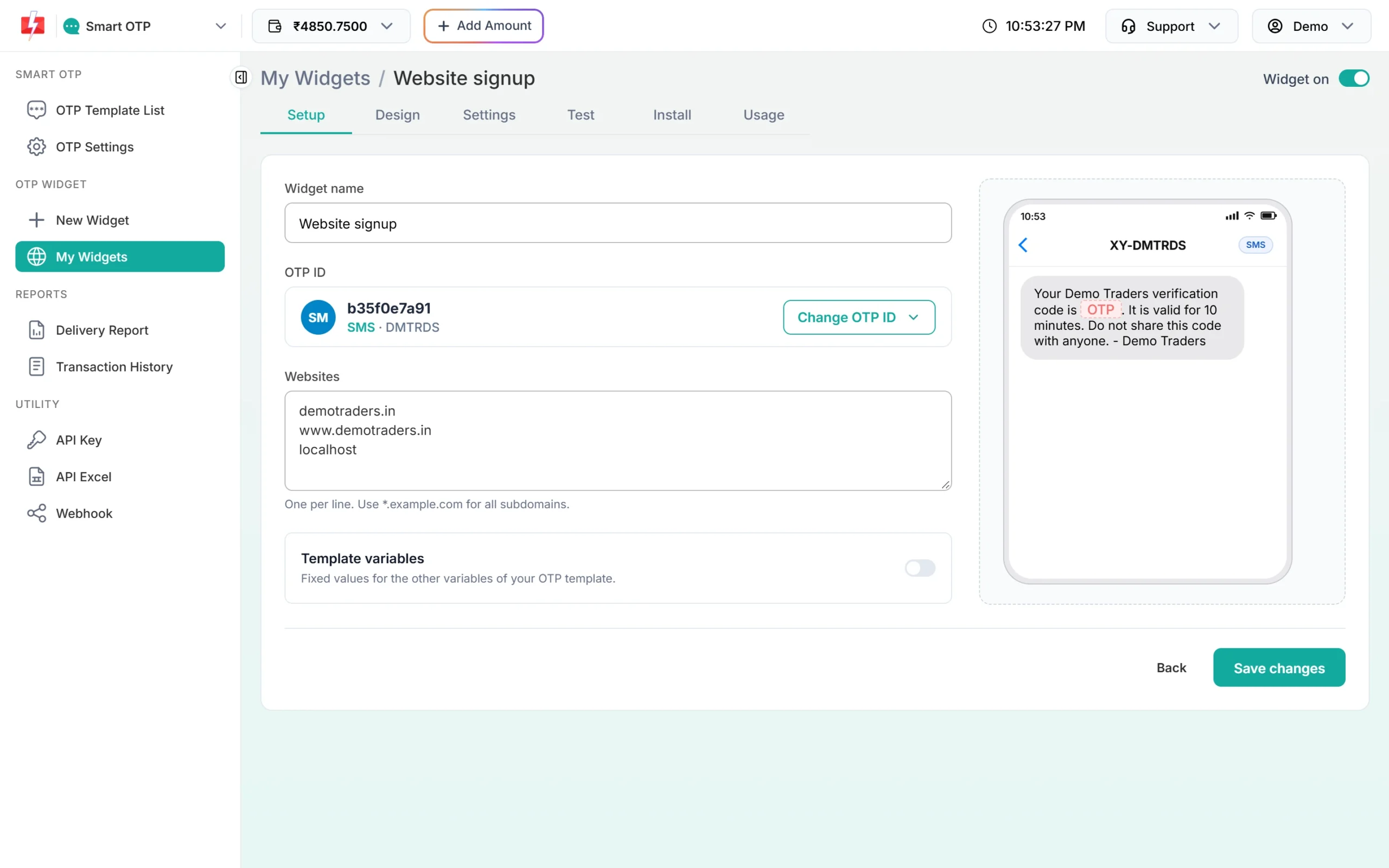
Domain with and without www, plus localhost for testing (test account). -
Match your brand
On the Design tab, set the Button colour and Button text. Turn on Title and logo to show a heading and your logo. The preview on the right updates as you type.
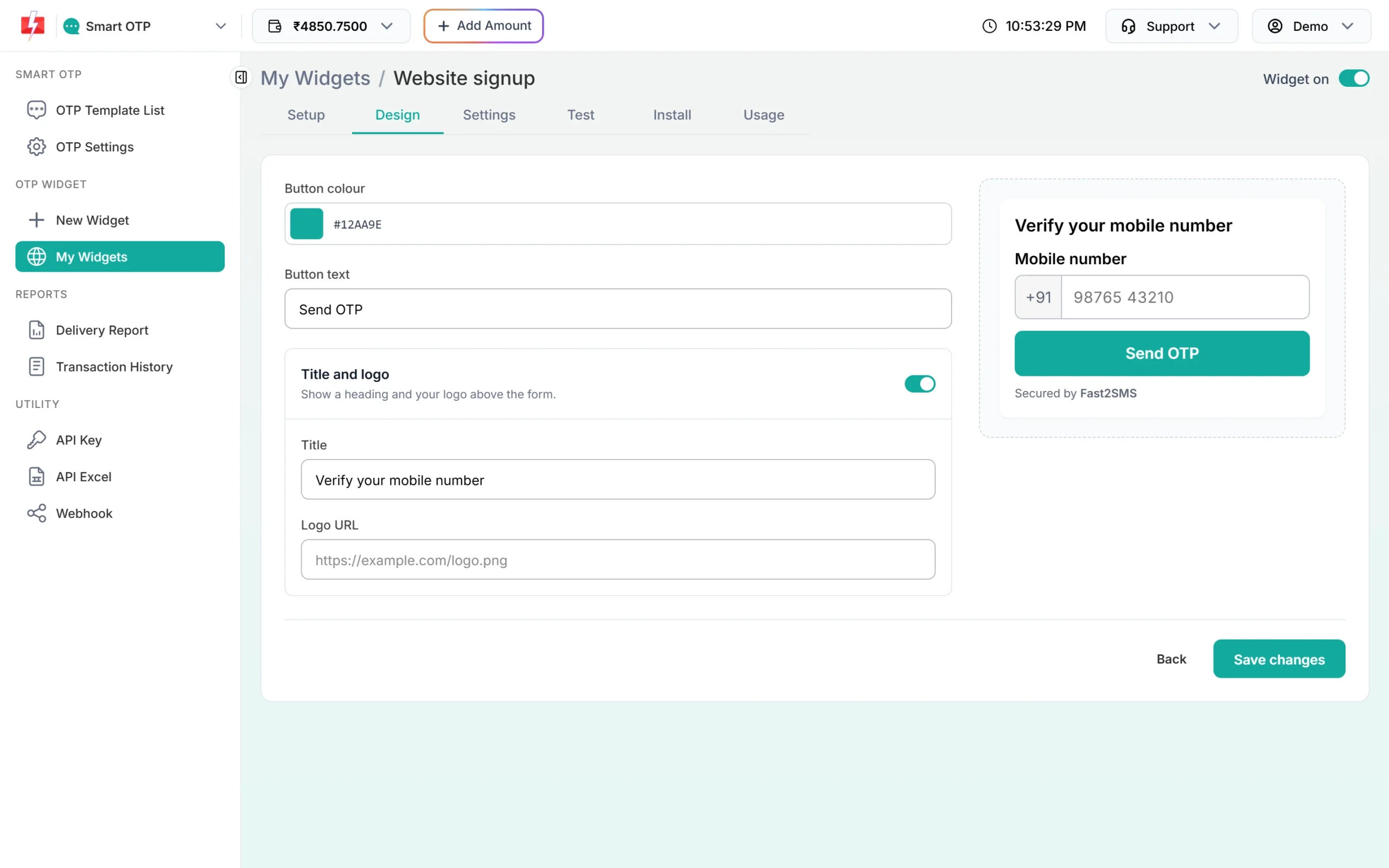
Colour, text and title, with a live preview. -
Choose what happens after verify
On the Settings tab, keep the Limits on so bots cannot drain your wallet. Then pick one or both: After verify, open a page sends the visitor to your thank-you page, and Send verified numbers to my webhook posts each verified number to an https URL. On a builder site the webhook is the reliable record, because the builder cannot check the token itself.
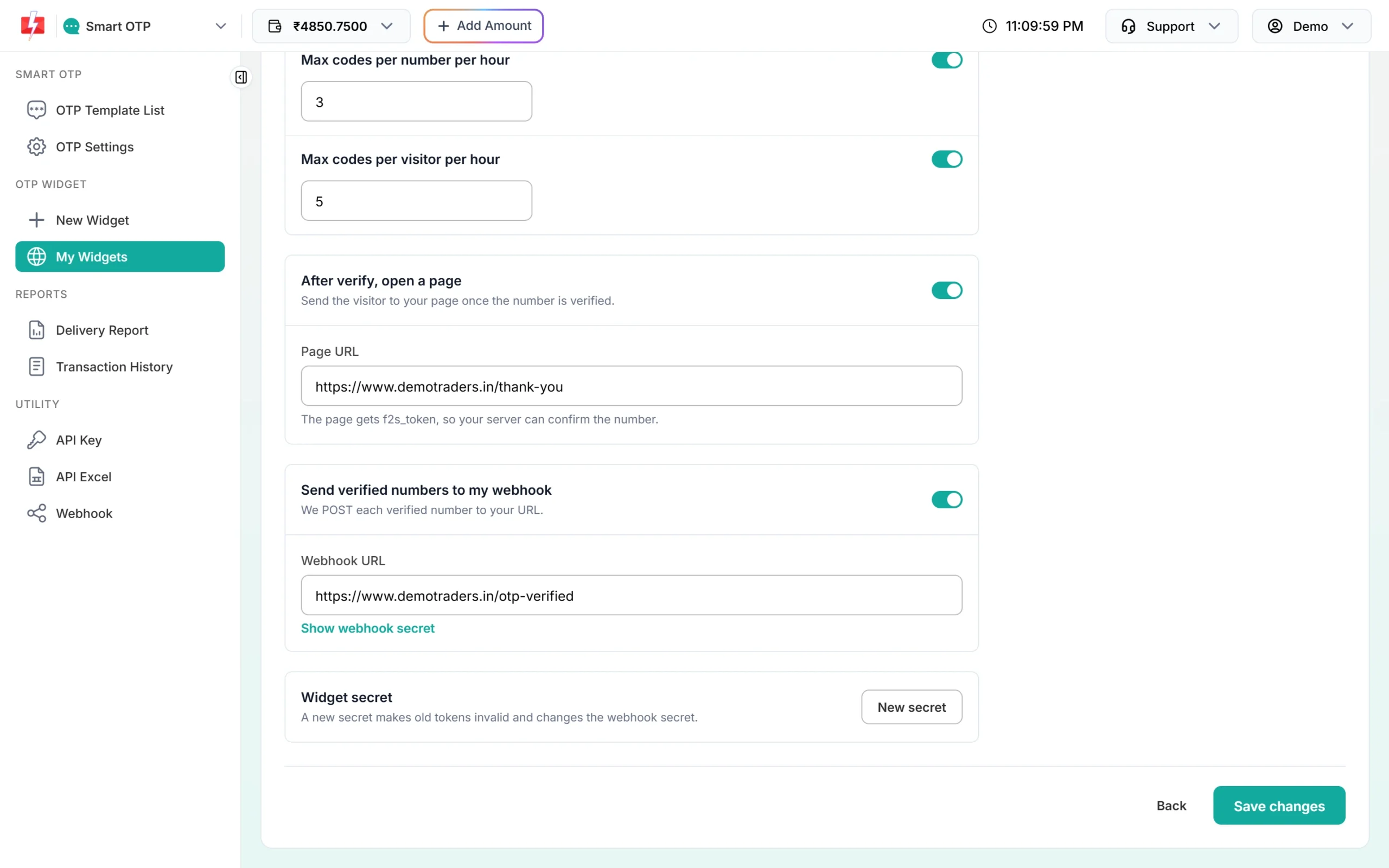
After-verify page and webhook (test account). -
Copy the code
Click Create widget, open Install and copy the Widget code. It shows the box where you paste it. For a “Verify mobile” button that opens a popup, use the Popup sub-tab instead.
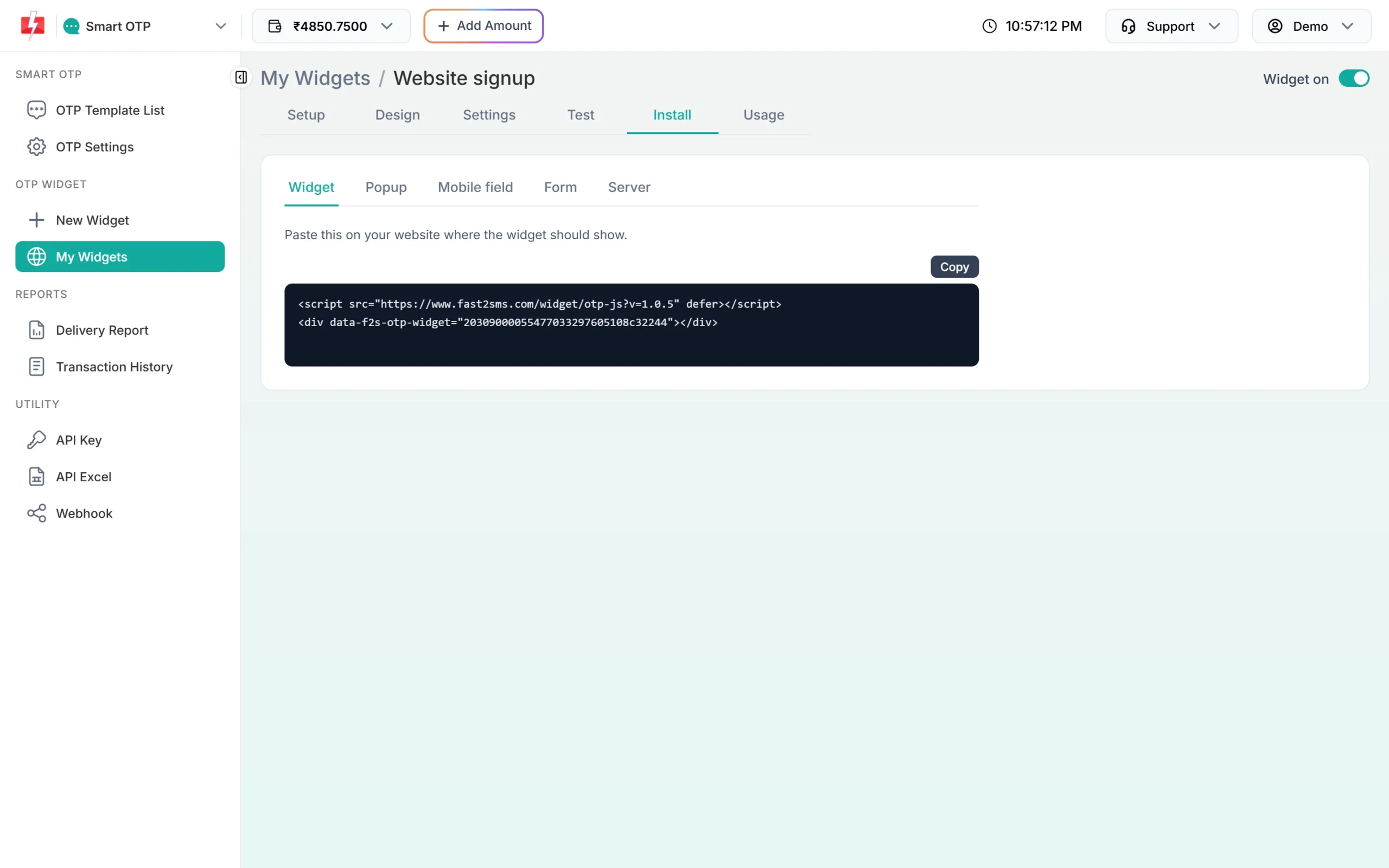
The 2 lines for the inline widget.
Add OTP verification to Wix, Webflow, Blogger and HTML sites
Plain HTML site
Paste the 2 lines in your page where the box should show:
<script src="https://www.fast2sms.com/widget/otp-js?v=1.0.5" defer></script>
<div data-f2s-otp-widget="YOUR_WIDGET_KEY"></div>
If your site sends a Content Security Policy header, allow script-src https://www.fast2sms.com and frame-src https://www.fast2sms.com.
Wix
Use the custom code option that adds your code to your site’s own pages. An HTML embed element may run your code inside a separate frame on another domain, and there the widget shows “not available”. Custom code usually needs a paid plan and a connected domain, so check your plan.
Webflow
Paste the 2 lines into a code embed on the page, or put the script in the site or page custom code and the <div> in a code embed. Add your webflow.io address too if you test there. Custom code may need a paid site plan.
Blogger
Open the post or page, switch the editor to HTML view and paste the 2 lines. For a box in the sidebar, add an HTML/JavaScript gadget from Layout. Add your blogspot.com address and your custom domain, if you use one.
Landing pages and other builders
Any landing page builder works if it has a custom HTML or code block that runs on your own domain. Add both the builder’s preview address and your live domain to Websites.
Test it in the panel and on the live page
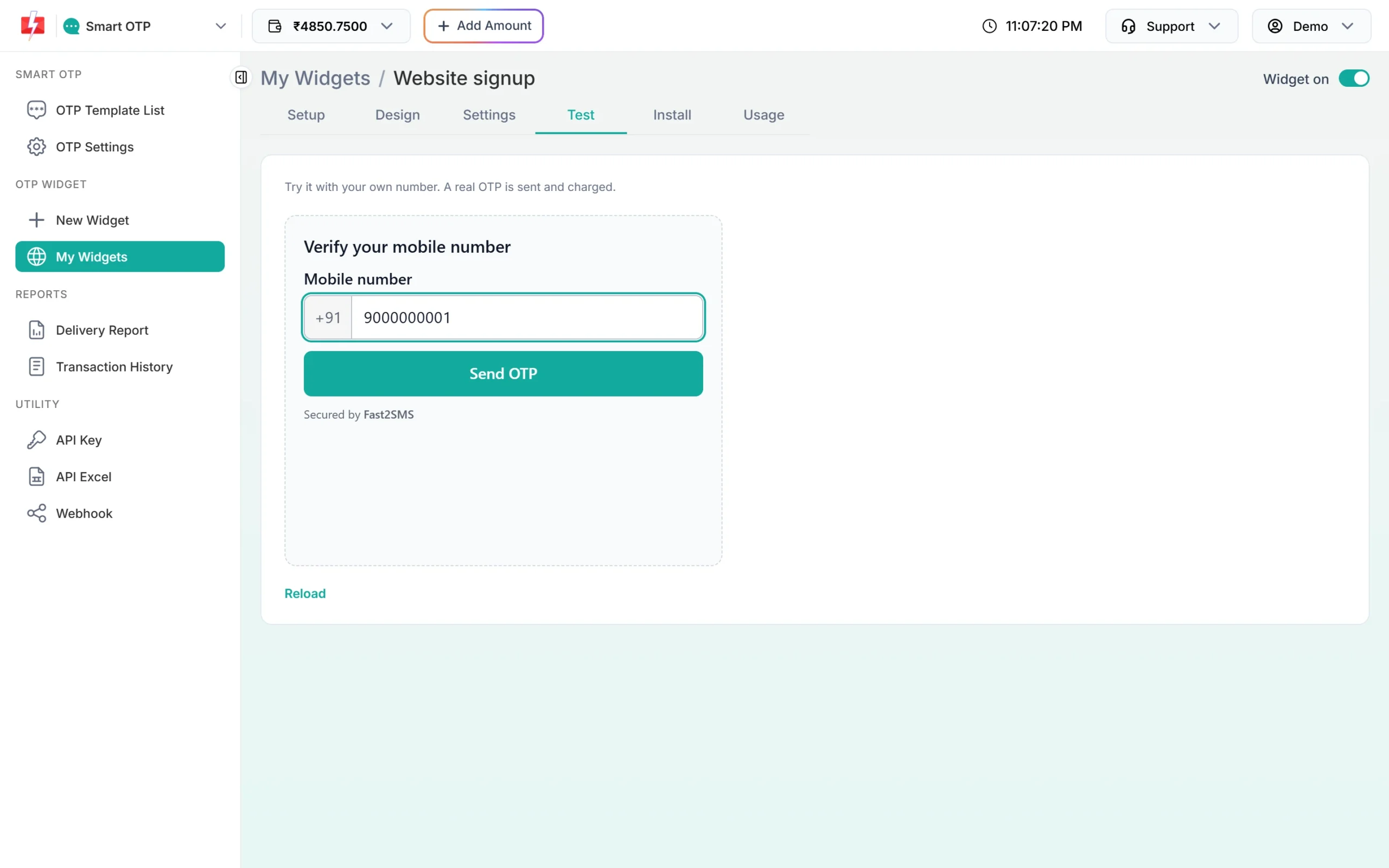
Open the Test tab of your widget. It runs the real widget: “Try it with your own number. A real OTP is sent and charged.” Then publish your site and open the live page in a normal browser tab, on a computer and on a phone. Many builders do not run custom code inside their editor, so the editor preview is not a real test.
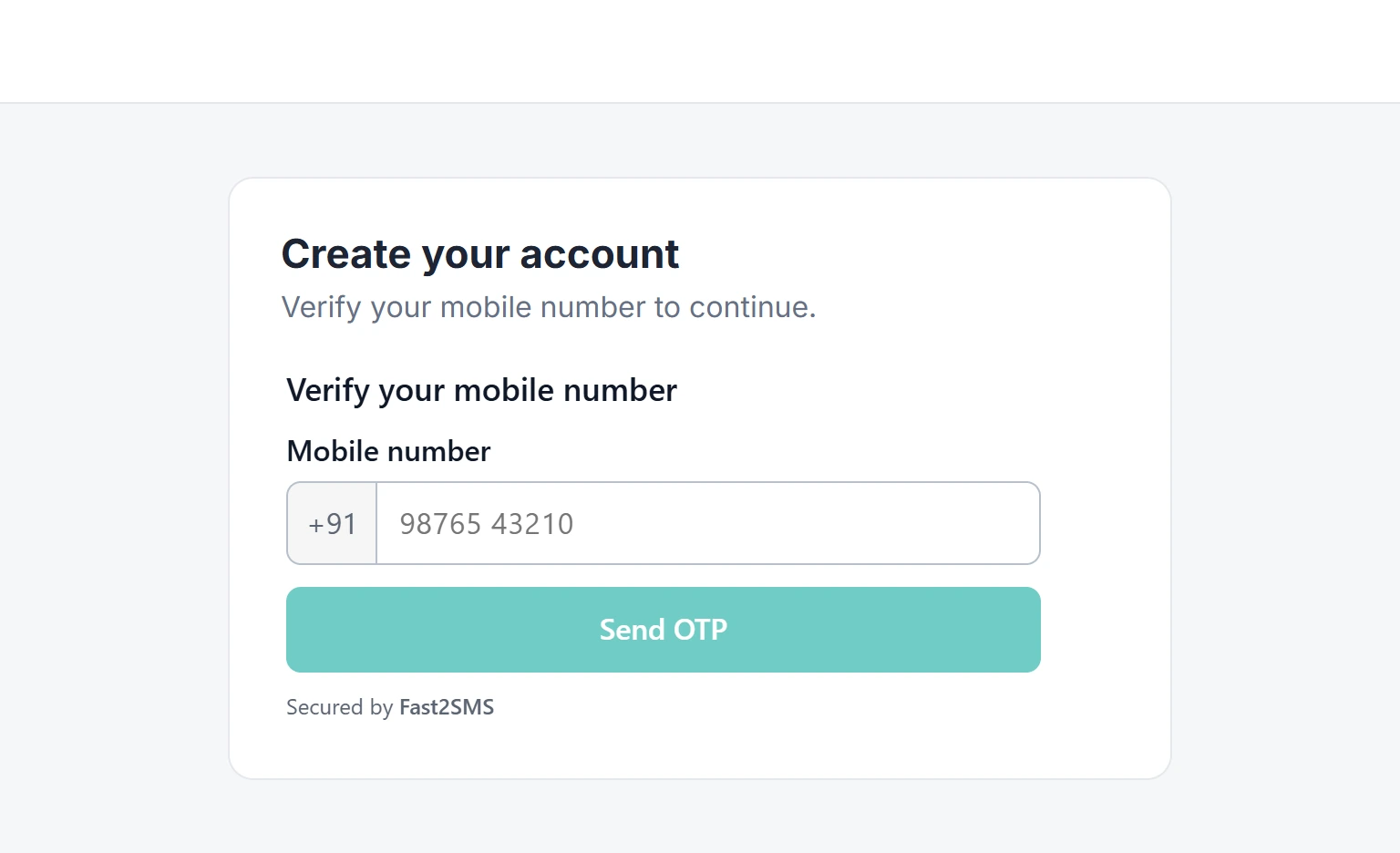
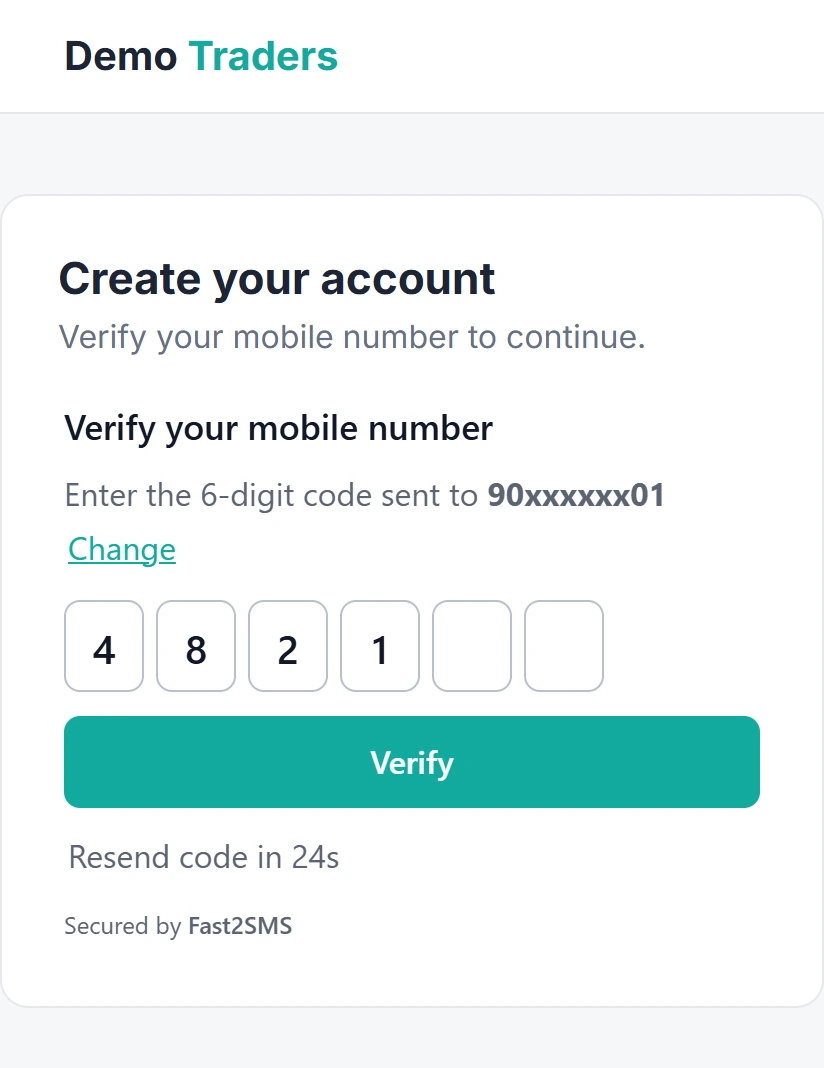
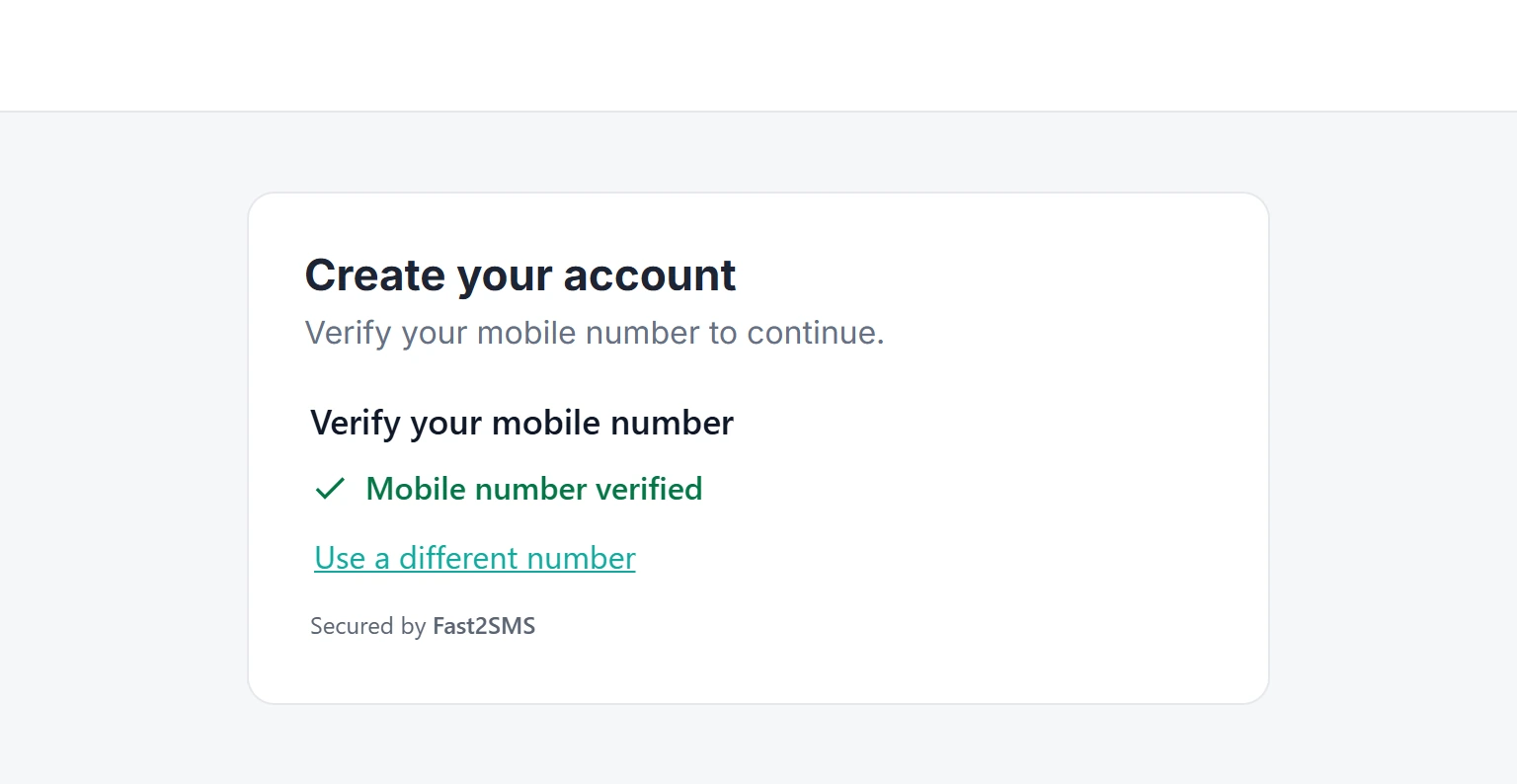
On the live page your visitor sees this:
No code OTP verification: getting the verified numbers
Without your own server, use the webhook. Point it at an automation tool that gives you an https webhook URL, and send each verified number to a sheet or your CRM. See Fast2SMS with Pabbly, Zapier and n8n. The payload and signature check are in verify the OTP widget token and webhook.
The builder’s own form does not know about the widget, so the widget alone does not block that form. If you can add your own HTML form in a code block, Mobile field or Form mode makes the form submit only after the number is verified. See OTP widget popup button and mobile field.
What it costs
The widget is free: no widget fee, setup fee or monthly fee. Each OTP is charged at your normal Smart OTP rate from your Fast2SMS wallet, including codes sent from the Test tab.
Sending in bulk? For high OTP volumes our team offers discounted rates. Talk to our team or see OTP pricing.
Common problems and fixes
| What you see | Why | Fix |
|---|---|---|
| “Not available” on the live site | Domain missing, or code inside a builder frame on another domain. | Add the domain with and without www. Move the code to site-wide custom code. |
| Works on www but not without it | Only one form of the domain is listed. | Add both, or *.example.com for subdomains. |
| Nothing shows in the editor | The builder does not run custom code in its editor. | Publish and check the live page. |
| Codes stop sending | A daily or monthly limit was reached. | The list shows “Stopped today”. Raise the limit or wait until midnight IST. |
Frequently asked questions
Can I add OTP verification to a website without coding?
Yes. You copy 2 lines from the Install tab and paste them into your builder. No server or API key is needed.
Does it work on the free plan of my website builder?
Only if that plan lets you add custom code that runs on your own pages. Some builders need a paid plan for this, so check your plan.
Can I send the OTP on WhatsApp?
Yes. Pick a WhatsApp OTP ID when you create the widget. See WhatsApp OTP widget for websites.
Can I add an OTP form to a landing page?
Yes. Paste the 2 lines into a custom HTML block on the landing page and add the page’s domain to Websites.
Can I use one widget on several sites?
Yes. One widget can list up to 20 websites, and you can create up to 20 widgets.
Is there a self-hosted option?
Yes. If you prefer to host the code yourself, see the OTP widget kits. The older Cloudflare Worker kit works for static sites and builders, with your API key on your own Worker.