
If your Fast2SMS webhook is not working, the answer is almost always in one of two places: the webhook’s own settings (send method, event, identity, status) or Webhook Logs, which shows every request we made to your URL and what your server answered. This guide walks you through both, explains the retry rules, and shows how to resend a report after you fix the problem.
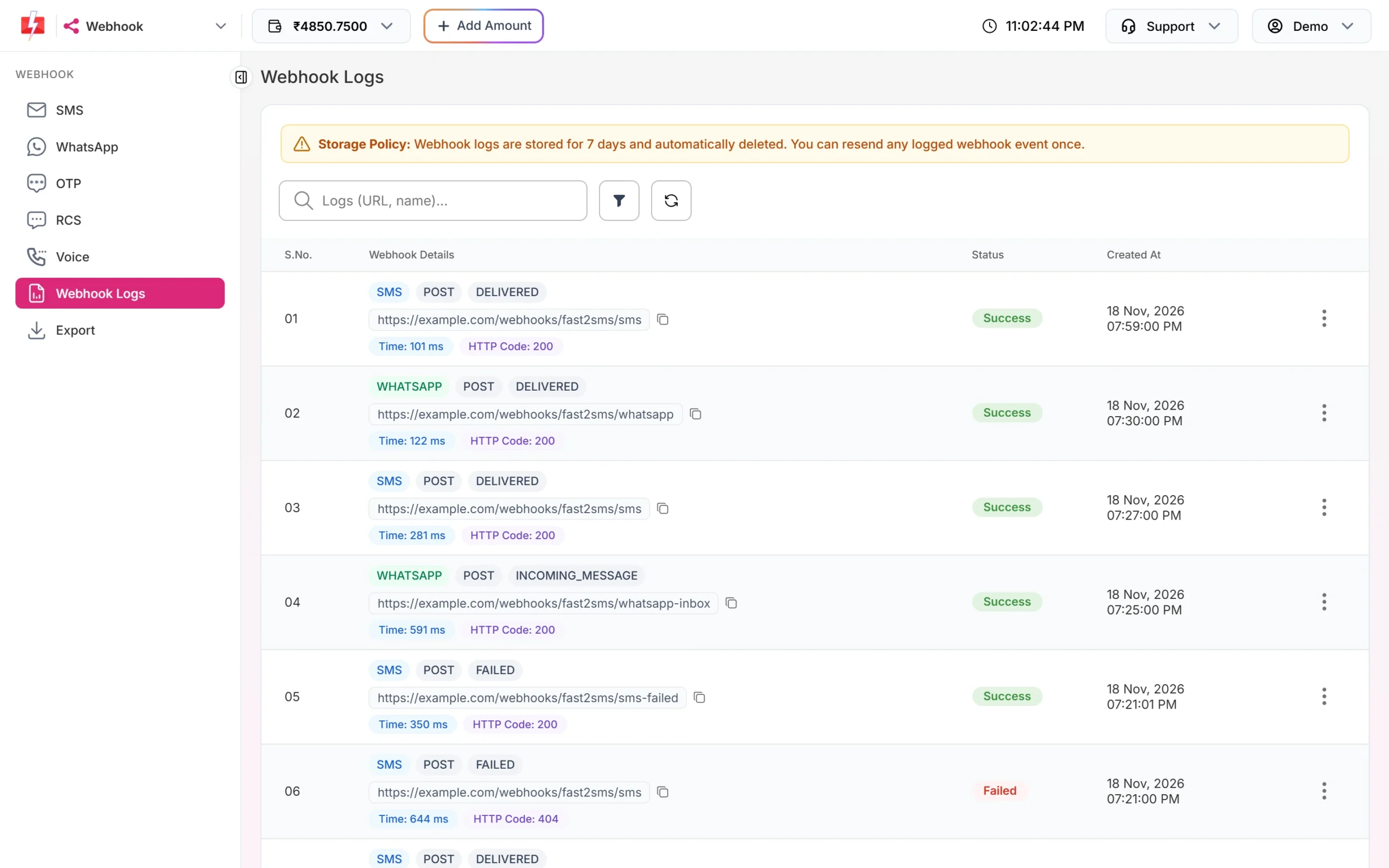
First: is there anything in Webhook Logs?
Open Webhook from the apps menu and click Webhook Logs. Search for your URL. Two very different problems look the same from your side:
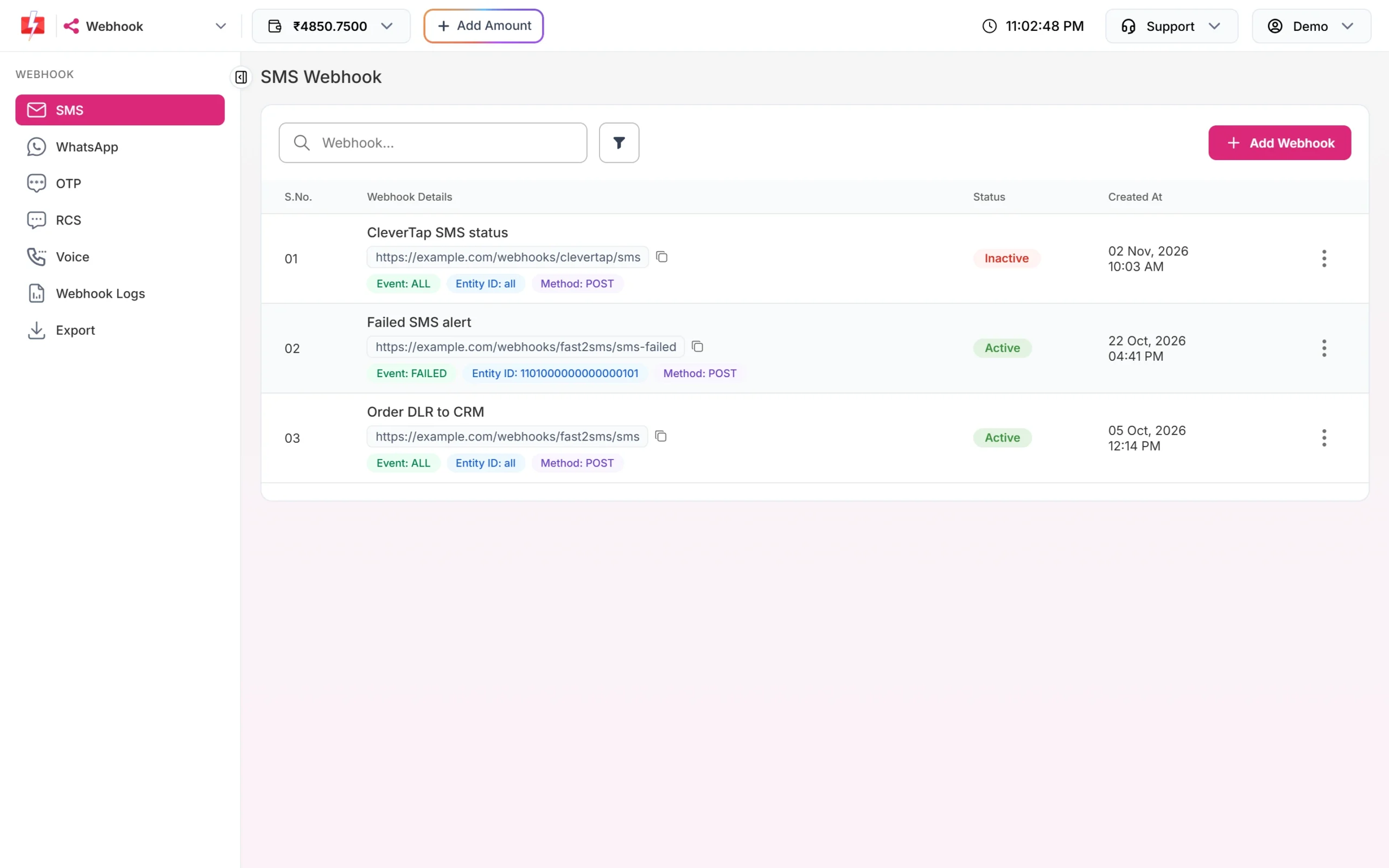
- No rows for your URL: Fast2SMS never tried to send. The webhook’s rules did not match the message. Go to the checklist below.
- Rows marked Failed: we sent the report but your server did not accept it. Go to “Read the failed request”.
Checklist when nothing is sent
| Check | Why it matters | Fix |
|---|---|---|
| Was the message sent through the API? | Webhooks fire only for API sends. Campaigns sent from the panel do not trigger them. | For panel campaigns, use the Delivery Report pages or download the report. |
| Is the webhook Active? | Inactive webhooks never fire. | Edit the webhook and switch on Webhook Status (Active). |
| Does the event match? | A webhook set to On Failed does not send delivered reports, and On Delivered does not send failures. | Choose Default All Events, or create one webhook per event. |
| Does the identity match? | A webhook for one Entity ID, WhatsApp number or RCS bot ignores messages from the others. | Set the identity to Default All, or check you picked the right one. |
| Is it on the right channel page? | SMS, WhatsApp, OTP, RCS and Voice each have their own webhook list. A Smart OTP report goes to OTP webhooks, not SMS webhooks. | Create the webhook under the channel you send on. |
| Did the delivery report arrive within 24 hours? | Only messages from the last 24 hours that have a delivery report are picked. A report that comes later does not fire a webhook. | Use the Delivery Report page or the DLR API for very late reports. |
| Do you also pull the same report by API? | If you fetch a message’s status with the delivery report API, the webhook may skip that message. | Use one method per message: webhook or polling, not both. |
Read the failed request
-
Show only failed rows
In Webhook Logs, click the filter button. Filter Webhook Logs has tabs for Type, Date Range, Status, Method, Event, HTTP Code and Resend. Pick your channel under Type, choose Failed under Status and click Apply Filters.
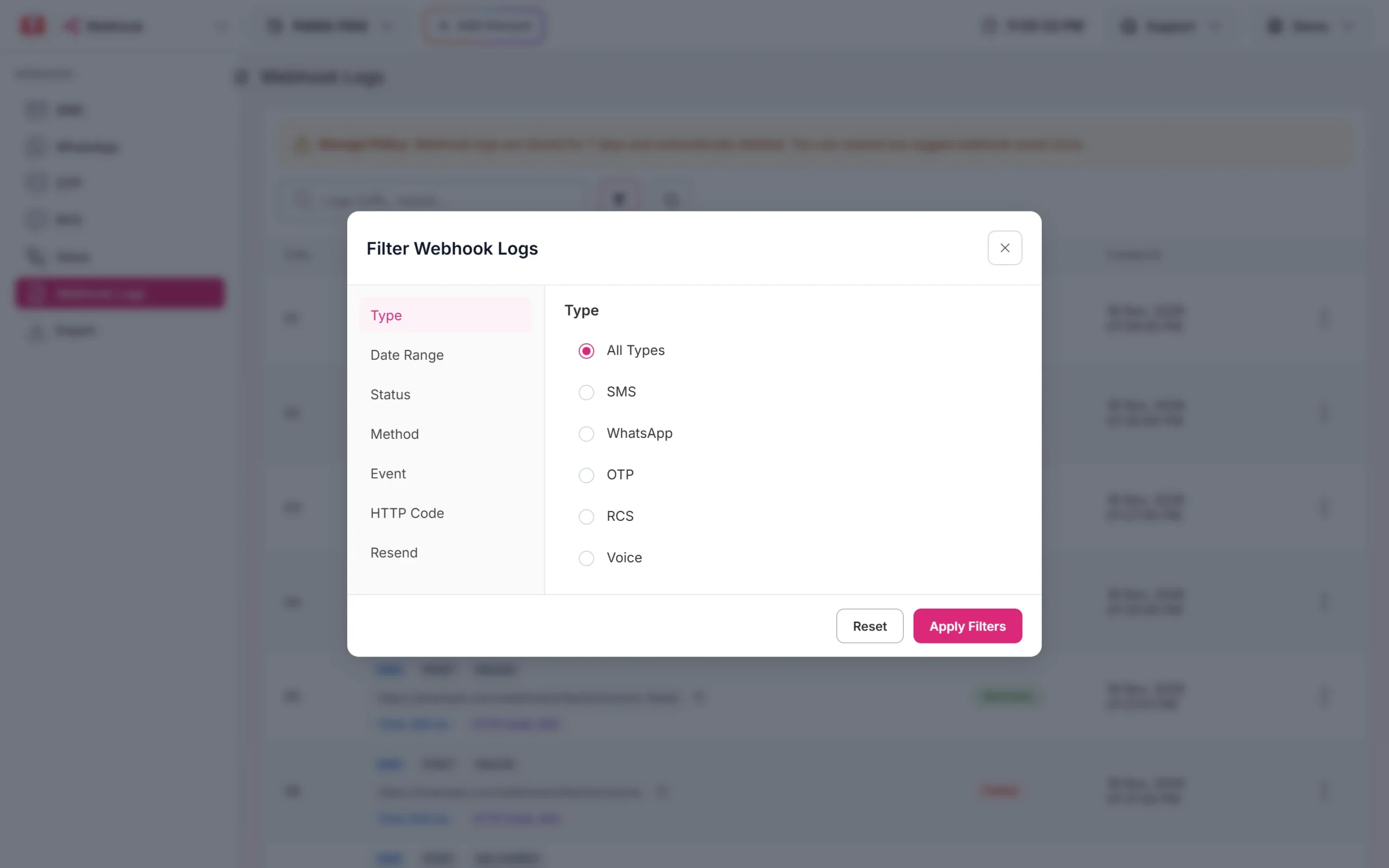
Filter by channel, status or HTTP code. -
Look at the HTTP code and time
Each row shows the time we waited and the HTTP code your server returned. The table below explains the common codes. A time of about 10,000 ms with HTTP code 0 means your server did not answer in time.
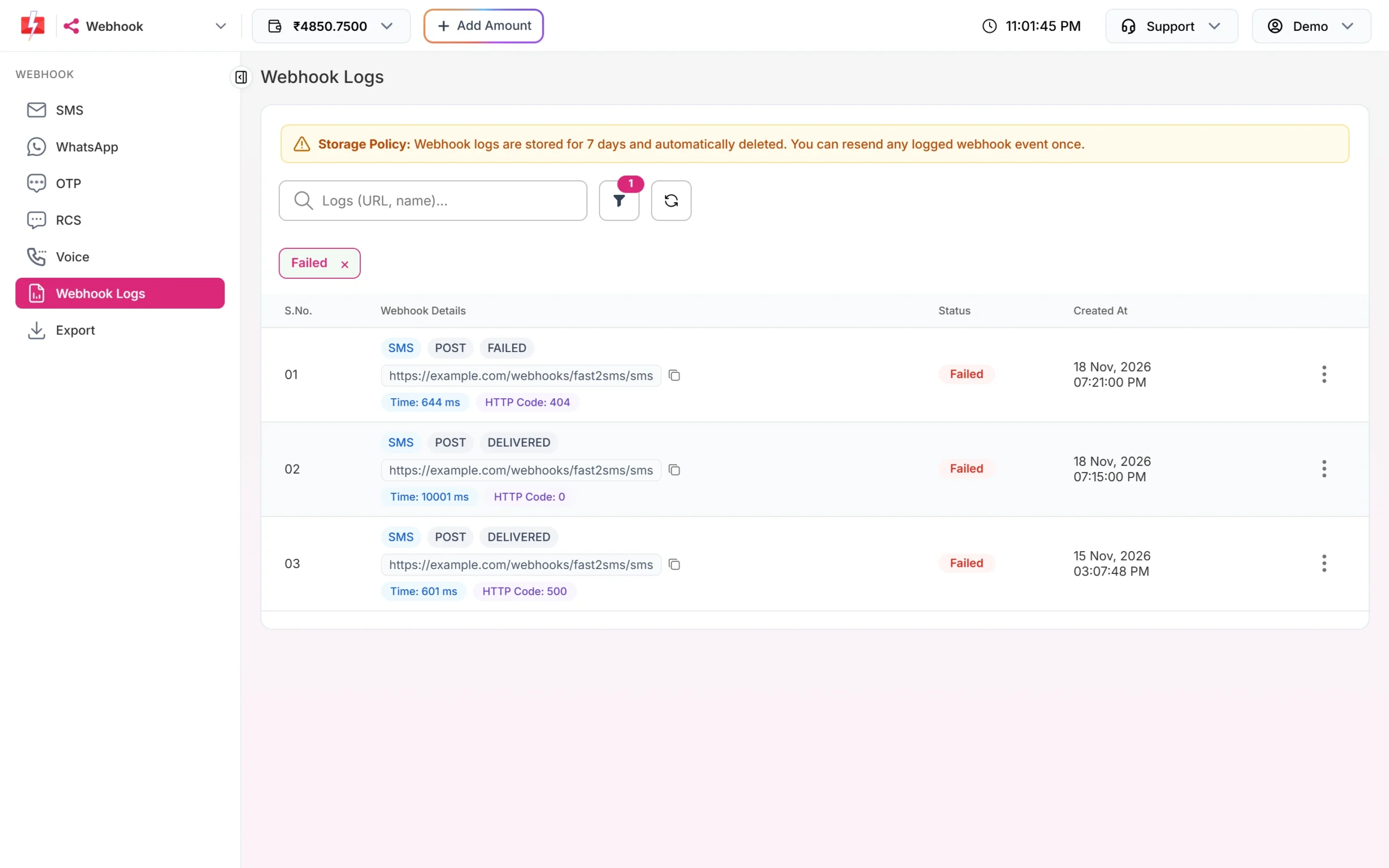
Three different failures: a wrong path, a timeout and a server error. -
Open the details
Click the three dots on the row and choose View Details. Webhook Execution Details shows the method and status, response time, channel, trigger event and the destination URL. The Request Data tab shows the headers and body we sent. The Response Data tab shows the headers and body your server sent back, which usually names the problem.
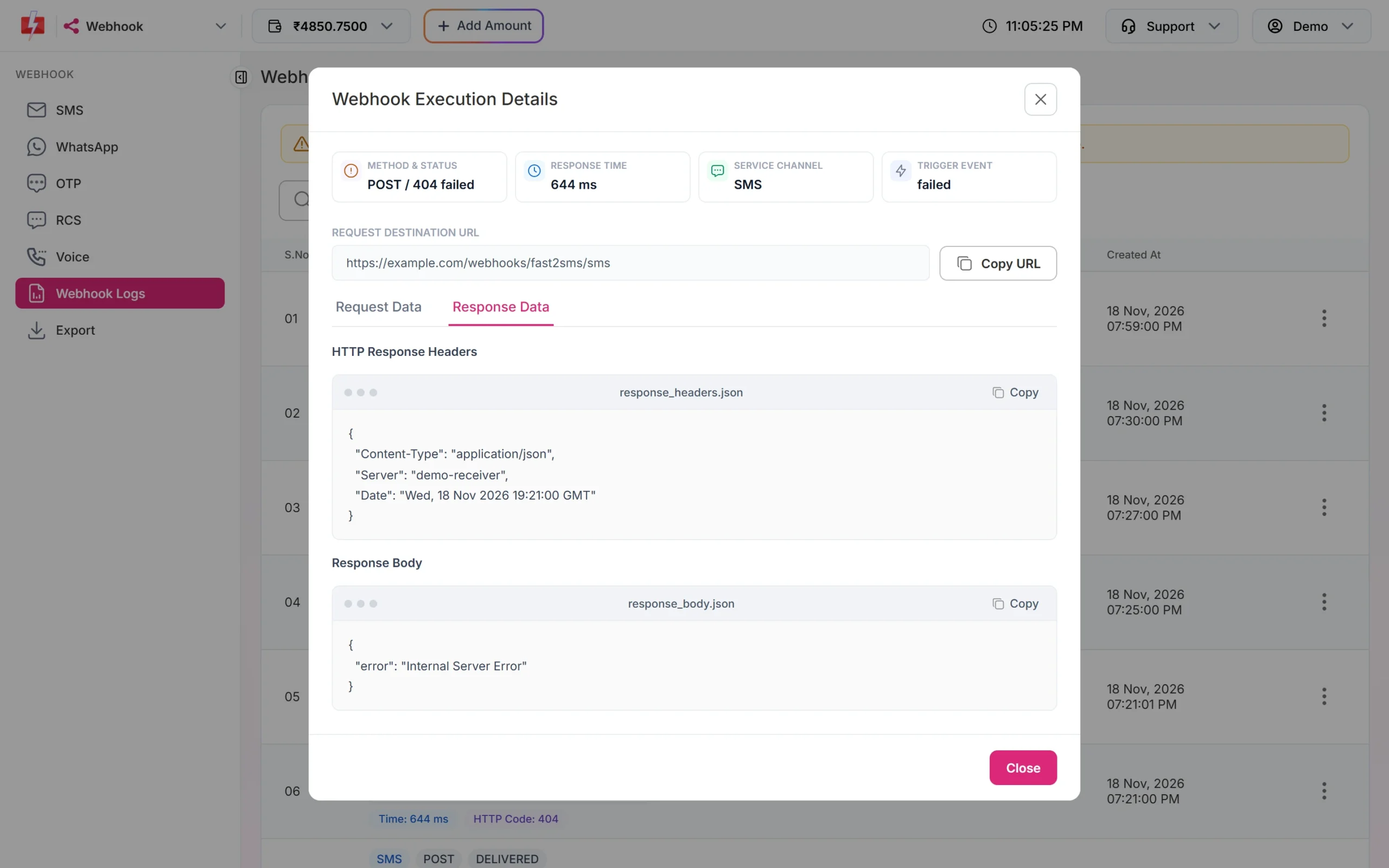
Your server’s own reply, as we received it. -
Fix your endpoint, then resend
Once your server works, click the three dots on the failed row and choose Resend Webhook. The stored request is sent again and the same row is updated with the new result.
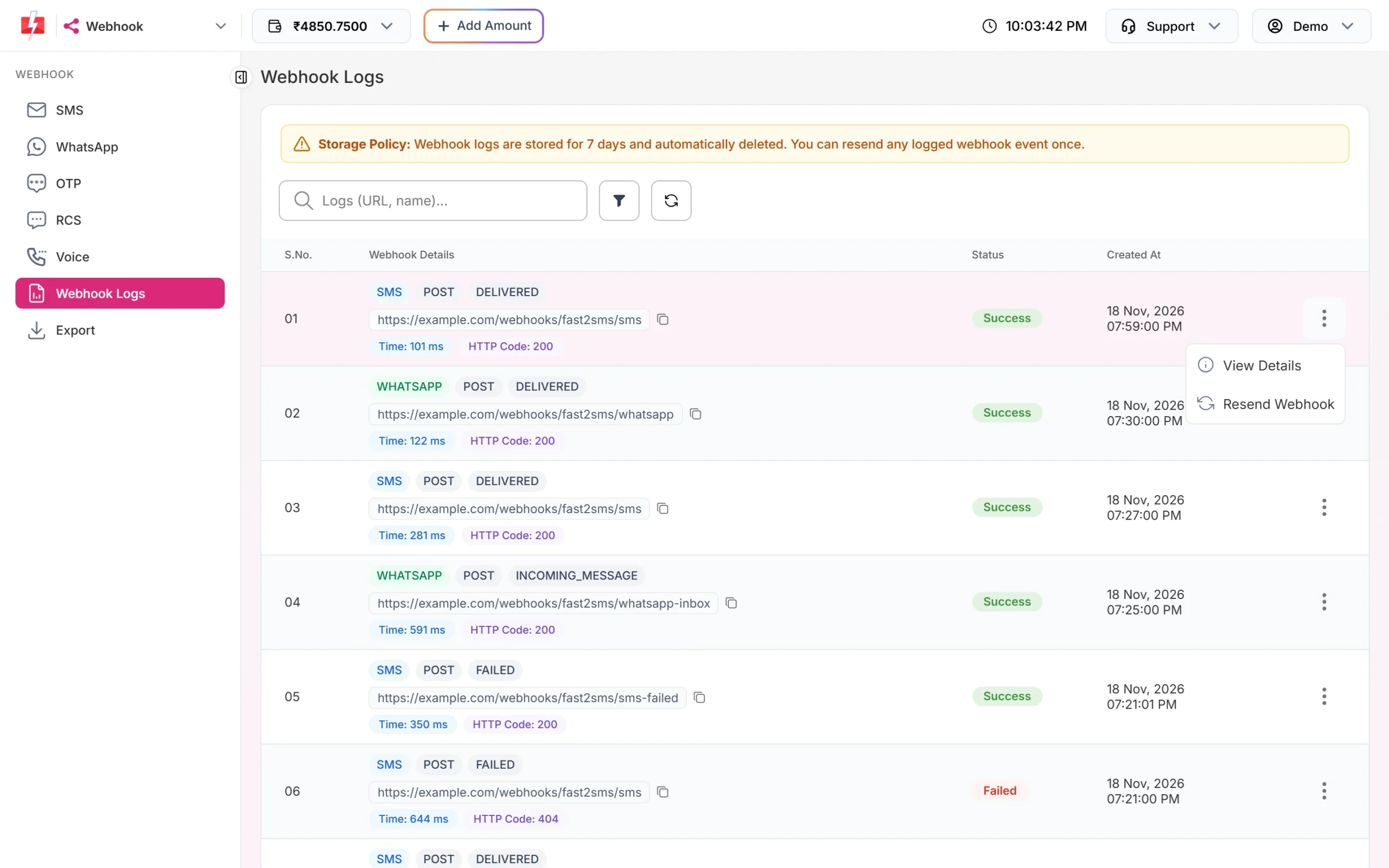
Resend is available once per log row.
What each HTTP code means
| HTTP code in the log | What happened | Retried by Fast2SMS? | What to do |
|---|---|---|---|
| 2xx (200, 201, 204) | Success. Your server accepted the report. | Not needed | If your system still shows nothing, check your own code after it replies. |
| 0 or empty, “Operation timed out” | No answer within 10 seconds, or the connection could not be made within 3 seconds. | Yes | Reply 200 first and do the work later. Check DNS, SSL certificate and firewall. |
| 301, 302 | Your URL redirects somewhere else. A redirect is not a 2xx answer. | No | Save the final URL, for example with the right https and www. |
| 401, 403 | Your server or firewall refused the request. | No | Check any token you expect in the headers, and allow the requests through bot protection. |
| 404 | The path does not exist on your server. | No | Copy the exact URL of your endpoint into the webhook. |
| 405 | Your endpoint does not accept this method. | No | Match the webhook Method (POST, GET or PUT) to your code. |
| 408, 429 | Your server timed out or asked us to slow down. | Yes | Check your rate limits and capacity. |
| 5xx | Your server had an error. | Yes | Read your server’s error log. |
How retries work
- We wait up to 3 seconds to connect and 10 seconds in total for your answer.
- Any HTTP 2xx answer counts as success.
- For network errors, timeouts, HTTP 408, 429 and 5xx, we try up to 3 times, 60 seconds apart.
- Other errors, such as 400, 401, 403 and 404, are not retried, because sending the same request again would fail the same way.
- Every attempt is written to Webhook Logs, so a retried report can show more than one row.
request_id and mobile instead of adding a new one each time.Resend rules
- You can resend each log row once. After that, the menu no longer offers Resend Webhook and you see “This webhook event has already been resent.” if you try.
- The resend sends the same stored request again. It does not build a new report.
- The row’s event gets “(Resent)” added and the new result replaces the old one.
- Logs, and so resends, are only available for 7 days.
To see what you already resent, use the Resend tab of the filter and choose Already resent.
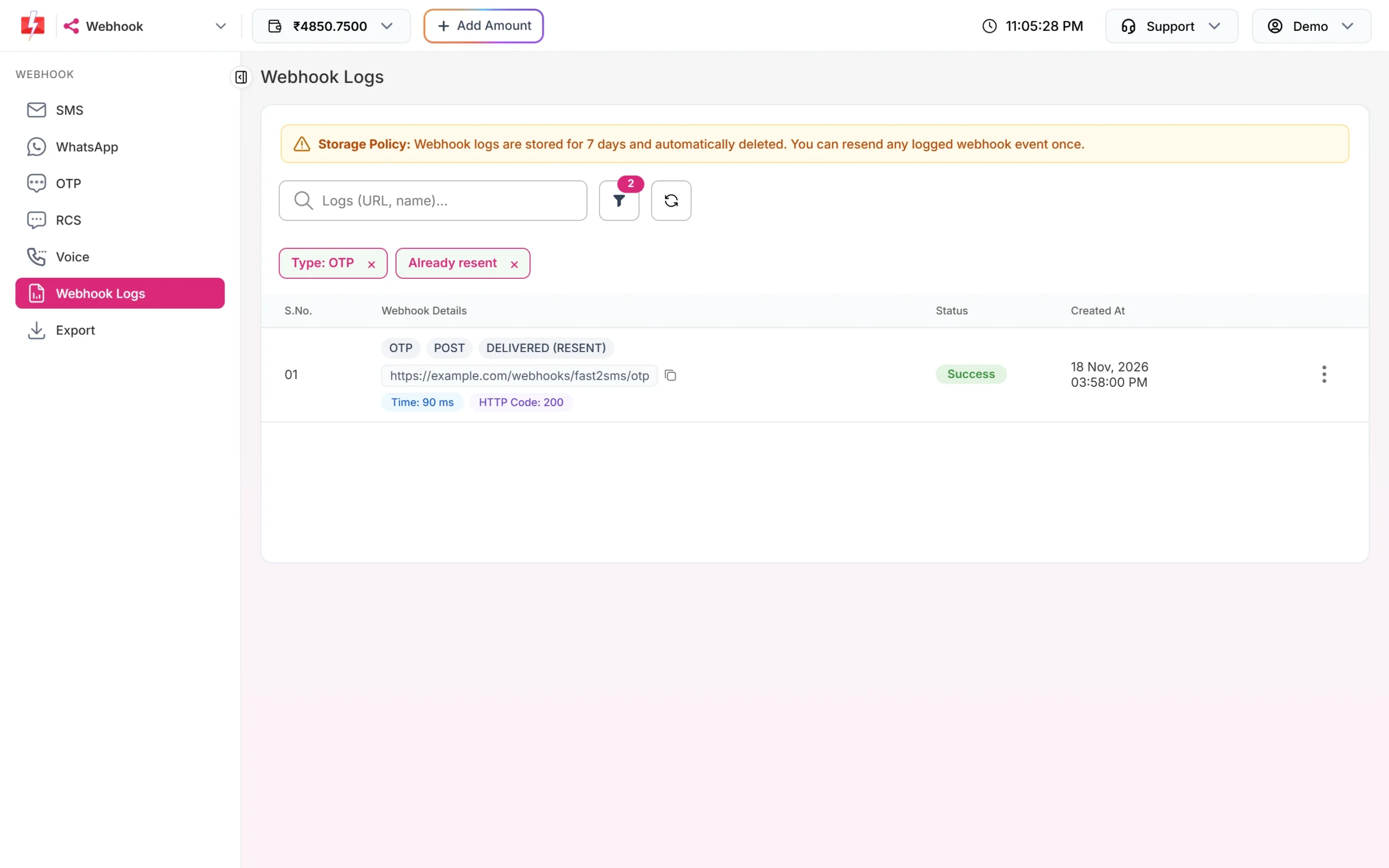
Test works but real reports do not arrive
Test Webhook sends one request straight away, whatever the event and identity. Real reports follow all the rules in the checklist. If a test passes but real reports never show up in Webhook Logs, check that you send by API, that the event and identity match, and that you are not also polling the same messages.
WhatsApp webhook for one number does not fire
A WhatsApp webhook limited to one number only works for that connected number. If you moved your sending to another number, edit the webhook and choose the new number, or use Default All. Only connected numbers appear in the list.
Frequently asked questions
Why is my Fast2SMS webhook not receiving data?
Most often the messages were sent from the panel, not the API, or the webhook’s event or identity does not match. If Webhook Logs has failed rows, your server rejected or did not answer the request in time.
How many times does Fast2SMS retry a webhook?
Up to 3 times, 60 seconds apart, for timeouts, network errors, HTTP 408, 429 and 5xx. Other errors are not retried.
How long does Fast2SMS wait for my server?
3 seconds to connect and 10 seconds in total. Reply quickly and process the data afterwards.
Can I resend a failed webhook?
Yes, once per log row, from Webhook Logs within 7 days.
Can I download my webhook logs?
Yes. Use Export in the Webhook menu. Files stay available for 48 hours, and an export can only cover the 7 days that logs are kept.
Do webhooks fire for scheduled API messages?
Yes. Messages scheduled through the API are API sends, so the same rules apply, including the 24-hour window for the delivery report.
Can I use a localhost URL while testing?
No. The URL must be public. Use a tunnel or a request inspector while developing, as explained in our guide to testing webhooks.