
To cancel a scheduled SMS in Fast2SMS, open Delivery Report, go to SMS Report > Schedule, click Cancel next to the campaign and confirm with Yes, Cancel. The full amount goes back to your wallet straight away. You can do this any time before the campaign starts sending.
This short guide shows the steps, where to see the refund, and what to do if the Cancel button does not work.
Before you start
- The campaign must still be in the future. Once its time comes and it is sent, it can no longer be cancelled.
- You need to be logged in to the account that scheduled it.
How to cancel a scheduled SMS
-
Open the Schedule list
From the SMS menu, click Delivery Report. In the left menu, under SMS Report, click Schedule. You see every upcoming scheduled SMS with its Schedule Time, the Message, and the Detail column with the number of SMS, for example “64 SMS (Schedule DLT SMS)”.
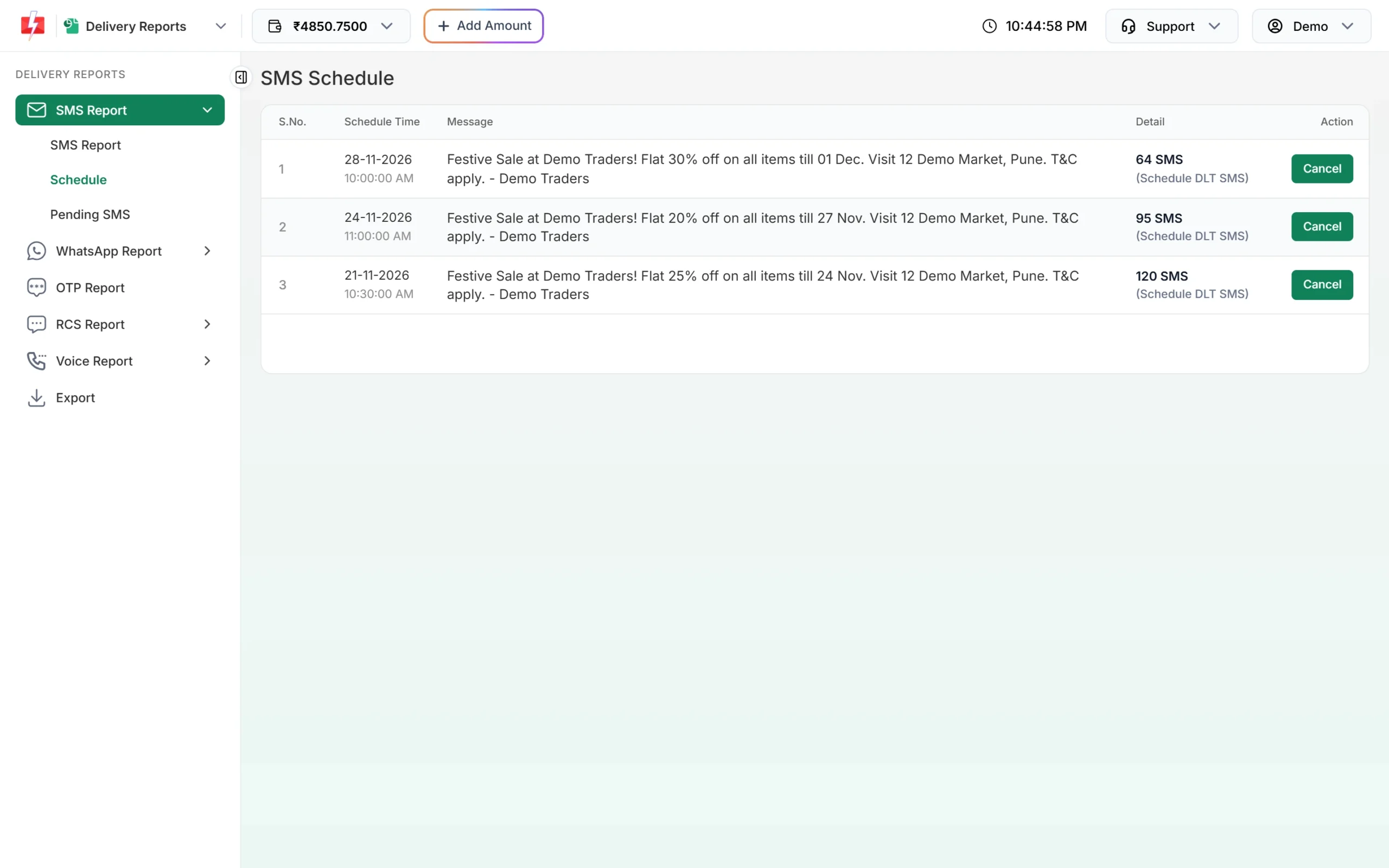
Upcoming scheduled SMS, each with a Cancel button. Check the time and message to find the right campaign. Sent, cancelled and past campaigns are not shown here.
-
Click Cancel and confirm
Click Cancel on the row. A box asks “Cancel this scheduled message? The amount will be credited to your wallet.” Click Yes, Cancel to go ahead, or Close to keep the schedule.
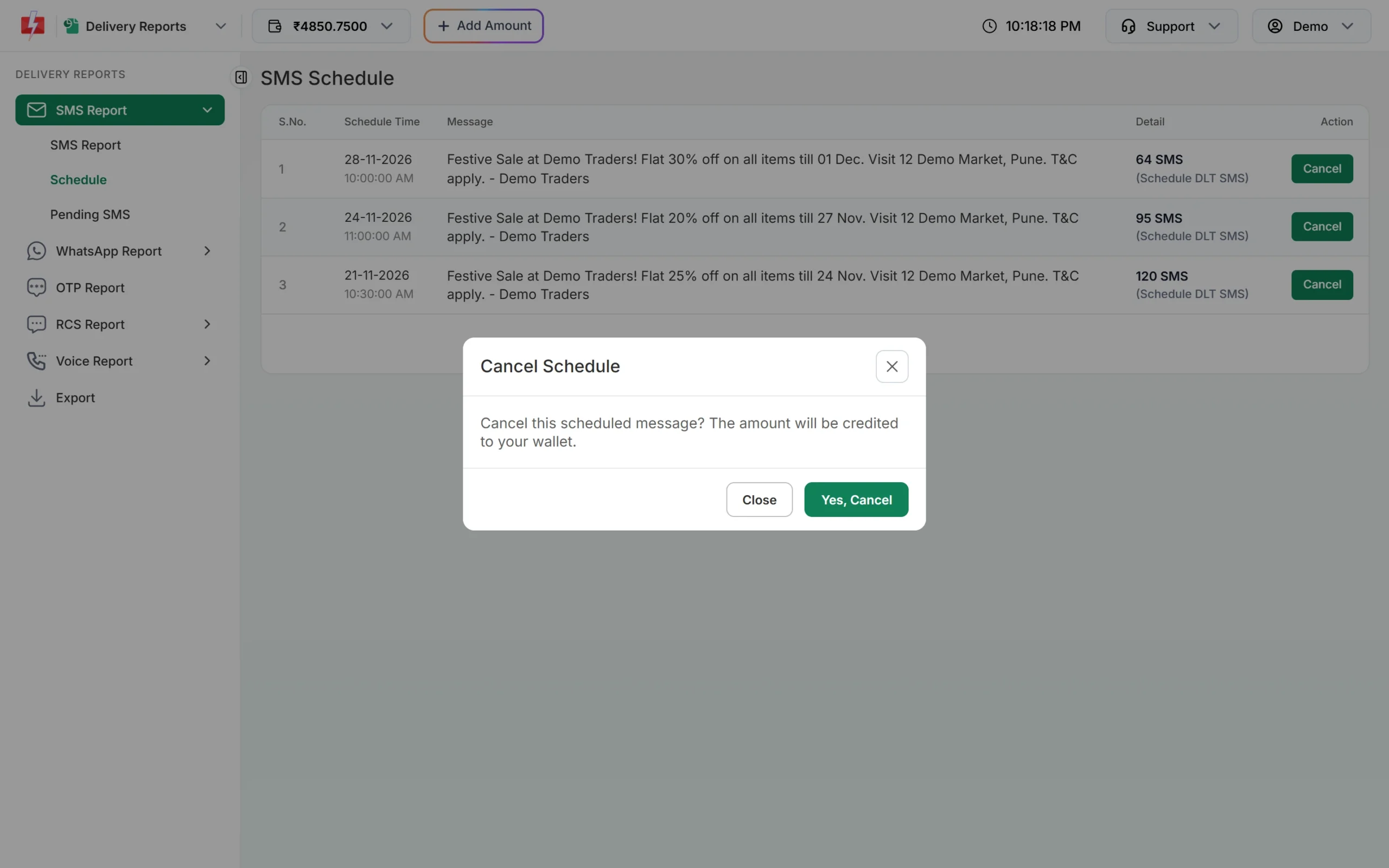
Confirm the cancellation. The money comes back to your wallet. You will see “Schedule cancelled successfully. Amount credited to your wallet.” The campaign disappears from the list.
-
Check the refund in Transaction History
The amount charged when you scheduled the campaign is added back to your wallet balance at the top of the panel. To see the entry, open Transaction History > SMS. The refund shows as a credit called “Schedule SMS Cancelled”, next to the original debit.
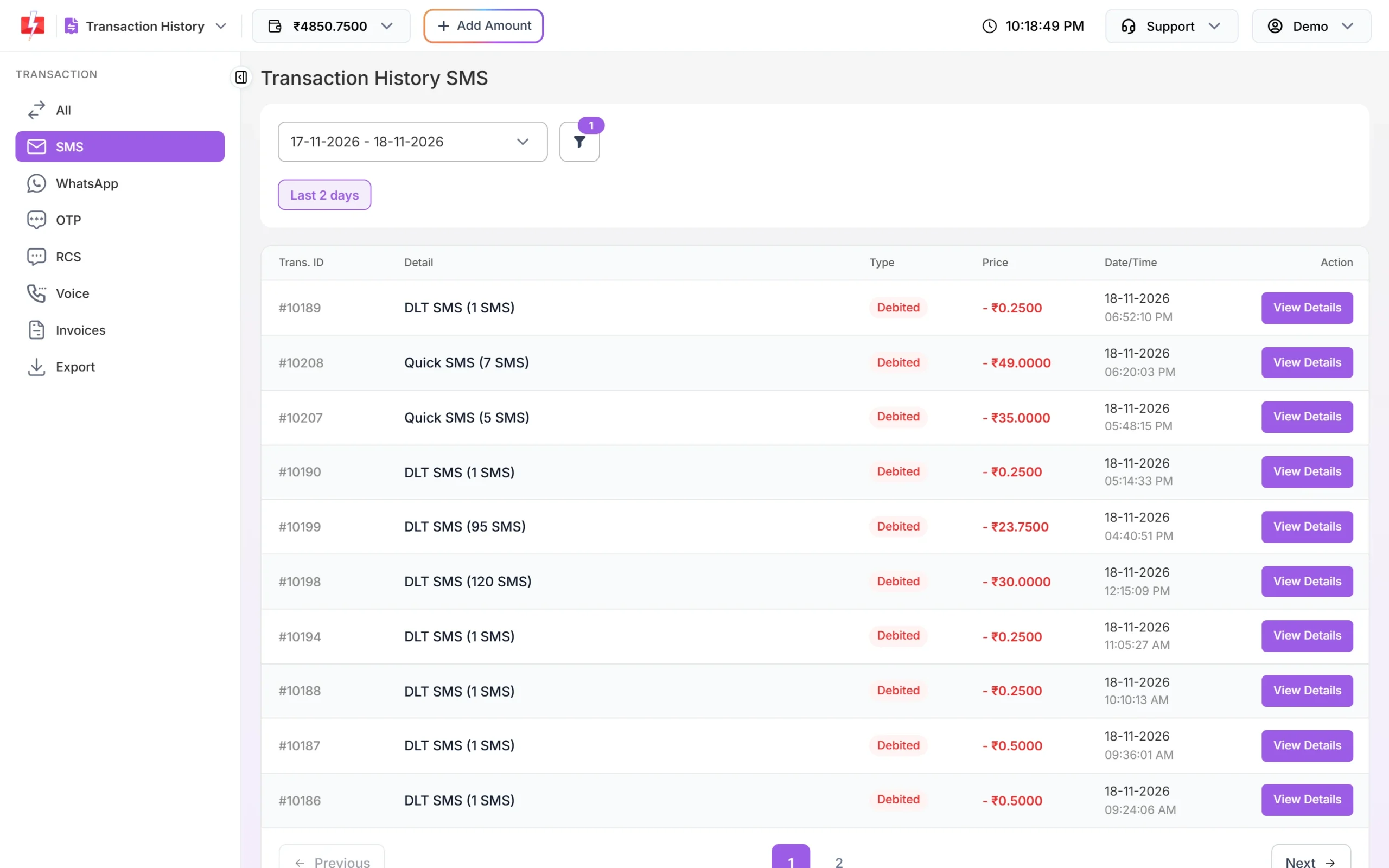
SMS debits and credits are listed in Transaction History.
How to change a scheduled SMS
There is no edit option for a scheduled SMS. To change the text, the numbers or the time:
- Cancel the scheduled campaign as shown above.
- Go to DLT SMS (or Quick SMS), set up the campaign again with the changes.
- Click Schedule, pick the new date and time, and confirm.
When a scheduled SMS cannot be cancelled
| Message or situation | Why | What to do |
|---|---|---|
| “This schedule cannot be cancelled.” | The campaign has already started sending | It can no longer be stopped. Check its result in SMS Report. |
| “This schedule is already cancelled.” | It was cancelled before, maybe in another tab | Refresh the page. The refund was already made. |
| The campaign is not in the Schedule list | Its time has passed, it was sent, or it was cancelled | Look in SMS Report for sent campaigns. |
| A Quick SMS is not in the list | It may be waiting for review | Check Pending SMS in Delivery Report. |
Frequently asked questions
Do I get my money back if I cancel a scheduled SMS?
Yes. The full amount charged for that scheduled campaign is credited back to your wallet as soon as you cancel.
Can I cancel an SMS after it is sent?
No. Once a campaign is sent, it is with the operators and cannot be called back.
Can I edit the time of a scheduled SMS?
No. Cancel it and schedule it again with the new time. The first amount is refunded when you cancel.
Where can I see all my scheduled SMS?
In Delivery Report, under SMS Report > Schedule. Only upcoming campaigns are listed there.
Why was I charged when I scheduled the SMS?
Fast2SMS takes the amount when the campaign is created, even for a later time. If you cancel, it comes back to your wallet.
My promotional SMS went out at 10 AM, not at the time I set. Why?
Promotional SMS cannot be delivered at night. If you schedule a promotional template for a night-time slot, Fast2SMS moves it to the next morning after 10 AM.