
Fast2SMS API error 412, “Invalid Authentication, Check Authorization Key”, means your request reached Fast2SMS without a valid API key. The OTP API reports the same problem as “Invalid authorization key” or “Authorization key required”. In almost every case the key is missing, mistyped, sent in the wrong place, or was reset. Here is how to find the cause and fix it.
The exact error
SMS, wallet, WhatsApp and the other APIs answer with HTTP 401:
{"return":false,"status_code":412,"message":"Invalid Authentication, Check Authorization Key"}The Smart OTP API (/dev/otp/send, /verify, /resend) answers with HTTP 401 and one of these:
{"return":false,"status_code":401,"message":"Authorization key required"}
{"return":false,"status_code":401,"message":"Invalid authorization key"}
The public docs spell it “Invalid Authorization key”. It is the same error.
Why it happens
- No key was sent. The header is missing, or the environment variable that holds the key is empty on the server.
- The key is wrong. A character is missing, or you copied the masked key with dots.
- Extra characters. Quotes, a space, a line break or a “smart” character copied from a document. A key with non-English characters is refused.
- The key was reset. After Reset, the old key stops working at once.
- “Bearer” on the OTP API. The SMS API removes a leading
Bearer, but the OTP API does not. Send the bare key there.
How to fix error 412
-
Open the API Key page
Go to Account Setting and click API Key under UTILITY. The key is shown masked. Click View and enter the OTP sent to your mobile to see the full key. Then use the copy icon.
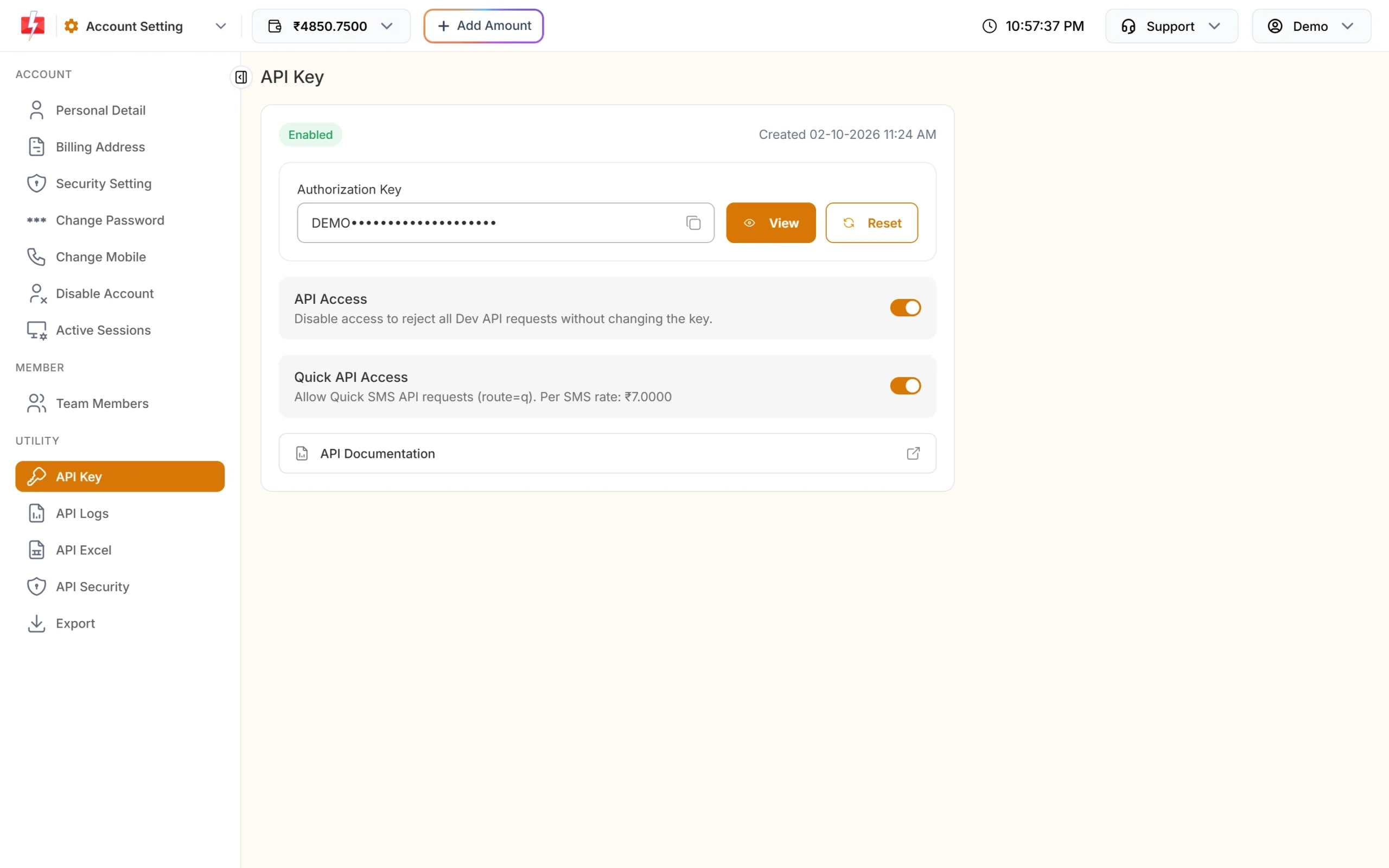
API Key page: view and copy the current key. -
Put the key in the authorization header
Send it as the
authorizationheader, with no quotes or spaces around it. Update every server, app setting and no-code tool that uses the key. -
Test the key with the wallet API
The wallet API only reads your balance, so it is a safe test. A reply with
"return":truemeans the key works.
Code check
curl -X POST "https://www.fast2sms.com/dev/wallet" -H "authorization: YOUR_API_KEY"
# good: {"return":true,"wallet":"...","sms_count":...}
API_KEY = os.environ.get("F2S_API_KEY", "").strip()
if not API_KEY:
raise RuntimeError("F2S_API_KEY is empty on this server")
headers = {"authorization": API_KEY} # no "Bearer", no quotesCalls with a wrong or missing key do not appear in API Logs, because Fast2SMS cannot tell which account they belong to. If your logs are empty for these calls, the key is the problem.
If the key is correct but you get 413 or 414 instead, the key is fine and another setting blocks the call. See the related guides below.
How to avoid it
- Keep the key in one environment variable or secret store, not in code.
- Before you click Reset, list every place that uses the key, then update all of them.
- Never put the key in a mobile app or website front end. Call Fast2SMS from your server.
- Use the header, not
?authorization=in the URL. URLs end up in server and proxy logs.
Frequently asked questions
What does Fast2SMS error 412 mean?
The API key is missing, wrong or was reset. Copy the current key from Account Setting, API Key and send it in the authorization header.
Why did my key stop working suddenly?
Most often someone clicked Reset on the API Key page. The old key stops working right away. Update your servers with the new key.
Should I send “Bearer” before the key?
No. Send the bare key. The OTP API treats “Bearer” as part of the key and refuses it.
Can I pass the key in the URL?
The SMS API accepts ?authorization= for tools that cannot set headers, but the header is safer.
Why do I need an OTP to view my key?
Viewing or resetting the key sends an OTP to your account mobile, so only the account owner can see it.