
Fast2SMS API error 413, “Invalid Authentication, Authorization Key Disabled”, means your API key is correct but the API Access switch on your account is off. While it is off, every API request is refused. Turn the switch back on from the API Key page and your calls work again with the same key.
The exact error
All Fast2SMS APIs, including Smart OTP, answer with HTTP 401:
{"return":false,"status_code":413,"message":"Invalid Authentication, Authorization Key Disabled"}Why it happens
The API Key page has a switch called API Access, with the text “Disable access to reject all Dev API requests without changing the key.” Someone on the account turned it off, for example to stop API traffic for a while. Turning it off needs an OTP sent to the account mobile.
When API Access is off:
- All Dev API calls get error 413: SMS, Smart OTP, WhatsApp, RCS, Voice, wallet and webhooks.
- Quick API Access is also switched off.
- The key itself does not change.
How to fix error 413
-
Open the API Key page
Go to Account Setting and click API Key under UTILITY. The status pill at the top shows Enabled or Disabled.
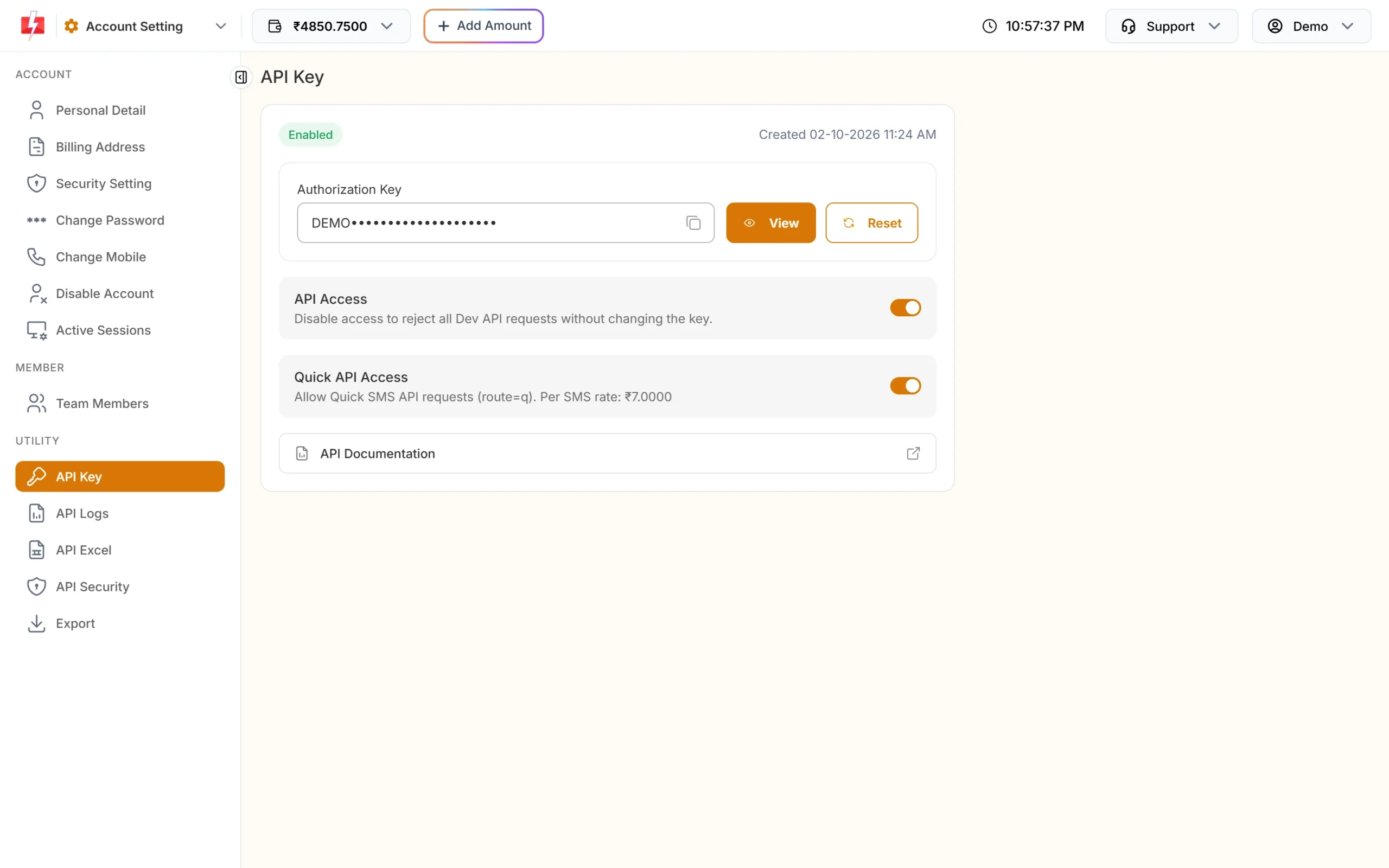
The API Access switch controls all API requests. -
Turn API Access on
Click the API Access switch. Confirm in the popup and enter the OTP sent to your registered mobile. The same OTP step is used when the switch is turned off.
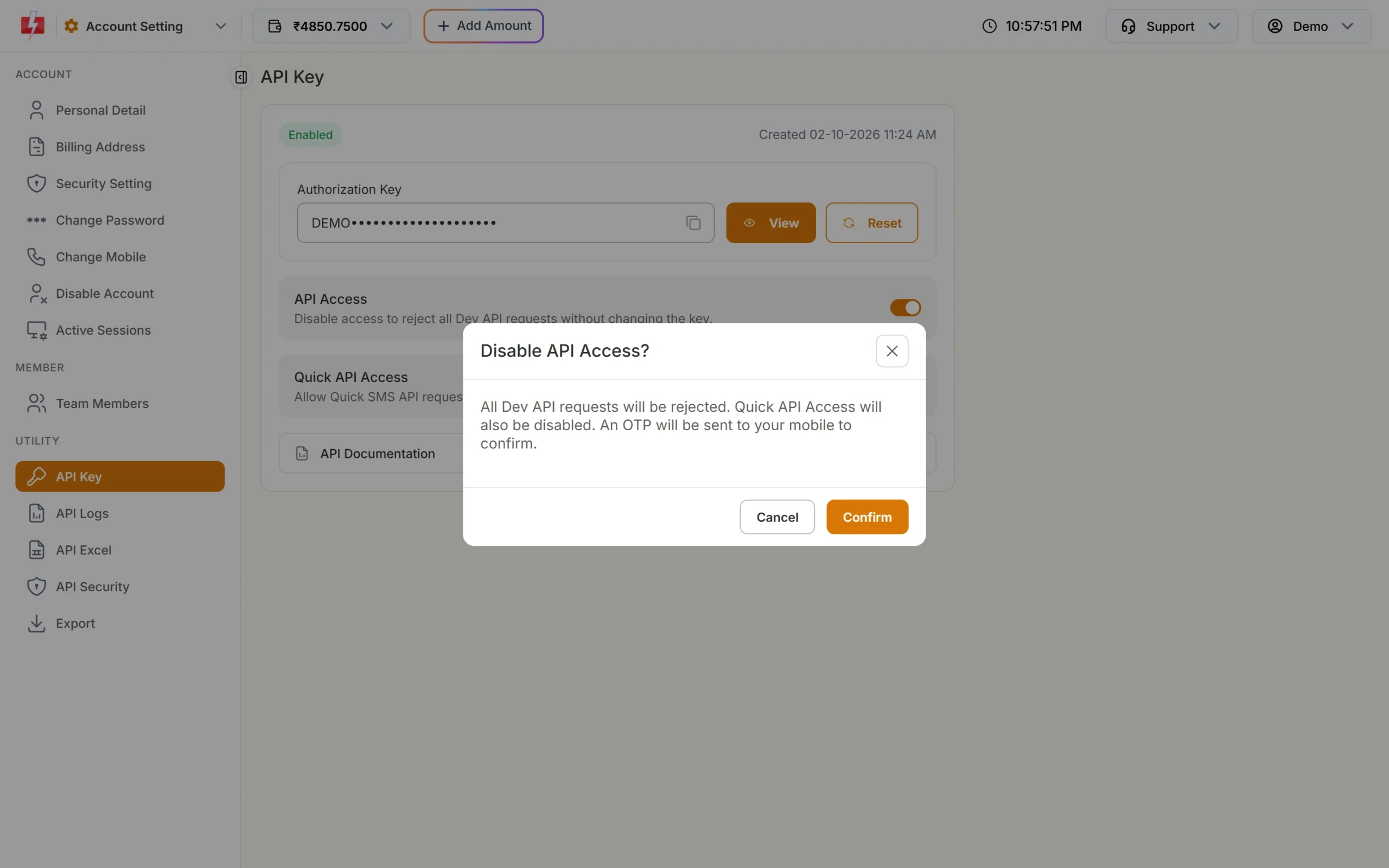
Turning access off also turns off Quick API Access. -
Turn Quick API Access on again if you use it
If your app sends Quick SMS (
route=q), switch Quick API Access back on too. It cannot be turned on while API Access is off. -
Test with a safe call
Call the wallet API. A reply with
"return":truemeans access is back.
Code check
curl -X POST "https://www.fast2sms.com/dev/wallet" -H "authorization: YOUR_API_KEY"In your app, treat 413 as a setup problem, not a temporary one. Do not retry in a loop. Alert your team instead:
data = resp.json()
if data.get("status_code") == 413:
alert_team("Fast2SMS API Access is switched off. Turn it on in Account Setting > API Key.")Related errors
| Code | Message | Fix |
|---|---|---|
| 412 | Invalid Authentication, Check Authorization Key | The key is wrong or was reset. Copy the current key. |
| 413 | Invalid Authentication, Authorization Key Disabled | Turn API Access on. |
| 414 | IP is blacklisted from Dev API section | Whitelist your server IP in API Security. |
| 428 | Quick API Access is disabled. | Turn Quick API Access on (after API Access). |
Clicking Reset on the API Key page also turns API Access back on, but it gives you a new key and the old one stops working. To keep your current key, use the switch.
How to avoid it
- Agree inside your team who may change API settings, since one switch stops all API traffic.
- If you turn API Access off for maintenance, set a reminder to turn it back on.
- Watch API Logs for 413 replies, so you notice quickly.
Frequently asked questions
What does Fast2SMS error 413 mean?
Your API key is right, but API Access is switched off on the account. Turn it on from Account Setting, API Key.
Does turning API Access off change my API key?
No. The key stays the same. It works again as soon as you turn API Access on.
Does the switch affect sending from the panel?
No. Sending from the panel works as usual. The switch rejects only Dev API requests from your own code, plugins and tools.
Why can’t I turn on Quick API Access?
Quick API Access needs API Access to be on first. Turn on API Access, then Quick API Access.
I did not receive the OTP to turn it on. What now?
The OTP goes to your registered mobile. You can ask for a new one after 30 seconds. If it still does not arrive, contact support.