
To get the WhatsApp Business API, sign up with a Meta business partner such as Fast2SMS, click Login with Facebook in the WhatsApp section, and connect your business phone number in Meta’s pop-up. It takes a few minutes, has no setup fee, and you can send your first message about 10 minutes after the number is connected. You do not apply to Meta separately and there is nothing to download.
यह गाइड हिंदी में पढ़ें: WhatsApp Business API कैसे लें: Facebook login से पहले मैसेज तक
What you need
- A Fast2SMS account with some wallet balance. Recharge starts at ₹100.
- A Facebook account you have used for a while.
- A Meta business portfolio (Facebook Business Manager), or create one in the pop-up.
- A phone number that can receive an SMS or voice call for verification: a new number, or your existing WhatsApp Business app number.
- The business name customers should see (your display name).
There is no setup or monthly fee. You pay per message; see the current rates on the WhatsApp pricing page.
Sending in bulk? For high WhatsApp volumes our team offers discounted rates. Talk to our team or see WhatsApp pricing.
Steps to get the WhatsApp Business API
-
Sign up and open WhatsApp
Create your account at fast2sms.com, log in and switch to the WhatsApp app. With no number connected, you land on the Official WhatsApp Business API Registration Process page.
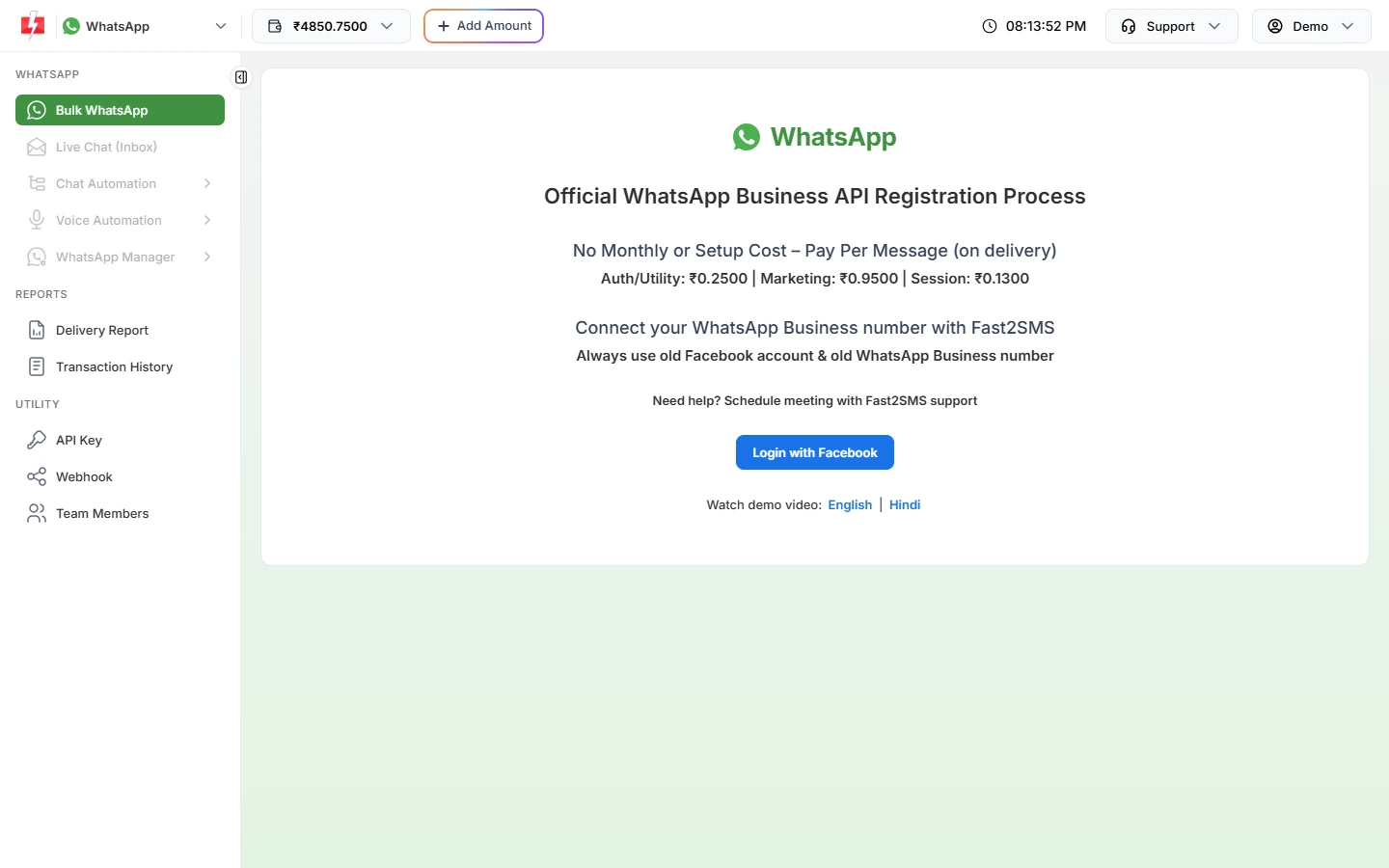
The registration page shows the rates and the Login with Facebook button. -
Click Login with Facebook
Meta’s pop-up opens. Log in, choose or create your business portfolio and WhatsApp Business account, enter the phone number and display name, and verify the number with the code Meta sends. If the button only says “Loading Facebook…”, turn off ad-blockers for fast2sms.com and try again.
-
Wait for the connection
The panel shows “Connecting…” and then opens Bulk WhatsApp. Your number appears in WhatsApp Manager > Numbers. Sending starts about 10 minutes after onboarding.
-
Create your first template
In WhatsApp Manager > Templates, click Add Template, write your message and submit it. When Meta approves it, you can send it from Bulk WhatsApp or the API.
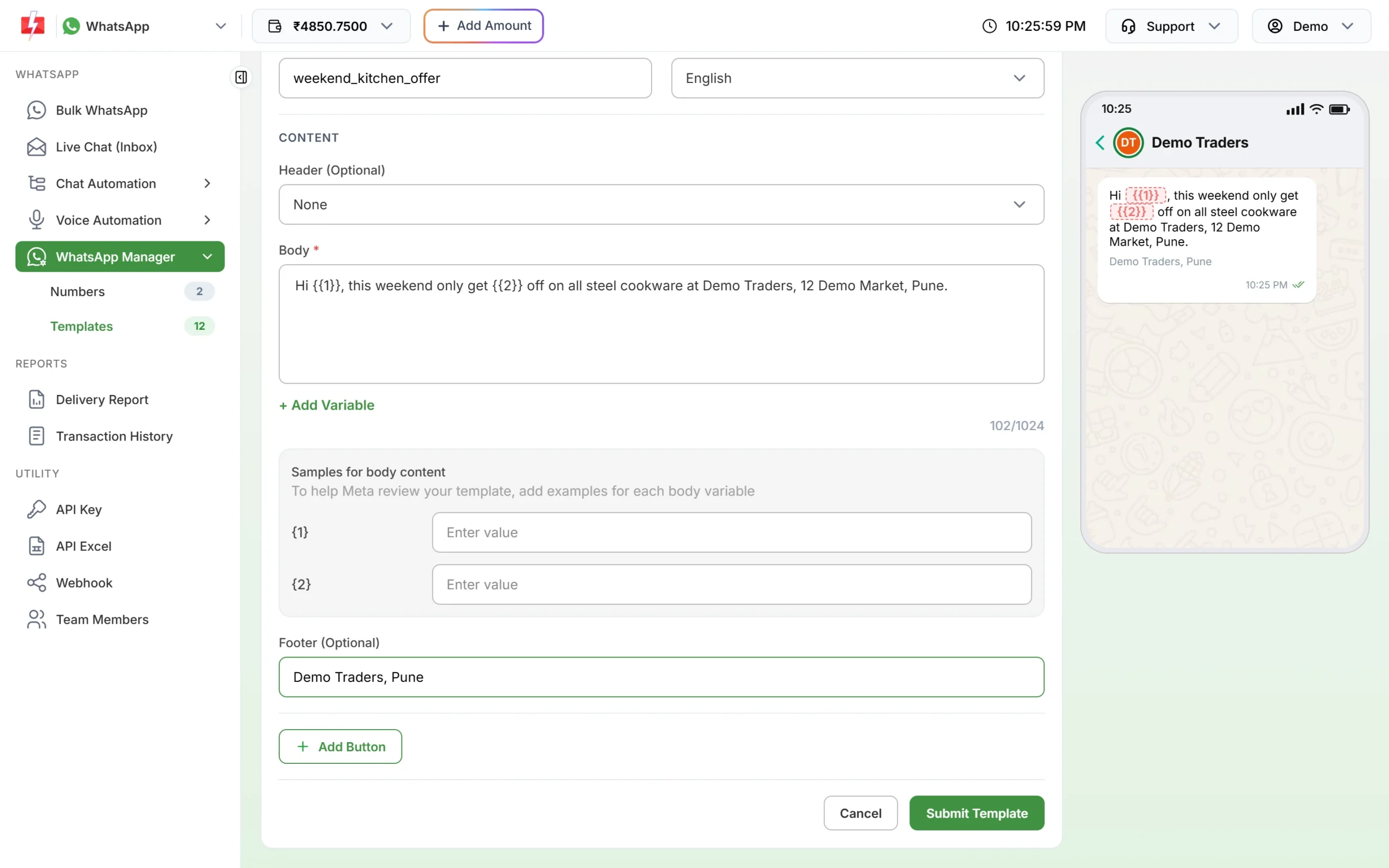
Write a template and submit it to Meta for approval.
Frequently asked questions
How long does it take to get the WhatsApp Business API?
Connecting a number takes a few minutes. Template approval by Meta usually takes from a few minutes up to 24 hours.
Do I need Meta business verification first?
You can connect and start sending without it. Business verification helps later, for example for the green tick.
Can I get the WhatsApp Business API for free?
Access through Fast2SMS has no setup or monthly fee. You pay only per message you send.
Can I use the same number on my phone?
A WhatsApp Business app number can be connected and keep working in the app. Ask our team before using a number from the regular WhatsApp app.