
To send an SMS when someone fills your website form, your server calls the Fast2SMS DLT SMS API right after the form is saved. The visitor gets a “thank you, we got your request” SMS, and you can also get a text about the new lead. This guide gives a ready PHP example, a WordPress (Contact Form 7) snippet and a no-code option, plus the DLT setup you need first.
Before you start
- A Fast2SMS account with wallet balance.
- An approved DLT header (Sender ID) and a content template for the form reply, added in DLT Manager. For example: “Hi {#var#}, thanks for contacting Demo Traders. We will call you within {#var#}. – Demo Traders”. A reply to a request the customer made is usually a service message. Use the same category as on your DLT portal.
- The template’s Message ID from its card in DLT Manager > Content Template. The API uses this short number, not the long DLT Template ID.
- Your API key from Account Setting > API Key.
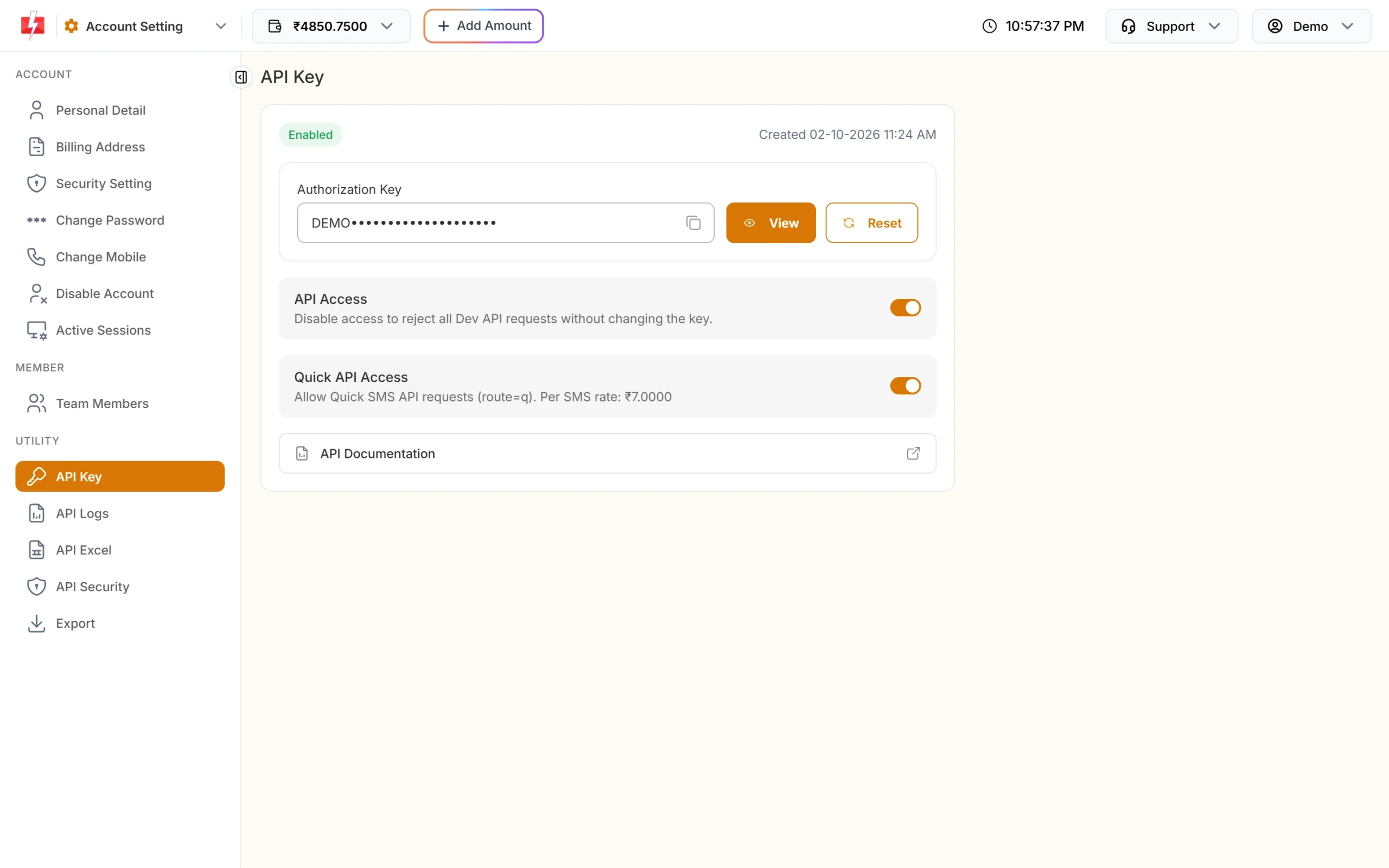
Call the API only from your server. Never put the API key in the form’s HTML or JavaScript, where anyone can copy it.
How it works
-
The visitor submits the form
Your server checks the fields as usual and saves the enquiry.
-
Your server cleans the mobile number
Keep only the digits, drop a leading 91 and check that what is left is a 10-digit Indian mobile number starting with 6, 7, 8 or 9.
-
Your server calls the DLT SMS API
Send a POST to
https://www.fast2sms.com/dev/bulkV2withroute=dlt, yoursender_id, the Message ID inmessage, the values for the template’s variables invariables_values(separated by|) and the number innumbers. Each variable value can be up to 40 characters. -
You check the response
A success looks like
{"return":true,"request_id":"...","message":["SMS sent successfully."]}. Always checkreturn. A low wallet balance can come back with HTTP 200 and"return":false. Every call also shows in API Logs.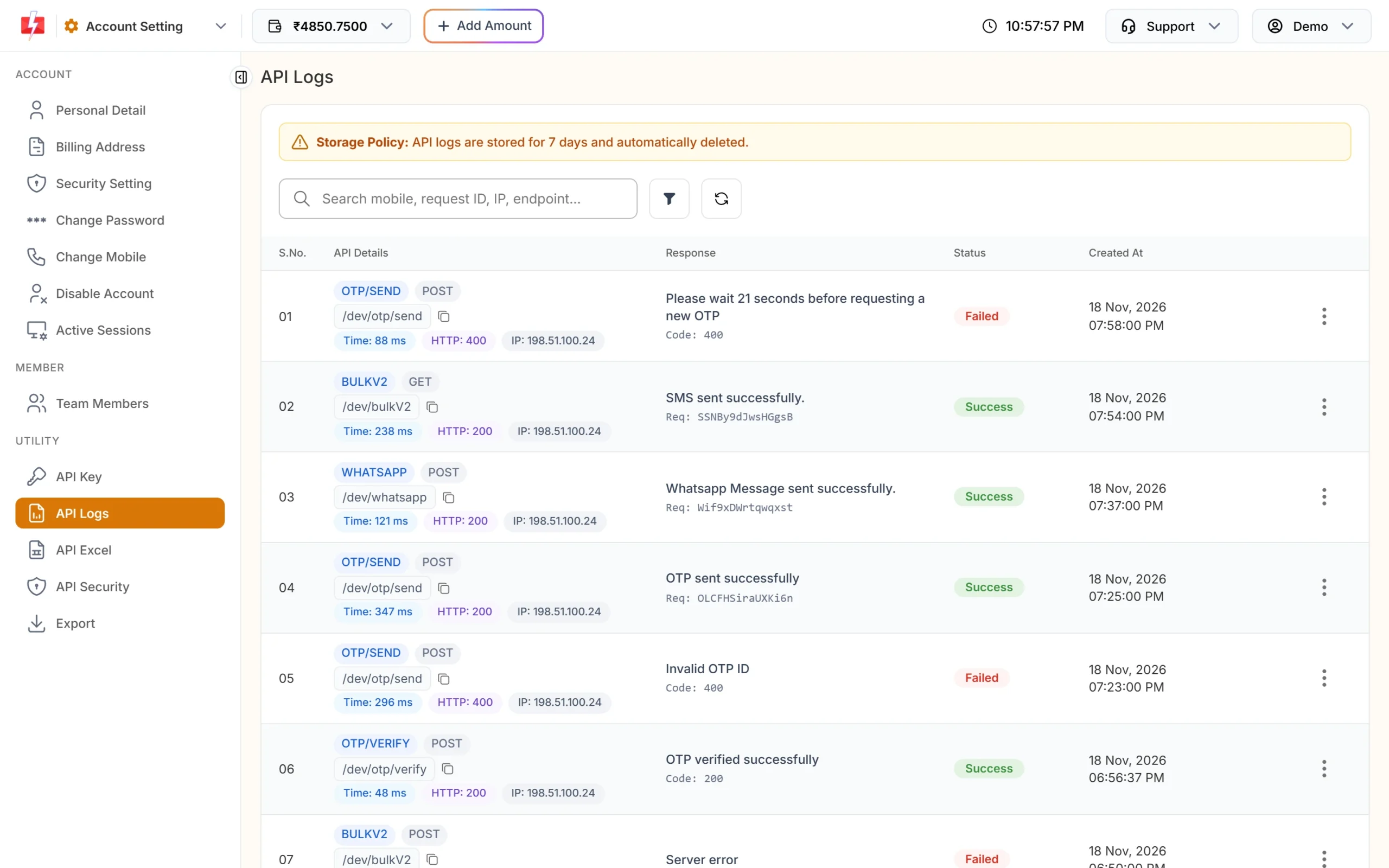
API Logs show each request and the response.
PHP example
Put this in the script that handles your form, after you save the enquiry.
<?php
function f2s_send_dlt_sms($mobile, array $vars) {
    $mobile = preg_replace('/\D/', '', $mobile);
    if (strlen($mobile) > 10 && substr($mobile, 0, 2) === '91') {
        $mobile = substr($mobile, 2);
    }
    if (preg_match('/^[6-9]\d{9}$/', $mobile) === 0) {
        return false; // not a valid Indian mobile number
    }

    $fields = [
        'route'            => 'dlt',
        'sender_id'        => 'DEMOTR',   // your approved Sender ID, exact case
        'message'          => '10001',    // Message ID from DLT Manager
        'variables_values' => implode('|', $vars),
        'numbers'          => $mobile,
    ];

    $ch = curl_init('https://www.fast2sms.com/dev/bulkV2');
    curl_setopt_array($ch, [
        CURLOPT_POST           => true,
        CURLOPT_POSTFIELDS     => http_build_query($fields),
        CURLOPT_HTTPHEADER     => ['authorization: YOUR_API_KEY'],
        CURLOPT_RETURNTRANSFER => true,
        CURLOPT_TIMEOUT        => 15,
    ]);
    $result = json_decode(curl_exec($ch), true);
    curl_close($ch);

    return isset($result['return']) && $result['return'] === true;
}

// after the enquiry is saved:
$name = mb_substr(trim($_POST['name'] ?? ''), 0, 40);
f2s_send_dlt_sms($_POST['mobile'] ?? '', [$name, '2 hours']);
Keep the API key in a config file or environment variable, not in the code you commit.
WordPress: Contact Form 7
Add this to your theme’s functions.php or a small custom plugin, together with the f2s_send_dlt_sms() function above. It runs after Contact Form 7 sends its email. Change your-name and your-phone to the field names in your form.
add_action('wpcf7_mail_sent', function ($contact_form) {
    $submission = WPCF7_Submission::get_instance();
    if ($submission === null) {
        return;
    }
    $data  = $submission->get_posted_data();
    $name  = mb_substr(sanitize_text_field($data['your-name'] ?? ''), 0, 40);
    $phone = sanitize_text_field($data['your-phone'] ?? '');
    f2s_send_dlt_sms($phone, [$name, '2 hours']);
});
Other form plugins have similar “after submit” hooks. The API call stays the same.
No-code option
If your form tool can send its entries to Pabbly Connect, Zapier or n8n, you can add a step there that calls the Fast2SMS API with the same fields. If your forms save to Google Sheets, an Apps Script can send the SMS for each new row. See the related guides below.
Protect the form from SMS abuse
A form that sends an SMS to any number typed into it can be misused by bots to run up your bill. Keep it safe:
- allow one SMS per number and per visitor in a short time window,
- add bot protection to the form,
- switch on API Security so only your server’s IP can use your key,
- watch your wallet with a low balance alert.
Common problems and fixes
| Error | Fix |
|---|---|
| Invalid Sender ID | Use the approved Sender ID exactly as in DLT Manager, same capital letters. |
| Invalid Message ID | Use the Message ID from the template card, not the 19-digit DLT Template ID. |
| Invalid Numbers | Clean the number to 10 digits before calling the API. |
| IP is blacklisted from Dev API section | API Security is on. Whitelist your server’s IP. |
| SMS sent but not received | Check the number’s status in the Delivery Report. The variable values must fit the template. |
Frequently asked questions
How do I integrate an SMS API into my website?
Call the Fast2SMS DLT SMS API from your server code after the form is saved, with your Sender ID, the template’s Message ID and the number.
Do I need DLT to send SMS from my website?
Yes. The reply must use an approved DLT header and template.
Can I get an SMS myself when someone fills the form?
Yes. Register a template for the lead alert and call the API a second time with your own number.
Can I send an OTP to verify the form’s phone number?
Yes. Use Smart OTP: call send when the visitor enters the number and verify before you accept the form.
Is the SMS charged if it fails?
DLT SMS are charged when sent to the operator. Failed numbers are not refunded automatically, so validate numbers first.