
For OTP verification in a Next.js app (App Router), you need two parts: a route handler that holds the Fast2SMS API key and calls Smart OTP, and a client component that shows the OTP box. The Next.js example gives you both, plus a sign-up page whose route accepts only a verified number. Your users get the code by SMS or WhatsApp, and the key never leaves the server.
Download the Next.js OTP widget example (zip)Download .zip
What is in the Next.js example
| File | What it does |
|---|---|
app/api/f2s-otp/route.js |
POST /api/f2s-otp, the endpoint the widget calls (Node.js runtime). This is your backend. |
app/components/F2sOtp.jsx |
The client component. It loads the widget in the browser only, so server rendering is safe. |
app/signup/page.jsx |
An example sign-up form that waits for OTP. |
app/api/signup/route.js |
An example handler that checks f2s_token. |
lib/otp-server.js |
Server-only set-up: settings check, limit store, client IP. |
lib/f2s-otp-core.mjs |
The endpoint logic shared with the Vercel and Netlify backends. |
Because the route handler is the backend, you do not need a separate server.
Before you start
- A Fast2SMS account with wallet balance.
- An approved DLT OTP template, or a WhatsApp Authentication or Utility template.
- A Next.js project using the App Router.
- On Vercel: an Upstash Redis or Vercel KV store, so the limits are shared across instances.
Set up OTP in Next.js
-
Create a Smart OTP template and copy its OTP ID
In the Fast2SMS panel, open Smart OTP > OTP Template List and click Add OTP Template. Pick SMS Channel with your approved DLT OTP template, or WhatsApp Channel with an approved Authentication or Utility template. You can add a fallback on the other channel. Then copy the 10-character OTP ID from the card. It decides the channel, the template and the fallback for every code the widget sends.
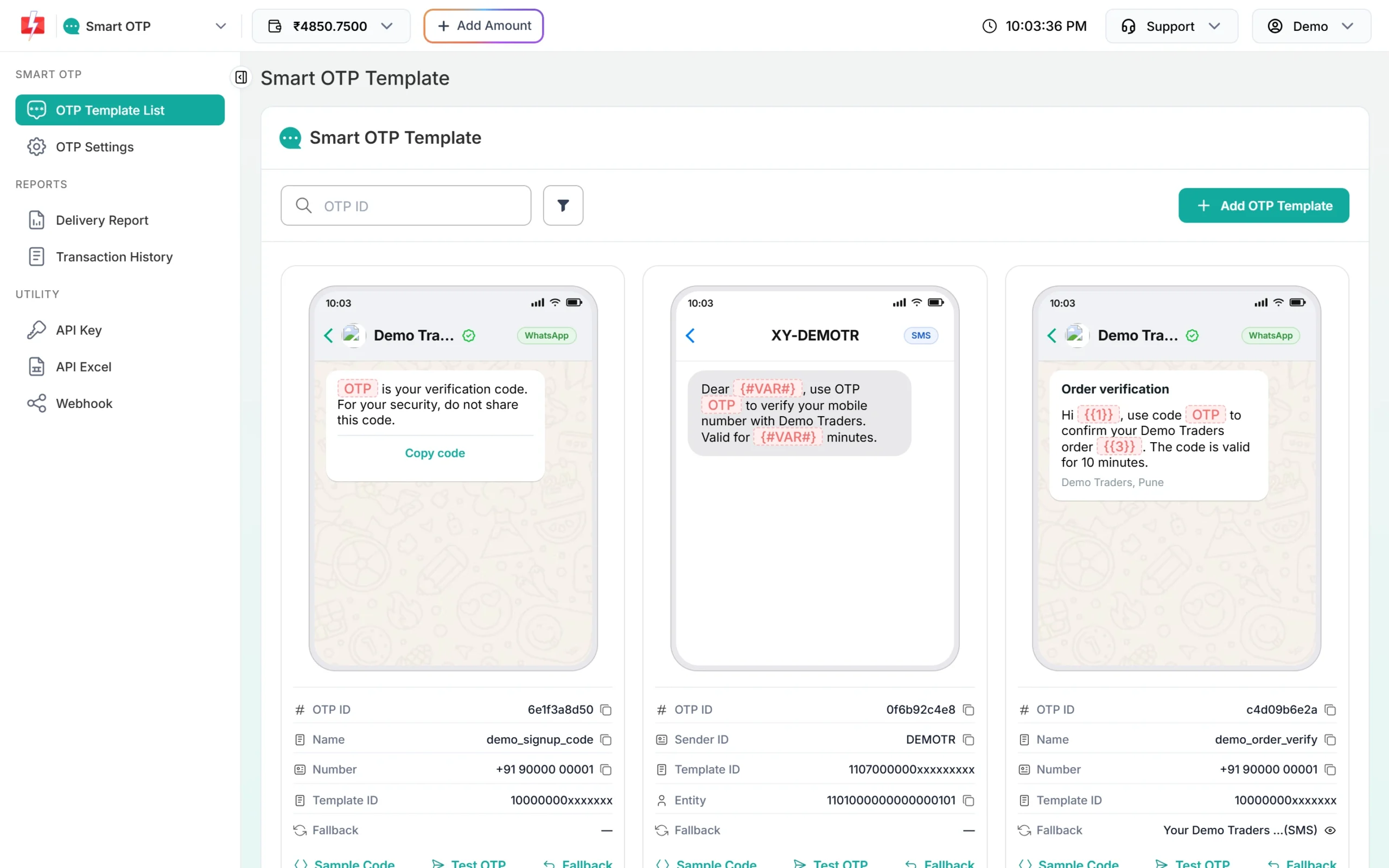
Copy the OTP ID from the template card. -
Put the key and OTP ID in the server environment
Copy the key from API Key under UTILITY in the panel. Copy
.env.exampleto.env.local(never commit it), or use your host’s environment settings:FAST2SMS_API_KEY=YOUR_API_KEY F2S_OTP_ID=YOUR_OTP_ID F2S_TOKEN_SECRET=at-least-32-random-characters # Recommended on Vercel, so limits work across instances UPSTASH_REDIS_REST_URL= UPSTASH_REDIS_REST_TOKEN=Never use a
NEXT_PUBLIC_name for these. Next.js putsNEXT_PUBLIC_values into the browser bundle. If a setting is missing, the endpoint answers 503 and the server log names the missing setting.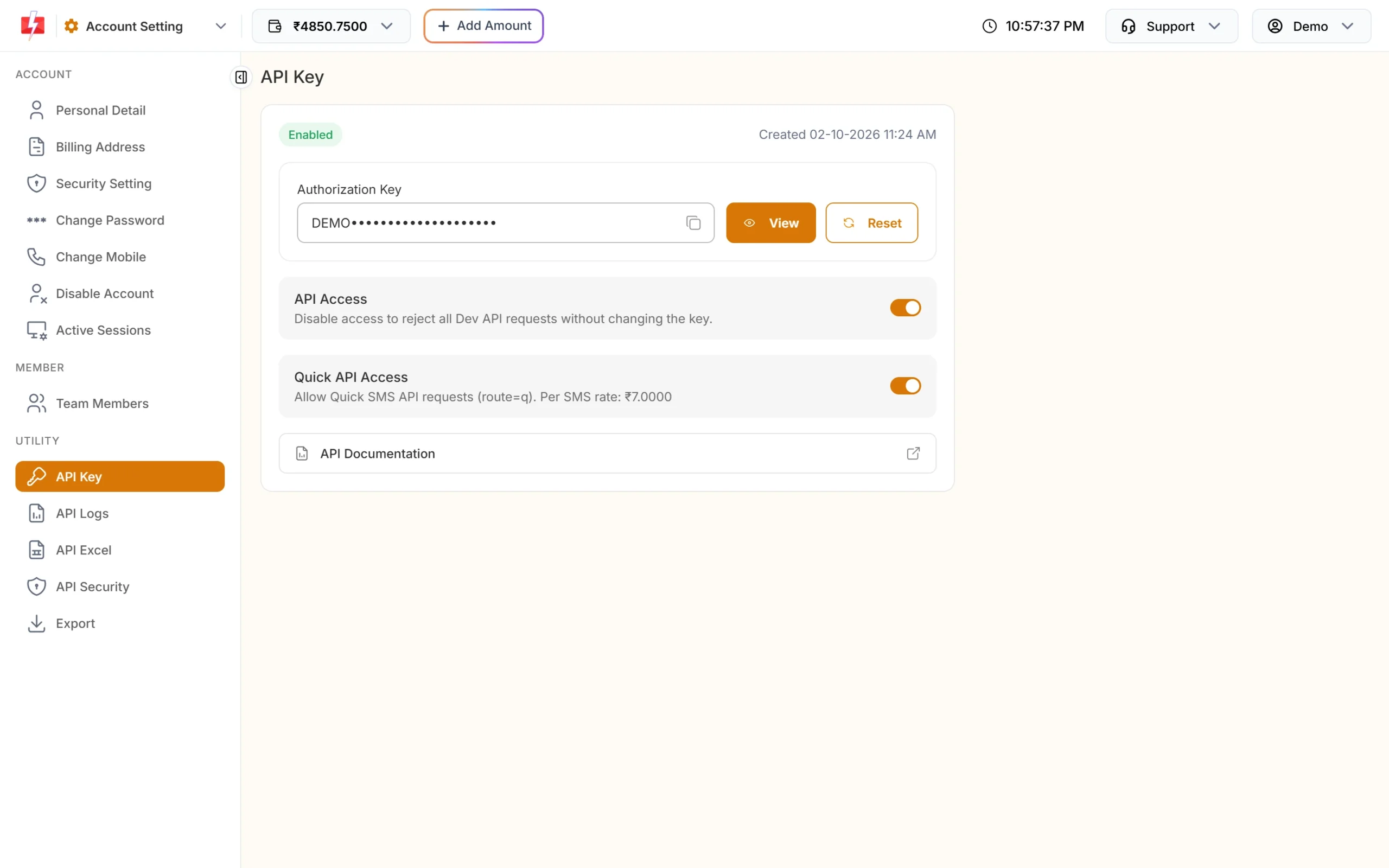
The key goes into your backend settings only. -
Copy the files and install server-only
Copy the
app/andlib/files into your project and run:npm install server-onlyserver-onlymakes the build fail iflib/otp-server.jsis ever imported into client code, which keeps the key on the server. -
Use the component
'use client';
import F2sOtp from './components/F2sOtp.jsx';

export default function LoginPage() {
  return (
    <F2sOtp
      onVerified={({ token }) =>
        fetch('/api/login', { method: 'POST', body: JSON.stringify({ f2s_token: token }) })
      }
    />
  );
}
The default endpoint is
/api/f2s-otp. To protect a form instead, passform={formRef}, as the example sign-up page does.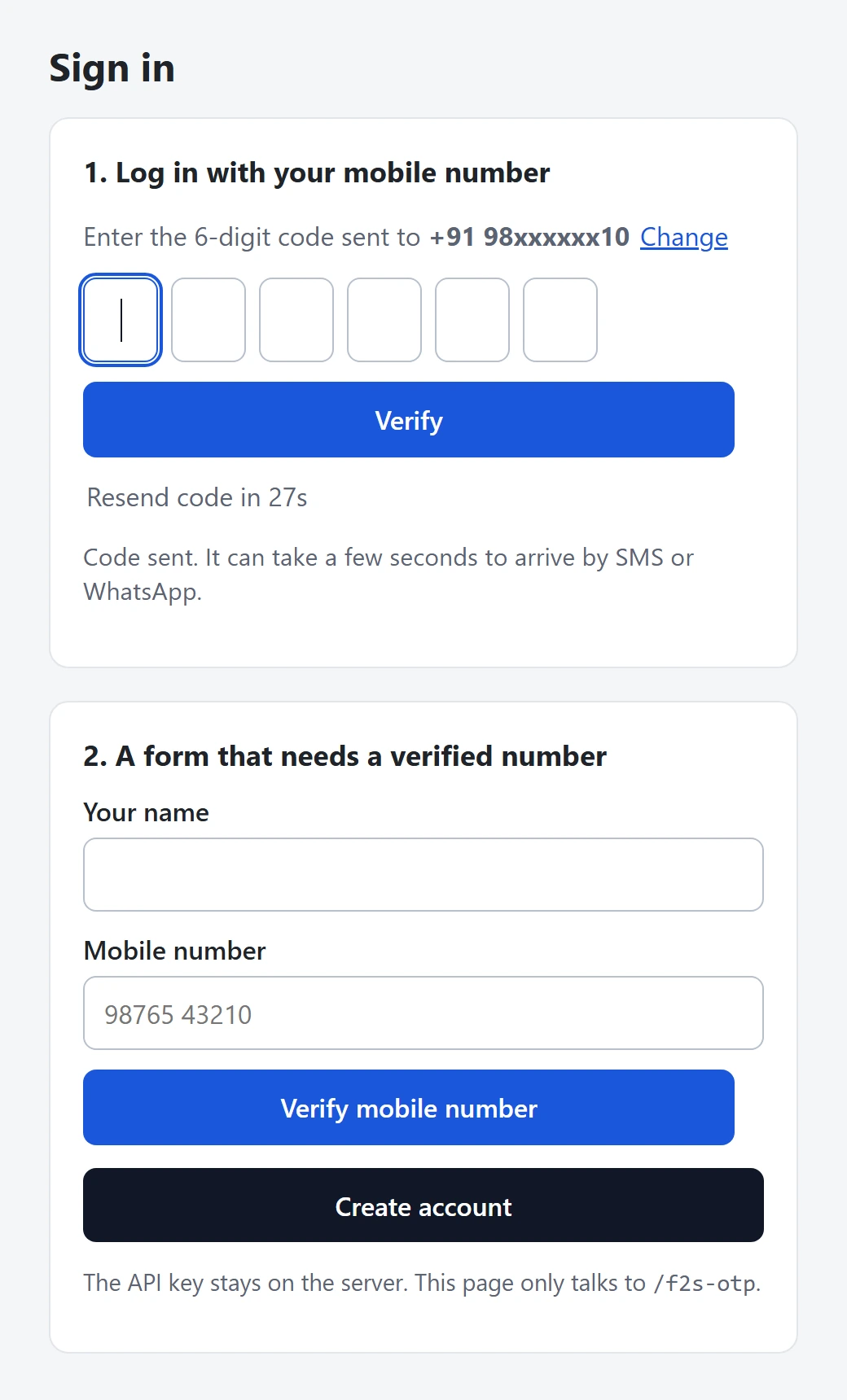
After Send OTP: six code boxes and a Resend countdown.
Check the token in a route handler
The example app/api/signup/route.js shows the pattern. Do the same in your log-in route:
import { otpEndpoint, unavailable } from '../../../lib/otp-server.js';

export const runtime = 'nodejs';

export async function POST(request) {
  const ep = otpEndpoint();
  if (!ep) return unavailable();
  const form = await request.formData();
  const v = await ep.verifyToken(String(form.get('f2s_token') || ''), {
    mobile: String(form.get('mobile') || '') || null,
  });
  if (!v) return Response.json({ ok: false, message: 'Mobile number not verified.' }, { status: 403 });
  // v.mobile is the verified 10-digit number: create the account or session here.
  return Response.json({ ok: true });
}
A token works once and lasts 10 minutes by default. Never start a session from the client-side event alone.
Limits and cost
The route handler checks these before any paid call. On Vercel, without Upstash Redis or Vercel KV, each instance keeps its own counters, so add a shared store for production.
| Backend setting | Default | What it does |
|---|---|---|
F2S_RESEND_WAIT |
30 seconds | Wait between two sends to one number. |
F2S_LIMIT_PER_NUMBER |
5 per hour | Sends to one mobile number. |
F2S_LIMIT_PER_IP |
20 per hour | Sends from one IP address. |
F2S_LIMIT_VERIFY_PER_IP |
60 per hour | Verify calls from one IP address. |
F2S_MAX_VERIFY |
5 | Wrong codes allowed for one code. |
F2S_TOKEN_TTL |
600 seconds | How long the verified token lasts. |
F2S_CAPTCHA |
off | turnstile or recaptcha, with F2S_CAPTCHA_SECRET. |
Resend sends the same code again. Fast2SMS allows it within 10 minutes of the first send, up to 5 sends in total. Sending a fresh code for a number cancels the older code. If the template has a fallback and the first channel fails, Fast2SMS sends the same code once on the other channel.
Each send and each resend is charged at your Smart OTP rate. Verify is free. If a fallback message goes out on the second channel, that message is charged too, and so is a Test OTP from the template card, because it is a real send. See the current rates on the Smart OTP page.
Sending in bulk? For high OTP volumes our team offers discounted rates. Talk to our team or see OTP pricing.
Test status
handleRequest() code as the Vercel and Netlify backends, which passed the kit’s 47 checks with Vercel and Netlify stand-ins and a test server that answers like Fast2SMS. The client component works the same way as the React wrapper, which passed in Chrome. Test it in your own project, and do one live send, before you go live.Common problems and fixes
| What you see | Why | Fix |
|---|---|---|
| “We could not send the code right now.” | A setting is missing, or an account problem (key, OTP ID, balance, template). | Read the server log; it names the reason. |
Build error about server-only |
lib/otp-server.js was imported in a client component. |
Import it only in route handlers or server code. |
| Limits do not hold on Vercel | Counters are per instance. | Add UPSTASH_REDIS_REST_URL and UPSTASH_REDIS_REST_TOKEN. |
| “Code sent” but nothing arrives | Sent means accepted, not delivered. | Check Smart OTP > Delivery Report. |
Frequently asked questions
Does the Next.js OTP example work with the Pages Router?
The example is written for the App Router. The client component is plain React, but you would need to turn the route handler into an API route yourself.
Can I put the API key in NEXT_PUBLIC_FAST2SMS_API_KEY?
No. Any NEXT_PUBLIC_ value is shipped to the browser. Keep FAST2SMS_API_KEY as a normal server variable.
What happens if a setting is missing?
The endpoint answers with HTTP 503, the visitor sees a neutral message, and the server log names the missing setting. Fix the environment variable and redeploy.
Do I need Redis?
Not for testing. For production on Vercel or any host with several instances, use Upstash Redis or Vercel KV so the per-number and per-IP limits are shared.
Does Resend make a new OTP?
No. Resend sends the same code again, within 10 minutes and up to 5 sends in total. Each resend is charged.
Can one app use SMS for sign-up and WhatsApp for log-in?
Yes. Create two Smart OTP templates, list the second OTP ID in F2S_OTP_IDS, and pass it to the component as otpId.
Related guides
- Smart OTP in Fast2SMS: set up OTP on SMS and WhatsApp with fallback
- OTP verification for signup forms: verify mobile numbers before creating accounts
- Build a phone number login with OTP (Fast2SMS Smart OTP)
- OTP fraud and SMS pumping: how to protect your OTP form and wallet
- Send OTP on WhatsApp with Fast2SMS Smart OTP (copy code, one-tap, zero-tap)