
To send automatic SMS to customers, connect your website, store or software to Fast2SMS: use a ready integration (Shopify, WooCommerce, Tally Prime, Google Sheets and more) or call the Fast2SMS SMS API from your own code. After that, order updates, payment reminders and OTPs go out on their own, without anyone typing them.
For one-off messages at a fixed time, you can also schedule SMS in the panel. This page shows which option fits your business and how to start.
Before you start
- Approved DLT details in DLT Manager: Entity ID, Sender ID and a template for each automatic message (order confirmed, shipped, payment due and so on).
- PE-TM binding approved.
- Wallet balance. Automatic SMS are charged per SMS like any other DLT SMS.
3 ways to send automatic SMS
-
Use a ready integration
The dashboard has an Integration row with Shopify, WooCommerce, Tally Prime and Google sheet, and View all lists the rest, including HubSpot, Zoho Campaigns, Pipedrive, Freshworks and Pabbly Connect. Install the one you use and follow its setup to connect your Fast2SMS account and choose which messages go out, for example on “order placed”.
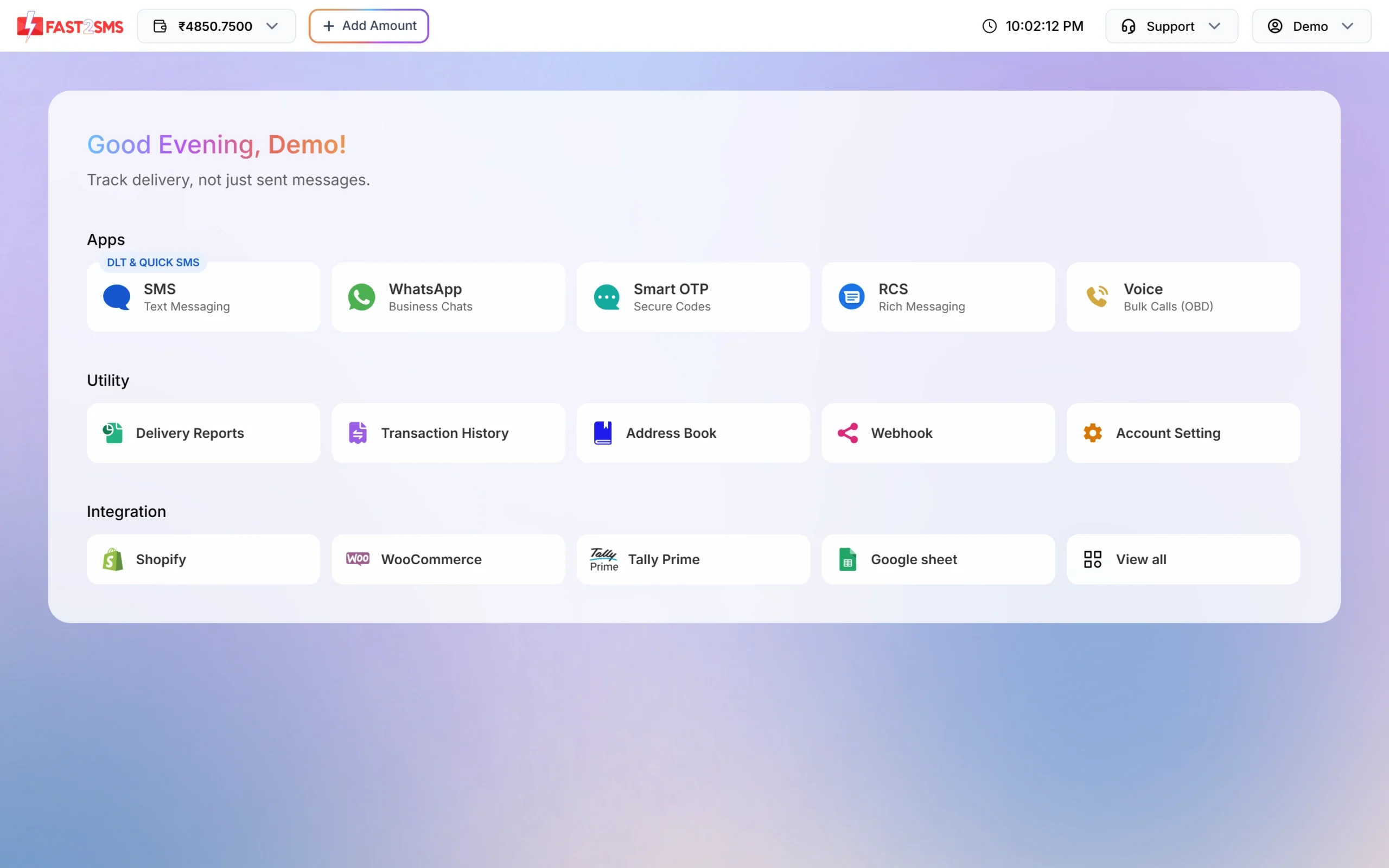
Ready integrations are on the dashboard under Integration. -
Call the SMS API from your own software
If you have your own website, app or CRM, your developer can send SMS with one API call when something happens. Get your key from API Key in the panel. In DLT Manager > Content Template, click Sample Code on a template to get a ready request in cURL, PHP, Node.js or Python.
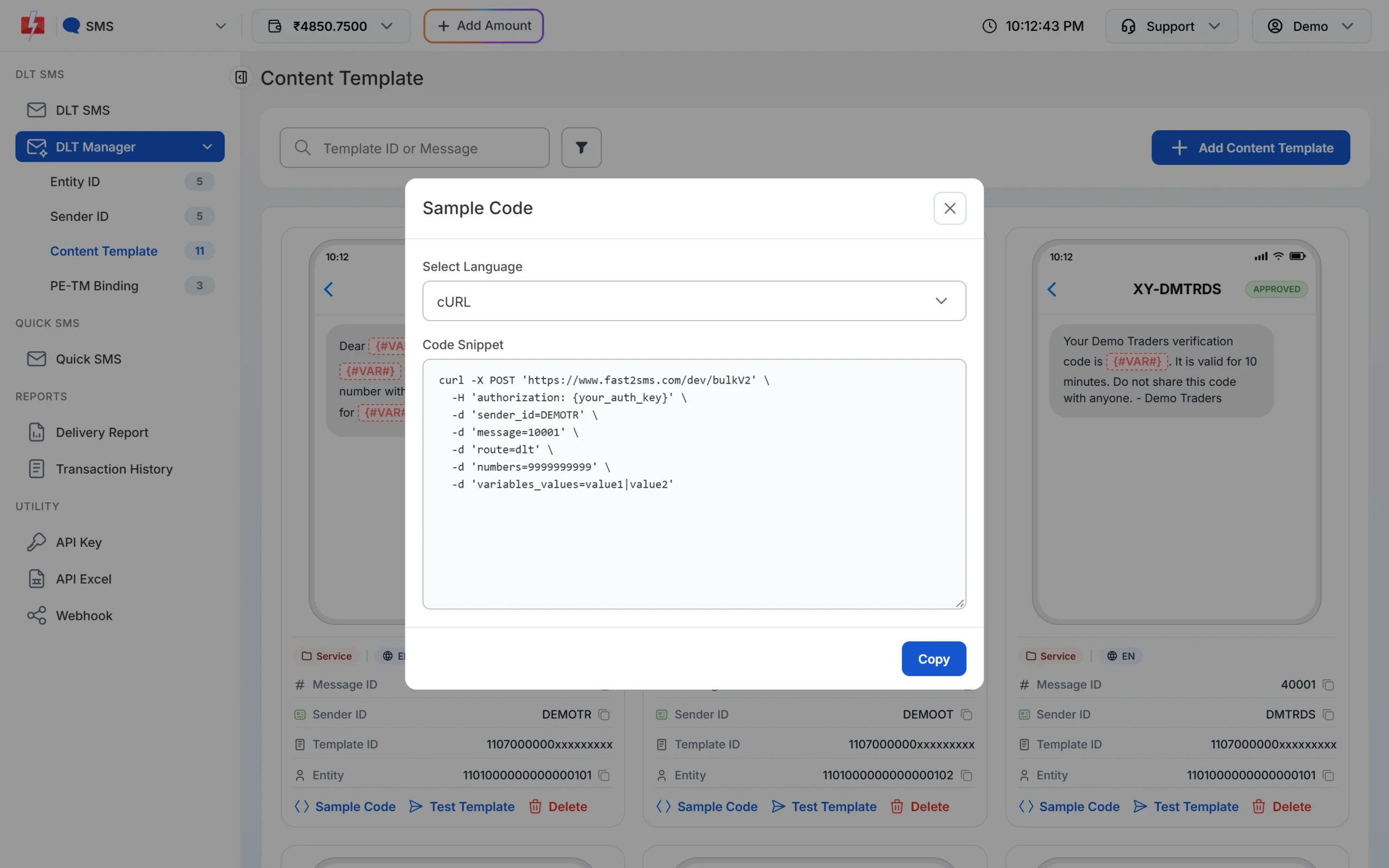
Sample Code gives your developer a ready API call for each template. A request looks like this:
curl -X POST 'https://www.fast2sms.com/dev/bulkV2' \
  -H 'authorization: YOUR_API_KEY' \
  -d 'route=dlt' \
  -d 'sender_id=DEMOTR' \
  -d 'message=10001' \
  -d 'variables_values=Rahul|DT10458' \
  -d 'numbers=9999999999'
Here
messageis the Message ID shown on the template card, not the 19-digit DLT template ID. -
Schedule SMS in the panel
For a planned message such as a festival offer or a daily reminder, open DLT SMS, prepare the SMS and click Schedule. Pick a date or a date range and a time. It goes out on its own.
Which option should you choose?
| Your setup | Best option |
|---|---|
| Shopify or WooCommerce store | The store integration |
| Billing in Tally Prime | The Tally integration |
| Customer list in a Google Sheet | The Google Sheets integration |
| Own website, app or CRM | The SMS API |
| Planned campaigns only | Schedule in the panel |
Automatic SMS cost the same as panel SMS: at the time of writing ₹0.25 down to ₹0.11 per DLT SMS, by recharge amount. See the bulk SMS pricing page.
Sending in bulk? For high SMS volumes our team offers discounted rates. Talk to our team or see SMS pricing.
Frequently asked questions
Can I send automatic SMS without coding?
Yes. Use an integration such as Shopify, WooCommerce, Tally Prime or Google Sheets, or schedule SMS in the panel.
Can I get a delivery update for every automatic SMS?
Yes. Set up a webhook and Fast2SMS posts the delivery status of API-sent SMS to your URL.
Can automatic SMS go out at night?
Transactional and service SMS such as OTPs and order updates go out any time. Promotional SMS are held until about 10 AM.
Should OTPs be sent this way?
For OTPs we recommend Smart OTP, which sends on SMS and WhatsApp with fallback on a priority route and verifies the code for you.