
Fast2SMS sends webhooks only to public URLs, so you cannot paste http://localhost:3000 while you build your receiver. This guide shows two simple ways to test a Fast2SMS webhook before you go live: a request inspector that shows you exactly what we send, and a tunnel that forwards our requests to the code running on your own computer. You will also use the Test Webhook button and Webhook Logs to check each step.
Why localhost does not work
When you save a webhook, the URL must be a public http:// or https:// address. Localhost, internal IP addresses, file links and other non-web addresses are refused with this message:
“Webhook URL must be a public http(s) endpoint. Internal, localhost, file, and non-http URLs are not allowed.”
Our server sends the request from the internet, so it could not reach a service that runs only on your computer anyway. You need an address that the internet can reach. The two options below give you one in a few minutes.
Option 1: see the raw request with a request inspector
A request inspector is a website that gives you a temporary public URL and shows every request sent to it: method, headers and body. webhook.site and RequestBin-style tools work this way. Use this when you only want to see what Fast2SMS sends before you write any code.
-
Get a temporary URL
Open the request inspector of your choice and copy the unique URL it gives you.
-
Create a webhook with that URL
In Fast2SMS, open Webhook, pick the channel (SMS, WhatsApp, OTP, RCS or Voice) and click Add Webhook. Give it a name such as “Test inspector”, keep Standard Webhook, paste the URL into URL and click CREATE.
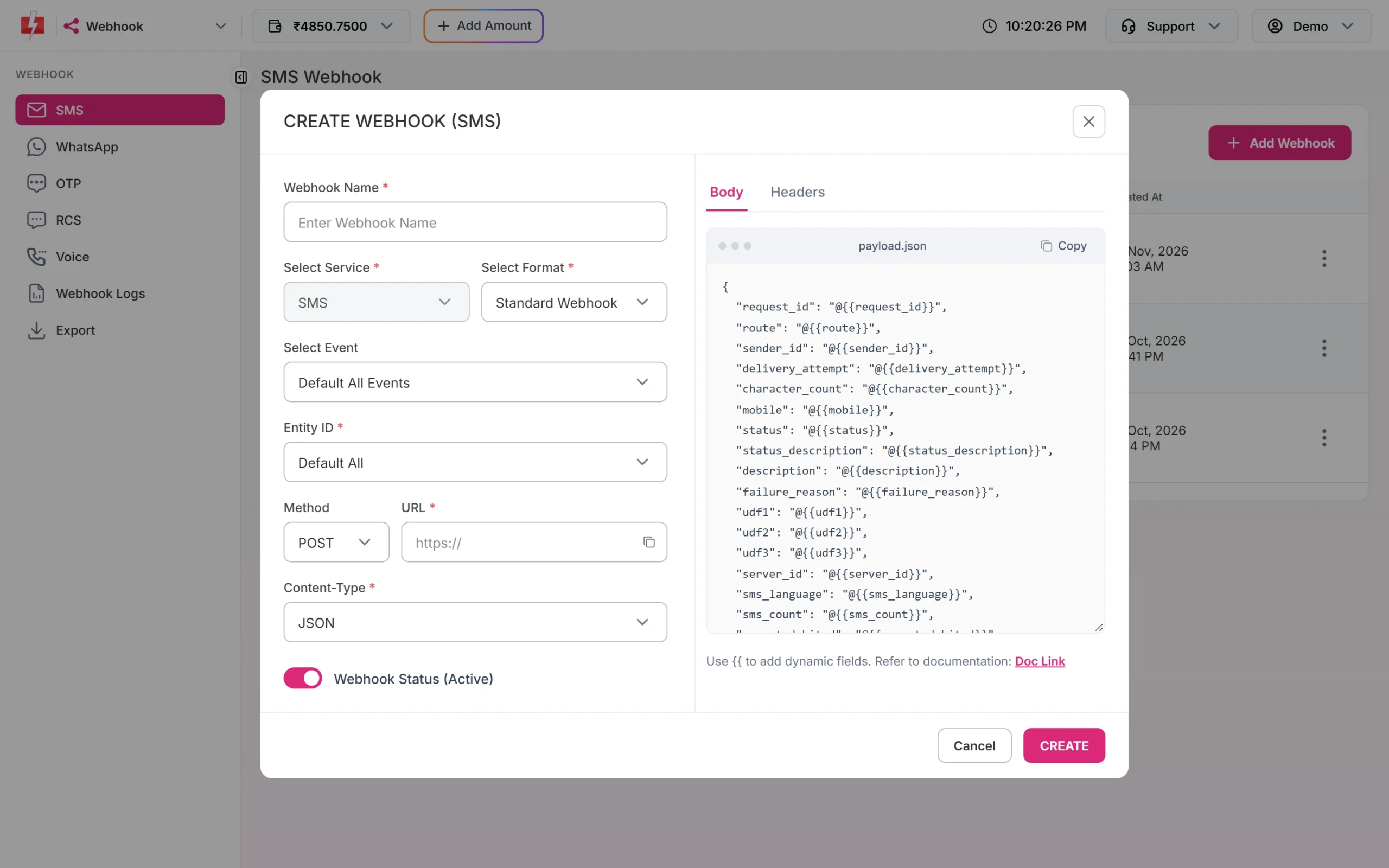
Paste the temporary URL into the URL field. -
Click Test Webhook
Click the three dots on the new webhook and choose Test Webhook. Fast2SMS sends one real request straight away with your saved method, content type, headers and body. The fields are filled with sample values, for example “Test error message”. A message then tells you whether the test was sent successfully with HTTP 200, or failed, with the HTTP code and the error.
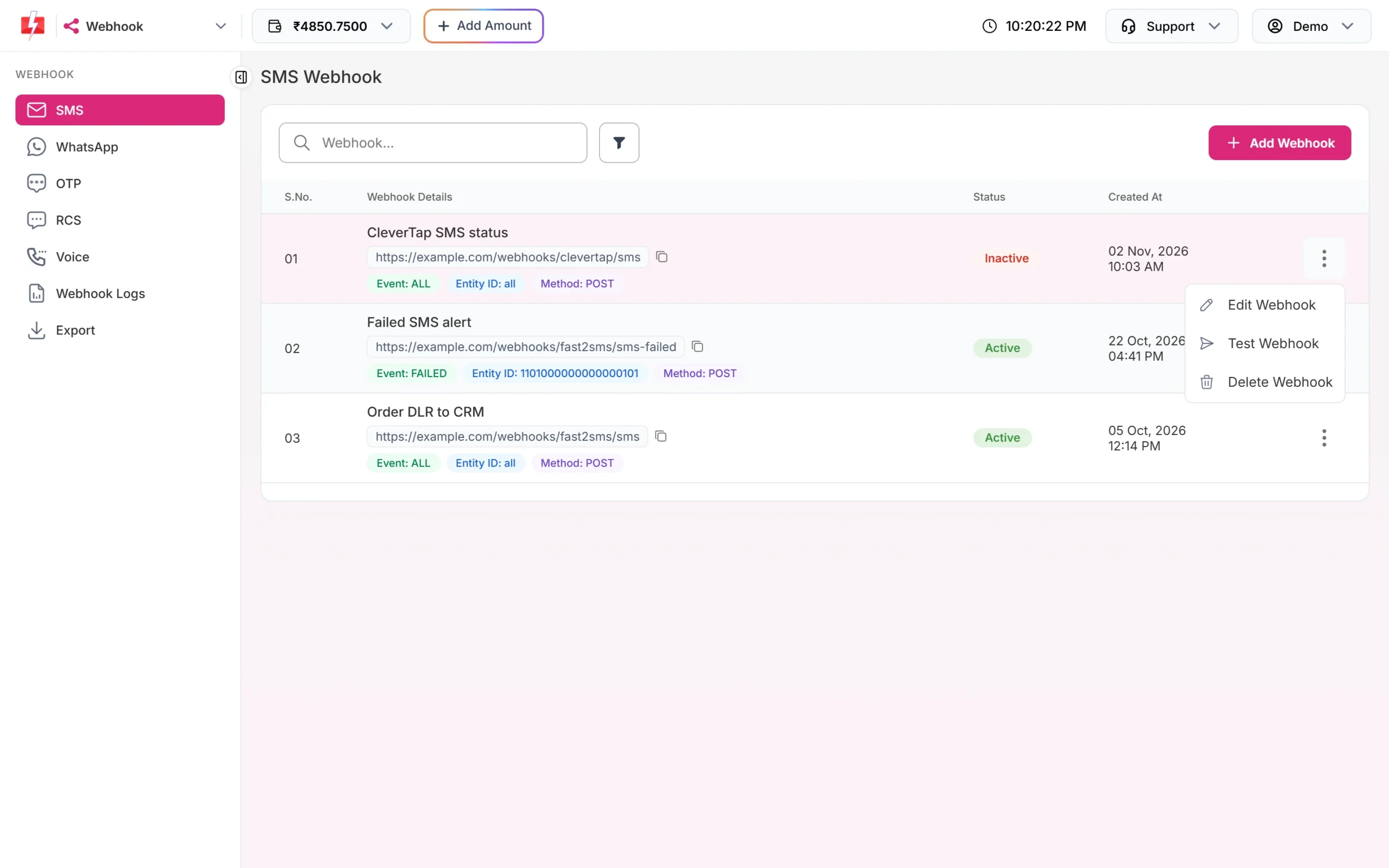
Test Webhook sends one request right away. -
Read the request
Go back to the inspector. You will see the headers and the body exactly as your server will receive them. Copy the body: it is a ready-made sample for your own code and tests.
Option 2: send webhooks to your own computer with a tunnel
A tunnel gives your local server a temporary public https address. Tools such as ngrok and Cloudflare Tunnel do this. Use this option when you want to run and debug your real receiver code.
-
Run a small receiver locally
Start your endpoint on your computer. If you do not have one yet, this Node.js file prints every request and answers 200:
// receiver.js - run with: node receiver.js const http = require('http'); http.createServer((req, res) => { let body = ''; req.on('data', chunk => { body += chunk; }); req.on('end', () => { console.log(req.method, req.url); console.log(req.headers); console.log(body); res.writeHead(200, { 'Content-Type': 'text/plain' }); res.end('OK'); }); }).listen(3000, () => console.log('Listening on http://localhost:3000')); -
Start the tunnel
Follow your tunnel tool’s own setup steps, then point it at port 3000. For example:
# ngrok
ngrok http 3000

# Cloudflare quick tunnel
cloudflared tunnel --url http://localhost:3000
The tool prints a public https address. Copy it.
-
Create or edit the webhook
Paste the tunnel address into the webhook’s URL, with your path at the end if your code uses one. Save the webhook.
-
Test, then check Webhook Logs
Click Test Webhook. The request should print in your terminal. In Fast2SMS, open Webhook Logs to see the same attempt with its HTTP code and time. Click the three dots and View Details to compare what we sent with what your code answered.
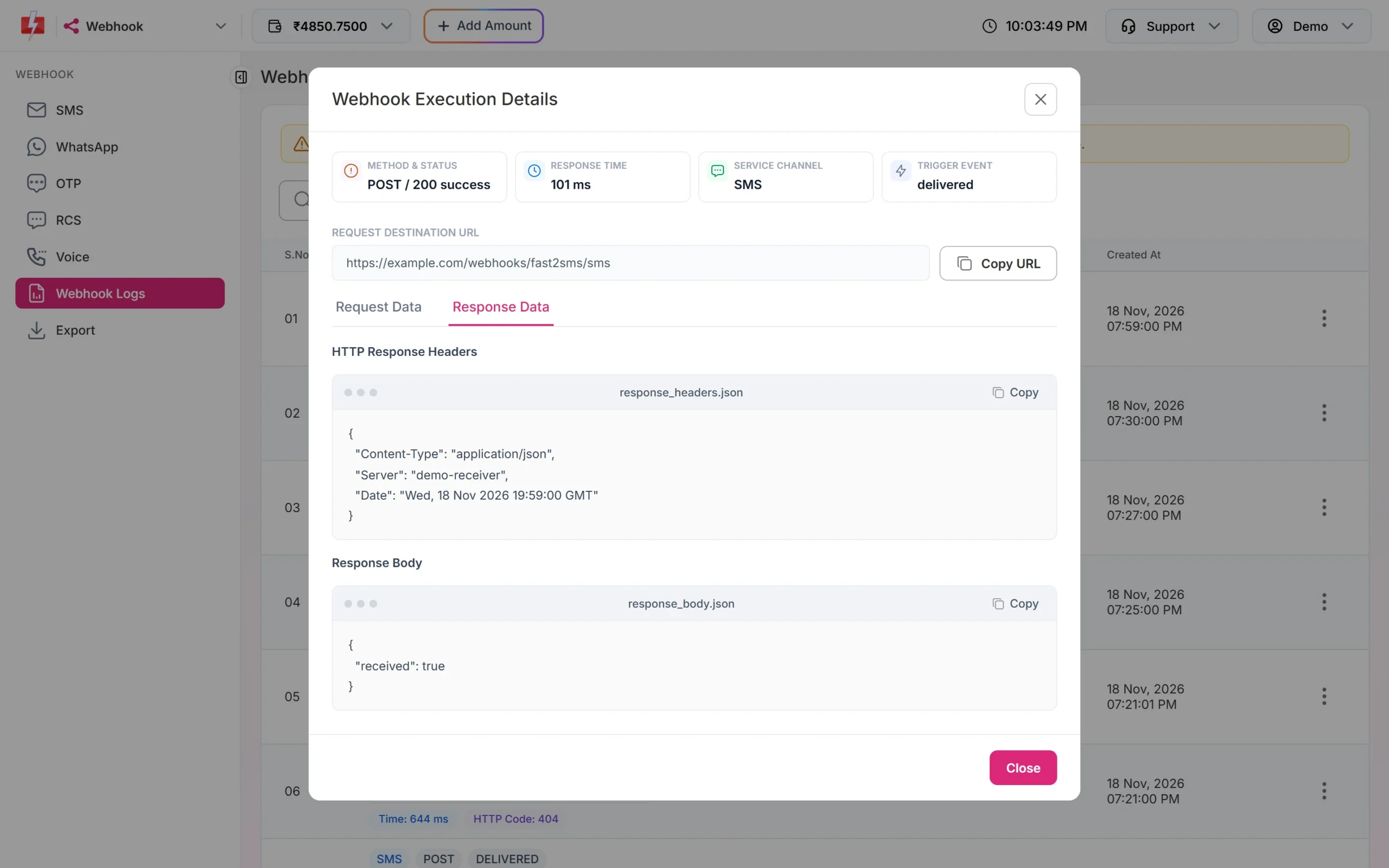
Request Data and Response Data show both sides of the call.
Test with a real delivery report
The Test Webhook button proves your URL works, but its values are samples. To see a real report:
- Send one message to your own number through the API. Panel campaigns do not trigger webhooks. Pass something like
udf1=TEST-1so you can spot it. - Wait for the delivery report. The webhook fires after the report arrives, and only if it arrives within 24 hours.
- Check your receiver and Webhook Logs.
A real message is charged at your normal rate, the same as any other send.
Test your parser without Fast2SMS
Once you have a sample body from Request Data in Webhook Logs, you can replay it against your local code as many times as you like:
curl -X POST "http://localhost:3000/fast2sms/webhook" \
  -H "Content-Type: application/json" \
  -H "X-Webhook-Token: your-test-secret" \
  -d '{"request_id":"Sa1B2c3D4e5F6g7","mobile":"9999999999","status":"delivered","udf1":"TEST-1"}'
Try a failed report, an empty field and the same report twice, so you know your code handles each case.
Go live
- Edit the webhook and replace the tunnel or inspector URL with your production URL, or create a new webhook and delete the test one. Each channel allows up to 10 webhooks.
- Click Test Webhook once more on the production URL.
- Add a secret header so your production endpoint accepts only real requests.
Common problems and fixes
“Webhook URL must be a public http(s) endpoint”
You pasted a localhost or private address. Use the public address from your tunnel or inspector.
Test failed with HTTP 0 or a timeout
The tunnel is not running, or your local server took more than 10 seconds to answer. Restart the tunnel, check the port, and reply before doing slow work.
It worked yesterday and fails today
Many free tunnels give a new address each time they start. Copy the new address into the webhook.
The test works but no real report arrives
Check that you sent by API, that the webhook is Active, and that its event and identity match the message.
Frequently asked questions
Can I use localhost as a Fast2SMS webhook URL?
No. The URL must be public. Use a tunnel such as ngrok or Cloudflare Tunnel to expose your local server while testing.
Does Test Webhook cost anything?
No message is sent to a phone. Test Webhook only sends one HTTP request from our server to your URL with sample values.
Does the test respect the event and identity I chose?
No. The test is sent straight away whatever the event and identity. Real reports follow those settings.
Where can I see the test request?
In Webhook Logs, like every other attempt. Logs are kept for 7 days.
Can I test webhooks for panel campaigns?
No. Webhooks fire only for API sends. Panel campaigns have their own delivery reports in the panel.
Is webhook.site safe for production?
No. Use request inspectors only for tests. Your production webhook should point to your own server.