
What is DLT and How to Register? – Complete Beginners Guide
The rapidly rising mobile users in India are facing a constant issue of unsolicited, spam messages. To curb this menace and ensure effortless Bulk SMS delivery, DLT registration has been introduced. In this post, we will understand what is DLT, why it is mandatory and how to register on a DLT platform for sending Bulk SMS in India.

What is DLT?
DLT stands for Distributed Ledger Technology. It is imposed by TRAI to protect customers from unsolicited, spam and fraudulent message practices. Without registering on a DLT portal, you will not be eligible for sending Bulk SMS in India.
Telecom Regulatory Authority of India (TRAI) has made DLT registration compulsory for Bulk SMS industry. According to the guidelines, every business entity has to register on a DLT platform to send Bulk SMS to its clients.
Who has to register on DLT?
DLT registration has to be done by the following:
- Companies, businesses who wants to send Bulk SMS to their customers
- Websites sending authentication messages like OTP for login and signup
- Ecommerce portals sending order updates to their clients
- Financial institutions such as banks, fintech and service provider companies
- Startups, organisations, event management companies
- Logistics companies, retailers, Educational Institutions
Why is DLT registration mandatory?
TRAI has made DLT registration compulsory due to the rising problem of spam messages, fraudulent practices. People were receiving unwanted, spam texts even after registering on Do Not Disturb (DND) mode. So, to protect consumers rights and curb the issue of unsolicited texts DLT registration has been made mandatory. Some of the major reasons of introducing DLT registration in the Bulk SMS industry:
- Protects consumers’ rights
- Prevents fraudulent message practices
- Promotes transparency in Bulk SMS sending process
- Improves message delivery
- Builds trust and recognition
- Curb the rise of unwanted texts
- Safeguard user interest
- Regulation and safety of the user
- Increase system security
What you have to register on DLT?
- Principal entity: It is your company, business or brand name
- Headers: It is a unique 6-digit string created by a business entity to send commercial communications. Basically it the another term for Sender ID
- Consent template: It is the template of content presented to the customer while acquiring his permission to receive the texts. The consent template consists of purpose of the consent and sender details.
- Content template for Transactional SMS: It is a template content which is registered by a sender for sending transactional message, service message for the purpose of commercial communication. It may include fixed part as well as variable part of content.
- Content template for Promotional SMS: It is a template content which is registered by a sender for sending promotional message for the purpose of commercial communication. It contains fixed content that is common across all commercial communications.
Documents required for DLT registration
- GST Certificate or Business Proof
- PAN Card
- Company Letterhead
- Authorised Signatory Details
How to register on DLT?
1. To register your Principal Entity in Jio DLT portal, visit the link https://trueconnect.jio.com
2. Click on the Register Now button to register as an Entity in the Jio DLT platform as shown in the below image

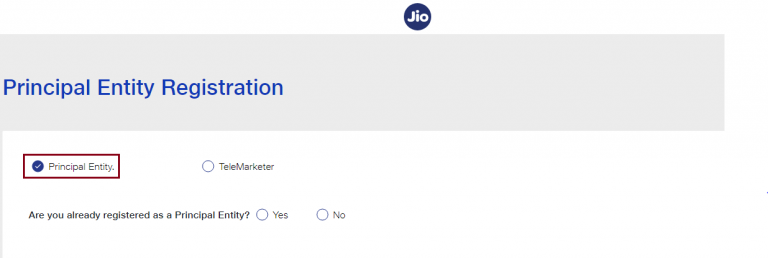
3. The following page will be displayed. Select the Principal Entity option.
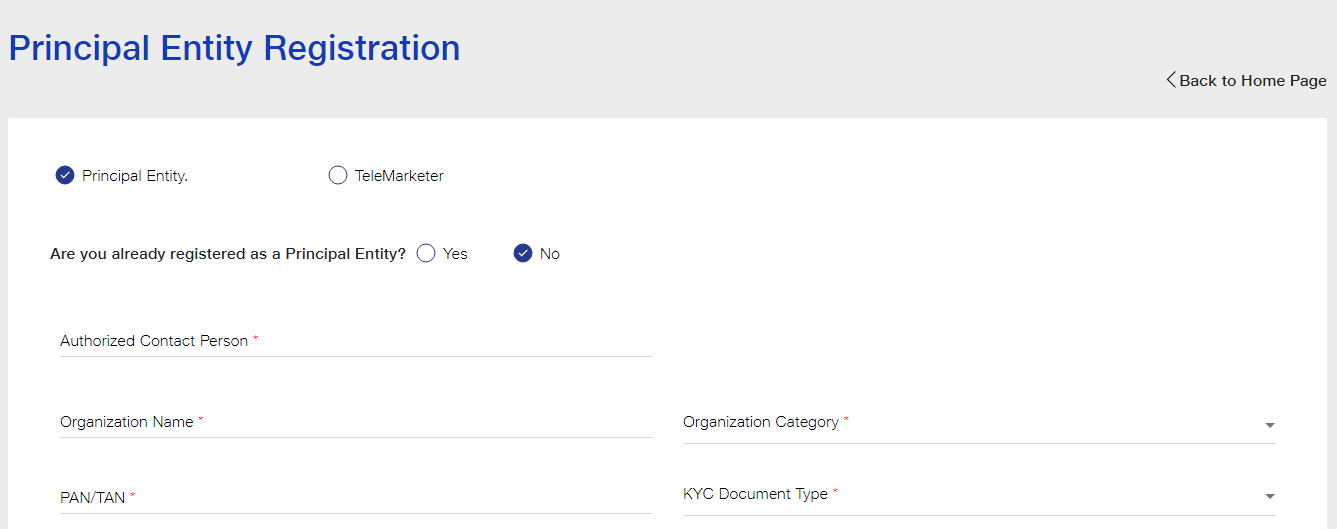
4. If you are registering on the DLT platform for the first time, select No & Fill the requested details.
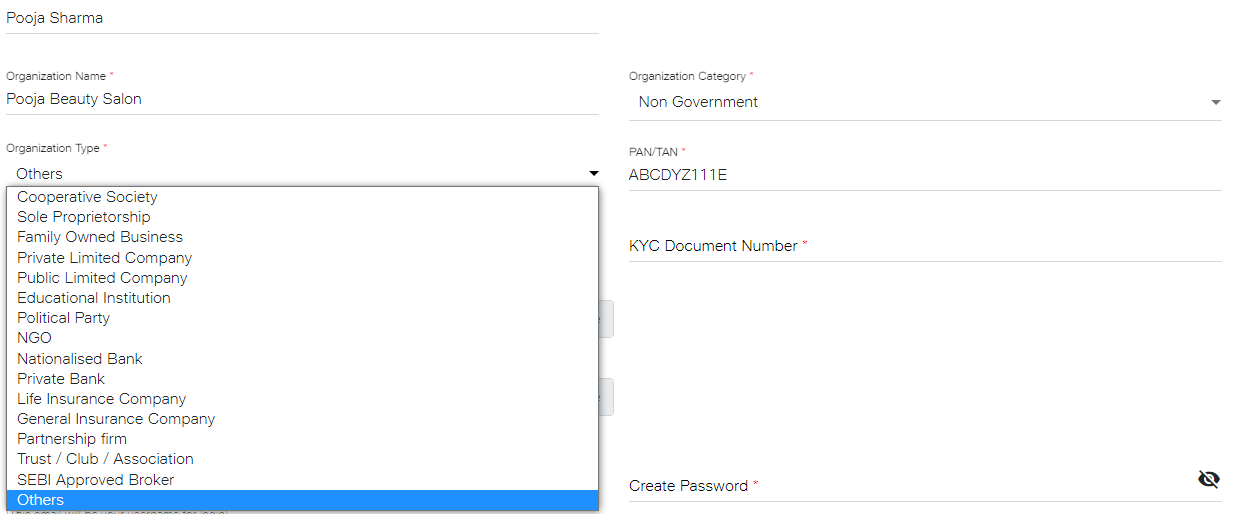
5. Enter the details as shown in the image below. Select your Organization Type from the drop down list.
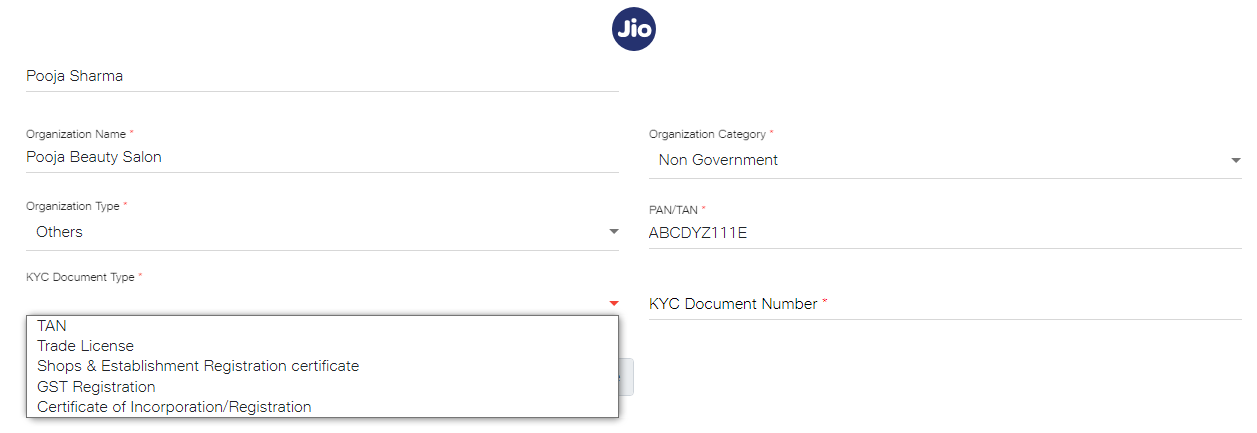
6. Select the KYC Document Type from the drop down list and enter the KYC Document Number.
7. Upload your KYC Document and PAN/TAN. Make sure the file size is less than 5 MB.
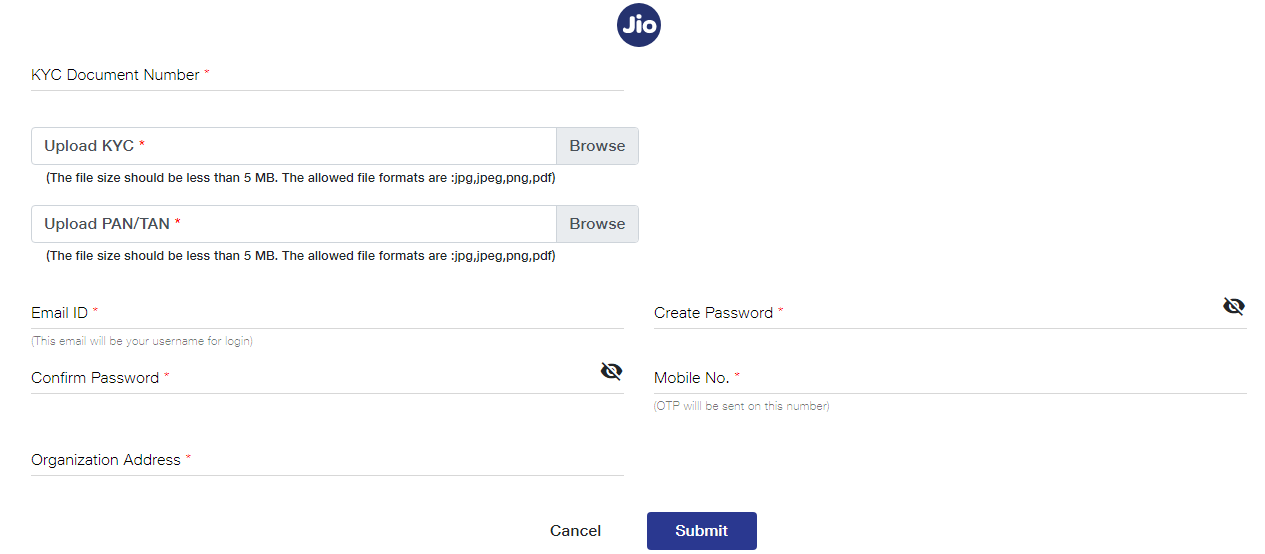
8. After uploading KYC document and PAN Card. Next, enter your email ID, password, mobile number and organization address. After providing the details, click on the Submit button.
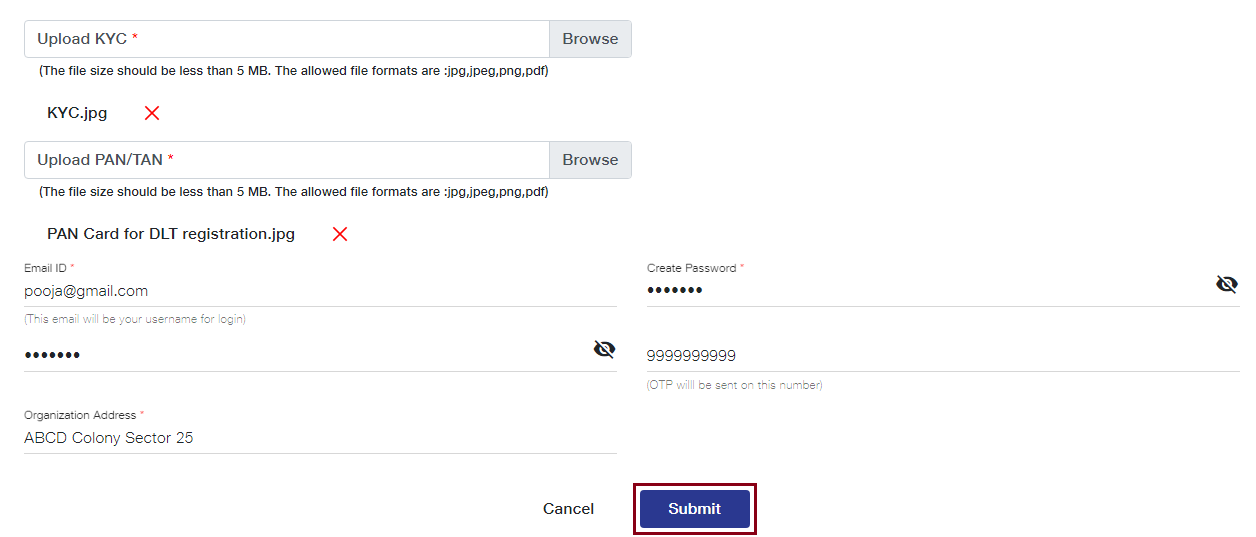
As you click on the Submit button, an OTP will be sent to your registered mobile number. Enter the OTP received to complete the mobile number verification.
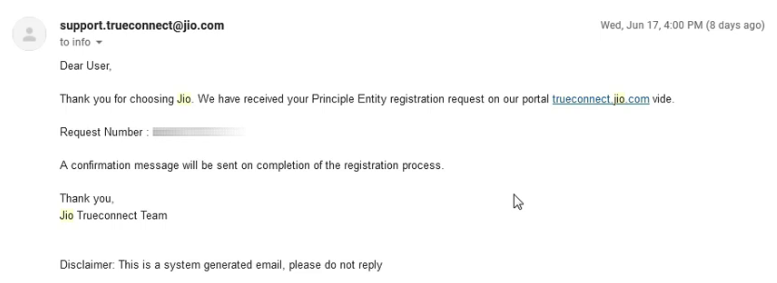
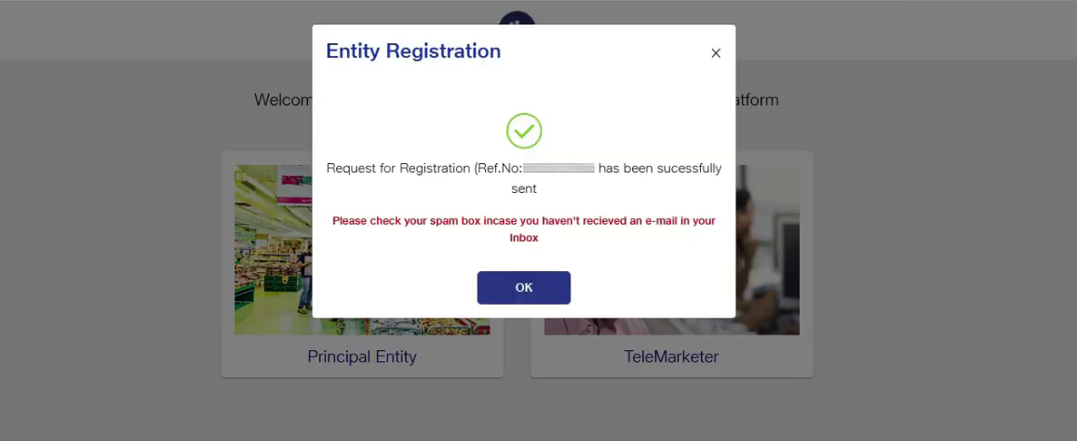
9. As shown in the image below, an email will be sent by Jio that your Entity registration request has been received and is being processed. After submitting registration request, you need to wait for 2-3 days for its approval.
10. Once your entity gets approved, an email will be sent by Jio as shown in the image below. You will receive your login details and Entity Number on your registered email ID.
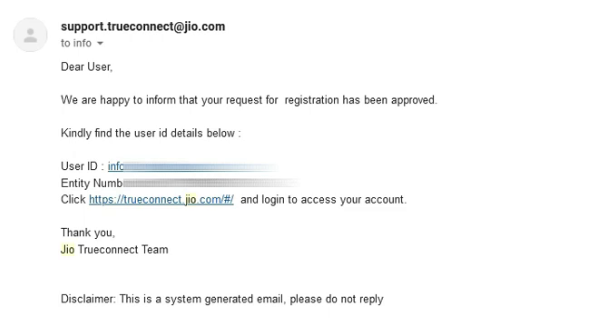
11.Now, you can login and access your JIO DLT account.
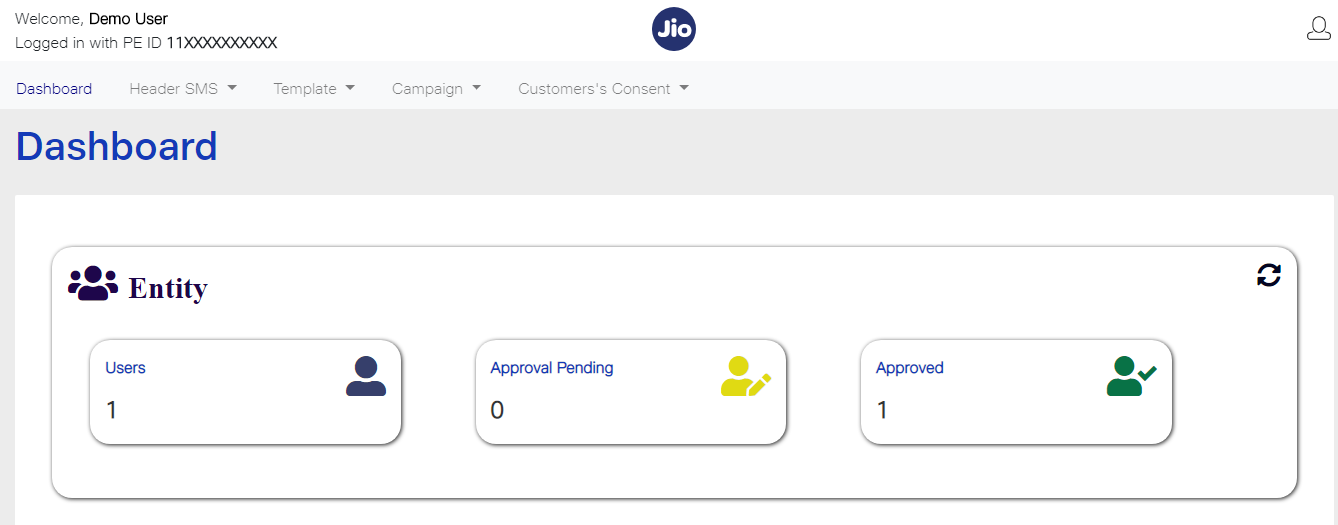
12.After login into Jio DLT, you’ll get following dashboard page.
Now you need to add SID GROUPS PRIVATE LIMITED as your Telemarketer in your Jio DLT entity account.
How to add Telemarketer in the Jio DLT platform?
- Click on the Campaign option and select My Telemarketer. Then, click on the Manage Telemarketer tab displayed at the right side of the screen.
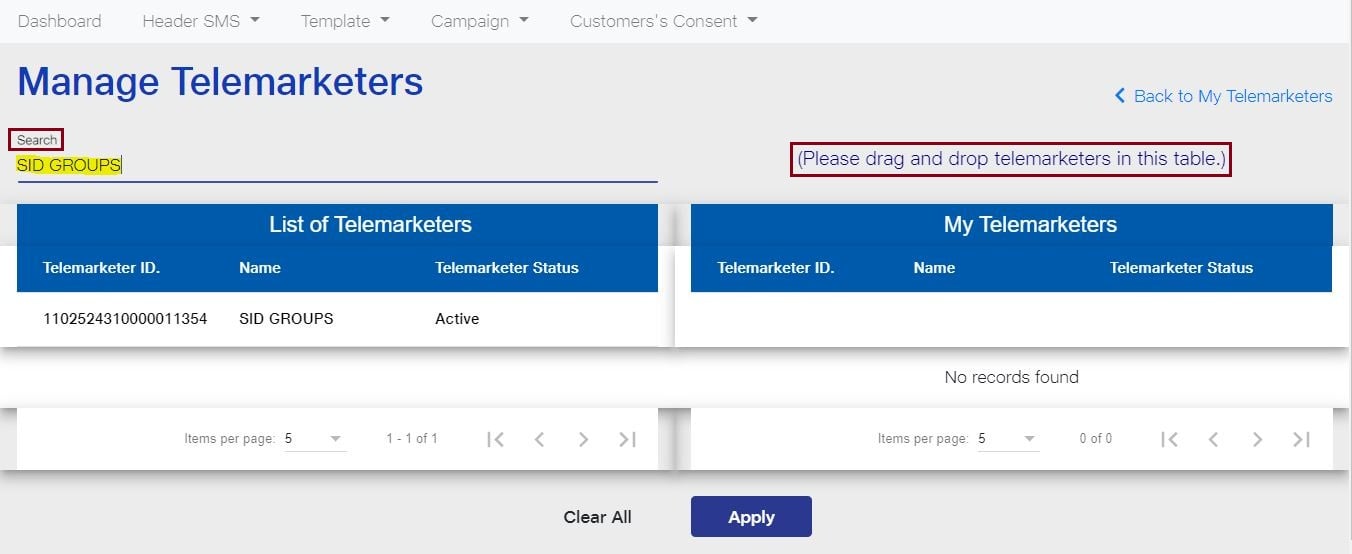
- In the Search box, type SID GROUPS PRIVATE LIMITED and press enter. SID GROUPS PRIVATE LIMITED Telemarketer ID will be visible in the option List of Telemarketers.
The following details will be displayed as you search for SID GROUPS PRIVATE LIMITED
Telemarketer Name: SID GROUPS PRIVATE LIMITED
Telemarketer ID: 1102524310000011354
- Next, you need to drag and drop the row in which the details of SID GROUPS PRIVATE LIMITED have been displayed. As it is visible in the image below, you need to drag the row from the List of Telemarketers and place at the My Telemarketer table. After that, click on Apply.
- A dialog box will appear on your window screen with the message that PE and TM mapping has been successfully completed. PE stands for Principal Entity and TM denotes Telemarketer. Click on OK.
Check other related DLT articles:
- How to add Telemarketer in Jio DLT?
- How to add Header or Sender ID in Jio DLT?
- How to add Consent Template in Jio DLT?
- How to add Content Template in Jio DLT?
Click here to know how to add registered DLT details into your Fast2SMS account
DLT registration mistakes
Avoid the following DLT registration mistakes:
- Inaccurate business entity details
- Entering wrong business details
- Sender ID and brand name not matching
- Not getting templates approved
- Not following TRAI rules
Make sure to follow all the TRAI DLT guidelines for smooth and error-free SMS delivery in India. Get DLT registration done as soon as possible for safe, secure and reliable Bulk SMS sending and stay connected with your clients 24/7. Sign up at Fast2SMS for fastest, cheapest and effortless SMS delivery across India.