
WhatsApp error 131047 “Re-engagement message” means you sent a normal (free-form) message to someone who has not written to you in the last 24 hours. WhatsApp allows free-form messages only inside that 24-hour customer service window. Outside it, you must send an approved template. This page explains where the error comes from and how to stop it.
What error 131047 means
Meta’s description, at the time of writing, is that more than 24 hours have passed since the recipient last replied to your business number. The 24-hour clock starts every time the customer sends you a message. Your own messages do not reset it.
| Customer’s last message | Free text, image, file | Approved template |
|---|---|---|
| Less than 24 hours ago | Allowed | Allowed |
| More than 24 hours ago | Fails with 131047 | Allowed |
| Never wrote to you | Fails with 131047 | Allowed |
Where you see 131047 in Fast2SMS
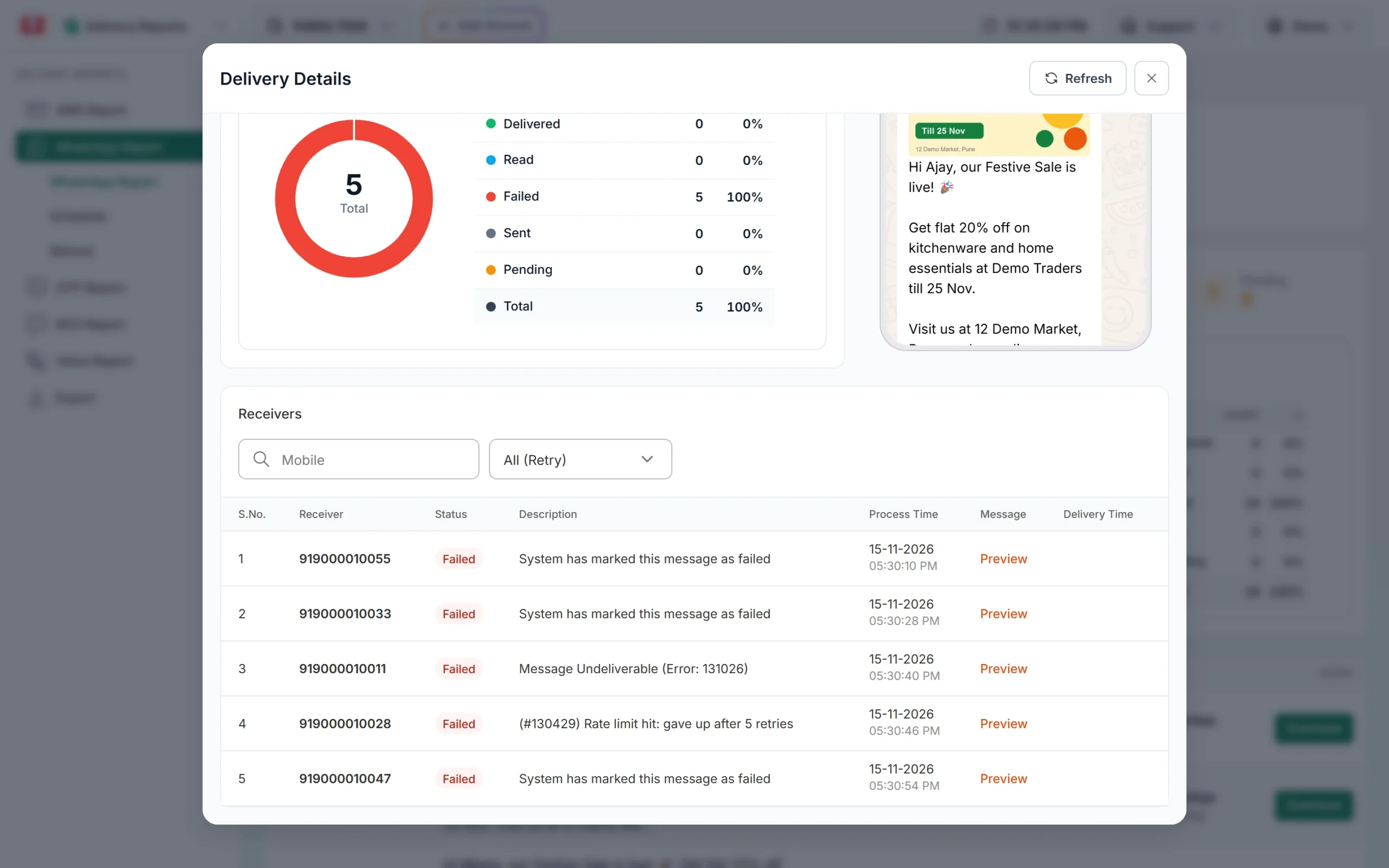
- Delivery Report: in Delivery Report > WhatsApp Report, open the message and look at the Description column of the Delivery Details window. It shows Meta’s text followed by “(Error: 131047)”.
- Live Chat: Live Chat checks the window before sending. When the customer’s last message is older than 24 hours, the message box is replaced by “Customer not messaged you in last 24 hours” and “You can only send pre-approved templates”, with a Send Template button. So in Live Chat you usually never get as far as the error.
- Your own integration: most 131047 errors come from apps, CRMs or chatbots that call the session message API (
/dev/whatsapp-session) without checking when the customer last wrote.
How to fix error 131047
-
Send a template instead of free text
Pick an approved template that matches your reason: Utility for orders, payments and account updates, Marketing for offers, Authentication for codes. In Live Chat, click Send Template. For many customers, use Bulk WhatsApp, which always sends templates.
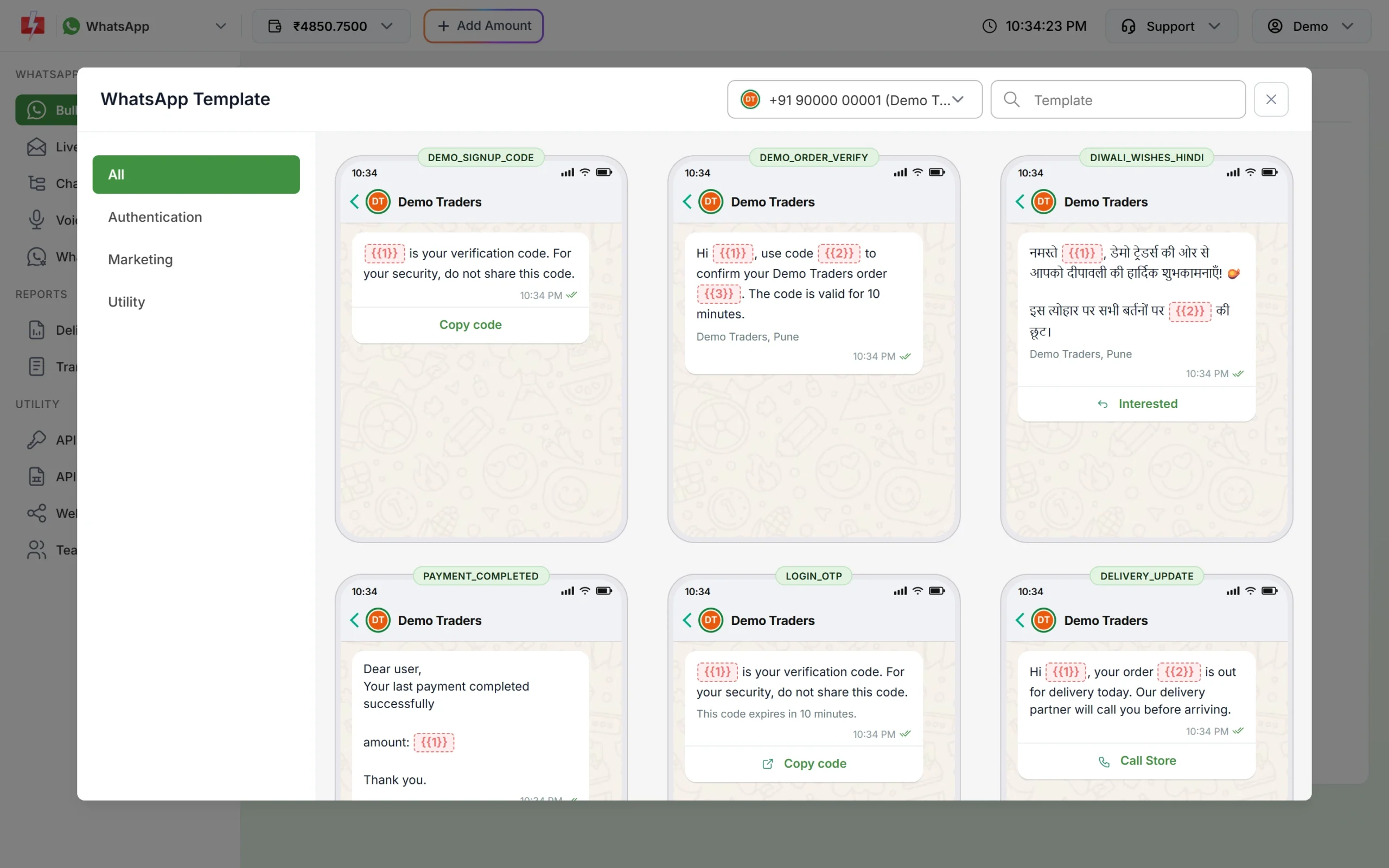
Only approved templates can be sent outside the 24-hour window. -
Wait for the customer’s reply
When the customer replies to your template, a new 24-hour window opens. Now free-form messages, images and files go through again.
-
Fix your API logic
If you send through the API, store the time of each incoming message (you receive it on your webhook). Before sending a session message, check that it is less than 24 hours old. If it is older, call the template API (
/dev/whatsapp) with the template’s Message ID instead. The Sample Code button on each template card in WhatsApp Manager shows a ready request.
How to avoid 131047
- Add a quick reply button such as “Talk to us” to your templates. One tap from the customer opens the window.
- Reply to customer questions within the same day, while the window is open.
- In chatbot flows, do not schedule follow-up messages more than 24 hours after the customer’s last message unless they are templates.
Frequently asked questions
Does sending a template restart the 24-hour window?
No. Only a message from the customer opens or resets the window. A template lets you reach the customer; their reply opens the window.
Am I charged for messages that failed with 131047?
No. Fast2SMS refunds every failed WhatsApp message to your wallet automatically, about two days after sending, whatever the error code.
Can I send an image after 24 hours?
Only as the header of an approved template. A plain image is a free-form message and needs an open window.
Is 131047 the same as error 131049?
No. 131047 is about the 24-hour window. 131049 means Meta held back a marketing template to limit how many marketing messages a person receives.
Why does my chatbot get 131047?
Usually because it sends a reminder or follow-up long after the customer’s last message. Make that follow-up a template, or send it within 24 hours.