
WhatsApp errors 133010 “Phone number not registered” and 131045 “Incorrect certificate” both mean the business number is not registered on the WhatsApp Business Platform, so it cannot send messages through the API. This usually happens when onboarding did not finish, or when the number’s registration was removed later. This page explains how to check the number in Fast2SMS and get it sending again.
What these errors mean
| Code | Meta’s meaning (at the time of writing) | Meta’s fix |
|---|---|---|
| 133010 | The phone number is not registered on the WhatsApp Business Platform | Register the number, then retry |
| 131045 | The message failed because of a phone number registration error | Register the number, then retry |
“Registered” means the number has been switched on for the Cloud API. Adding a number to a WhatsApp Business Account is not enough on its own; it must also be registered.
Common reasons
- The Facebook sign-up was closed before the last step, so the number was added but never registered.
- The number was later moved to another provider, or its registration was removed in Meta’s WhatsApp Manager.
- The number was deleted from the WhatsApp Business Account.
- Two-step verification PIN problems stopped registration (see errors 133005 and 133008).
How to check and fix it in Fast2SMS
-
Check the number status
Open WhatsApp Manager > Numbers and click Sync Details. A working number shows Connected in green. A number that shows Pending, or “Not Onboarded” in place of the phone number, has not finished setup. Only Connected numbers appear in Bulk WhatsApp.
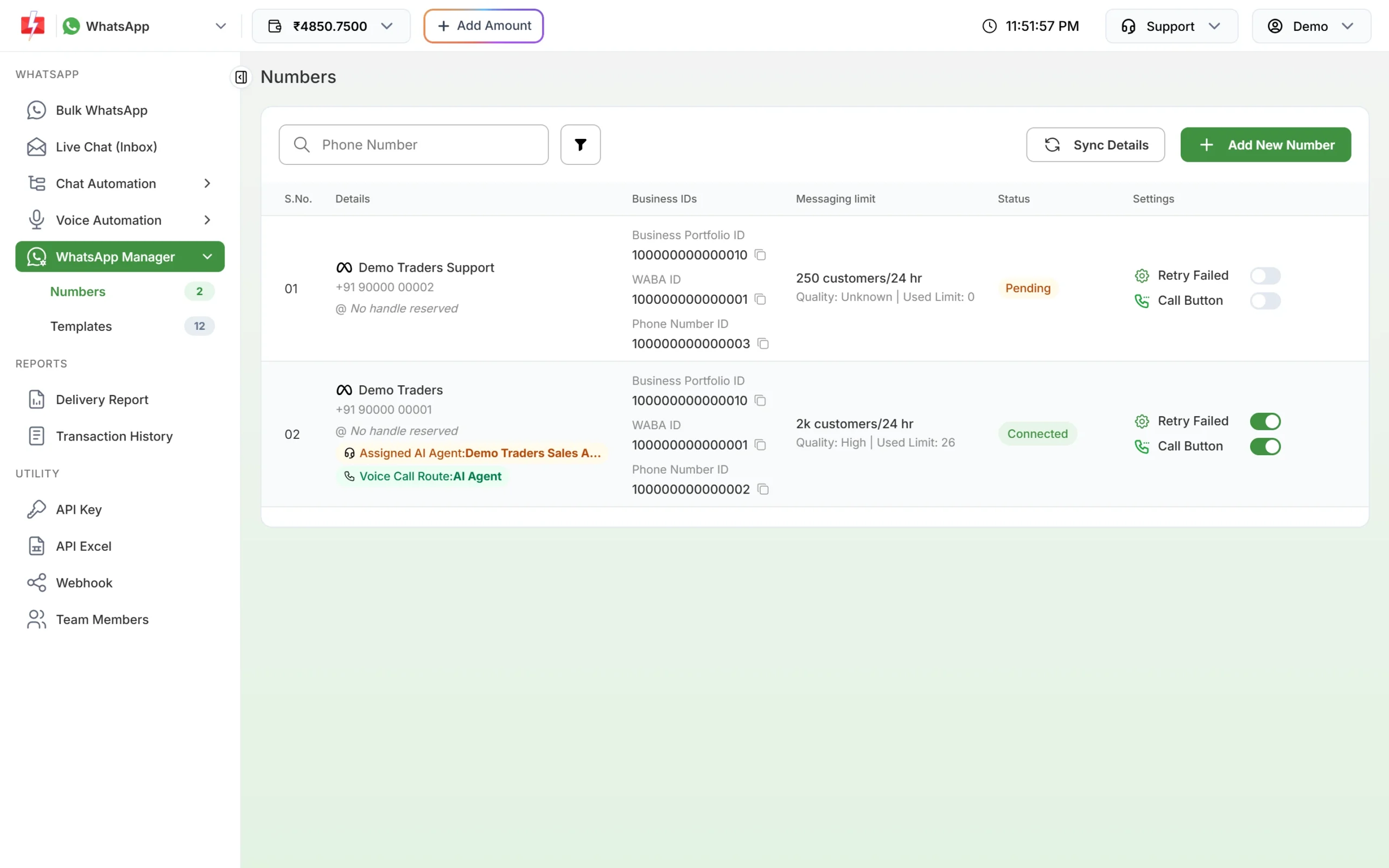
Connected numbers can send; Pending numbers cannot yet. -
Connect the number again
Click Add New Number. On the connect page, click Login with Facebook and complete every step of Meta’s pop-up with the same Facebook account and business portfolio, until it says the number is connected. Do not close the pop-up early.
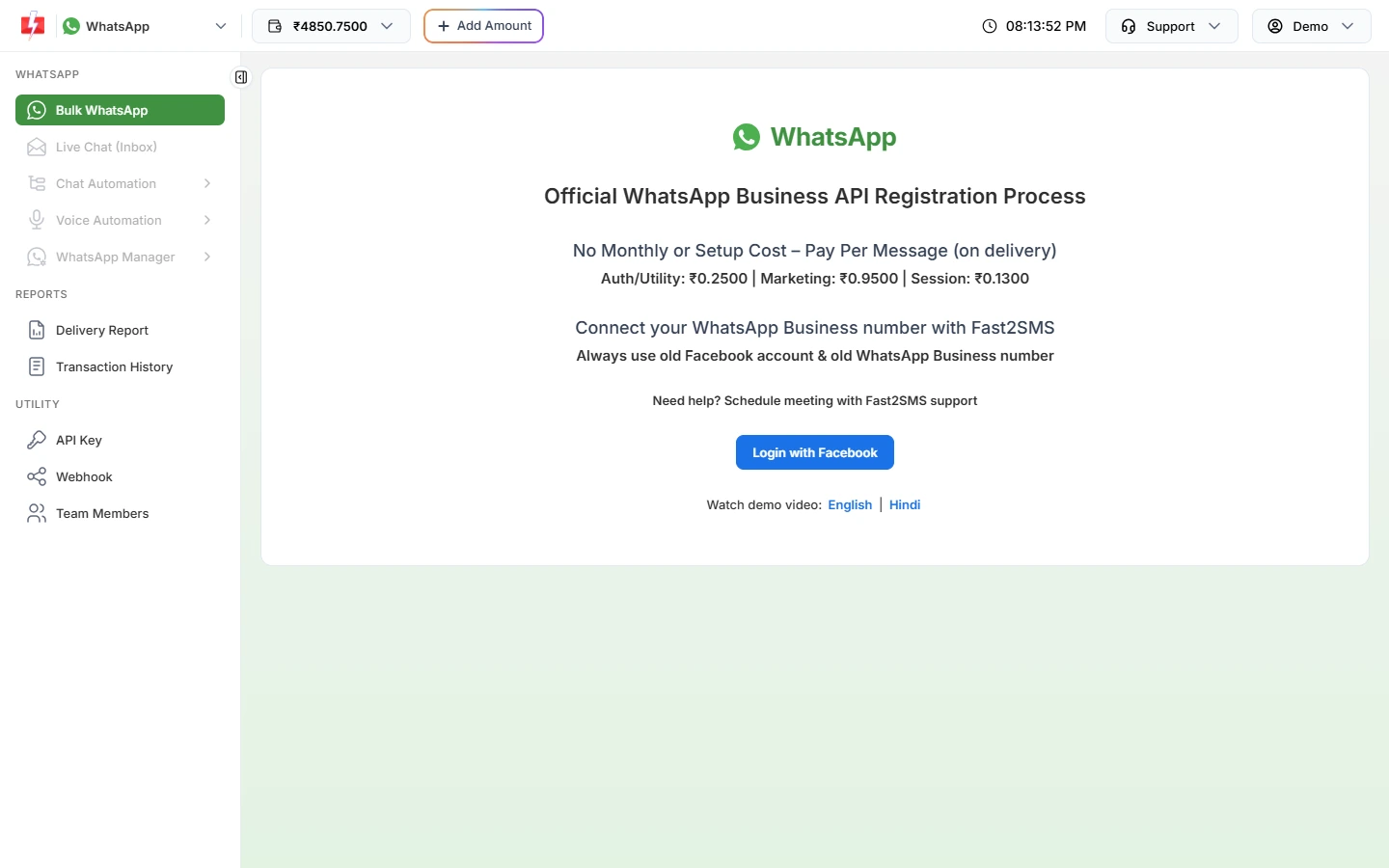
Login with Facebook starts the connect and register flow. -
Wait 10 minutes, then test
After onboarding, Fast2SMS allows messaging from the number after 10 minutes. Then send a test with the Test button on an approved template.
-
Contact support if it still fails
If the number shows Connected but messages still fail with 133010 or 131045, contact Fast2SMS support from the Support menu with the Phone Number ID and WABA ID from the Numbers tab.
Frequently asked questions
My number shows Connected. Why do I get 133010?
The status may be out of date. Click Sync Details. If Meta no longer has the number registered, connect it again with Add New Number.
Will I lose my templates if I reconnect?
At Meta, templates belong to the WhatsApp Business Account, not to the number. After reconnecting to the same account, open Templates and click Sync Template to load them.
Can I use the number in the WhatsApp Business app too?
Only through WhatsApp’s coexistence option, which lets one number work in the Business app and the API together. Set it up during the Facebook sign-up.
Are messages that failed with 133010 refunded?
Yes. Fast2SMS refunds every failed WhatsApp message to your wallet automatically, about two days after sending.
What does “Messaging will be available 10 minutes after onboarding” mean?
The number was connected less than 10 minutes ago. Wait a few minutes and send again.