
WhatsApp error 3, error 10 and errors in the 200-299 range all mean the same thing in plain words: the token used for the request does not have permission to do what you asked. The token itself works, but a permission is missing, was never granted, or was taken away.
This page explains each code, how to find the missing permission, and what to check if you send WhatsApp through Fast2SMS.
What WhatsApp error 3, 10 and 200-299 mean
| Code | Meta’s meaning | Fix |
|---|---|---|
| 3 | Capability or permission issue: the app does not have the permission this endpoint needs | Check the token in the access token debugger and add the permission |
| 10 | Permission not granted or removed. For WhatsApp Flows, the number may not be allowlisted, or the account is not eligible for the API. | Check permissions, allowlisting and eligibility |
| 200-299 | A permission in this range was not granted or was removed | Check permissions in the access token debugger |
Code 200 alone is a little different. It is returned when no token was sent at all, and is covered with token errors 0 and 190.
Why it happens
- The token was created without the WhatsApp permissions, usually
whatsapp_business_messagingfor sending andwhatsapp_business_managementfor templates and numbers. - The system user behind the token was not given access to this WhatsApp Business Account.
- Someone removed the app’s or partner’s access in Meta Business settings.
- The request is for a feature the account is not eligible for yet, such as some WhatsApp Flows features.
How to fix it when you use Fast2SMS
With Fast2SMS, Meta permissions are granted once, when you connect your number with Login with Facebook. Your requests then use your Fast2SMS API key. If you see one of these codes, check the following.
-
Check the number’s status in WhatsApp Manager
Open WhatsApp Manager and click Numbers. The number you send from should show Connected. Click Sync Details to pull the latest status from Meta.
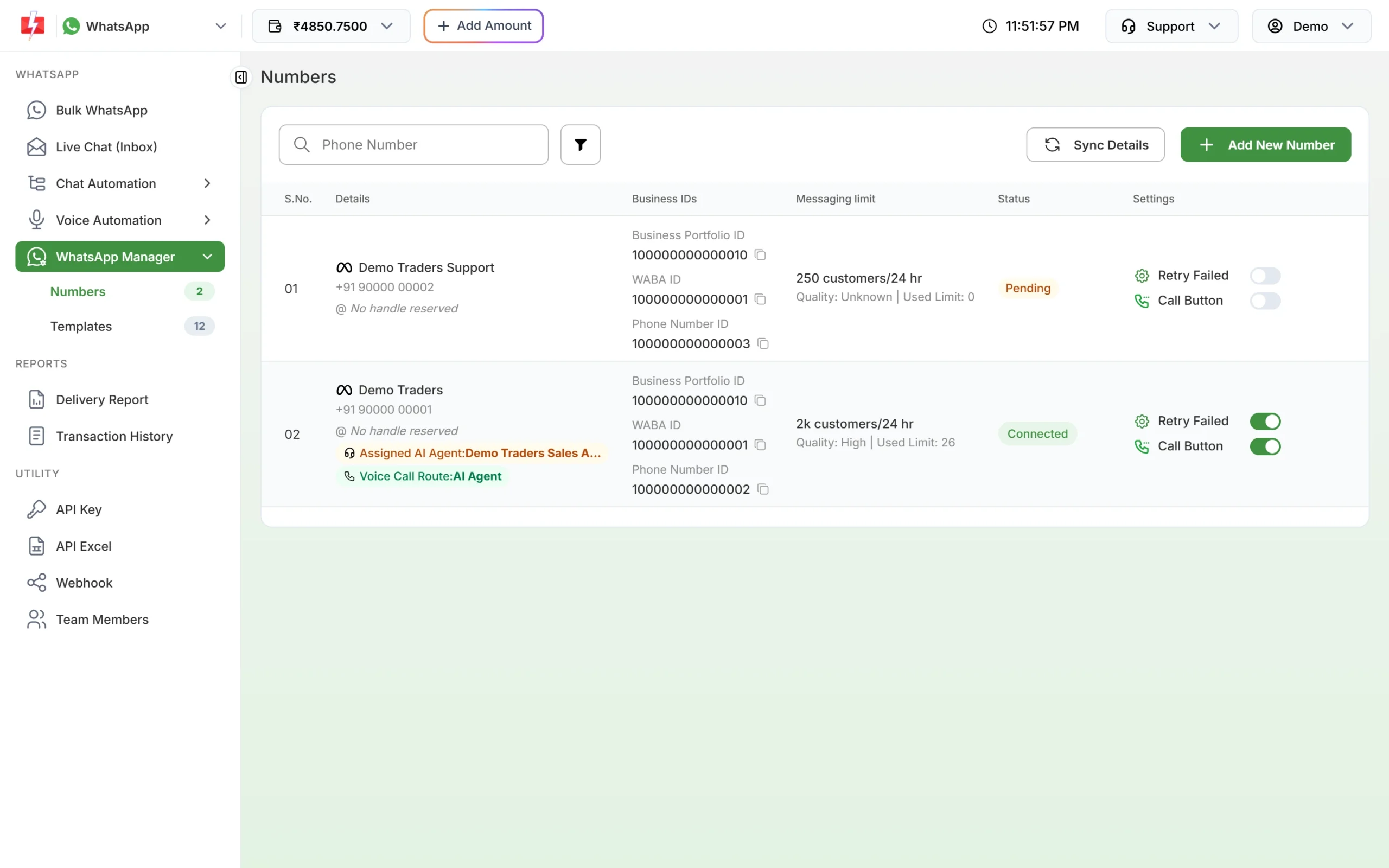
Numbers tab with Sync Details and Add New Number. -
Connect again if access was removed
If permissions for Fast2SMS were removed in Meta Business settings, click Add New Number and go through Login with Facebook again with the same Facebook account and number. In the Facebook pop-up, allow all the permissions it asks for.
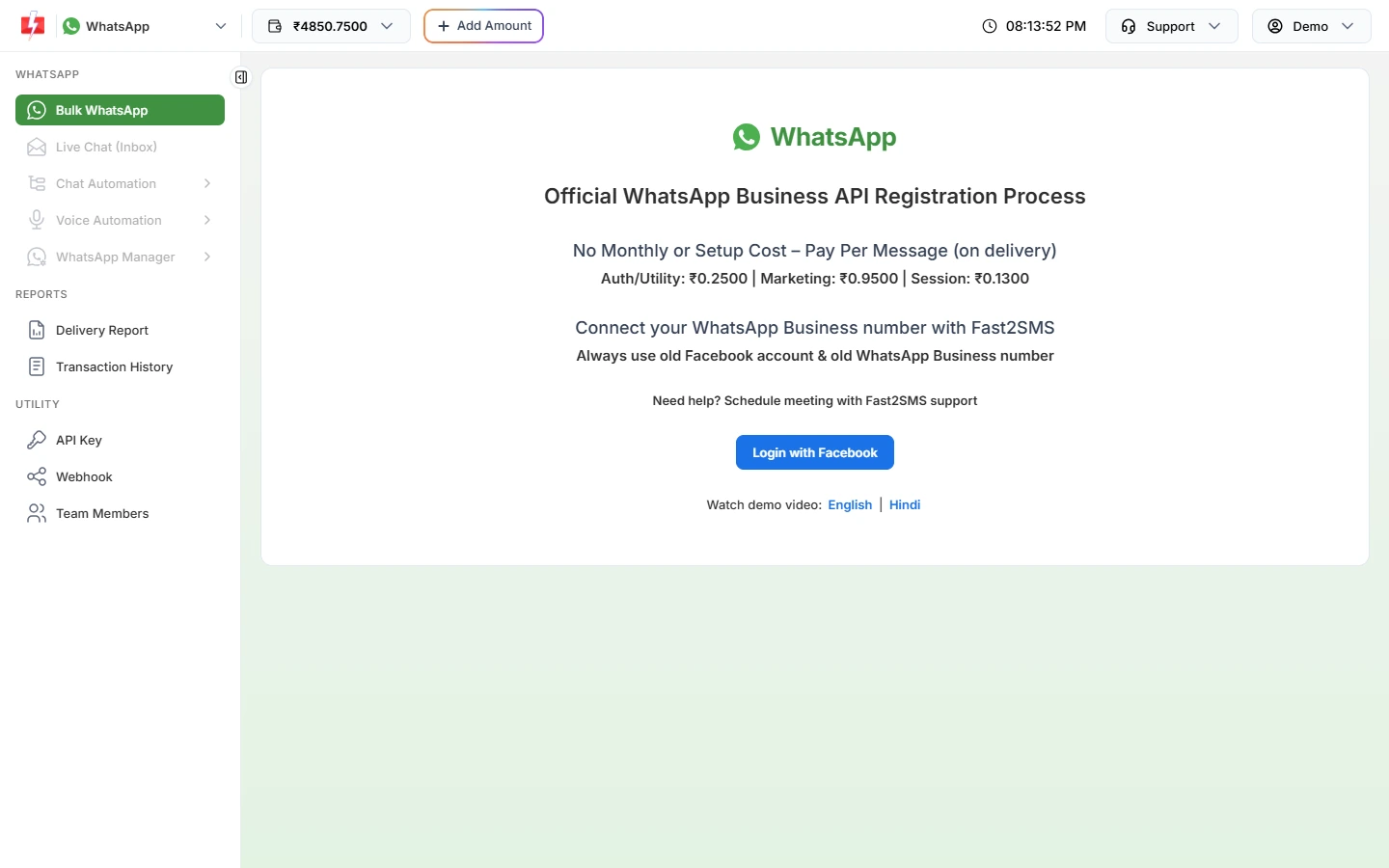
The Login with Facebook step grants the permissions again. -
Check your Fast2SMS key
Make sure your request carries your Fast2SMS key in the
authorizationheader and that API Access is on under Account Setting > API Key. If both are fine and the error stays, send the Request ID to Fast2SMS support.
How to fix it on your own Cloud API app
- Paste the token into Meta’s access token debugger and read the list of granted permissions.
- Add the missing WhatsApp permission to the system user or app, and give the system user access to the WhatsApp Business Account.
- Generate a fresh token so it carries the new permissions, and replace the old one.
- For Flows errors under code 10, check that the number is allowlisted and the account is eligible.
How to avoid it
- Grant all needed WhatsApp permissions when you first create the token.
- Do not remove partner access in Meta Business settings while you still send through that partner.
- Keep one owner for your Meta Business settings, so changes are not made by mistake.
Frequently asked questions
What is the difference between error 10 and error 190?
190 means the token has expired. 10 means the token works but lacks a permission for the request.
Which permissions does a WhatsApp Cloud API token need?
Usually whatsapp_business_messaging to send messages and whatsapp_business_management to manage templates and numbers.
Why do I get error 10 only for WhatsApp Flows?
Meta also returns 10 when the number used for the Flows public key is not allowlisted, or the account is not eligible. Check those two first.
Do Fast2SMS users need to manage Meta permissions?
No, not day to day. Permissions are granted when you connect the number with Login with Facebook. Reconnect only if access was removed.
Am I charged for messages that fail with a permission error?
No. Failed WhatsApp messages are refunded to your Fast2SMS wallet automatically.