
A WhatsApp number usually gets banned for bulk messages when a normal WhatsApp or WhatsApp Business app account sends the same message to many people, often with an unofficial bulk tool, and many of them block or report it. To avoid it, do not send bulk messages from the app at all. Send them through the official WhatsApp Business API, to customers who opted in, with Meta-approved templates. This page covers what causes the ban, what to do if your number is already banned, and how to send in bulk without the risk.
Why WhatsApp bans numbers that send bulk messages
WhatsApp’s Terms of Service do not allow bulk messaging, auto-messaging or using WhatsApp through automated or unauthorised means, and WhatsApp may disable or suspend accounts that do it. These are the patterns that usually lead to a ban:
| What you did | Why it gets flagged |
|---|---|
| Sent one message to hundreds of chats from the app | Looks like spam, and the app is not meant for business bulk sending |
| Used a bulk sender extension, WhatsApp Web script or QR-scan software | Automated sending through a normal account breaks the terms |
| Used a modified WhatsApp app | Unofficial apps are not allowed, even without bulk sending |
| Messaged people who do not know you | They block and report you, which WhatsApp counts against the number |
| Used a new SIM for a big list | New numbers with sudden high volume match the spam pattern |
| Bought or scraped a number list | No consent, so blocks and reports are high |
What to do if your number is already banned
- Stop all sending tools. Remove any extension, desktop software or modified app linked to the number.
- Request a review from inside WhatsApp. Open the official WhatsApp or WhatsApp Business app on the banned number and follow the on-screen option to ask for a review. Explain honestly how you use the number.
- Wait for WhatsApp’s decision. Only WhatsApp can lift a ban. No provider, tool or agent can unban a number for you, so be careful with anyone who promises that for a fee.
- Plan the next campaign on the API. Whether or not the number comes back, move bulk messages to the WhatsApp Business API so the same thing does not happen again.
How to send bulk messages without getting banned
-
Use the official WhatsApp Business API
Connect your number to the API in Fast2SMS with Login with Facebook. Bulk sending through the API is what Meta built it for, so the number is not banned for volume.
-
Send only approved templates
Every business-started message on the API is a template approved by Meta. Create it in WhatsApp Manager > Templates. Only APPROVED templates appear in Bulk WhatsApp.
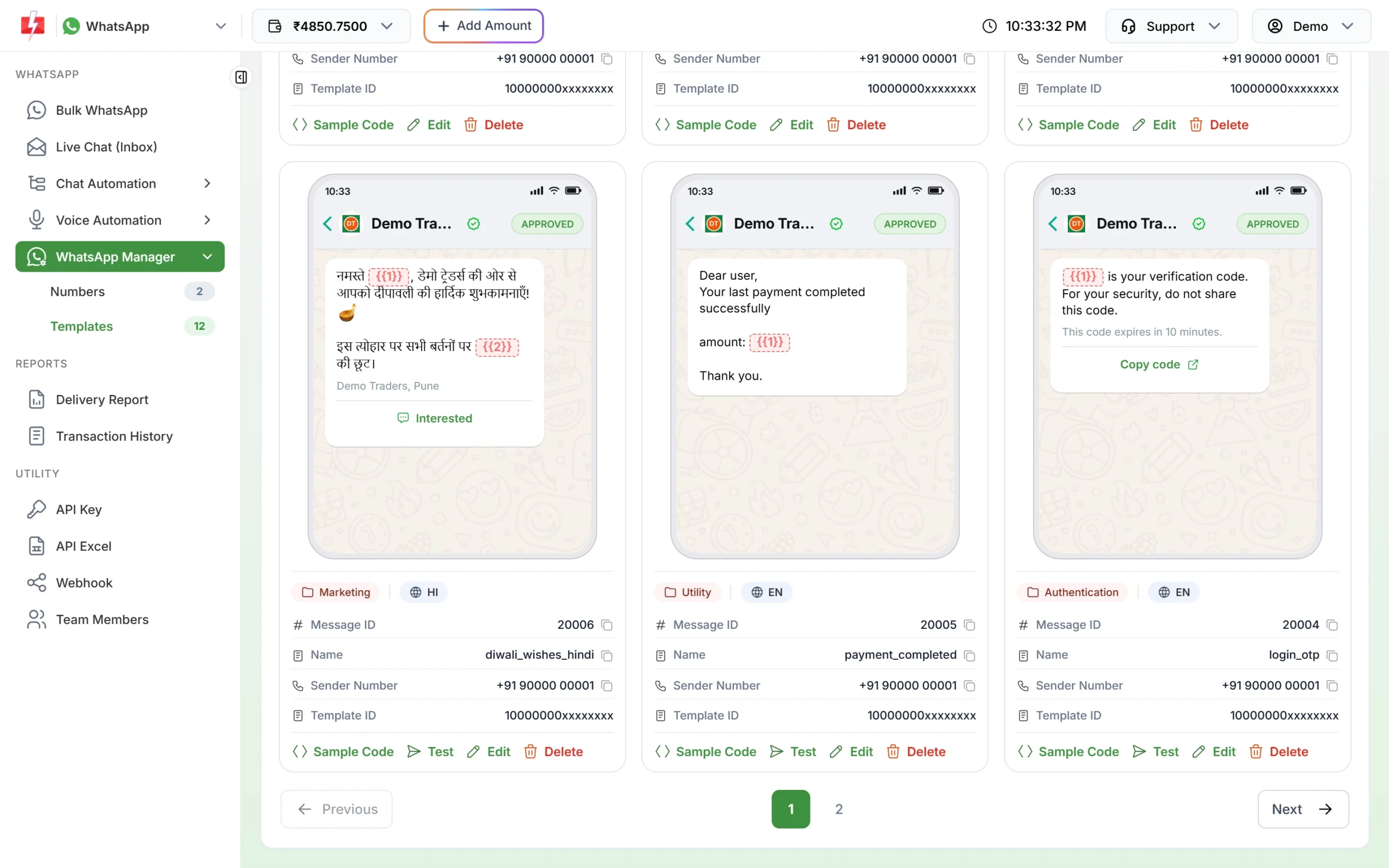
Approved Marketing, Utility and Authentication templates. -
Send to people who opted in
Meta’s Business Messaging Policy allows messages only to people who gave you their number and agreed to hear from you. Collect consent at checkout, on forms or in-store, and keep a record.
-
Stay within your messaging limit
Limits start at the tier Meta gives your business: often 250 unique customers per 24 hours for a new, unverified business and 2,000 (2K) once the business is verified (at the time of writing). Meta raises it to 10,000, 100,000 and Unlimited as you send good-quality messages. The Select Sender Number list on Bulk WhatsApp shows your limit and how much you have used today.
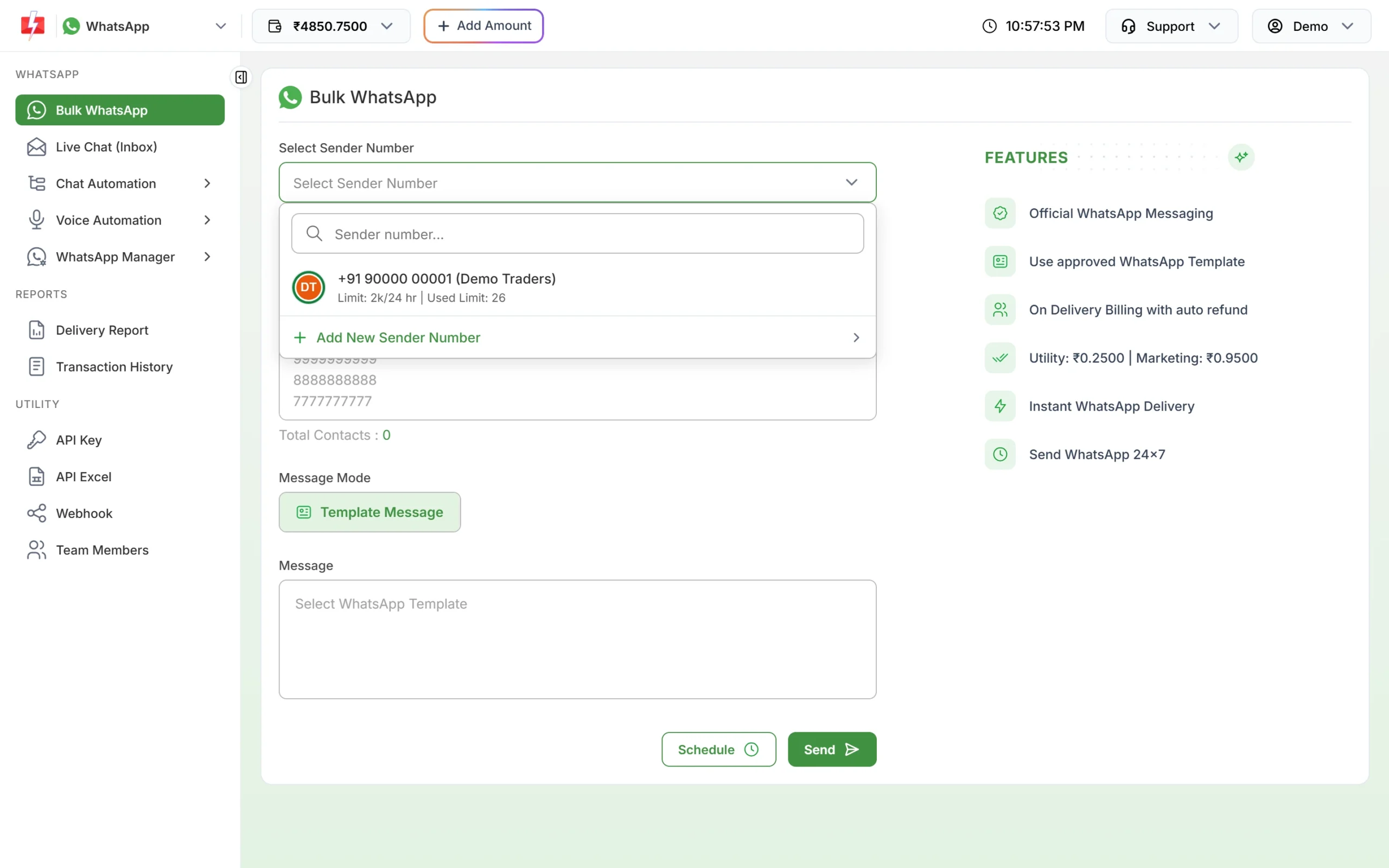
The sender list shows your daily limit and today’s usage. -
Watch blocks, reports and quality
Give customers an easy way to stop, such as a “Stop offers” quick reply button, and remove them when they ask. Check the Quality rating in WhatsApp Manager > Numbers. If it drops to Medium or Low, send less and clean your list before the next campaign.
Quick checklist before every bulk campaign
- Every number on the list agreed to hear from you.
- The template is in the right category: offers as Marketing, order and payment updates as Utility.
- The message says who you are and why the customer is getting it.
- Marketing templates have a way to stop.
- The list is smaller than your remaining daily limit.
- Numbers that failed again and again in past reports are removed.
Frequently asked questions
How many messages can I send before WhatsApp bans my number?
WhatsApp does not publish a safe number for the normal app, because the app is not meant for bulk business sending. On the API, the limit is clear: it starts at Meta’s tier for your business, often 250 unique customers per 24 hours before business verification and 2,000 (2K) after.
Can a banned WhatsApp number be used on the WhatsApp Business API?
A number that WhatsApp has banned may not be accepted. Request a review first, or use a different number for the API.
Does sending with a delay between messages prevent a ban?
No. Delays may hide the pattern for a while, but automated bulk sending from the app is still against WhatsApp’s terms.
Can the WhatsApp Business API number also get banned?
Meta can limit or remove an API account that gets heavy negative feedback or breaks its policies. Sending opted-in, relevant messages keeps the risk low.
Is it safe to send to customers who have not saved my number?
On the API, yes, if they agreed to hear from you. Saving the number is not needed for template messages.