
Bulk SMS from WordPress: Send Campaigns with a Free Plugin
Your customer list is sitting inside WordPress. A festival sale is coming. You could export a CSV, upload it to some external tool, fix the number formats, and hope for the best. Or you could open a tab in your WordPress admin, pick a template, choose “all customers”, and press send.
The free Fast2SMS plugin gives WordPress and WooCommerce a built-in bulk SMS and WhatsApp campaign tool. This guide shows how to use it well.
What the campaign tool does
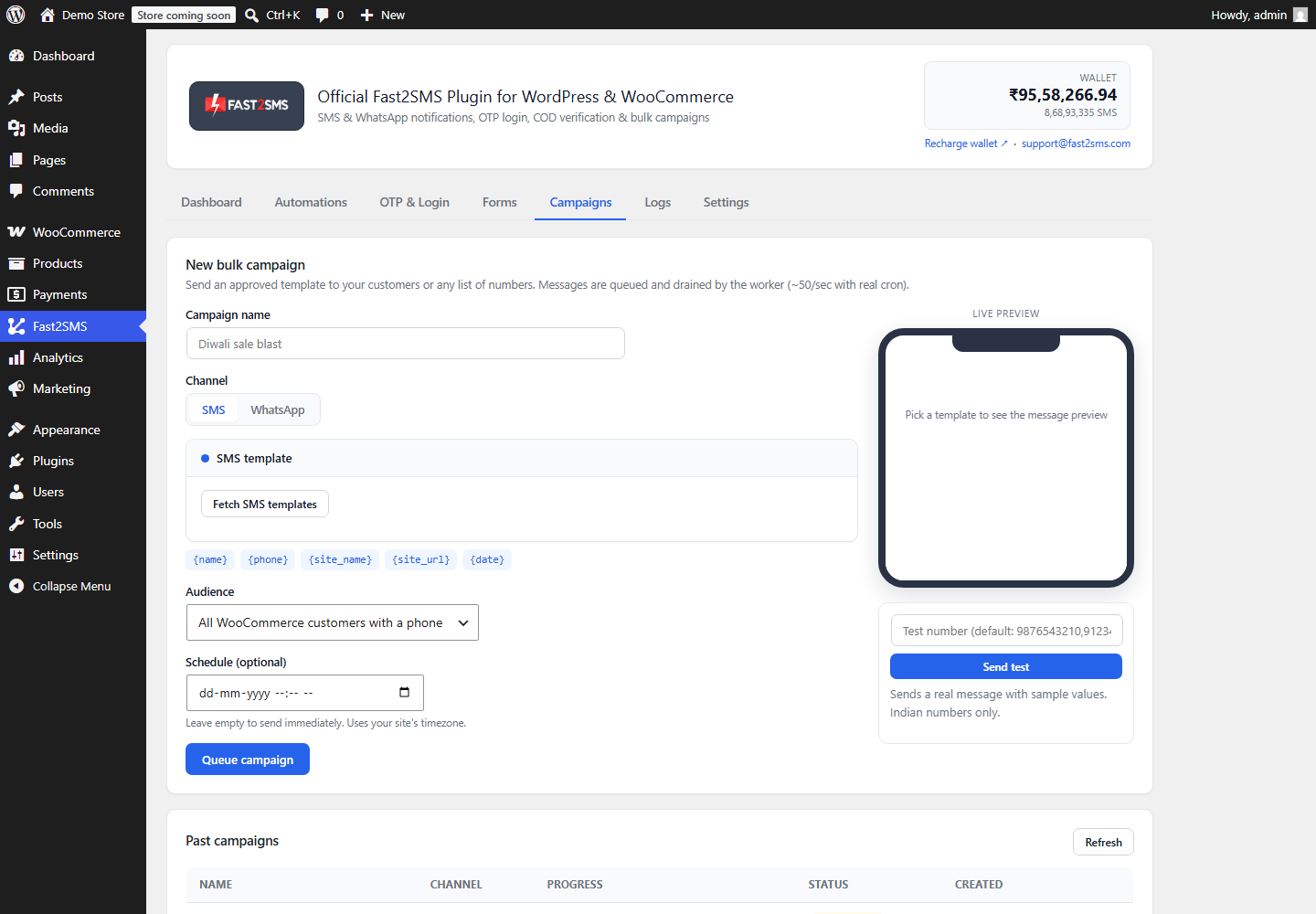
- Audience in one click. Send to all WooCommerce customers, all WordPress users, or any pasted list of numbers.
- SMS, WhatsApp, or both. Use your approved DLT SMS templates or WhatsApp templates.
- Send now or schedule. Pick a date and time and the campaign fires on its own.
- Fast at scale. Campaigns use the Fast2SMS bulk API, so thousands of messages go out quickly, with live sent, failed, and total counts.
- Opt-outs respected automatically. Numbers on your do-not-send list are skipped every time.
What you need first
- A free Fast2SMS account with your API key.
- For SMS: DLT registration and approved templates. New to DLT? Read the DLT guide for WordPress store owners. Fast2SMS gives free DLT support.
- For WhatsApp: a connected WhatsApp Business number and approved marketing templates. See the WhatsApp Business API for WordPress guide.
- The free plugin from the official directory: wordpress.org/plugins/fast2sms.
- Recipients with Indian mobile numbers. Fast2SMS works with Indian 10-digit numbers only.
Send your first campaign
- Install the plugin and connect your API key (the setup guide covers this).
- Open the Campaigns tab.
- Choose the channel and click Fetch templates from Fast2SMS. Your approved templates appear in a dropdown.
- Fill the variable values and watch the live phone preview.
- Pick the audience: all customers, all users, or paste a list of numbers.
- Send immediately, or set a date and time to schedule it.
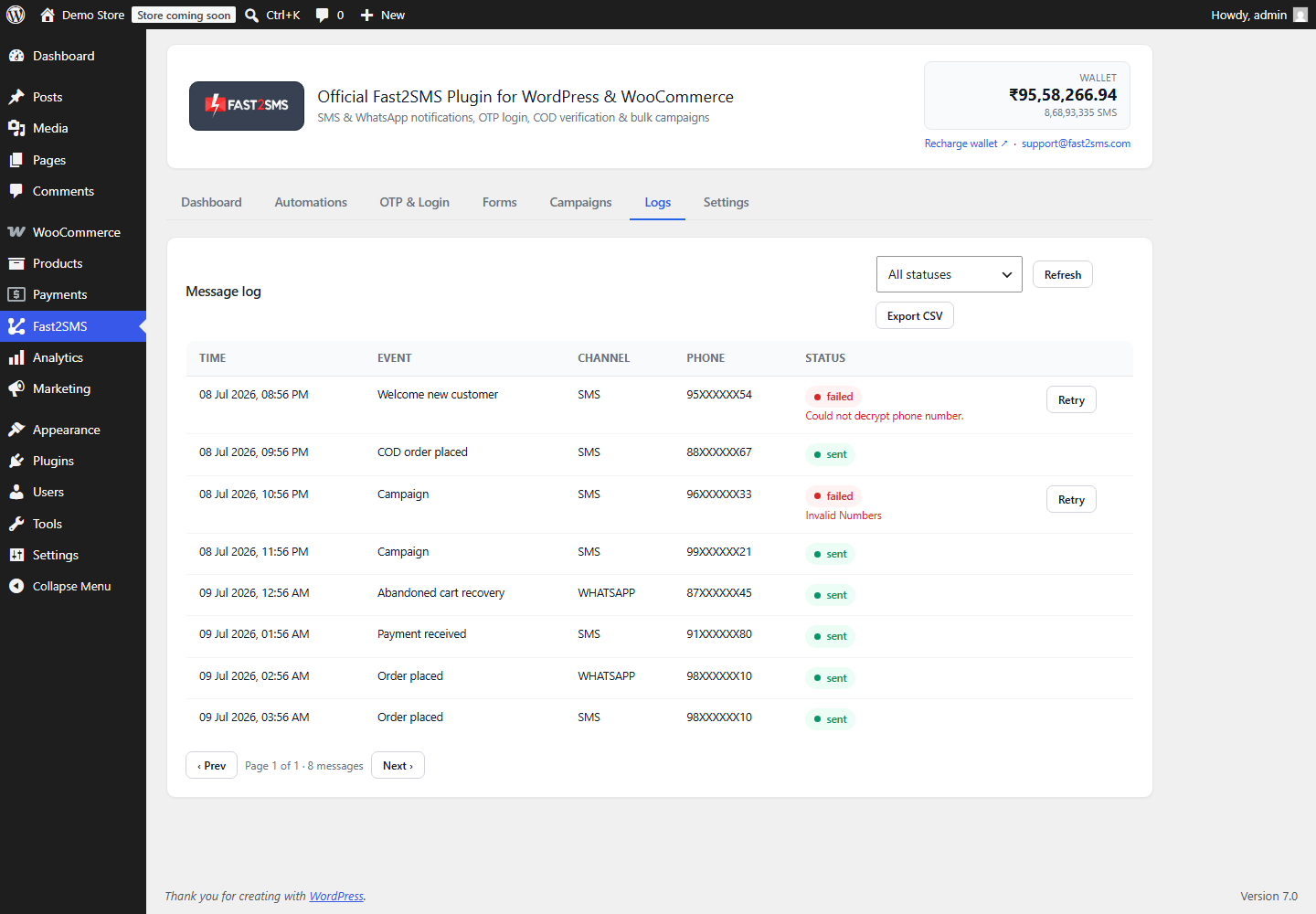
Progress shows live as the campaign runs, and every message lands in the Logs tab with its status. Failed sends can be retried with one click.
Campaign ideas that work for stores
- Festival and sale announcements a day before the sale opens.
- Back-in-stock alerts for popular products.
- Repeat purchase nudges for consumable products a few weeks after delivery.
- New collection launches on WhatsApp with an image header.
Keep messages short, send at sensible hours, and always include who you are. More tactics in these bulk SMS marketing tips.
Consent and the do-not-send list
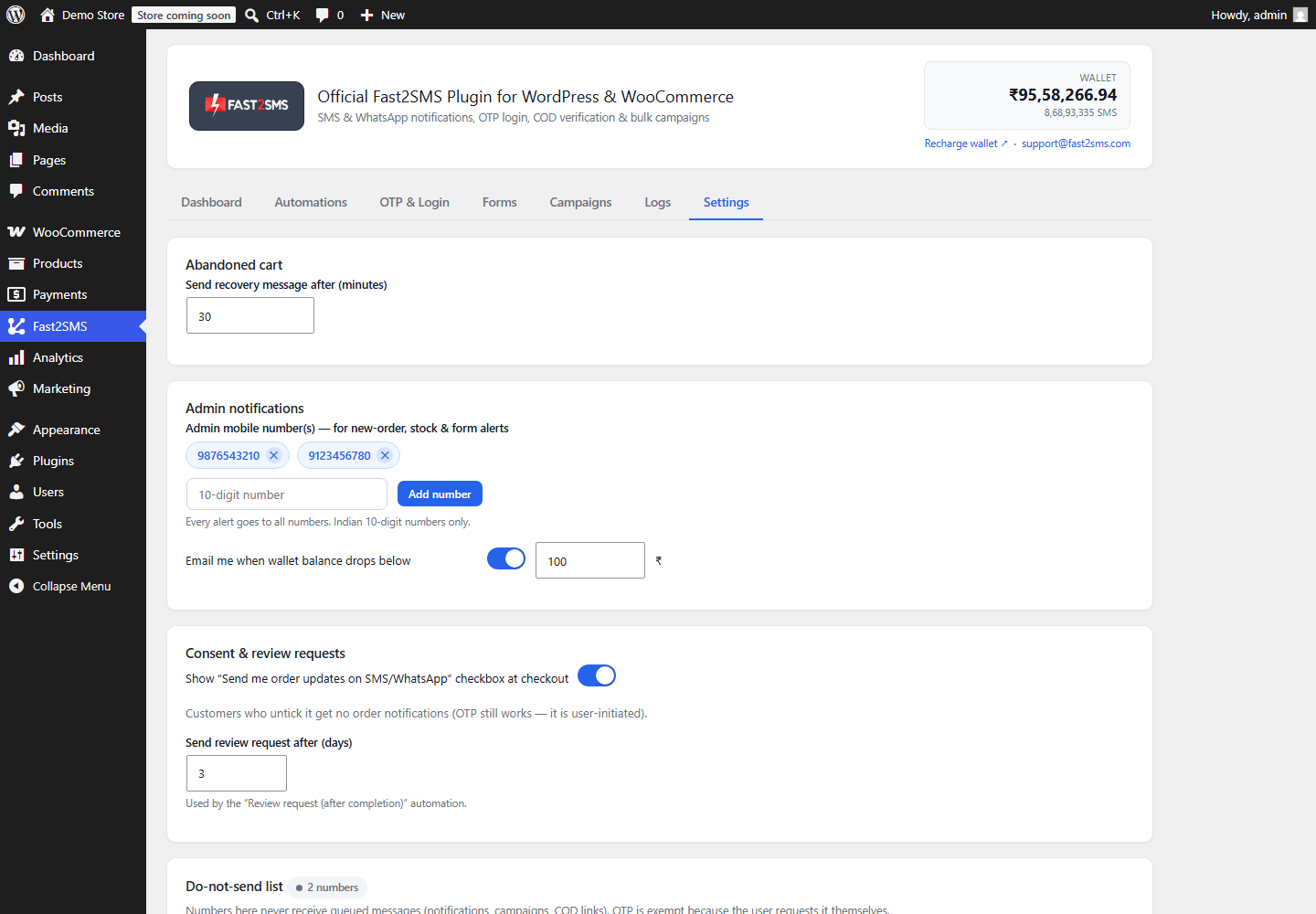
Bulk messaging only works long-term with clean consent. The plugin gives you a “Send me order updates” checkbox at checkout and a do-not-send list in Settings. Campaigns, notifications, and OTP links all respect that list automatically, and phone numbers are stored encrypted and shown masked.
Frequently asked questions
Is the bulk SMS plugin free?
Yes. The plugin is free. Messages are billed to your own Fast2SMS wallet at your account rates, and bulk pricing is among the lowest in India. See DLT bulk SMS pricing.
How many messages can I send at once?
Thousands. The plugin batches through the Fast2SMS bulk API, which accepts hundreds of numbers per call, and shows live progress until the campaign finishes.
Can I schedule a campaign for later?
Yes. Pick any future date and time in the composer. Scheduled campaigns run on their own and appear in the logs like normal sends.
Do I need DLT for bulk SMS?
Yes, for SMS in India DLT is mandatory. Registration is a one-time job and Fast2SMS DLT support does the heavy lifting free.
Can I send bulk WhatsApp instead of SMS?
Yes. The same composer sends approved WhatsApp marketing templates, including image headers. WhatsApp needs no DLT, just Meta template approval.
Where do unsubscribes go?
Add any number to the do-not-send list in Settings, or let customers untick the consent checkbox. Every future campaign skips them automatically.
Start your first campaign
Install the free plugin from WordPress.org and create your free account at fast2sms.com. While you are at it, switch on order notifications and OTP login with the same plugin. Questions? Write to [email protected].
More WooCommerce OTP, SMS and WhatsApp guides
- WooCommerce OTP plugin: 110 FAQs
- WooCommerce checkout OTP verification
- WooCommerce login with mobile number
- Phone number verification at registration
- WooCommerce WhatsApp OTP login
- WooCommerce COD OTP verification
- WooCommerce OTP not received: fixes
- WooCommerce OTP cost
- Best WooCommerce OTP plugins compared
- Free mobile login plugin alternative
- WooCommerce WhatsApp plugin: 100+ FAQs
- WooCommerce SMS notification plugin: 100+ FAQs
- Order status SMS and WhatsApp
- COD to prepaid and pending payment reminders
- Abandoned cart recovery on WhatsApp and SMS
- Back in stock notifier
- WooCommerce SMS marketing campaigns
- Best WooCommerce SMS and WhatsApp plugins
- Twilio SMS alternative for India
- WooCommerce OTP plugin guide in Hindi
High volume? Rates are negotiable: call sales on +91-6262778811, email [email protected] or book a free meeting with our team.