
Fast2SMS API errors 998 and 999 are account checks on the Quick SMS route (route=q). Error 998, “Route is blocked in your account, use DLT SMS route.”, means your account can send only DLT SMS. Error 999, “You need to complete one transaction of 100 INR or more before using API route.”, means your recharges so far add up to less than ₹100. DLT SMS is not affected by either one.
The exact errors
{"return":false,"status_code":998,"message":"Route is blocked in your account, use DLT SMS route."}
{"return":false,"status_code":999,"message":"You need to complete one transaction of 100 INR or more before using API route."}
Both come from /dev/bulkV2 with route=q. Error 998 can also come from /dev/custom with route=q. The public docs word them a little differently: “Use DLT or Quick SMS route for sending Bulk SMS” and “Complete single transaction of minimum 100 INR in Fast2SMS wallet before using API”.
The Quick SMS page in the panel runs the same two checks and shows a similar message before you send.
Error 999: the ₹100 recharge rule
Why it happens
Quick SMS sends any text without DLT from a random sender. To use it, your account’s total recharges must be ₹100 or more. New accounts that have not recharged yet, or have recharged less, get error 999.
How to fix it
-
Add money to your wallet
Click Add Amount at the top of the panel. Enter ₹100 or more, check the GST line and the total, click Continue and pay.
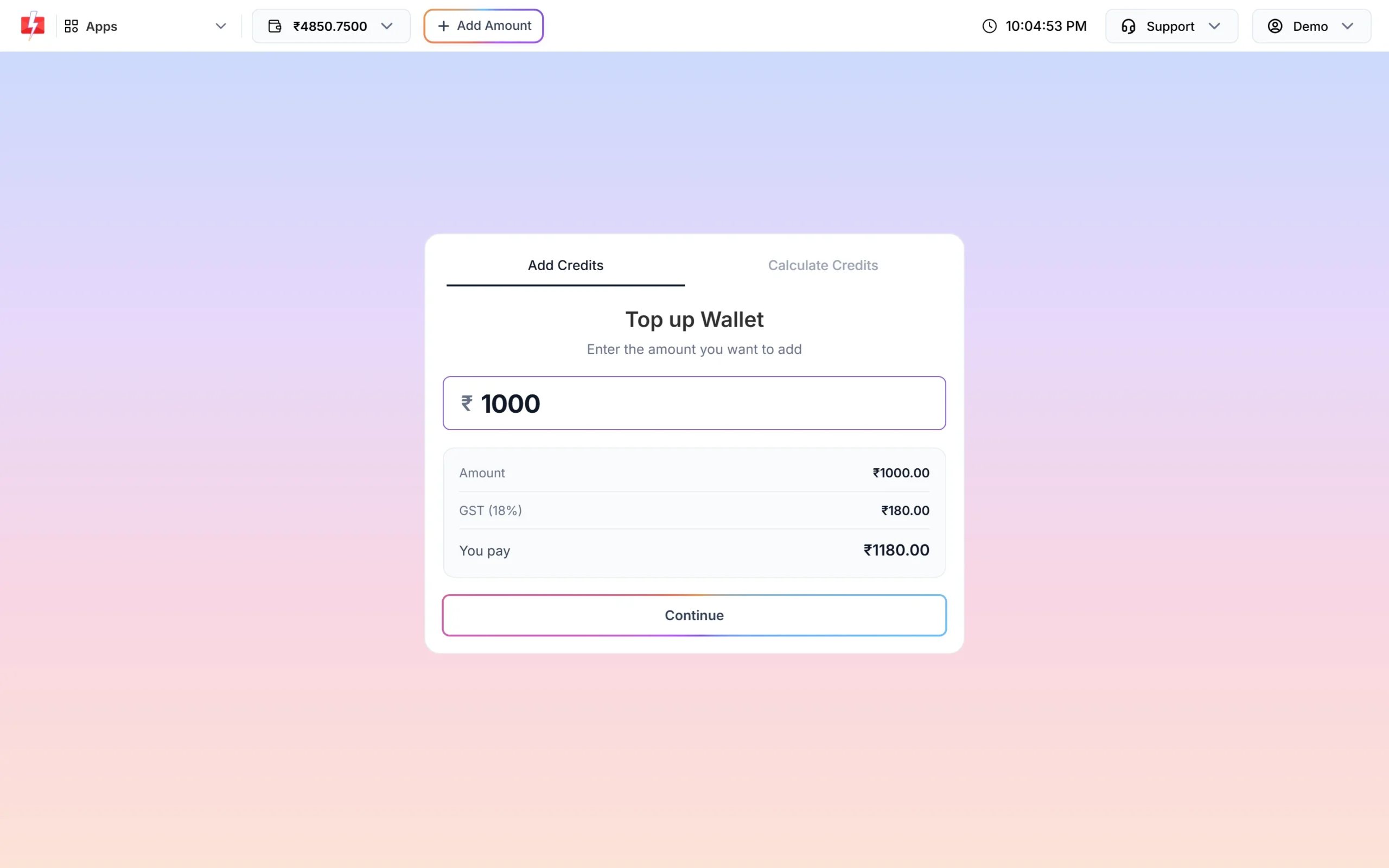
Recharge ₹100 or more to use Quick SMS by API. -
Check Quick API Access
Go to Account Setting, then API Key. API Access and Quick API Access must both be on. If Quick API Access is off, you get error 428 “Quick API Access is disabled.” instead.
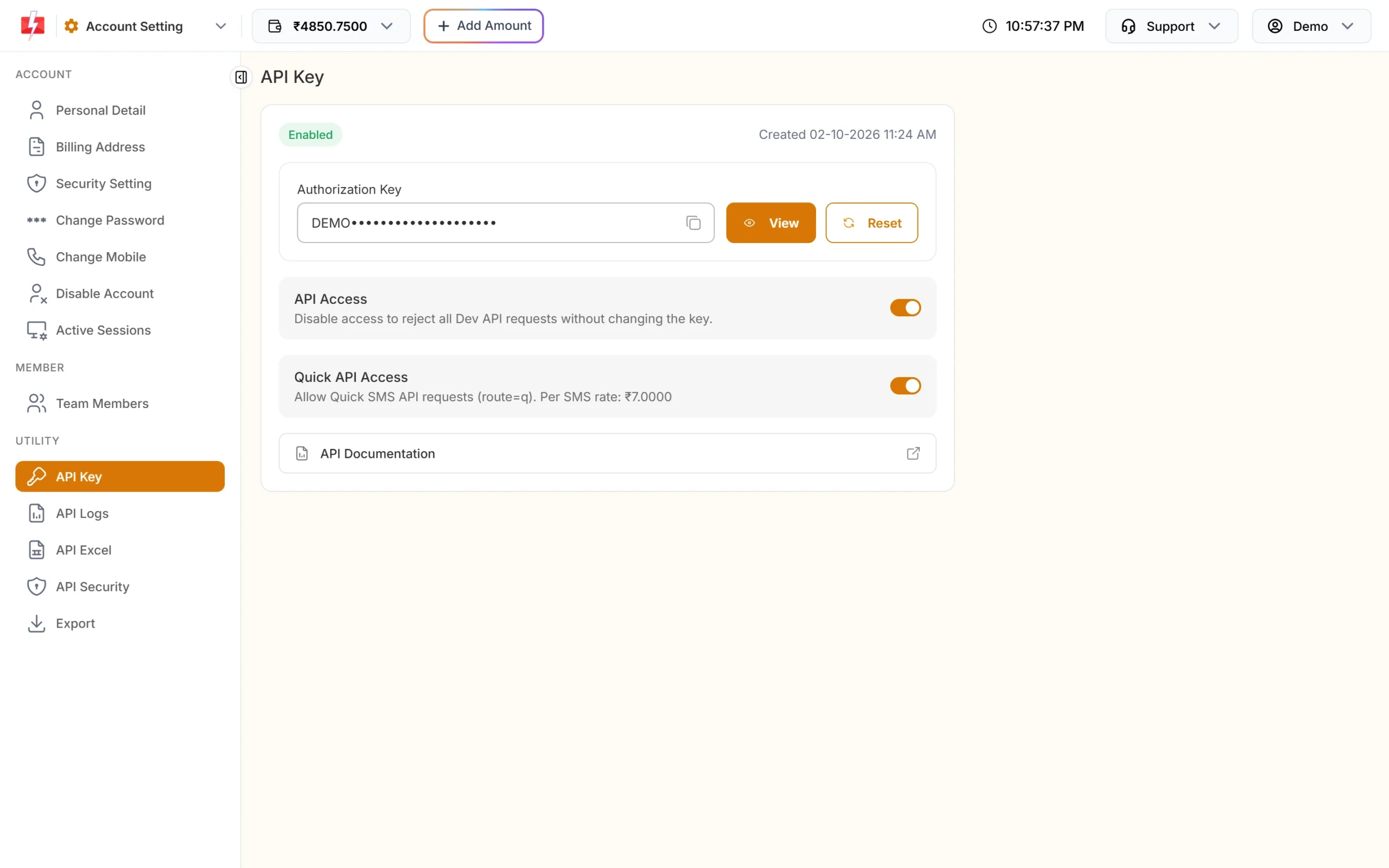
Quick API Access must be on for route=q. -
Send the request again
Repeat your Quick SMS call once the recharge is in your wallet.
Error 998: route blocked, use DLT SMS
Why it happens
Some accounts are set to send only DLT SMS. On those accounts the Quick SMS route is closed, and every route=q request gets error 998. This is an account setting, so a recharge does not change it.
How to fix it
- Send with
route=dltand your own approved DLT sender ID and template. This is the normal route for business SMS in India. - If you have no DLT registration yet, register your entity, header and templates at a DLT portal, then add them in DLT Manager.
- If you think the setting is wrong for your account, contact Fast2SMS support.
Code check
const d = await r.json();
if (d.return === false && (d.status_code === 998 || d.status_code === 999)) {
  // Quick SMS is not available on this account right now.
  // Send the message on route=dlt with your approved template instead.
}How to avoid these errors
- Use DLT SMS for regular business messages. It has no ₹100 rule and no route block.
- Keep Quick SMS for occasional messages where DLT is not set up yet, and check the rules on the Quick SMS page first.
- Remember that Quick SMS sent to 10 or more numbers in one call is held for approval, and personal or spam content is not allowed.
Frequently asked questions
Does the ₹100 rule apply to DLT SMS?
No. DLT SMS and DLT Manual work without it. It applies to the Quick SMS route.
Does the ₹100 have to be one payment?
The check looks at your total recharges. Once they reach ₹100 or more, the error stops.
Will a recharge fix error 998?
No. Error 998 is an account setting. Use DLT SMS, or contact support if you think it is wrong.
What is error 428?
Quick API Access is switched off. Turn it on in Account Setting, API Key, after API Access is on.
Is GST added to the recharge?
Yes. The Top up Wallet screen shows the GST and the total you pay before you continue.