
“Please wait N seconds before requesting a new OTP” is the Fast2SMS resend wait time at work. You asked for another OTP for the same number too soon after the last one. Wait for the seconds shown, or change the wait time in OTP Settings. This page explains where the number comes from and how to handle it in your app.
The exact error
The Send OTP API (/dev/otp/send) and the Resend OTP API (/dev/otp/resend) answer with HTTP 400:
{"return":false,"status_code":400,"message":"Please wait 21 seconds before requesting a new OTP"}The number in the message is the time left. No OTP is sent and nothing is charged for this call.
Why it happens
Smart OTP has a setting called SMS Resend / Time Limit (Seconds). It is the minimum wait before the same OTP template can be sent again to the same number on the same channel (SMS or WhatsApp). If you call Send or Resend before that time has passed, you get this error.
- The wait is counted per mobile number, OTP ID and channel together.
- If you never saved OTP Settings, the wait is 10 seconds.
- You can set it from 0 to 3600 seconds. 0 means no wait.
- The Test OTP button in the panel follows the same rule, so a quick second test shows the same message.
Common triggers: a user taps “Resend code” many times, your app retries a send automatically after a timeout, or a page reload calls Send again.
How to fix it
-
Read the full reply in API Logs
Go to Account Setting, then API Logs, and open View Details on the failed OTP/SEND row. The Response Data tab shows the message with the seconds left.
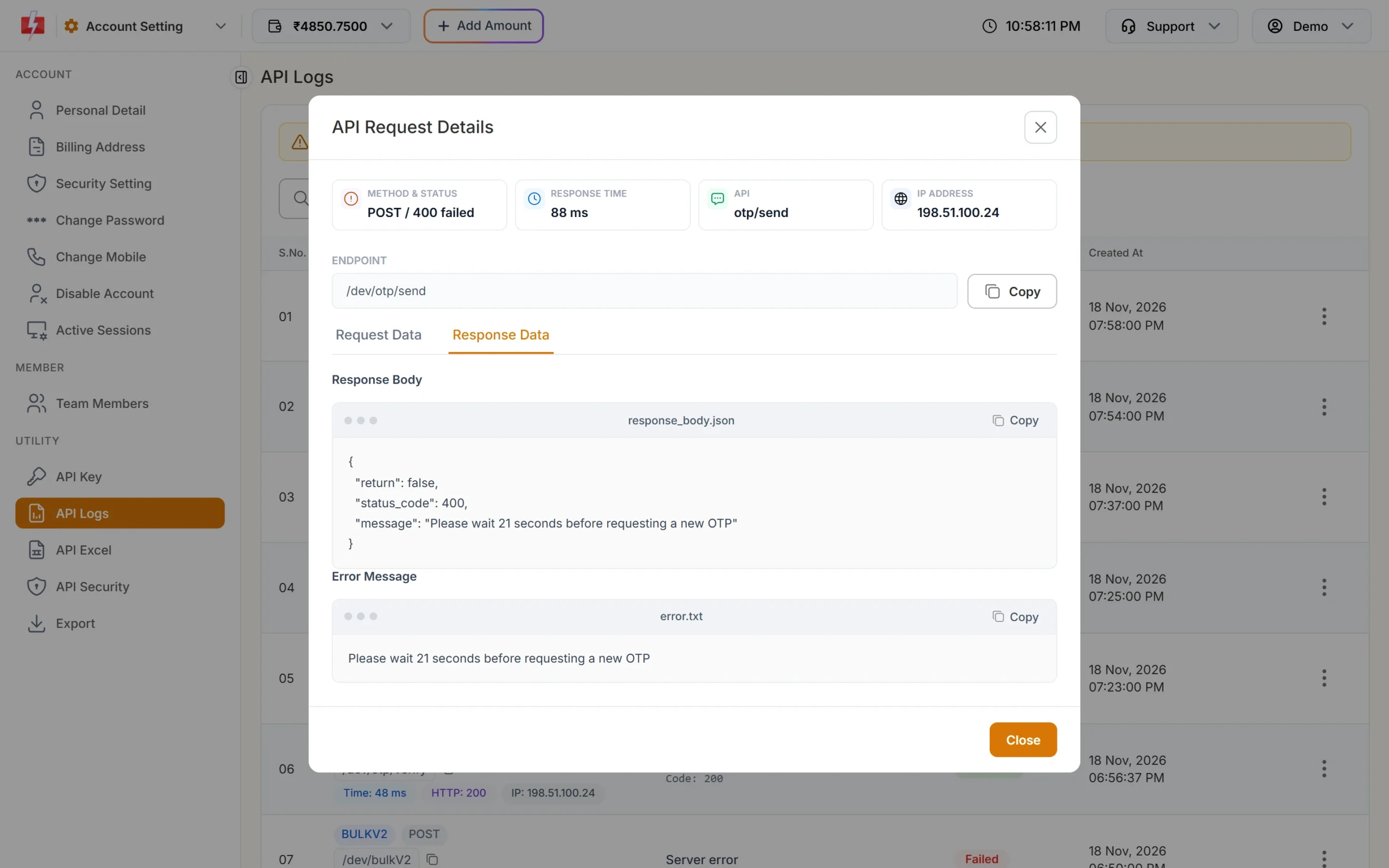
The reply tells you how many seconds are left. -
Check your wait time in OTP Settings
Open Smart OTP and click OTP Settings. The field SMS Resend / Time Limit (Seconds) shows your current wait. Lower it if it is longer than your app’s resend timer, then click Save Settings.
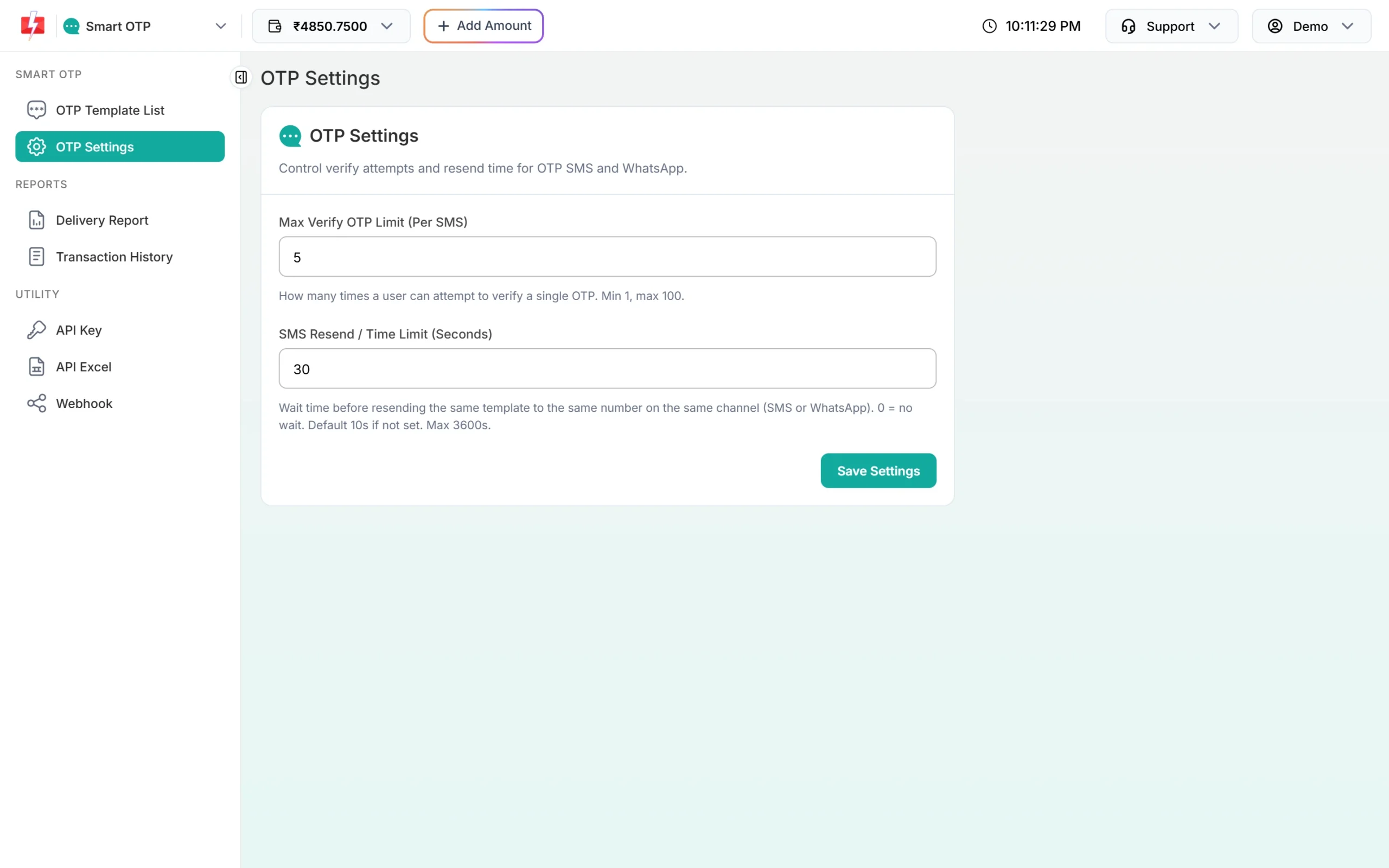
OTP Settings: the resend wait time is in seconds. -
Match your app’s timer to the setting
Show a countdown on the “Resend code” button that is at least as long as the setting. Then users cannot ask too early and you will not see this error.
Setting the wait to 0 removes the protection. A person or a bot can then send many OTPs to one number, and each send is charged. Keep a wait of at least a few seconds.
Code check
Read the seconds from the message and start a timer instead of retrying at once:
data = resp.json()
if not data.get("return"):
    m = re.search(r"Please wait (\d+) seconds", str(data.get("message", "")))
    if m:
        wait = int(m.group(1))
        return {"ok": False, "retry_after": wait}   # show a countdown in the app
Never retry Send in a loop. Each retry inside the wait gets the same error.
How to avoid it
- Disable the resend button until the countdown ends.
- Do not call Send again on page reload if a code was sent a few seconds ago.
- Use Resend for “send it again”. It sends the same code, so the user’s earlier SMS stays valid.
- Remember the other Resend limits: it works only within 10 minutes of the last send and up to 5 sends in total.
Frequently asked questions
What is the default resend wait time in Fast2SMS Smart OTP?
10 seconds when OTP Settings have never been saved. You can set any value from 0 to 3600 seconds.
Does the wait apply to different numbers?
No. It is counted per mobile number, OTP ID and channel, so other users are not affected.
Can I send to the same number on WhatsApp during the wait?
The wait is per channel. A different OTP template on the other channel has its own timer.
Am I charged when I get this error?
No. The OTP is not sent, so there is no charge.
Is this the same as the “Maximum resend limit” error?
No. That error comes after 5 sends of one OTP in 10 minutes. The wait time is the gap between two sends.