
WhatsApp is where jewellery customers already ask for designs, prices and gold rates. With the official WhatsApp Business API, a jewellery shop can send new design photos to its customer list, share the day’s gold rate, remind members about their gold savings scheme instalments and send bills, all from one number with a shared inbox for the staff. This guide shows what to send, sample templates and how to set it up in Fast2SMS.
What a jeweller can send on WhatsApp
| Message | Template category | Tip |
|---|---|---|
| New collection or design launch with photo or video | Marketing | Image header up to 5 MB, video up to 16 MB |
| Festival offers: Dhanteras, Akshaya Tritiya, wedding season | Marketing | Schedule a few days ahead |
| Today’s gold and silver rate | Marketing, or a reply when the customer asks | Send only to customers who asked for rate updates |
| Gold savings scheme instalment due | Utility | Tied to the customer’s scheme account |
| Payment received / instalment receipt | Utility | Attach the receipt as a PDF header (by API) |
| Order or repair ready for pickup | Utility | Add the order number |
| Birthday and anniversary wishes with an offer | Marketing | Use a name variable |
Sample WhatsApp templates for jewellers
- Scheme reminder (utility): “Dear {{1}}, instalment {{2}} of ₹{{3}} for your gold savings scheme {{4}} is due on {{5}}. You can pay at the store or reply here for payment details.”
- Instalment receipt (utility, PDF header): “Dear {{1}}, we have received ₹{{2}} for scheme {{3}} on {{4}}. Your receipt is attached. Thank you.”
- Order ready (utility): “Dear {{1}}, your order {{2}} is ready for pickup at our {{3}} showroom. Please bring this message and your ID.”
- Collection launch (marketing, image header): “Hi {{1}}, our new bridal collection is now in store. Lightweight necklaces, bangles and earrings in 22K gold. Visit us or reply to see more designs.” Add a Visit website or Call Phone Number button.
- Festival offer (marketing): “This Akshaya Tritiya, get {{1}} on making charges at {{2}}. Offer valid till {{3}}.” Add a quick reply button “Interested”.
How to set it up in Fast2SMS
-
Connect your number and set the profile
Sign up, open Bulk WhatsApp and click Login with Facebook to connect your business number. Then in WhatsApp Manager > Numbers > Edit Profile, add your logo, category Shopping and retail, showroom address, timings and website.
-
Create your templates
In WhatsApp Manager > Templates, click Add Template, choose Marketing or Utility, and add an image, video or PDF header if needed. Templates are available in English, Hindi and Gujarati. Wait for APPROVED before sending.
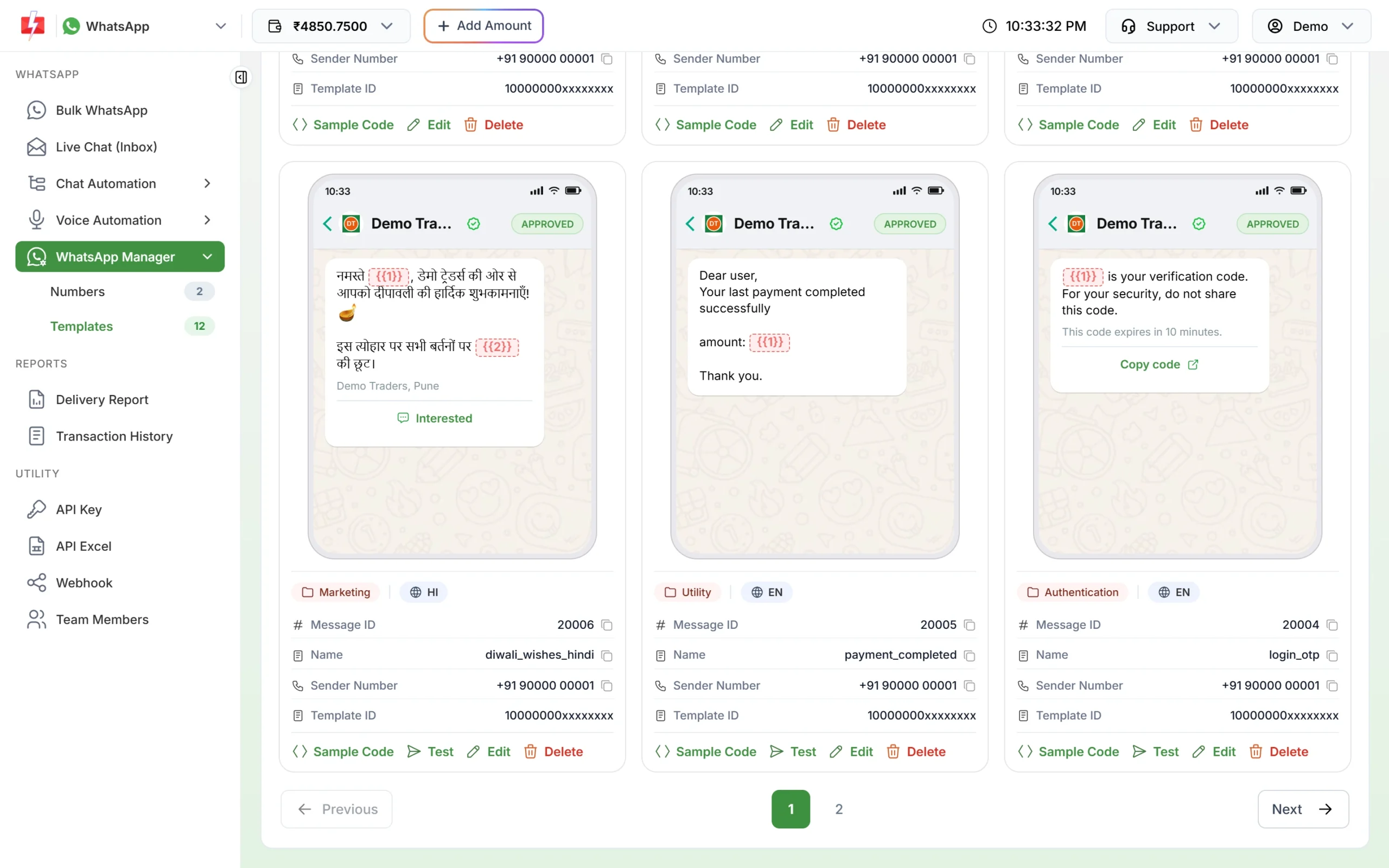
Approved templates with image headers and buttons. -
Send a design launch to your customers
Open Bulk WhatsApp, choose the sender number and add customers by List, Address Book group or CSV File. Pick the template, upload the design photo for this campaign in Header (Image) and fill the variables. Click Send, check the cost in the confirmation and click Confirm & Send, or click Schedule to send it on the festival morning.
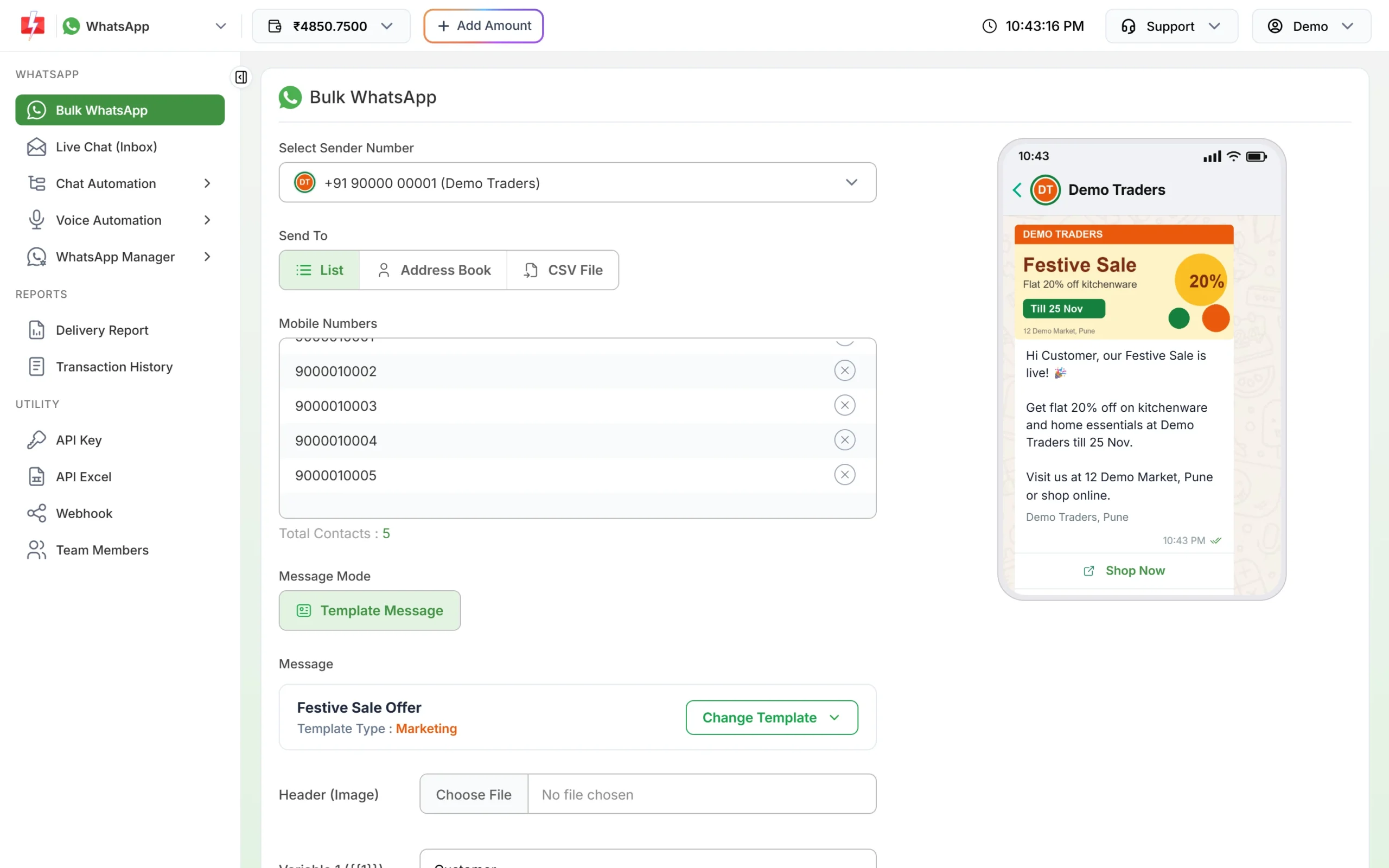
The header photo is chosen per campaign, so one template works for every new design. -
Answer design and price questions in Live Chat
Replies land in Live Chat (Inbox). Your staff can send photos, videos and PDF price lists (up to 10 MB each), label serious buyers as VIP, and assign each chat to a salesperson. You can add team members (agents) in Team Members at no extra cost.
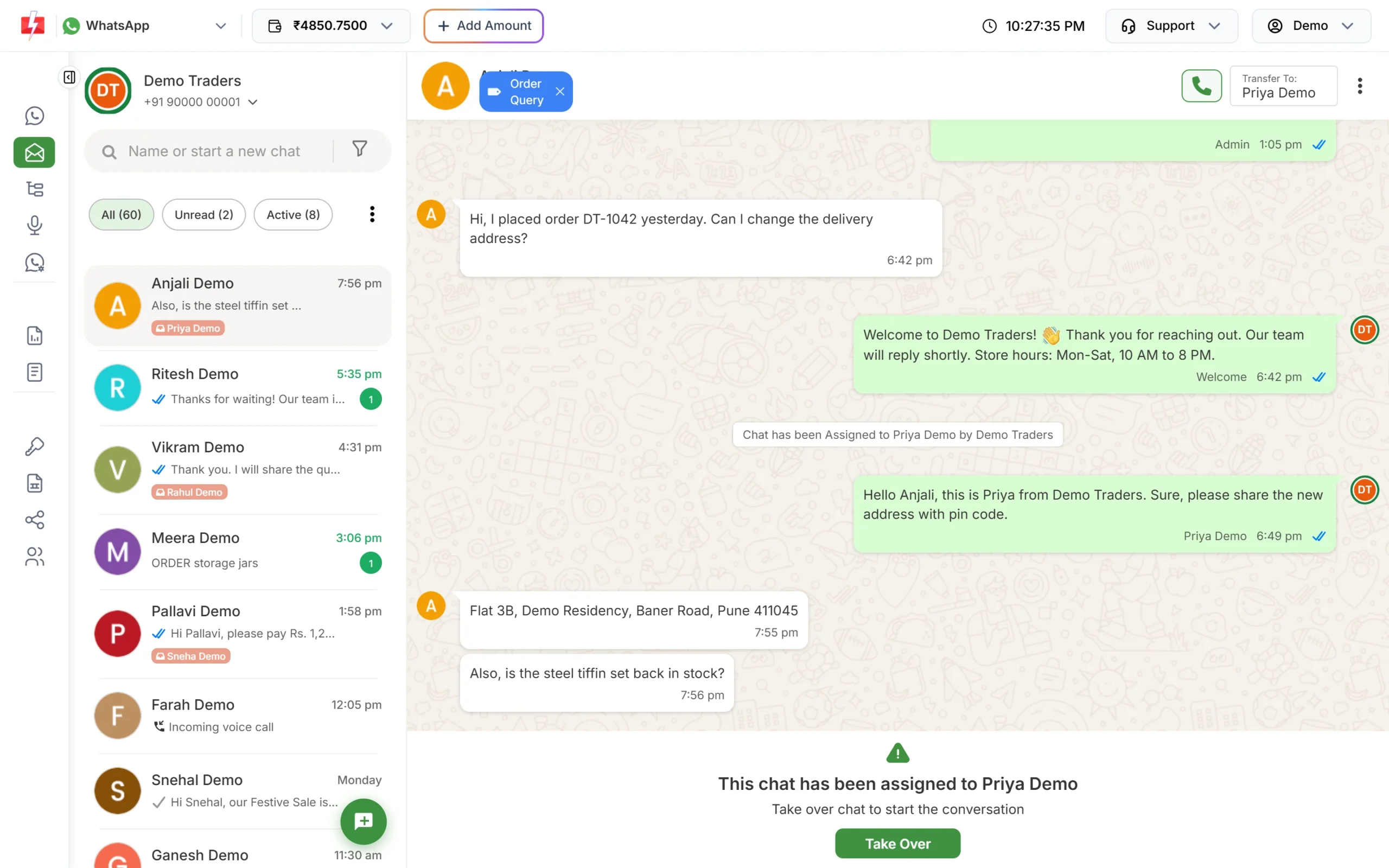
Every customer reply comes into one shared inbox. -
Automate the common questions
In Chat Automation > Inbox Settings > Auto Reply, create a rule for keywords like “gold rate” and “rate” that replies with today’s rate. Edit the reply each morning when the rate changes. Add rules for “address” and “timing”, and an out-of-office message for closed hours.
Rules to follow
- Consent: message only customers who agreed to get WhatsApp messages from you, for example at billing or scheme enrolment. Keep a STOP option in marketing messages.
- Do not overdo daily rates. Daily marketing messages to people who did not ask for them lead to blocks and a lower quality rating. Let customers request the rate by typing “gold rate”, or send daily updates only to an opted-in group.
- Messaging limit: limits start at the tier Meta gives your business: often 250 unique customers per 24 hours for a new, unverified business and 2,000 (2K) once the business is verified (at the time of writing). Meta raises the limit as your quality stays good.
- Prices and purity: state rates, purity and making charges exactly as you would in the store. Customers screenshot these messages.
What it costs
At the time of writing, a marketing message costs ₹0.95, a utility message ₹0.25, and a reply inside 24 hours of the customer’s message ₹0.13. There is no setup or monthly fee, incoming messages are free, and failed messages are refunded to your wallet. For example, a launch photo to 2,000 customers costs 2,000 × ₹0.95 = ₹1,900. See the WhatsApp pricing page.
Sending in bulk? For high WhatsApp volumes our team offers discounted rates. Talk to our team or see WhatsApp pricing.
Frequently asked questions
Can I share my jewellery catalogue on WhatsApp?
Yes, as a PDF in a template’s document header or in Live Chat, or as photos and videos of each design. A WhatsApp shop catalogue is not part of Fast2SMS.
Can I send the gold rate to all customers every day?
You can, as a marketing message, but send it only to customers who asked for it. Others are more likely to block you.
Are gold scheme reminders utility messages?
A reminder about a specific customer’s instalment, with no offer in it, fits utility. Meta decides the final category when it approves the template.
Can I send messages in Hindi or Gujarati?
Yes. Fast2SMS templates support English, Hindi and Gujarati.
Can I send bills on WhatsApp?
Yes. Use a utility template with a PDF document header. Because each bill is different, send it through the WhatsApp API with the bill’s link for each customer, or from your billing software if it connects to Fast2SMS.