
A Fast2SMS Smart OTP is valid for 15 minutes by default. You can set any OTP expiry time from 1 minute up to 10,080 minutes (7 days) with the otp_expiry parameter of the Send OTP API. This page shows where to set it, what happens after expiry, and how to keep the time in your message correct.
OTP expiry limits at a glance
| Setting | Value |
|---|---|
| Parameter | otp_expiry in /dev/otp/send |
| Unit | Minutes |
| Minimum | 1 minute |
| Maximum | 10,080 minutes (7 days) |
| Default (when you leave it out) | 15 minutes |
| Value outside 1 to 10,080 | The request fails validation and no OTP is sent |
The expiry is set per request, not in the panel. Every OTP you send can have its own validity.
How to set the OTP expiry time
-
Check the validity text in your template
Many DLT OTP templates say “Valid for {#var#} minutes”. Open Smart OTP, click Add OTP Template or look at your template card, and see which variable holds the minutes. The OTP itself goes in the variable you picked with the Variable buttons.
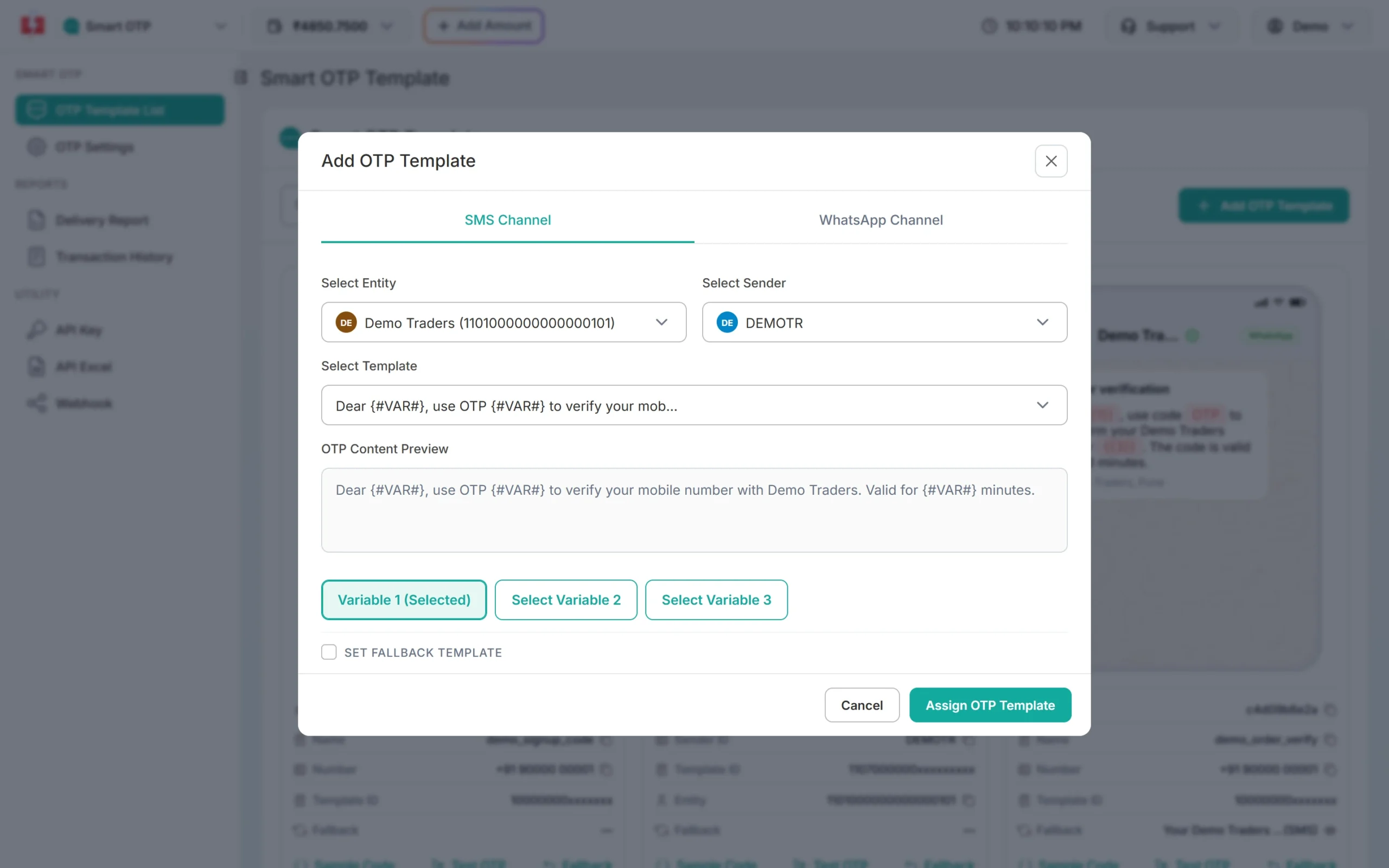
This template has a separate variable for the minutes. -
Pass otp_expiry in the Send OTP call
Add
otp_expirywith the number of minutes. Put the same number invariables_valuesso the message tells the user the right time.variables_valuesfills the template’s other variables in order; the OTP variable is filled for you. In the example below the OTP is the second variable, so “Ravi|10” fills the name and the minutes.curl -X POST "https://www.fast2sms.com/dev/otp/send" \ -H "authorization: YOUR_API_KEY" \ -H "Content-Type: application/json" \ -d '{"mobile":"9999999999","otp_id":"YOUR_OTP_ID","otp_expiry":10,"variables_values":"Ravi|10"}' -
Check the message in the OTP Report
Open Delivery Report in the Smart OTP sidebar and click the row. The preview shows the text the user got, with the OTP shown as xxxx.
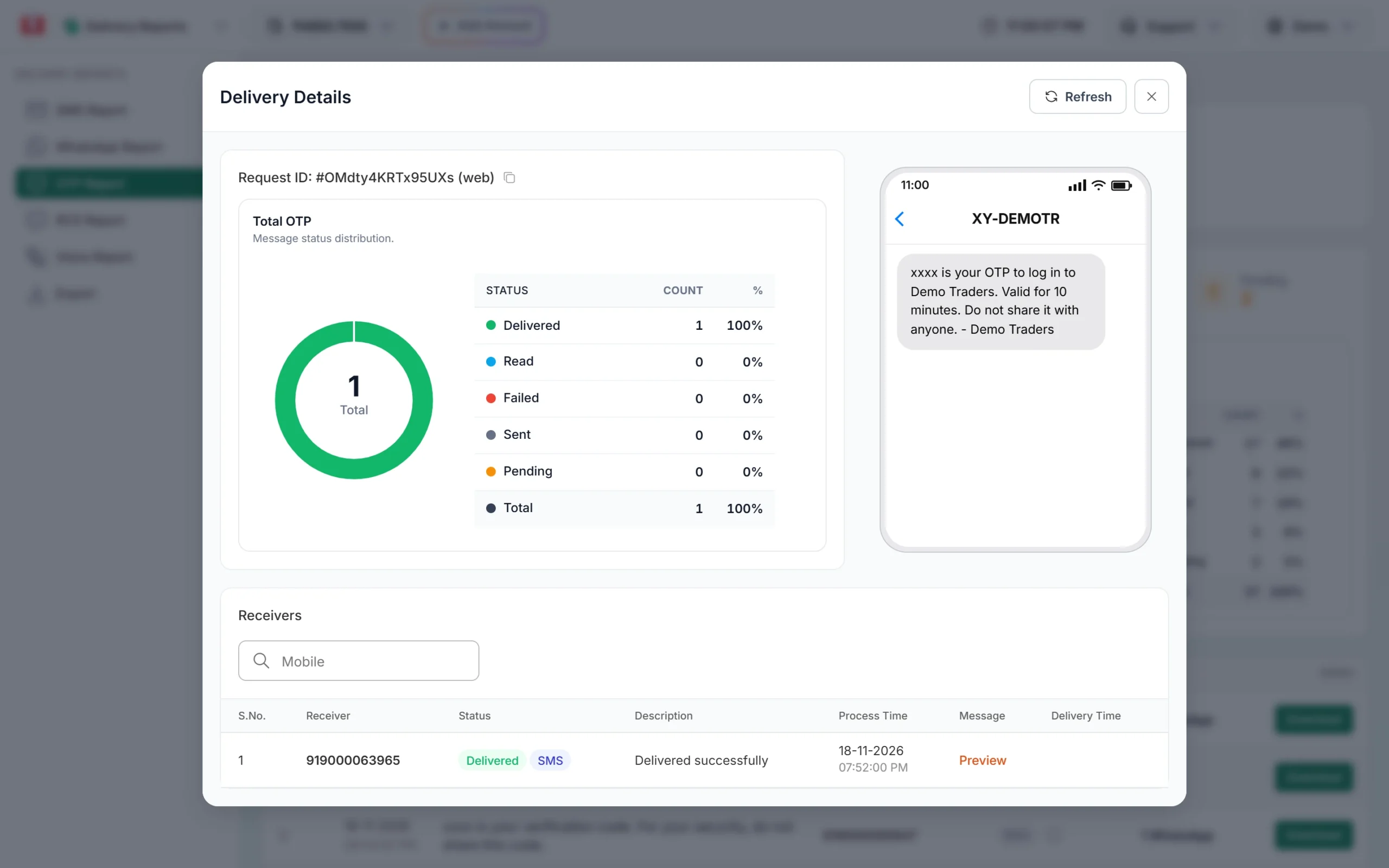
The message says 10 minutes, matching otp_expiry 10.
What happens when the OTP expires
- The Verify OTP API answers HTTP 400 with the message “OTP expired”. The user needs a new OTP.
- Sending a new OTP to the same number cancels every older unverified OTP for that number, even before its expiry.
- The Resend OTP API sends the same code again, but only within 10 minutes of the first send and up to 5 sends.
- In the OTP report export, the Verified column shows “Expired” for OTPs that ran out of time.
For login and payment OTPs, a short expiry such as 5 to 10 minutes is safer. Long expiry times are better kept for things like a delivery code the customer shows days later.
Frequently asked questions
What is the default OTP expiry in Fast2SMS?
15 minutes, when you do not send otp_expiry.
What is the maximum OTP validity?
10,080 minutes, which is 7 days. Larger values fail validation.
Can I set the expiry in seconds?
No. otp_expiry is in whole minutes, so the shortest expiry is 1 minute.
Can I set one expiry for all OTPs in the panel?
No. OTP Settings only hold the verify attempt limit and the resend wait time. Send otp_expiry with each request.
Does the message text change the real expiry?
No. The text is only what the user reads. The real expiry is otp_expiry, so keep both the same.