
You can send an OTP to any Indian mobile number online from the Fast2SMS panel, without writing code. Open Smart OTP, click Test OTP on an OTP template, type the 10-digit number and click Send Test OTP. The code goes out by SMS or WhatsApp in a few seconds, and the panel shows you whether it was delivered. This page shows each step, what you need first, and what it costs.
When this is useful
- You want to see how your OTP message looks on a real phone before your developer connects the API.
- You want to check that OTPs reach a particular number or network.
- Your developer has connected the API and you want to rule out a problem in the template itself.
- You want to show the OTP flow to a client or your team.
Send OTPs only to numbers that belong to you, your team, or a user who asked for the code. OTPs must come from your own approved sender ID or WhatsApp number, so every message carries your business name.
Before you start
- A Fast2SMS account. New accounts get ₹50 free credit after signup.
- One Smart OTP template. For SMS, that needs your DLT entity, an approved sender ID and an approved DLT OTP template with a variable. For WhatsApp, it needs a connected WhatsApp Business number and an approved authentication or utility template. See Smart OTP setup.
- Wallet balance. A test is a real send.
Send an OTP to a mobile number from the panel
-
Open the OTP Template List
Log in and open Smart OTP, then OTP Template List. Each card is one OTP template with its OTP ID, sender ID or WhatsApp number, and buttons at the bottom.
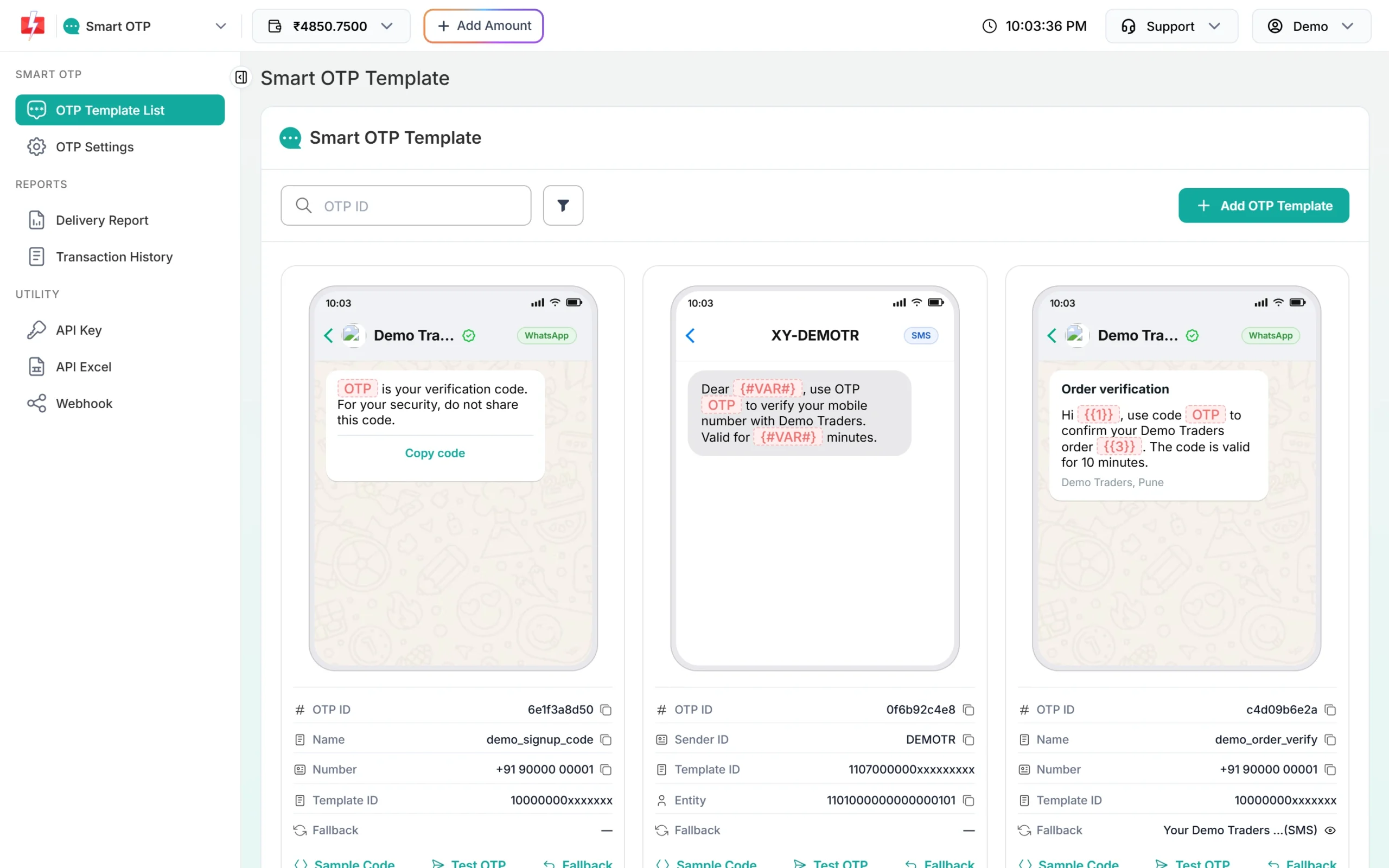
Pick the template you want to send. -
Click Test OTP and enter the number
Click Test OTP on the card. The OTP ID is filled in for you. Type the 10-digit mobile number without +91 or 0. A number that is not 10 digits shows “Enter a valid 10 digit mobile number”.
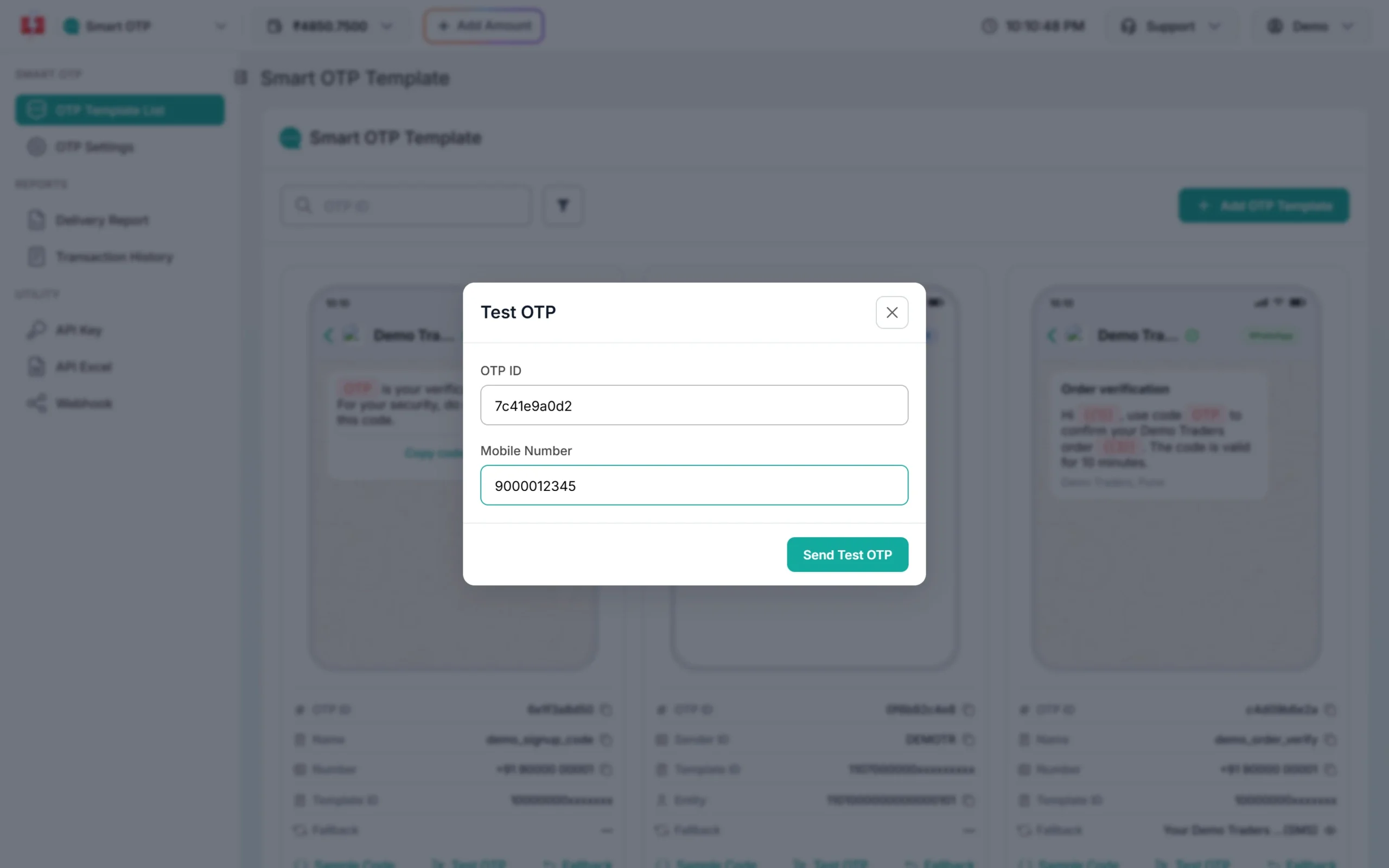
The Test OTP window takes one 10-digit number. -
Click Send Test OTP and wait for the report
Click Send Test OTP. The window shows “Message sent. Checking DLR…” while it waits for the delivery report. When the report comes, it shows “Delivered successfully”, or the reason it failed.
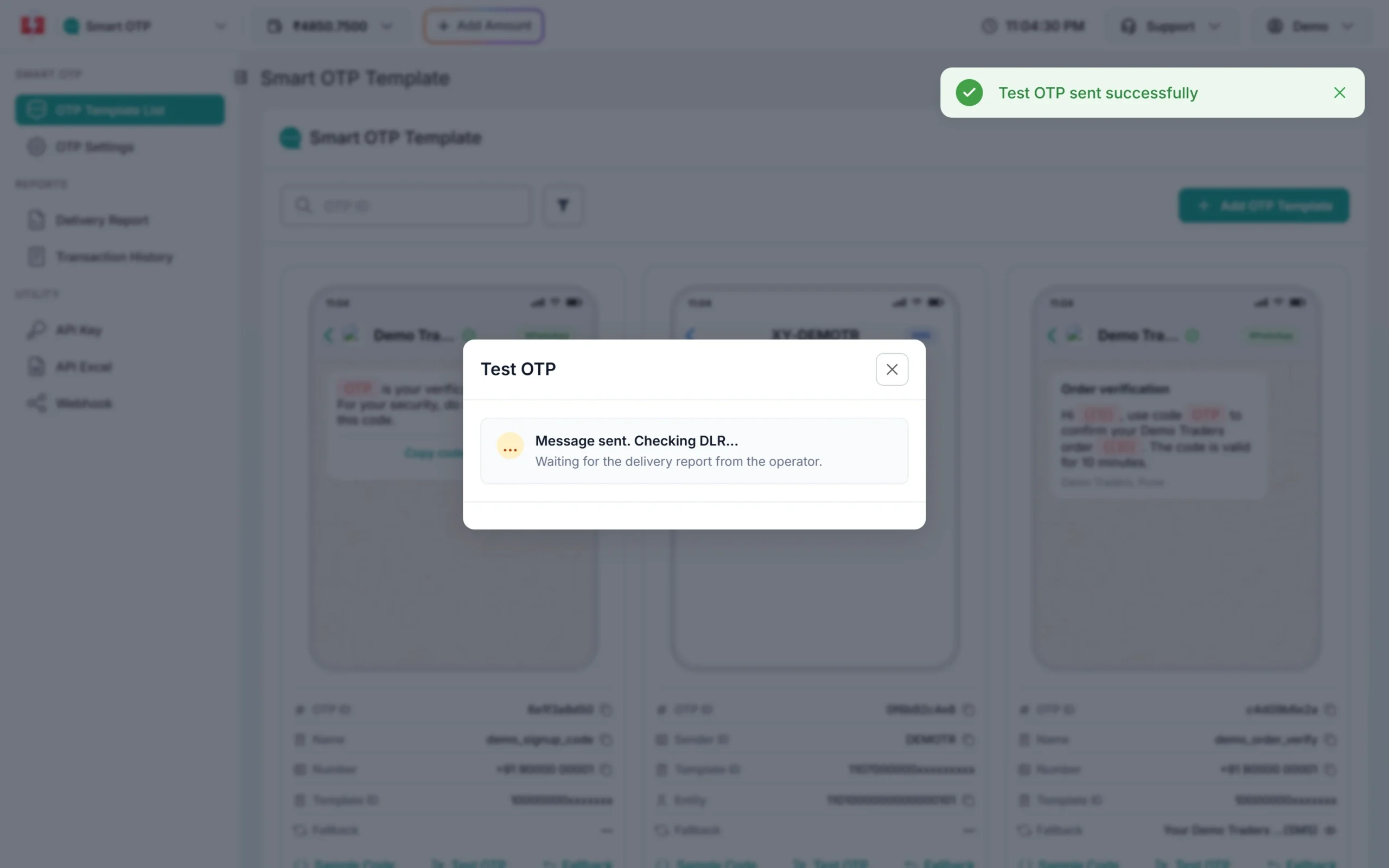
The panel checks the delivery report every few seconds. -
If the report is still pending, check the OTP report
If no report comes in 30 seconds, the window says “Delivery report pending” with a link to the OTP report. This is normal when the phone is off or has weak signal. Open the report later to see the final status.
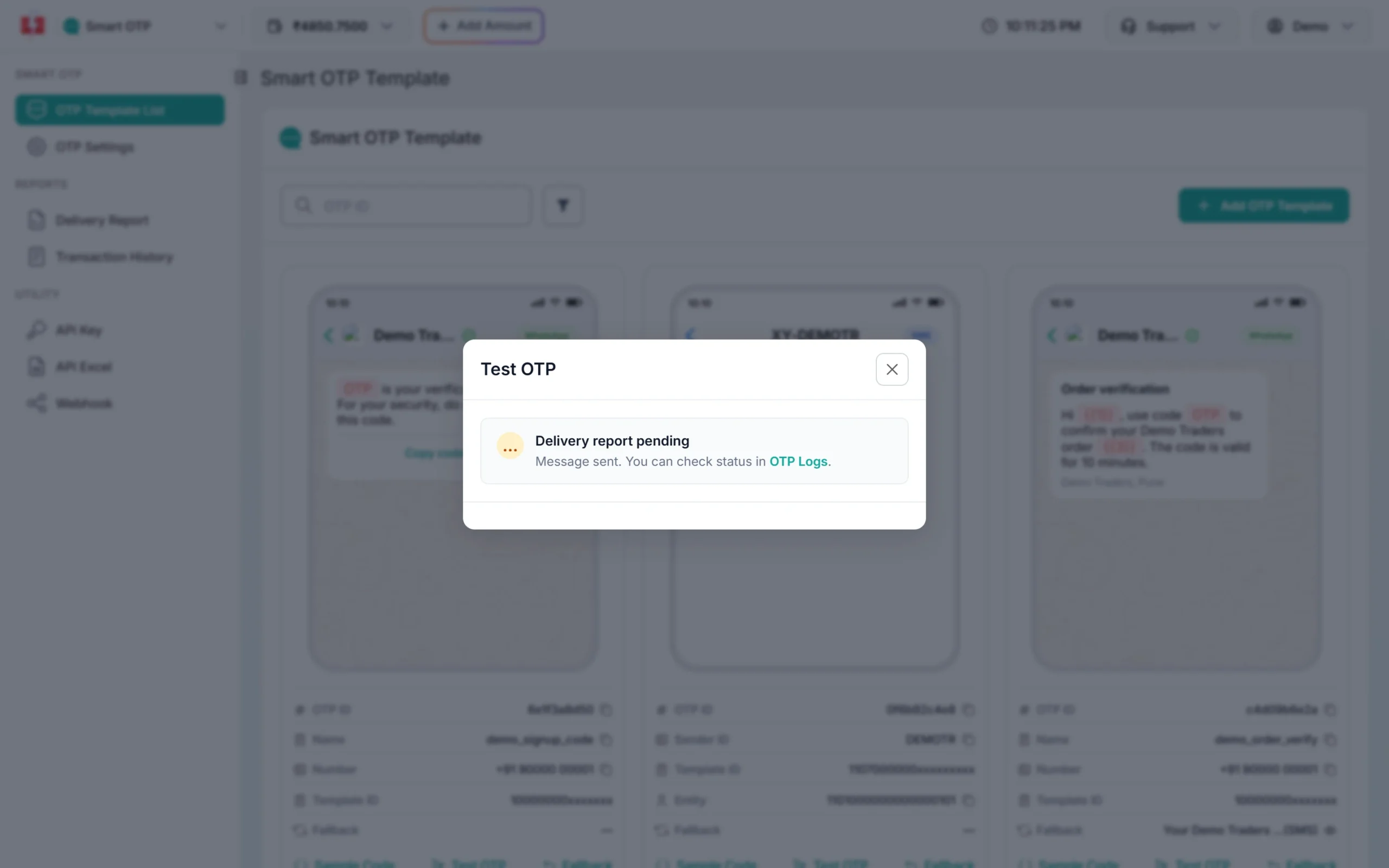
No report yet. The status updates in the OTP report.
If the test fails
| Message | What it means | Fix |
|---|---|---|
| Enter a valid 10 digit mobile number | The number has extra digits or symbols | Type only the 10 digits |
| Please wait N seconds before requesting a new OTP | You sent to this number a moment ago | Wait, or lower the resend wait in OTP Settings |
| Insufficient wallet balance | Not enough money for the send | Recharge from ₹100 |
| Entity blocked, Sender ID blocked or Content template blocked | Your DLT entry is blocked | Check it on your DLT portal or contact support |
| WhatsApp Business Number is not active or connected | Your WhatsApp number is disconnected | Reconnect it in WhatsApp Manager |
| Number registered on DND | The number has a DND block for this type of message | Check that your DLT OTP template is transactional or service, not promotional |
For other reasons, see OTP not received checklist.
What it costs
A test OTP is charged like any OTP. At the time of writing, an SMS OTP costs your bulk SMS slab rate, ₹0.25 down to ₹0.11 per SMS, and a WhatsApp OTP costs ₹0.25. If the template has a fallback and it fires, the fallback is charged too. The ₹50 signup credit covers your first tests.
Sending in bulk? For high OTP volumes our team offers discounted rates. Talk to our team or see OTP pricing.
Can you check the code online too?
The Test OTP window sends the code and shows delivery. Checking the code a user types happens in your website or app, with the Verify OTP API. Your developer can copy ready code from the Sample Code button on the same card. See Verify OTP API. If you do not have a developer, the OTP verification widget adds an OTP box to a website.
Frequently asked questions
Can I send an OTP to a mobile number online for free?
Every OTP is a real message and has a cost, but the ₹50 credit after signup pays for your first tests. You do not need a card.
Do I need a website or app to send an OTP?
No. The Test OTP button sends from the panel. You need a website or app only when your users should receive OTPs on their own.
Can I choose the OTP digits?
The Test OTP button creates the code for you. With the API you can set the length from 4 to 10 digits or send your own code.
Can I send the OTP on WhatsApp instead of SMS?
Yes. Use Test OTP on a WhatsApp OTP template. The user gets the code in a WhatsApp message from your business number.
Can I send an OTP without DLT registration?
A WhatsApp OTP does not need DLT. An SMS OTP from your own sender name needs a DLT-approved sender ID and template.
Where do I see all the test OTPs I sent?
In Smart OTP, open Delivery Report. Tests appear with your other OTPs, and their charges are in Transaction History.