
A WhatsApp OTP that does not arrive is almost always one of five things: the number is not on WhatsApp, the user’s app is old, the user blocked your business number, your WhatsApp number or template has a problem, or the phone is offline. This page shows how to find the reason in Fast2SMS, what each WhatsApp error means, and how an SMS fallback gets the code to the user anyway.
Quick checklist
| Check | Where you see it | What to do |
|---|---|---|
| Is the user on WhatsApp with this number? | Failed, WhatsApp error 131026 (message undeliverable) | Send the code by SMS. Add an SMS fallback so it happens on its own |
| Is the WhatsApp app up to date? | Failed, 131026 | Ask the user to update WhatsApp and accept its latest terms |
| Did the user block your business? | Failed, 130403 | Do not retry on WhatsApp. Use SMS |
| Is the phone online? | Status stays Sent | The code is delivered when the phone connects. Offer SMS in the meantime |
| Is your WhatsApp number connected? | “WhatsApp Business Number is not active or connected” in API Logs | Reconnect the number in WhatsApp Manager |
| Is the template still active? | Failed, 132015 (paused) or 132016 (disabled) | Fix or replace the authentication template |
| Too many codes in a short time? | “Please wait N seconds” or WhatsApp 131056 | Show a resend timer and wait before sending again |
| Wallet balance | “Insufficient wallet balance” in API Logs | Recharge and turn on Low Balance Notification |
Find the WhatsApp OTP in your reports
-
Filter the OTP report to WhatsApp
In Smart OTP, click Delivery Report. Click the filter button and open the OTP Channel tab. Pick WhatsApp, or search by Mobile Number to find one user.
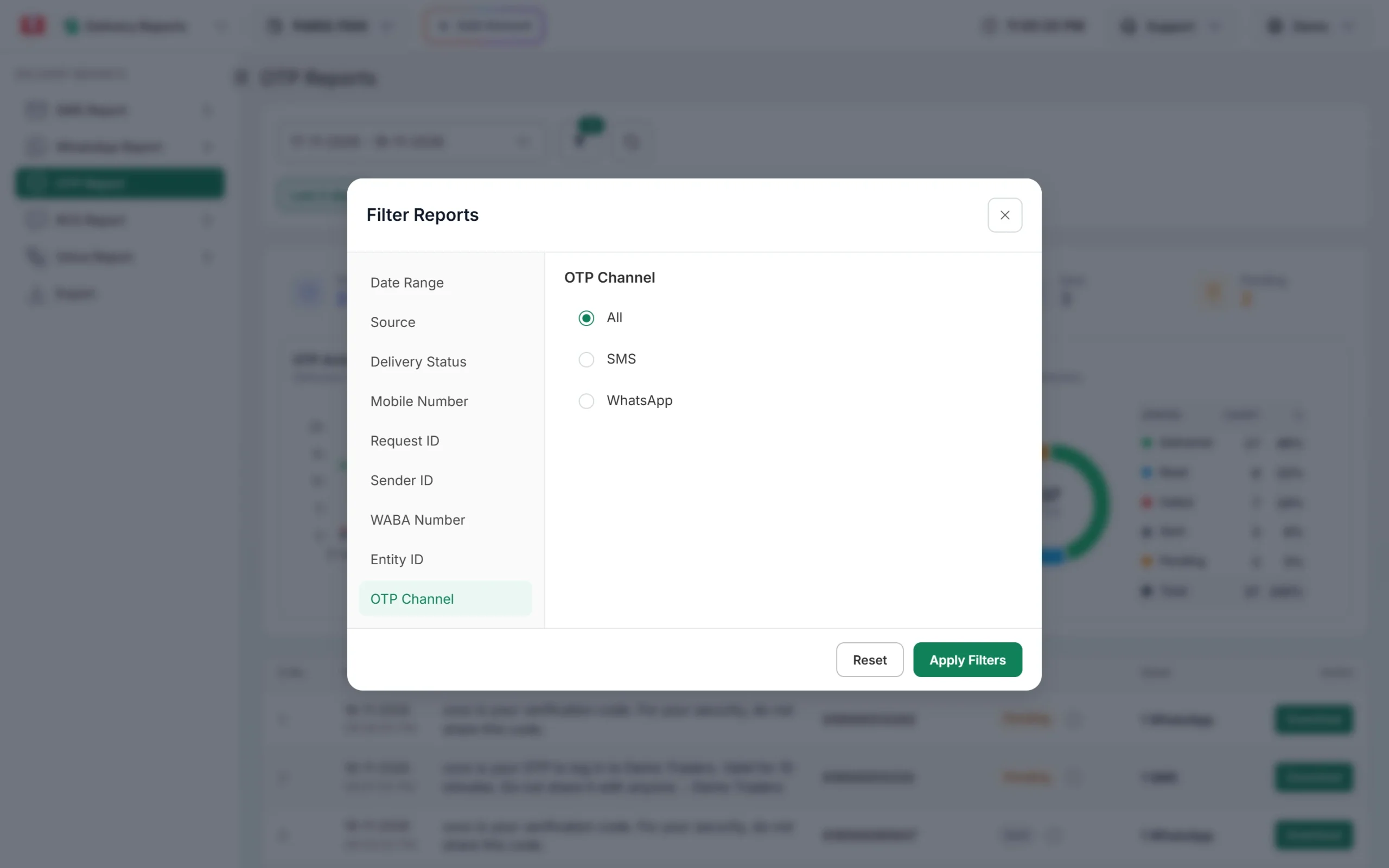
Use the OTP Channel tab to see only WhatsApp OTPs. -
Open the row and read the status
Click the row. Delivery Details shows the WhatsApp preview with the Copy code button, the status and the Description. A failed WhatsApp OTP shows the reason Meta gave.
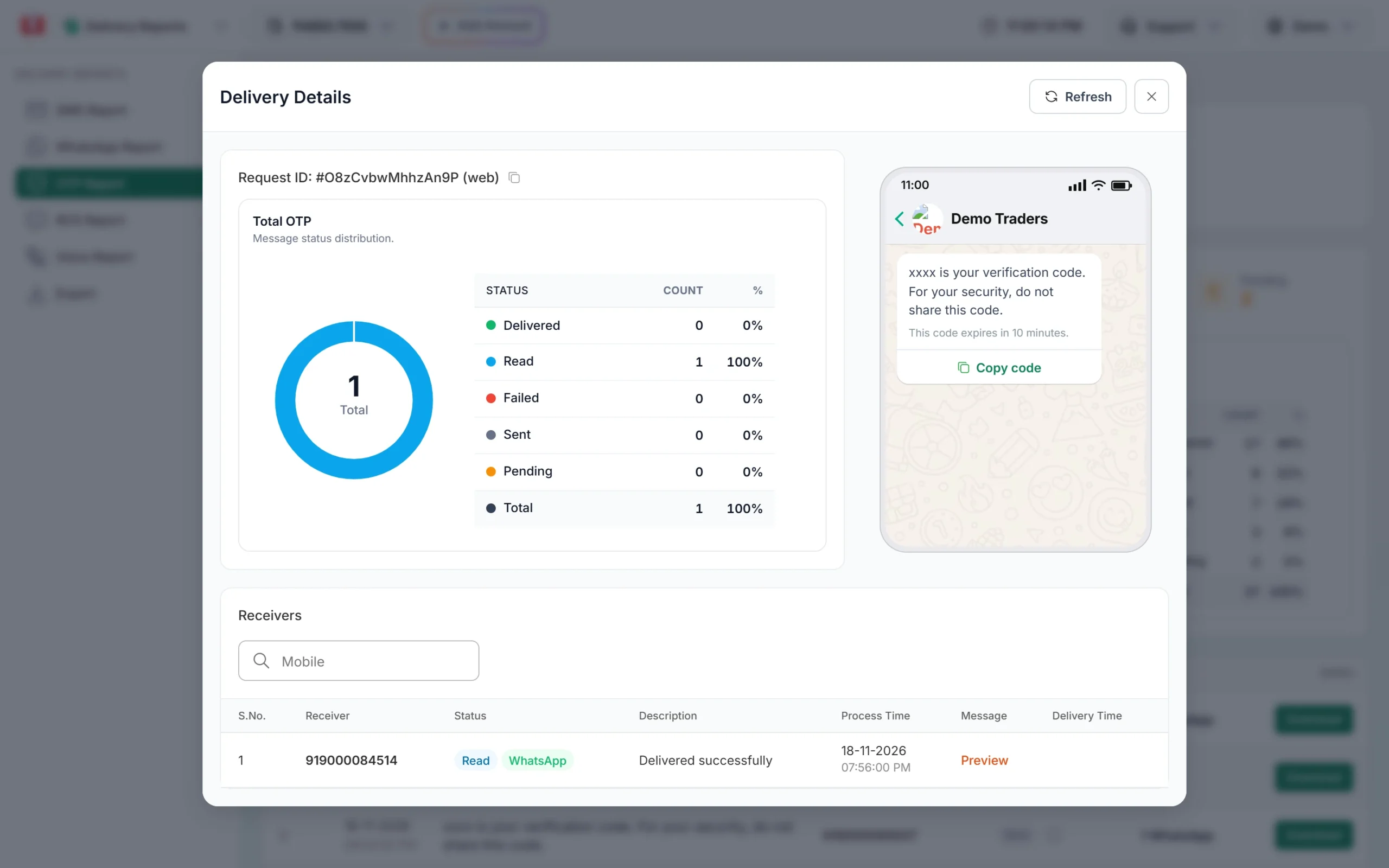
A WhatsApp OTP in the report, with its status and preview. -
No row? Check API Logs
If the number is not in the report, the request was refused before it was sent. Open Account Settings, then API Logs, and read the response of the OTP/SEND call. Messages such as “WhatsApp Business Number is not active or connected” or “WhatsApp template not found for this OTP template” tell you what to fix.
Sent, Delivered, Read and Failed for a WhatsApp OTP
- Sent: WhatsApp accepted the message but the phone has not received it yet. The phone may be off or without internet.
- Delivered: the message reached the phone.
- Read: the user opened the chat.
- Failed: WhatsApp could not deliver it. The Description shows why.
A message that stays at Sent has not failed, so it does not trigger a fallback. If many users get stuck at Sent, show an option on your OTP screen to get the code by SMS.
WhatsApp errors behind a missing OTP
| Error | What it means | Fix |
|---|---|---|
| 131026 | Message undeliverable. The number is not on WhatsApp, the user has not accepted WhatsApp’s latest terms, or the app is too old | Send the code by SMS. Ask the user to update WhatsApp |
| 130403 | The user blocked your business number | Do not retry on WhatsApp. The user must unblock you |
| 131056 | Too many messages to the same number in a short time | Wait before sending again to that number |
| 132015 | Template paused for low quality | Edit the template and wait for approval |
| 132016 | Template disabled after being paused too many times | Create a new authentication template and a new OTP template |
| 132001 | Template not found or not approved in that language | Check the template name, language and status |
| 131042 | A billing or eligibility problem on the WhatsApp account | Contact support |
All codes are listed in WhatsApp API error codes.
Set up an SMS fallback
The best fix for missing WhatsApp OTPs is to let SMS take over. In Smart OTP, a WhatsApp OTP template can have an SMS fallback. When the WhatsApp message fails, the same code is sent by SMS from your DLT sender ID within about 2 minutes. The user types the same code, so your verify step does not change.
-
Open the WhatsApp OTP template and add the fallback
On the OTP Template List, click Fallback on your WhatsApp template, or tick SET FALLBACK TEMPLATE when you create one. Choose the fallback entity, sender, DLT template and the variable that carries the OTP, then save.
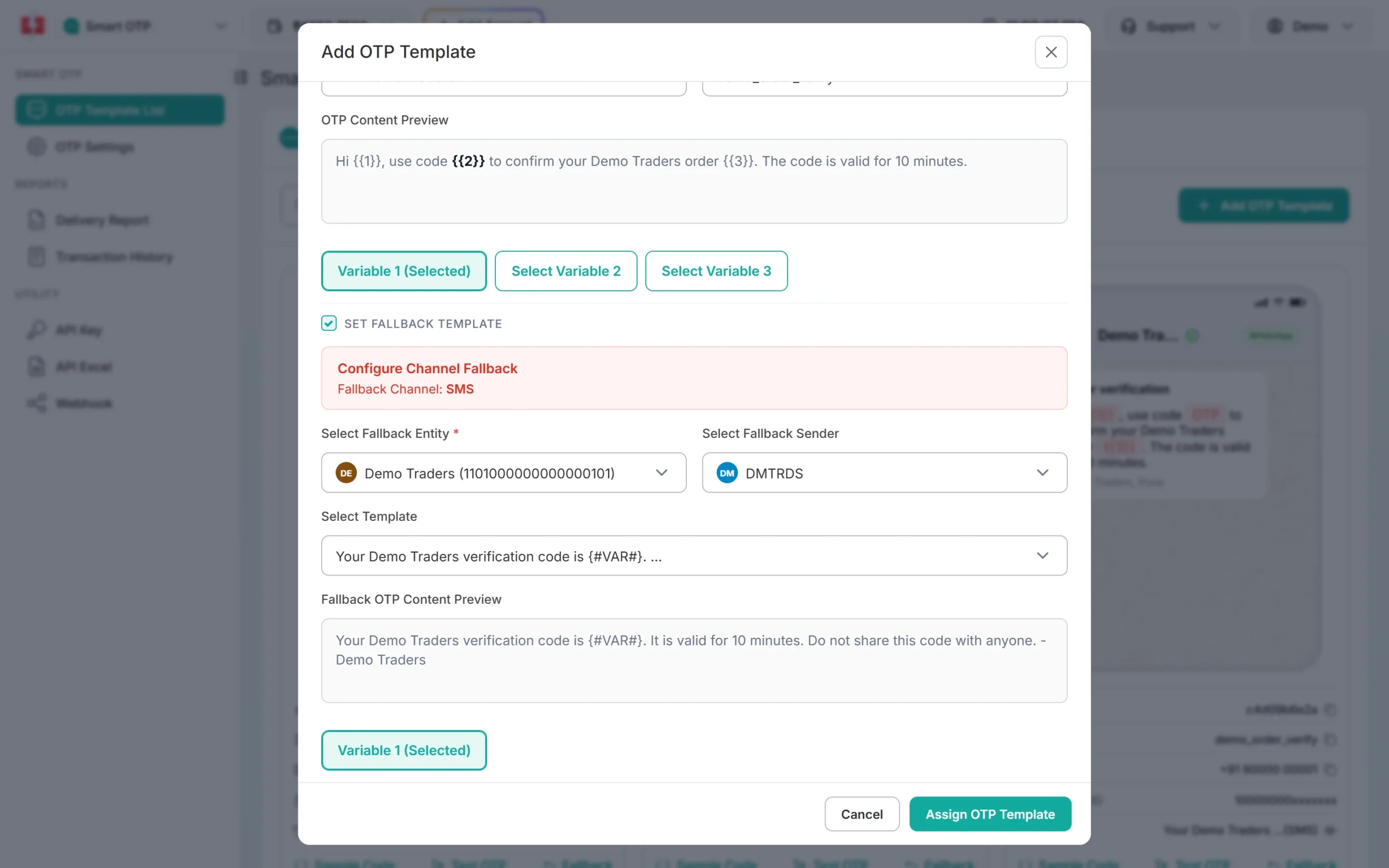
A WhatsApp OTP template with an SMS fallback.
You need an approved DLT OTP template for the SMS side. See Smart OTP setup for the full steps.
What a WhatsApp OTP costs, and failed ones
A WhatsApp OTP costs ₹0.25 per delivered authentication message at the time of writing. Failed WhatsApp messages are refunded to your wallet automatically within 48 hours. If the SMS fallback is sent, it costs your bulk SMS rate, ₹0.25 down to ₹0.11 per SMS depending on your recharge, and shows as its own line in transaction history. See WhatsApp OTP API pricing.
Sending in bulk? For high WhatsApp volumes our team offers discounted rates. Talk to our team or see WhatsApp pricing.
What to tell your user
- Check that WhatsApp is installed on this mobile number, not on another number.
- Update WhatsApp from the app store and open it once.
- Turn on mobile data or Wi-Fi.
- Check archived chats, and check that you have not blocked the business.
- If the code still does not come, tap the option to get it by SMS.
Frequently asked questions
Why is the WhatsApp OTP not coming?
The most common reasons are that the number is not on WhatsApp, the app is old, the user blocked your business, or the phone is offline. The OTP report shows which one it is.
Why does the WhatsApp OTP show Sent but not Delivered?
The phone has not connected to WhatsApp since the message was sent. It will be delivered when it does. Sent is not a failure, so no fallback is sent.
Am I charged if the WhatsApp OTP fails?
WhatsApp OTP is billed on delivery. Failed messages are refunded to your wallet automatically within 48 hours.
Can a WhatsApp OTP go to a number that is not on WhatsApp?
No. It fails with error 131026. With an SMS fallback, the same code then goes by SMS.
Which number does the WhatsApp OTP come from?
From your own WhatsApp Business number connected in Fast2SMS, with your business name. See OTP sender ID and WhatsApp number.
Can I use a marketing template for OTPs?
No. Smart OTP lists only approved Authentication or Utility templates. Marketing templates do not appear.