
To send a test SMS before a bulk campaign in Fast2SMS, open DLT Manager > Content Template, click Test Template on an approved template, enter your own mobile number and the variable values, and click Send Test SMS. The SMS reaches your phone exactly as customers will see it, and the panel shows whether it was delivered.
A test takes a minute and catches wrong variables, a wrong sender ID or a template problem before you pay for thousands of messages.
Before you start
- An approved content template and sender ID in DLT Manager. The Test Template button appears only on approved templates.
- A little wallet balance. The test is a real DLT SMS sent to your number.
How to send a test SMS
-
Open the template
Go to SMS > DLT Manager > Content Template. Find the template with the search box and click Test Template under its card.
-
Enter your number and the variables
In the Test DLT Template window, type your 10-digit number in Mobile and pick the Sender ID. The Template Preview shows the text. Fill each box under Configure DLT Variables with real-looking values, such as a name and an order number.
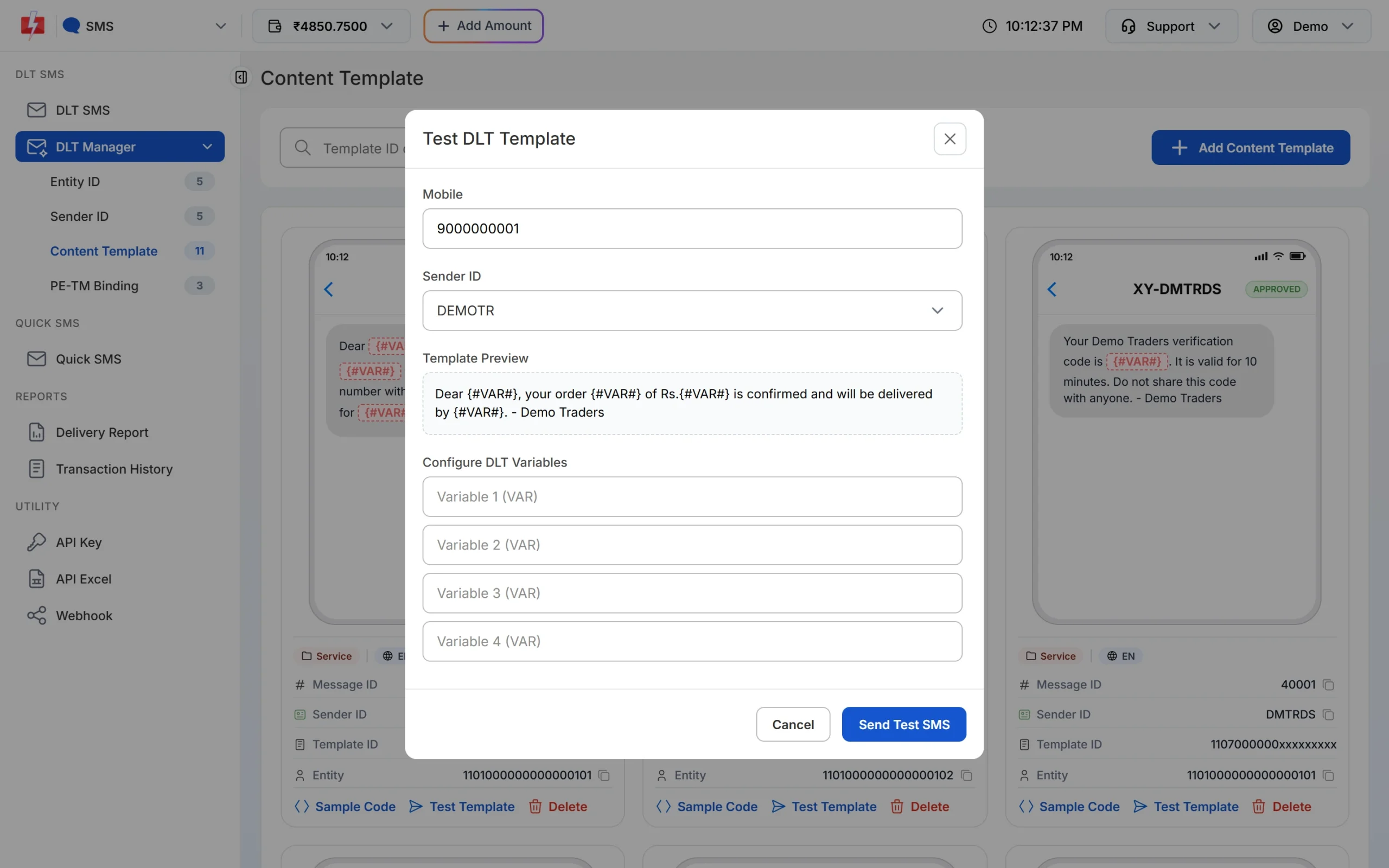
Fill your number and the variables, then click Send Test SMS. -
Send and watch the result
Click Send Test SMS. The window first says the message is sent and it is checking the delivery report. It then shows “Delivered Successfully” when the operator confirms delivery, or “Delivery Report Pending” if the report has not come yet. Check the SMS on your phone.
-
If it failed, read the reason
Open Delivery Report and click the message. The Delivery Details window shows the status and a description for your number, such as “DND activated” or an operator reason.
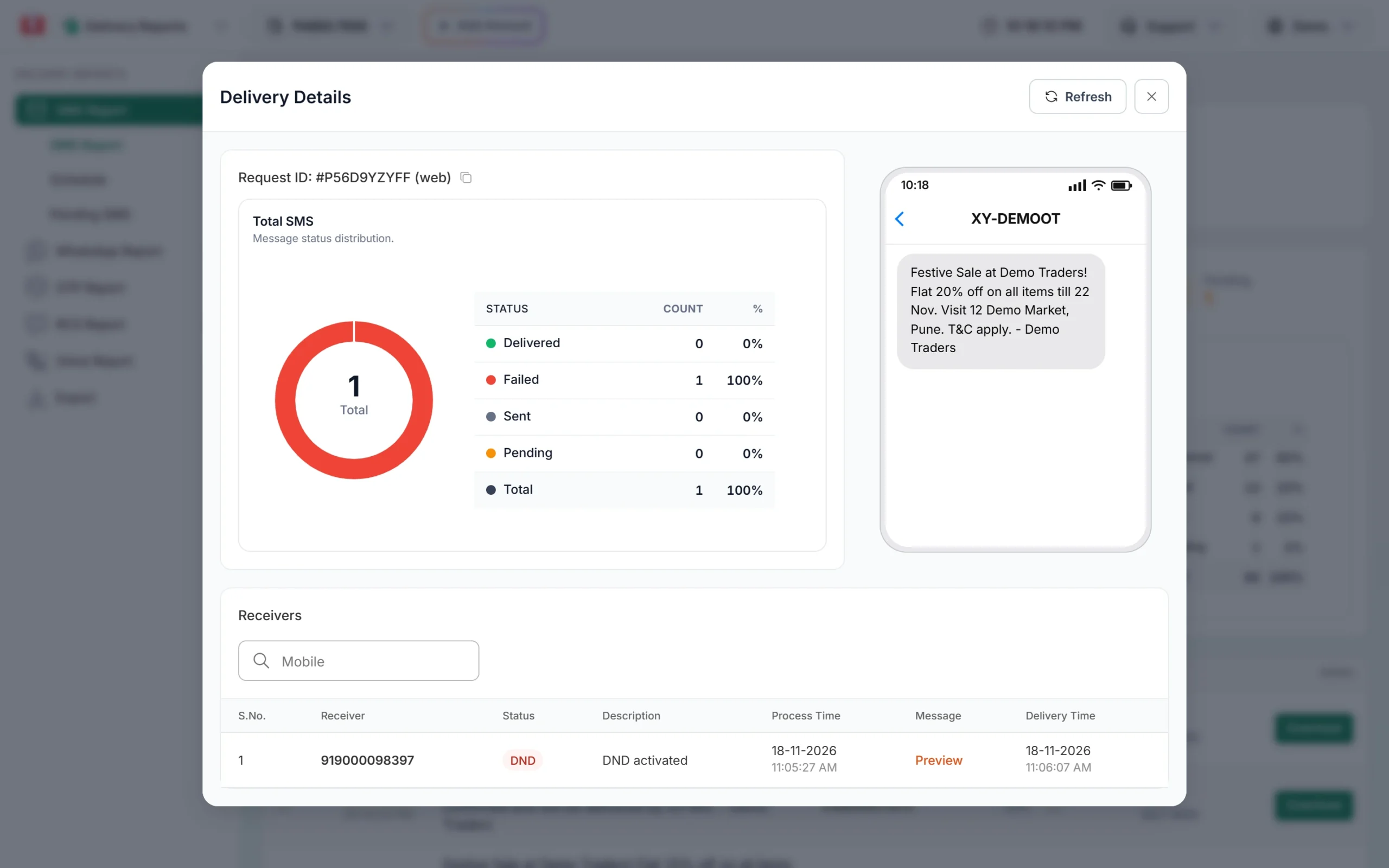
Delivery Details shows why a single SMS failed.
What to check in the test SMS
- The sender shows your header, for example XY-DEMOTR with a suffix.
- Every variable has the right value and no extra spaces. Each variable value can be up to 40 characters when sent by API.
- Links open the right page.
- The message length is what you expect. A longer text counts as 2 or more SMS per number.
Another quick way: on the DLT SMS page, send the campaign to just your own number first, then to the full list.
Frequently asked questions
Is the test SMS free?
It is sent as a normal DLT SMS from your account, so keep some balance in your wallet before testing.
Why is the Test Template button missing?
It shows only on approved templates. Pending or rejected templates cannot be tested.
My test SMS shows DND. What does that mean?
Your number has blocked promotions, so a promotional template does not reach it. Test on a number without DND, or use a Service Implicit template for service messages.
Can I test a Quick SMS?
Yes, send it to your own number. Very small Quick SMS sends may wait for a manual check before they are released.