
To check the SMS delivery report for one mobile number in Fast2SMS, open Delivery Report, click the filter button and type the number in the Mobile Number tab. The report then lists every send that included that number, including big campaigns, and you can open each one to see the number’s status and delivery time.
This is the fastest way to answer a customer who says “I did not get your SMS”.
Steps
-
Set the date range
Open Delivery Report in the SMS app. The report opens on Last 2 days. Use the date selector to pick a range that covers the day you sent the SMS: Today, Yesterday, Last 1 week, Last 30 days, Last 3 months or a Custom Date.
-
Filter by mobile number
Click the filter button, open the Mobile Number tab and type the number. You can type it as 10 digits or with 91 in front. Click Apply Filters. You can also add a Delivery Status or Sender ID filter in the same window.
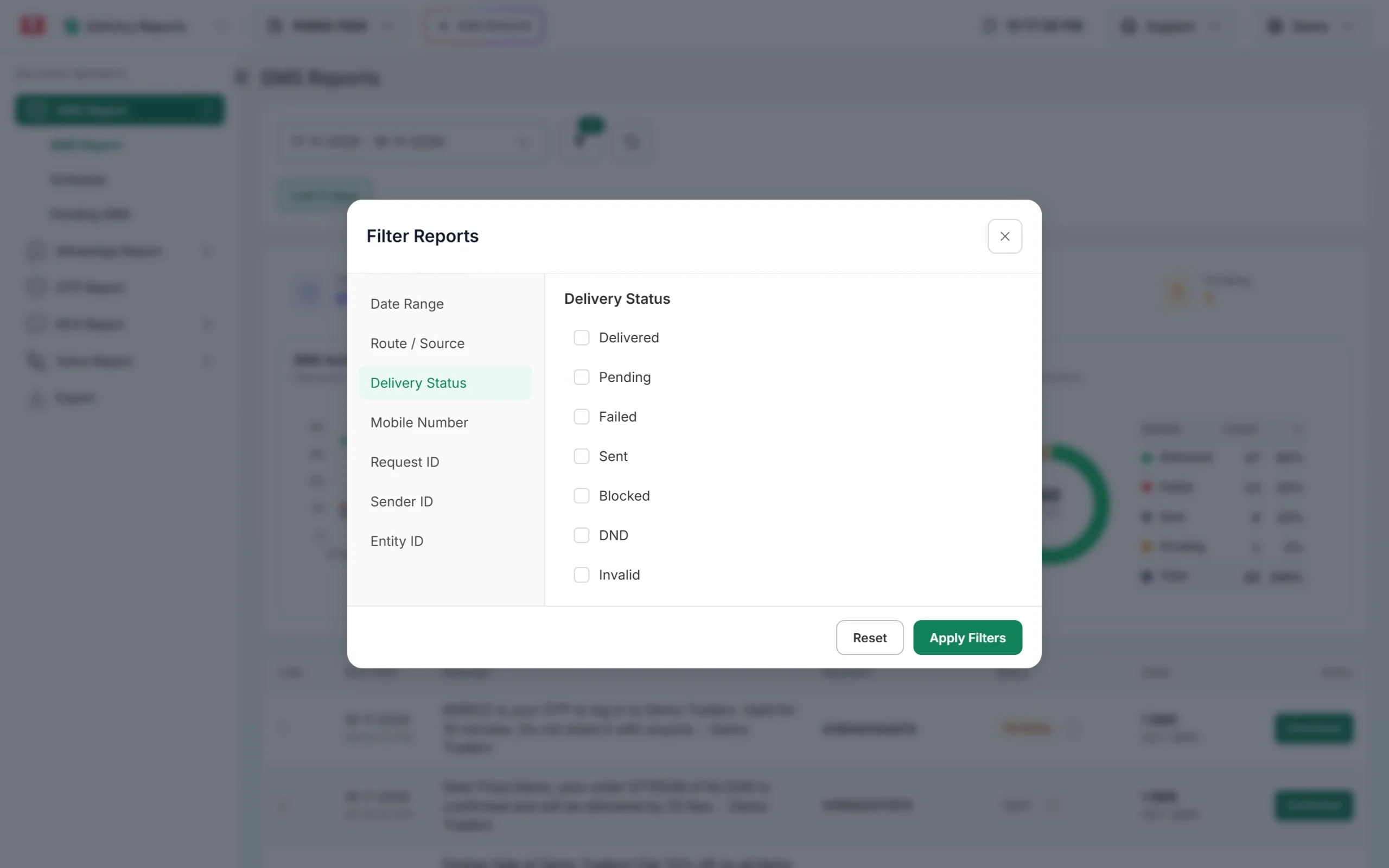
The Mobile Number tab is in the Filter Reports window. -
Open the send and find the number
In the list, the Recipient column shows the number for a single SMS and “Campaign” for a send to many numbers. Click the message text to open Delivery Details. For a campaign, type the number in the Mobile search box above the Receivers table.
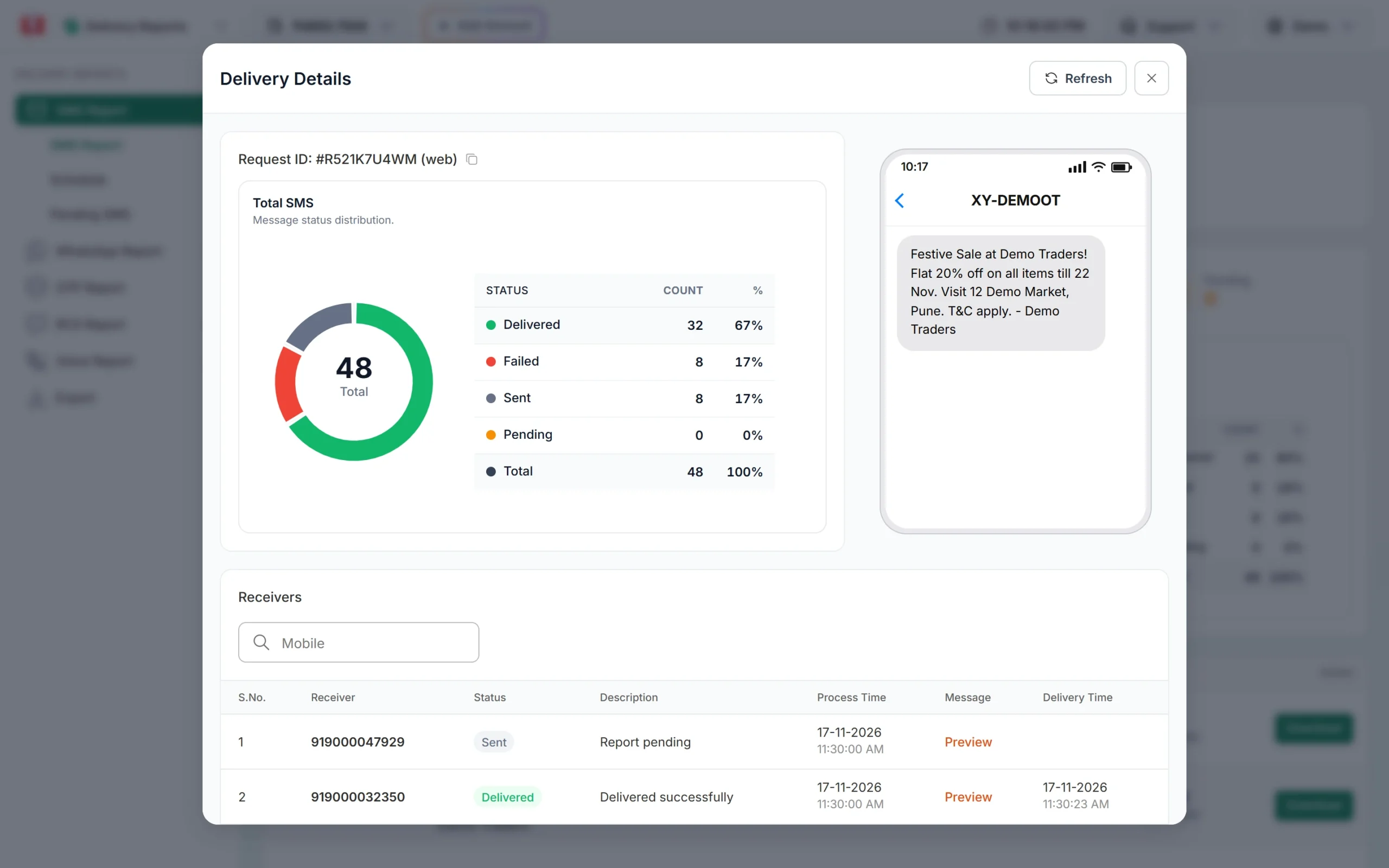
Search the Receivers table to find one number in a campaign. -
Read the row
The row shows the Status (Delivered, Sent, Pending, Failed, DND, Blocked or Invalid), the Description with the reason, the Process Time, the Delivery Time and a Preview of the exact text sent. Click Refresh to get the latest status for a number still showing Sent.
Other ways to check one number
- By Request ID: if you sent by API, use the Request ID tab in the same filter, or the delivery report API.
- Download: the Download button on a report row gives an Excel file with every number of that send and its status.
- Other channels: the RCS and voice reports also have a mobile number filter.
Frequently asked questions
Why does my number search show nothing?
The date range may not cover the send, or the SMS was a Smart OTP (OTPs have their own OTP Report). Widen the date range and try again.
How far back can I search?
Use Last 3 months or a Custom Date. The start date cannot be earlier than the day your account was created.
Can I see OTPs sent to one number here?
Smart OTP messages are not in the SMS report. Check the OTP Report under Delivery Reports.
Does a number search include scheduled SMS?
Scheduled SMS appear in the report after their send time. Upcoming ones are under Delivery Report > Schedule.