
SMS OTP, authenticator apps (TOTP) and passkeys all prove that the person logging in is your user, but they suit different moments. For most Indian businesses the practical answer is: use an OTP on SMS or WhatsApp to verify the phone number and for everyday logins, offer an authenticator app or a passkey as an extra option for users and admins who want it, and keep the OTP as the recovery route. This page compares the three in plain words so you can decide what to offer.
The three methods in one line each
- SMS or WhatsApp OTP: you send a one-time code to the user’s mobile number. They type it back. Nothing to install.
- Authenticator app (TOTP): the user scans a QR code once into an app such as Google Authenticator. The app then shows a new 6-digit code every 30 seconds, even offline.
- Passkey: the user’s phone or laptop stores a key for your site. They log in with their fingerprint, face or screen lock. There is no code to type.
Side-by-side comparison
| SMS / WhatsApp OTP | Authenticator app | Passkey | |
|---|---|---|---|
| Setup for the user | None, just a mobile number | Install an app and scan a QR code | One tap to create on a supported device |
| Works on basic phones | SMS: yes | No (needs a smartphone) | No (needs a recent smartphone or computer) |
| Proves the phone number | Yes | No | No |
| Cost to you | Charged per message | No per-login cost | No per-login cost |
| Works without network | No | Yes | Yes, on the device |
| Phishing risk | A user can be tricked into sharing the code | A user can be tricked into sharing the code | Low: the key works only on your real site |
| SIM swap risk | Yes, for SMS | No | No |
| If the user loses the phone | New SIM with the same number still works | Needs backup codes or a reset | Synced passkeys move to the new device |
When SMS or WhatsApp OTP is the right choice
- Sign-up and phone verification. Only an OTP to the number proves the user owns it. Neither TOTP nor passkeys can do this.
- Customers who will not install anything. Shoppers, patients, students and their parents can log in with what they already have.
- COD and delivery checks. A code sent to the buyer’s number confirms the order or the hand-over.
- Account recovery. When a user loses the authenticator app or the passkey device, an OTP to the registered number is the usual way back in.
To make OTP more reliable, Fast2SMS Smart OTP sends the code on a priority route by SMS (with your DLT template) or by WhatsApp (with an authentication template), and can fall back to the other channel if the first one fails.
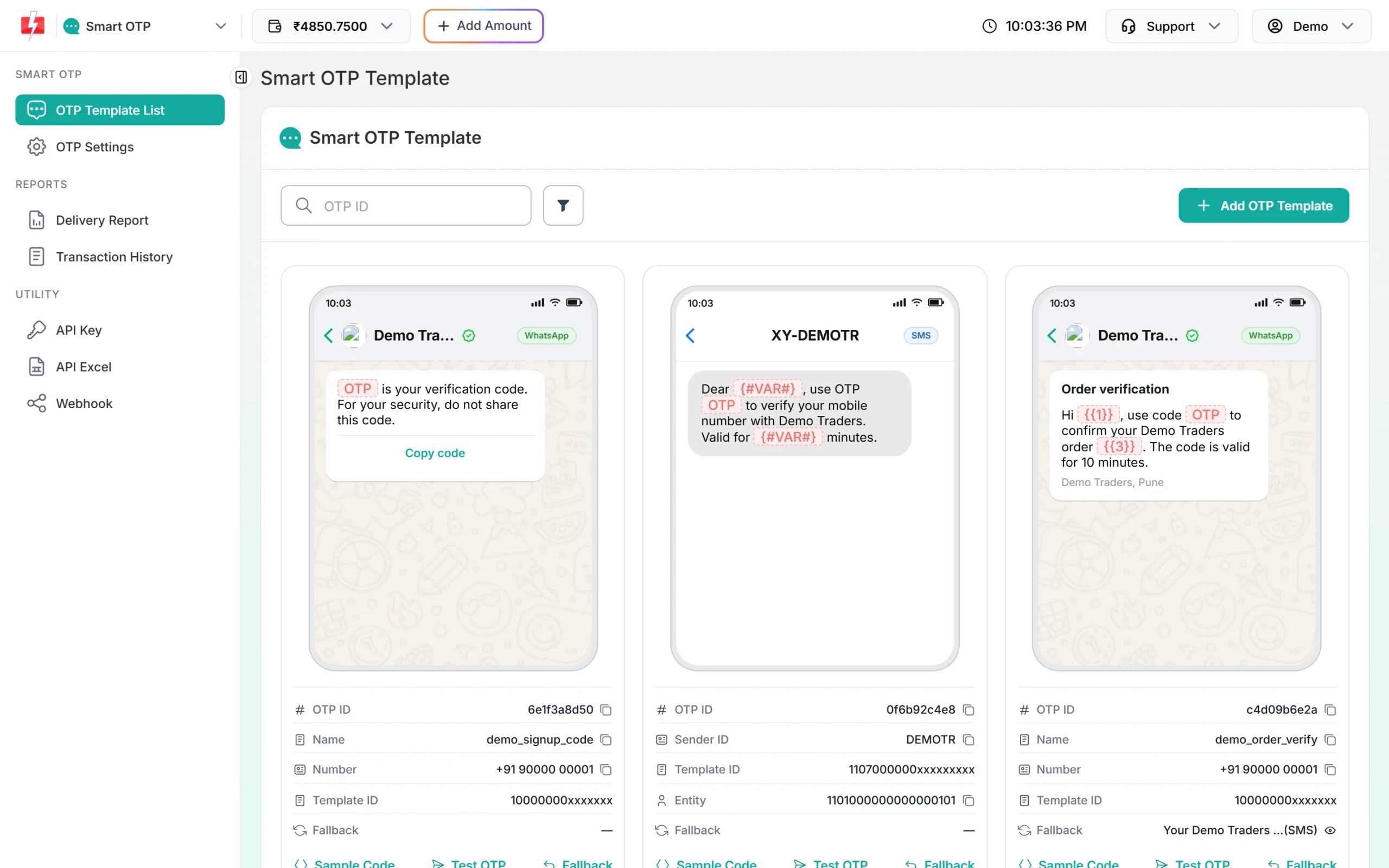
Each OTP message is charged at the rate of the channel that carried it. At the time of writing, SMS is ₹0.25 down to ₹0.11 per SMS by recharge slab. See the OTP page for current rates.
Sending in bulk? For high OTP volumes our team offers discounted rates. Talk to our team or see OTP pricing.
When to add an authenticator app or passkey
- Admin and staff logins to your dashboard, where a stolen account does the most damage.
- High-value actions such as changing a bank account, a payout address or a password.
- Users who log in many times a day, where a passkey is quicker than waiting for a code.
- Users who travel and may not get SMS on a foreign network.
Offer them as options in account settings. Do not force them on every customer, or you will lose people at the login screen.
A setup that works for most businesses
-
Verify the phone number with an OTP at sign-up
Send an OTP when the user enters their number and verify it before you create the account.
-
Use OTP for normal logins
Keep the expiry short, limit wrong tries and resends in OTP Settings, and add WhatsApp fallback for codes that fail on SMS.
-
Offer a passkey or authenticator app in settings
Let users who want stronger security turn it on. Make it required for admins.
-
Use OTP for recovery and risky changes
Ask for an OTP when someone resets a lost passkey or authenticator, or changes payout details.
Payment companies follow their own rules. RBI’s 2025 directions on authentication for digital payments allow factors beyond SMS OTP. If you are a bank or payment provider, check those rules with your compliance team.
Frequently asked questions
Is SMS OTP still safe to use?
Yes, for most logins and for phone verification. Keep codes short-lived, limit attempts, and add a stronger option for admins and risky actions.
What is the difference between OTP and TOTP?
An OTP is sent to the user by SMS or WhatsApp. A TOTP is created by an app on the user’s phone every 30 seconds, with nothing sent.
Can passkeys replace SMS OTP completely?
Not for sign-up or recovery. A passkey cannot prove a phone number, and users still need a way back in when they lose a device.
Do authenticator apps cost anything?
There is no per-login cost, but you build the setup, backup codes and reset flow yourself.
Which is best for Indian customers?
OTP on SMS or WhatsApp, because almost every customer can use it without installing anything. Offer the others as extras.
How do I make SMS OTP more reliable?
Use a priority route and a second channel. Smart OTP can fall back from SMS to WhatsApp or the other way round.