
If you can’t log in to Fast2SMS, the fix is usually one of four things: reset a forgotten password with Forget Password?, enter the login OTP sent to your registered mobile, refresh an expired page, or ask support to enable a blocked account. This page shows each case, the exact message you see in the panel, and what to do next.
Before you start
- Keep the mobile number you signed up with nearby. The login, the password reset and the login OTP all use it.
- Open the login from www.fast2sms.com and click Login at the top right.
- If you are a team member (agent) and not the account owner, skip to Team members log in on a different page.
How Fast2SMS login works
The login box is titled “Log in to your account”. It asks for your Mobile (the +91 is already filled in) and your Password. Under the password there is a Forget Password? link.
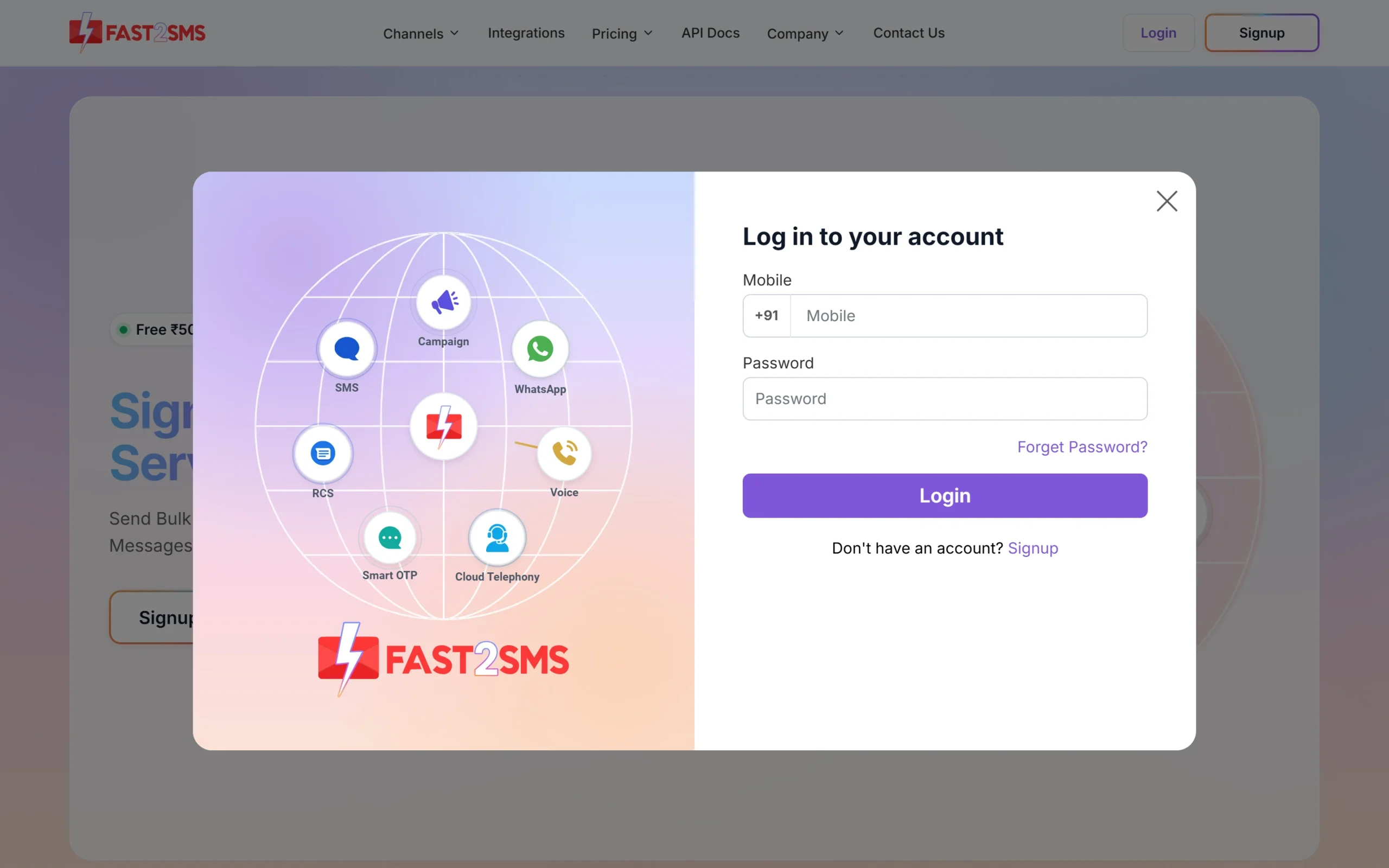
After the password, Fast2SMS may also ask for an OTP. That happens when:
- 2F Authentication is on in your Security Setting. Then every login asks for an OTP.
- There has been no login on your account in the last month, even if 2F Authentication is off.
The OTP comes by SMS to your registered mobile with the text “OTP to verify mobile in Fast2SMS is: N”, where N is the code. The very first login after signup does not ask for it.
How to reset a forgotten password
-
Open Forget Password
Go to www.fast2sms.com, click Login and then click Forget Password? under the password field. The box changes to “Reset Password”.
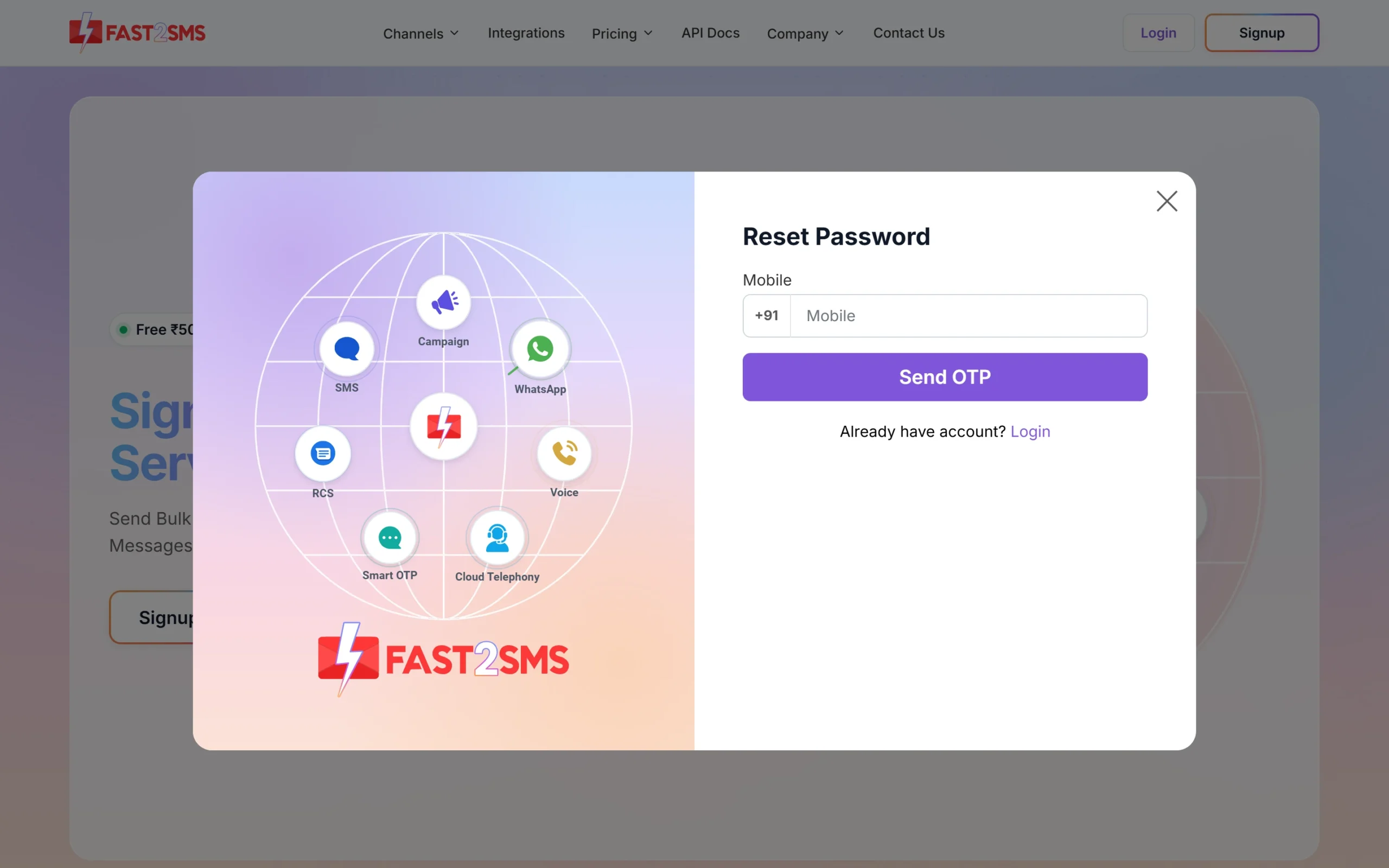
The Reset Password box asks only for your mobile number. -
Enter your registered mobile and click Send OTP
Type the 10-digit mobile number of your Fast2SMS account and click Send OTP. The box shows “OTP has been sent to your mobile no.” and an OTP field. If the SMS does not come, use Resend OTP.
-
Verify the OTP and set your new password
Enter the OTP and click Verify OTP, then follow the steps on screen to set your new password. Log in again with your mobile number and the new password.
The reset OTP goes only to the mobile number registered on the account. If you no longer have that SIM, you cannot reset the password yourself. Write to [email protected] from your registered email and explain the situation.
Login problems and what each message means
| What you see | What it means | What to do |
|---|---|---|
| An SMS “OTP to verify mobile in Fast2SMS is: N” and an OTP box after the password | Login OTP. 2F Authentication is on, or you have not logged in for a month. | Enter the code from the SMS. If you do not want an OTP at every login, you can turn 2F Authentication off later in Security Setting (not recommended). |
| “Your account is blocked, contact Fast2SMS support to enable it.” | The account was disabled with Disable Account, or it was blocked. | Contact Fast2SMS support. There is no self-service way to enable a blocked account. |
| “Your session has expired. Please refresh the page and try again.” | The page was open too long and its form expired. | Refresh the page and do the action again. Log in again if asked. |
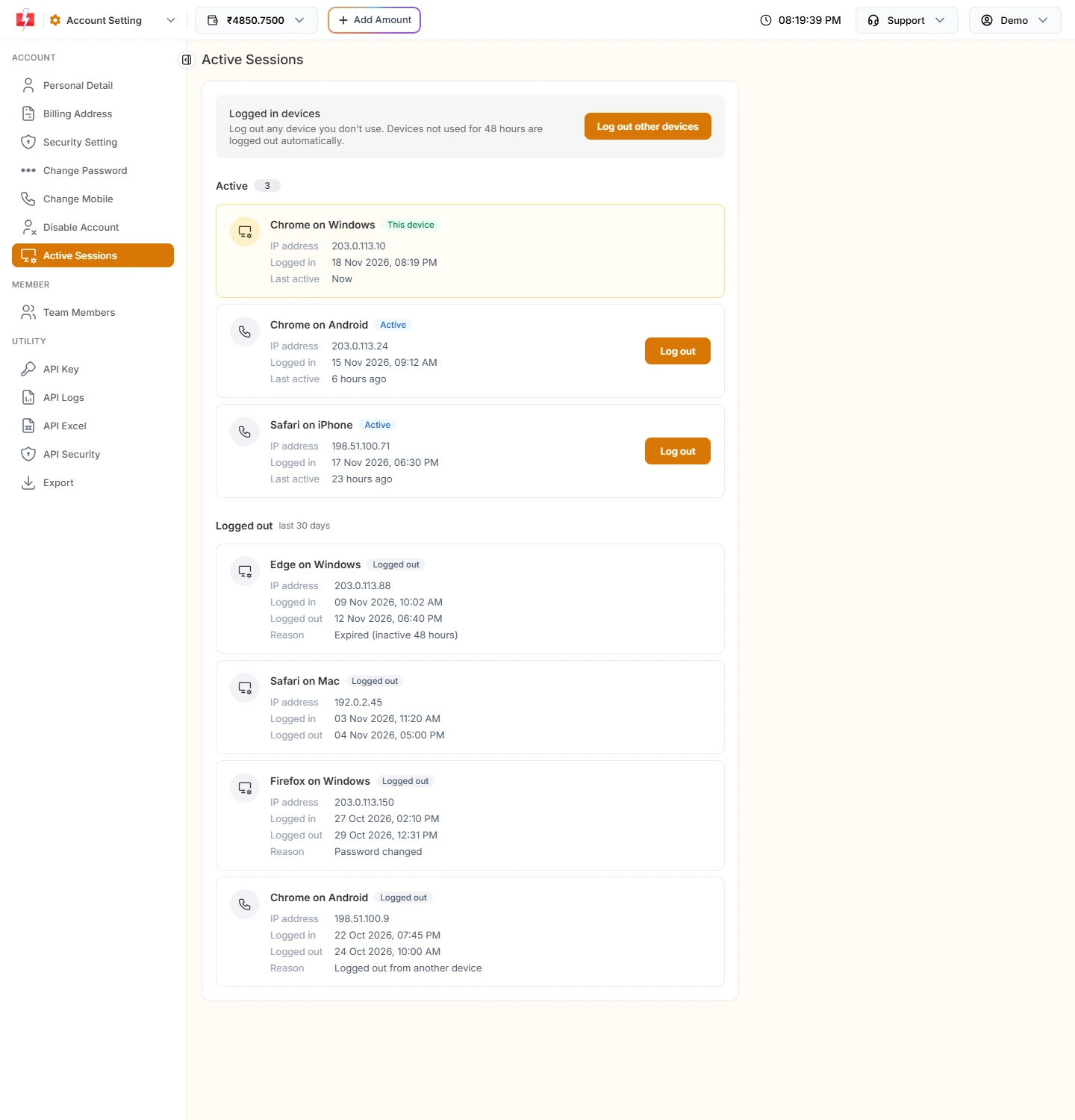
| You were logged out without doing anything | A device not used for 48 hours is logged out on its own. A password change or mobile change also logs out your other devices. | Log in again. See why you were logged out. |
| “Request block try after some time.” | Too many wrong OTP attempts on OTP screens in Account Setting (for example, viewing the API key). It blocks further tries for 60 minutes. | Wait an hour, then request a new OTP. |
If your account is blocked
Under Account Setting there is a Disable Account page. When an owner disables the account, Fast2SMS sends an SMS saying the account has been blocked, signs the user out, and every later login shows “Your account is blocked, contact Fast2SMS support to enable it.” Only the support team can enable it again. The same message shows if the account was blocked for another reason.
To ask for help, email [email protected] from the email on your account and mention your registered mobile number. You can also book a call at fast2sms.com/meet.
Team members log in on a different page
Team members (agents) that an account owner adds under Team Members do not use the owner login on the home page. They log in on the agent login page, which is your Fast2SMS address followed by /agent, with the details the owner created for them. The owner can copy this link with Open Login URL on the Team Members page.
If an agent cannot log in, the agent should contact the account owner, who manages agents (including their status) in Team Members. An agent set to inactive cannot log in. Agents cannot open owner pages such as wallet, settings or transactions. If they try, they see “This page is only available to the account owner.”
Change your password after you log in
If you think someone else knows your password, change it as soon as you are in. Open Account Setting, then Change Password. Enter your Current Password, then a New Password of at least 6 characters twice.
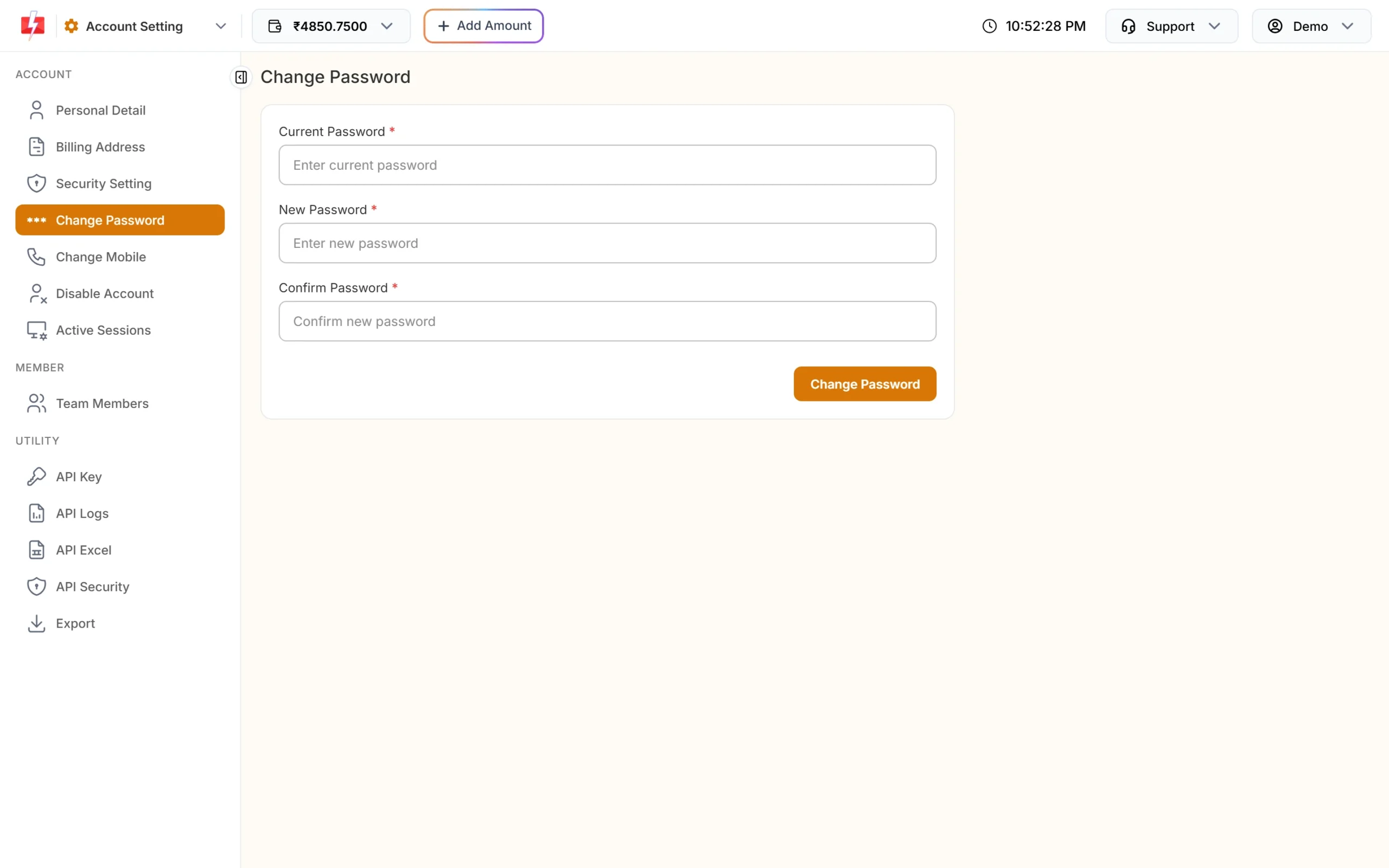
- “New password and confirm password do not match”: the two new password fields are different. Type the same password in both.
- “Wrong Password” with “Password did not match.”: the current password is wrong. If you have forgotten it, log out and use Forget Password?.
- “Password Changed Successfully.”: done. All your other logged-in devices are signed out at once.
Keep your login safe
- Turn on 2F Authentication in Security Setting, so a stolen password alone is not enough.
- Check Active Sessions now and then. It lists every device where your account is open, and you can log out any device you do not know.
- Do not share your password with staff. Add them as team members instead.
Frequently asked questions
How do I reset my Fast2SMS password?
On fast2sms.com click Login, then Forget Password?. Enter your registered mobile, click Send OTP, enter the OTP, click Verify OTP and set a new password.
Why does Fast2SMS ask for an OTP when I log in?
Either 2F Authentication is on in your Security Setting, or you have not logged in for a month. The OTP comes by SMS to your registered mobile.
I am not getting the reset OTP. What should I do?
Check that you typed the mobile number of your Fast2SMS account and that the phone has signal, then use Resend OTP. If you no longer have that number, email [email protected] from your registered email.
Can I log in with my email instead of my mobile number?
The owner login box asks for your mobile number and password. Team members are different: they log in on the agent login page with the details the owner set.
My account says “Your account is blocked”. How do I unblock it?
Only Fast2SMS support can enable a blocked or disabled account. Write to [email protected] from your registered email with your mobile number.
Why was I logged out of Fast2SMS?
Devices not used for 48 hours are logged out automatically. Changing your password or mobile number also signs out your other devices.
I changed my mobile number. Which number do I use to log in?
Use the new number. After a mobile change in Account Setting, the new number is the one on your account.
My staff can’t log in with my login link. Why?
Team members use the agent login page (your Fast2SMS address followed by /agent), not the owner login on the home page.