
Yes, it is safe to let Fast2SMS generate your OTP, as long as you keep your API key on your server. With Smart OTP the code is created and checked on the Fast2SMS side, so your app never stores it, and the verify step is protected by expiry, attempt limits and a resend wait time. This page explains how that works and when you might prefer to create the code yourself.
How a Fast2SMS-generated OTP works
- Your server calls the Send OTP API with the mobile number and your OTP ID. You do not pass a code.
- Fast2SMS creates a new numeric code (6 digits by default, 4 to 10 with
otp_length) and sends it on SMS or WhatsApp. - The user types the code in your app. Your server sends it to the Verify OTP API.
- Fast2SMS answers “OTP verified successfully” or an error such as “Invalid OTP” or “OTP expired”. Your app only sees the result.
What protects the OTP
| Protection | What it does |
|---|---|
| Expiry | Each OTP stops working after otp_expiry minutes (15 by default) |
| Verify attempt limit | After the number of wrong tries set in OTP Settings (1 to 100, 10 if never saved), the OTP is no longer valid |
| Resend wait time | A minimum gap between two sends to the same number (0 to 3600 seconds, 10 if never saved) |
| One live OTP per number | A new OTP to a number cancels its older unverified OTPs |
| One-time use | A verified OTP cannot be verified again |
| API key and IP whitelist | Only calls with your API key work, and with API Security on, only from your whitelisted IPs |
Where the code is shown in your panel
-
OTP Report shows the code masked
In Delivery Report for Smart OTP, the message text shows the OTP as xxxx. Your team can check delivery without seeing the code.
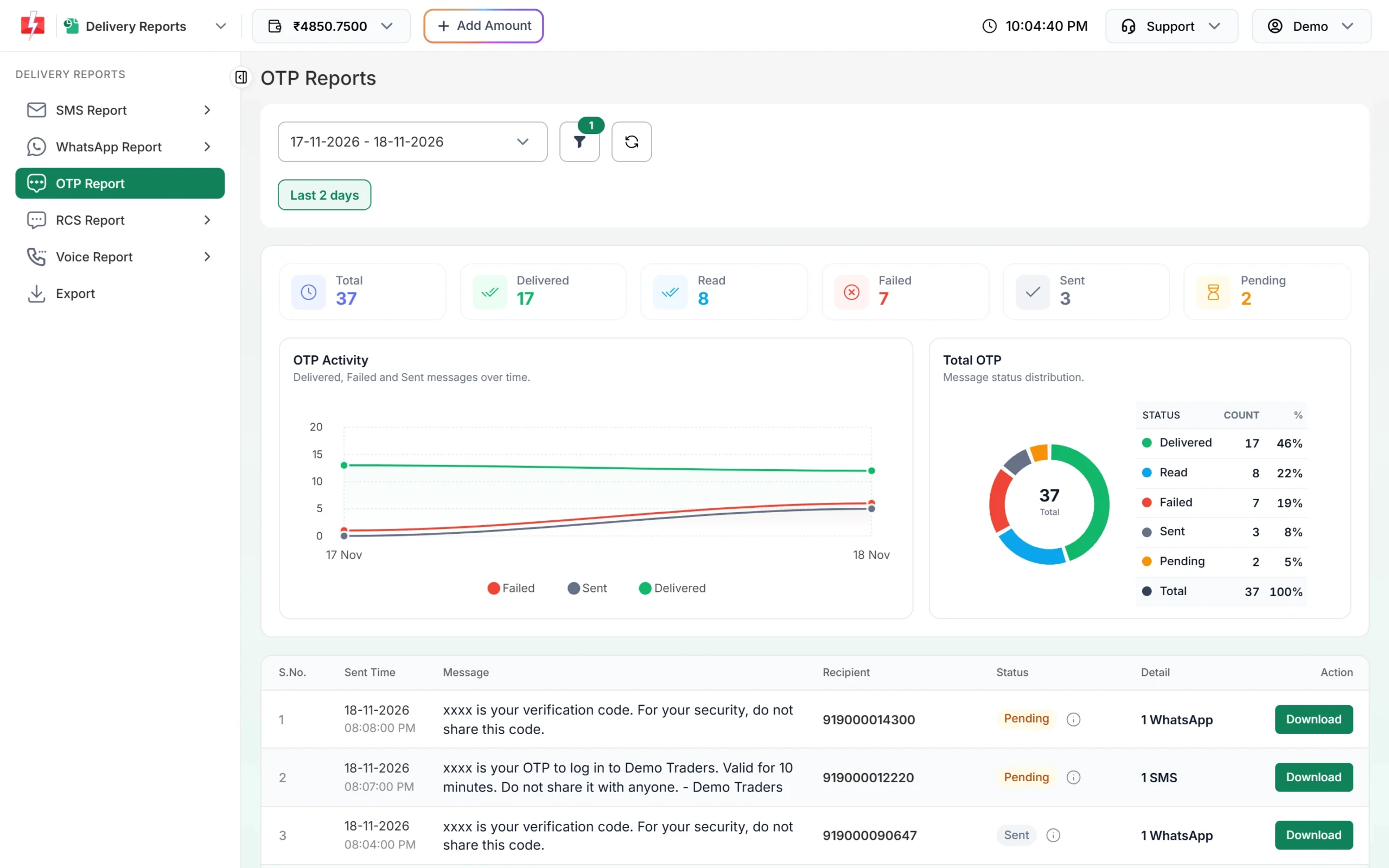
The OTP digits are replaced by xxxx in the report. -
Check the OTP Masking switch
Go to Account Setting and open Security Setting. The OTP Masking switch is described as “Hide OTP value in reports”. Changing it asks for your password.
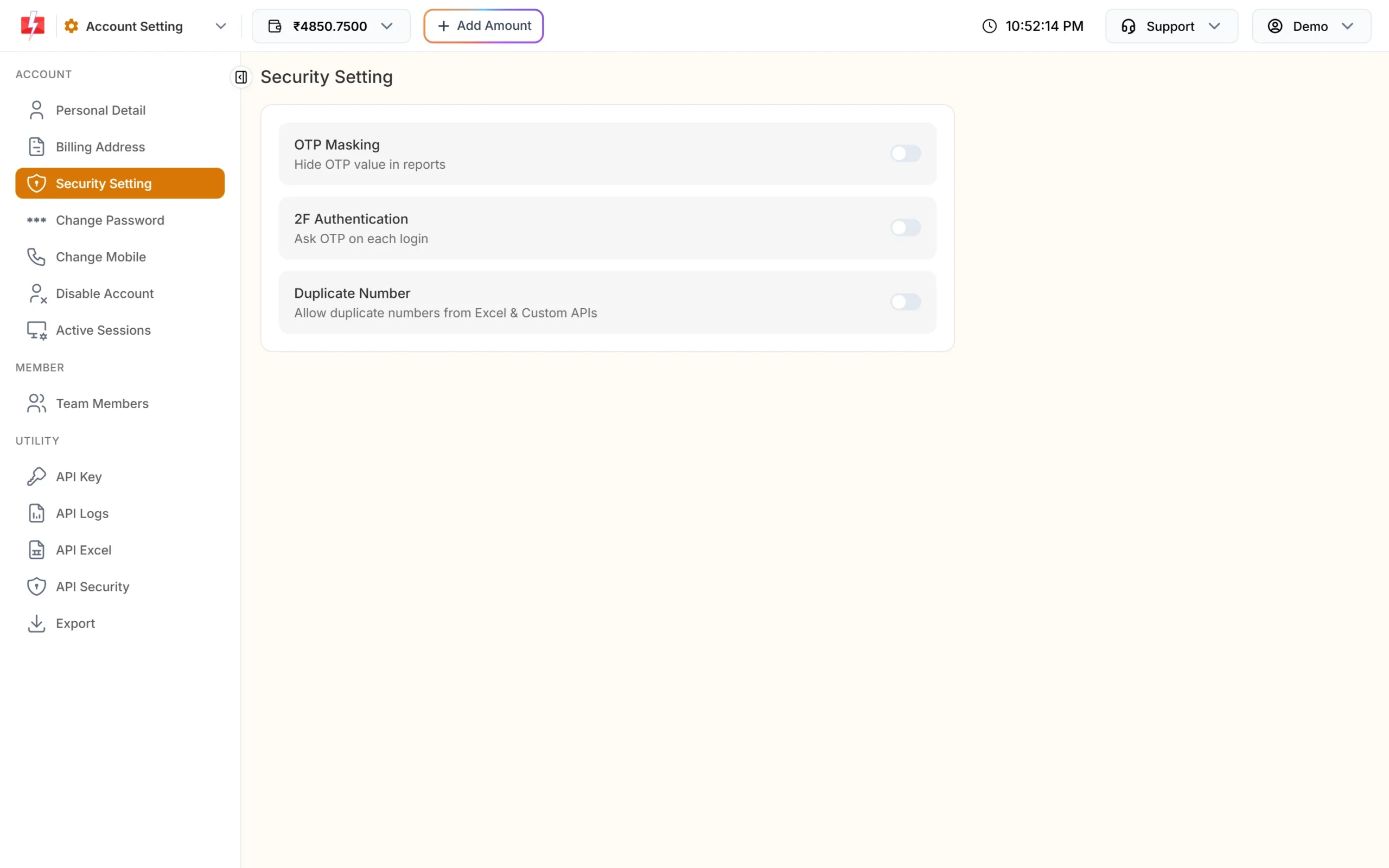
Security Setting with the OTP Masking switch.
The biggest risk is not who creates the code, it is a leaked API key. Never put the API key in a mobile app or in website JavaScript. Call Fast2SMS from your server, and reset the key from API Key if it ever leaks.
When to create the code yourself
- Your own code with Smart OTP: pass it in the
otpfield (up to 10 characters). Fast2SMS sends it and can still verify it. - Full control: send the OTP with the DLT SMS API (
route=dlt) and your own approved DLT OTP template. Your app then creates, stores and checks the code itself.
Frequently asked questions
Can my staff see the OTPs my users receive?
The OTP Report shows the code as xxxx, so people checking delivery do not see it.
Is a new OTP created every time?
Yes. Every Send OTP call creates a new numeric code, unless you pass your own value. Resend is different: it sends the same code again.
Can someone guess the OTP by trying many codes?
Wrong tries are limited by your verify attempt limit, and resends of the same code are capped at 5 within 10 minutes. Keep the attempt limit low, for example 3 to 5.
Do I need to store the OTP in my database?
No. Call the Verify OTP API with the mobile number and the code the user typed.