
Order, shipping and delivery update SMS keep customers informed and cut “where is my order” calls. This guide shows how to send them automatically from your store or order system with the Fast2SMS DLT SMS API: which updates to send, how to write templates that get DLT approval, the API call to make at each order event, and how to track delivery. It suits online stores, D2C brands, restaurants, pharmacies and any business that ships or delivers.
Which order updates to send
| Event | Example SMS (your DLT template) | Variables |
|---|---|---|
| Order placed | Dear {#var#}, your order {#var#} of Rs.{#var#} is confirmed and will be delivered by {#var#}. – Demo Traders | name, order no., amount, date |
| Shipped | Your order {#var#} has been shipped via {#var#}. Tracking ID {#var#}. – Demo Traders | order no., courier, tracking ID |
| Out for delivery | Your order {#var#} is out for delivery today. Please keep Rs.{#var#} ready if COD. – Demo Traders | order no., amount |
| Delivered | Your order {#var#} has been delivered. Thank you for shopping with Demo Traders. | order no. |
| Cancelled / refund | Your order {#var#} is cancelled. Refund of Rs.{#var#} will be processed in {#var#} days. – Demo Traders | order no., amount, days |
These are examples. Register your own wording on your DLT portal. Order updates are service messages, so register them as transactional / Service Implicit templates. Do not add offers or discount lines to them, or they become promotional.
Before you start
- DLT registration: approved entity, sender ID (for example a 6-letter brand header) and the order templates above, on your DLT portal.
- DLT Manager: the same entity, sender and templates added in Fast2SMS and showing Approved, with each template linked to the sender.
- API key from API Key, with API Access on.
- Wallet balance for your daily order volume.
- A place in your code that runs when an order changes status (an order-status hook, a queue job or a cron).
Set up the templates
-
Note the Message ID of each order template
Open DLT Manager, Content Template. Each approved card shows a Message ID, the Sender ID, a Service or Promo badge and the language. Make a small map in your code: order placed = one Message ID, shipped = another, and so on.
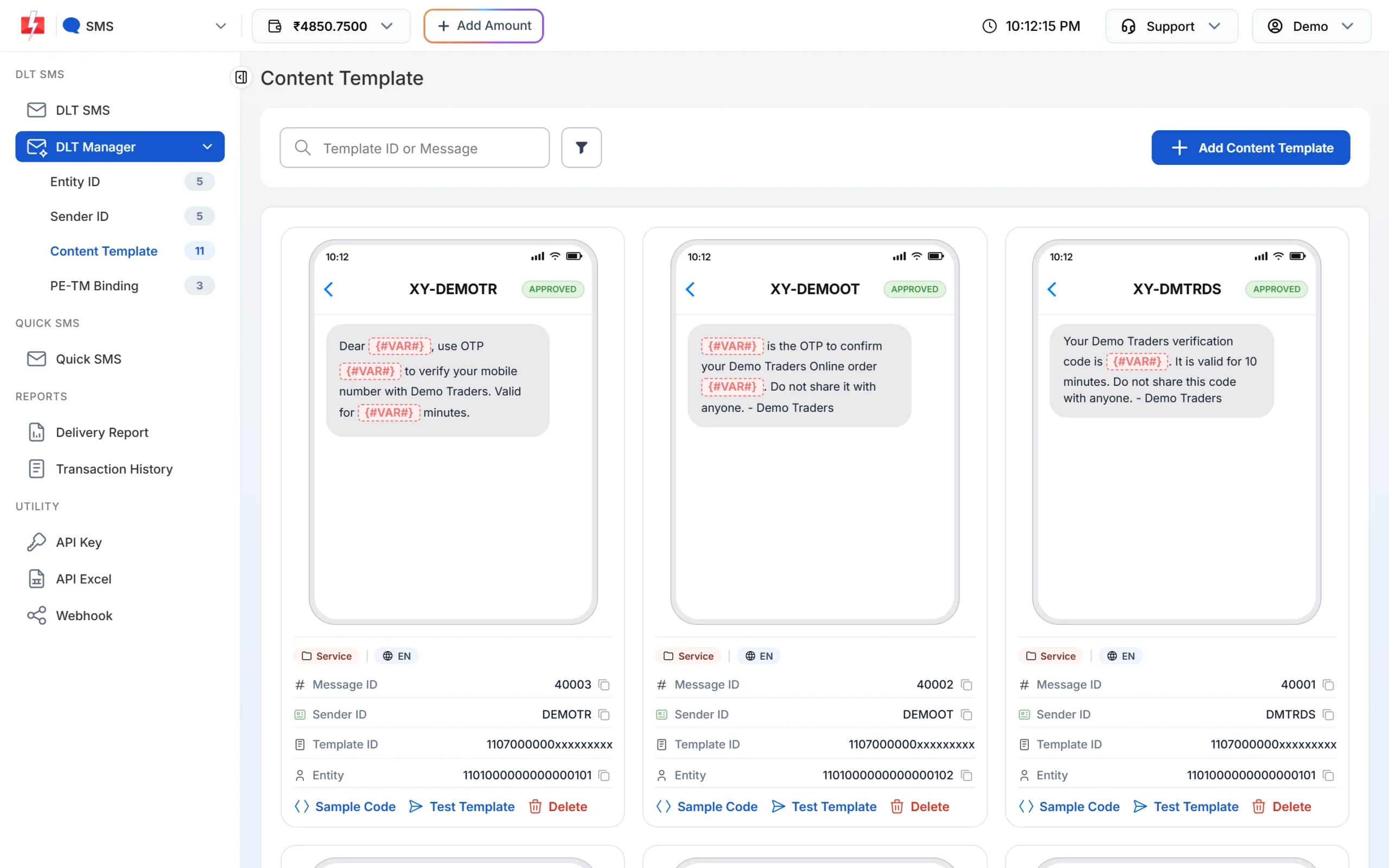
Order templates should show the Service badge. -
Copy the sample request
Click Sample Code on a card. The snippet already has your sender ID, the Message ID and
route=dlt. You only change the numbers and the variable values.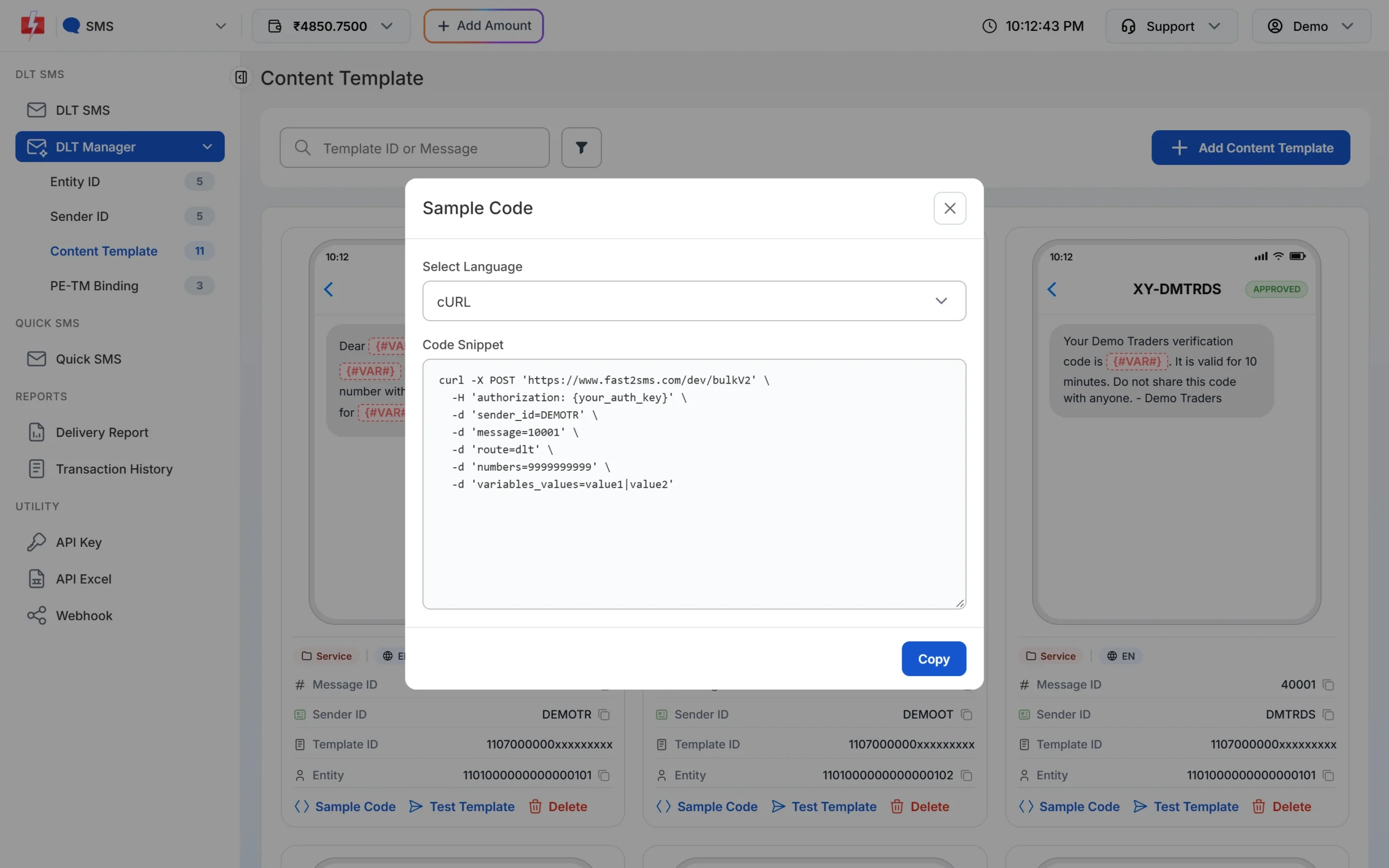
Sample Code fills in the sender and Message ID for you.
Send an update when the order status changes
Call /dev/bulkV2 with route=dlt from the code that changes the order status. Put the order number in udf1 so it comes back in the delivery report and webhook.
curl -X POST "https://www.fast2sms.com/dev/bulkV2" \
  -H "authorization: YOUR_API_KEY" \
  -H "Content-Type: application/json" \
  -d '{"route":"dlt","sender_id":"DEMOTR","message":"10001","variables_values":"Rahul|DT10458|1240|21 Nov","numbers":"9999999999","udf1":"DT10458"}'
The same idea in PHP, for any store or order system:
<?php
// Map each order status to the Message ID of its approved DLT template
const ORDER_SMS = [
    'placed'           => '10001',
    'shipped'          => '10002',
    'out_for_delivery' => '10003',
    'delivered'        => '10004',
];

function sendOrderSms(array $order, string $status): ?string
{
    $vars = match ($status) {
        'placed'           => [$order['first_name'], $order['number'], $order['total'], $order['eta']],
        'shipped'          => [$order['number'], $order['courier'], $order['awb']],
        'out_for_delivery' => [$order['number'], $order['cod_amount']],
        'delivered'        => [$order['number']],
        default            => null,
    };
    if ($vars === null) {
        return null;
    }
    $vars = array_map(fn ($v) => mb_substr(str_replace('|', ' ', (string) $v), 0, 40), $vars);

    $ch = curl_init('https://www.fast2sms.com/dev/bulkV2');
    curl_setopt_array($ch, [
        CURLOPT_POST           => true,
        CURLOPT_RETURNTRANSFER => true,
        CURLOPT_TIMEOUT        => 15,
        CURLOPT_HTTPHEADER     => ['authorization: ' . getenv('FAST2SMS_API_KEY'), 'Content-Type: application/json'],
        CURLOPT_POSTFIELDS     => json_encode([
            'route'            => 'dlt',
            'sender_id'        => 'DEMOTR',
            'message'          => ORDER_SMS[$status],
            'variables_values' => implode('|', $vars),
            'numbers'          => $order['phone'],
            'udf1'             => $order['number'],
        ]),
    ]);
    $res = json_decode((string) curl_exec($ch), true);
    curl_close($ch);

    if (($res['return'] ?? false) === true) {
        return $res['request_id'];   // save it on the order
    }
    error_log('Order SMS failed for ' . $order['number'] . ': ' . json_encode($res));
    return null;
}- Send the SMS after the status change is saved, ideally from a background job, so a slow network never blocks checkout.
- Save the
request_idon the order and do not send the same status twice. Do not retry automatically after a timeout, because the SMS may already be on its way. - Each variable value is cut to 40 characters. Keep names and courier names short.
- Always check
return. A low balance can come back as HTTP 200 with"return": false.
Track whether customers got the update
- Webhook (recommended): in Webhook, SMS, add a webhook with your URL. Fast2SMS posts
request_id,mobile,status(delivered or failed),status_descriptionand yourudf1order number. Webhooks fire for API sends when the report arrives within 24 hours. - DLR API:
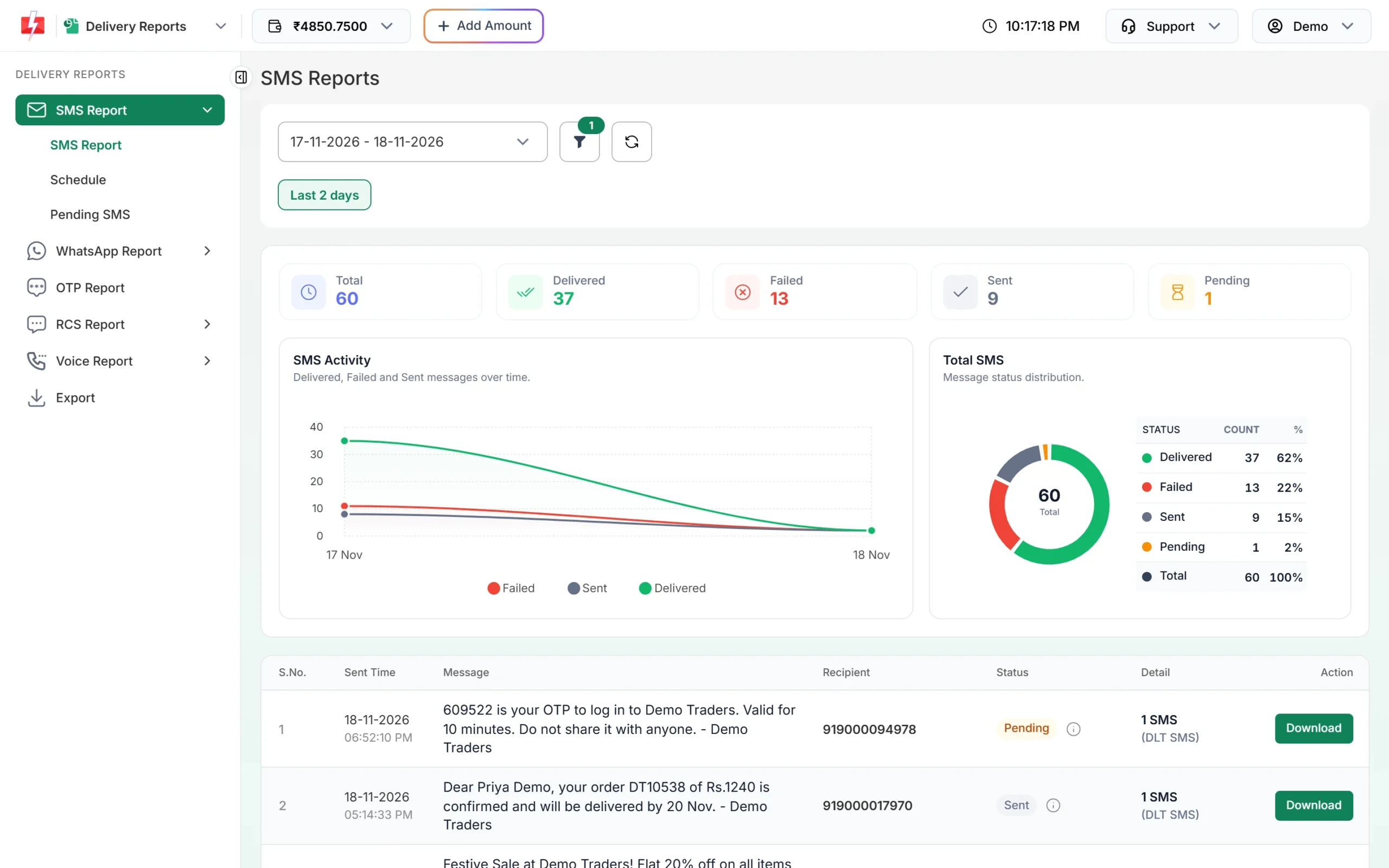
GET /dev/dlr/{request_id}returns Delivered, Failed or Sent for up to 7 days. Use either the webhook or the DLR API, not both, because reading the DLR by API can stop the webhook for those rows. - Panel: Delivery Report shows every SMS with its status; search by request ID or mobile.
Rules to keep in mind
- Timing: transactional (Service Implicit) templates go out at any hour. If a template is Service Explicit / Promotional, or the sender is numeric, SMS sent late at night are held until the next morning.
- Links: tracking links in the SMS must match what your DLT template allows, and links and call-back numbers generally need to be whitelisted on your DLT portal. Test one before going live.
- Charges: plan rate times SMS parts. Up to 160 English characters is 1 part. Hindi and other Unicode text is 1 part up to 70 characters. Failed DLT SMS are not refunded automatically. See the bulk SMS pricing page for current rates.
- Numbers: send 10-digit Indian mobiles. A leading 91 is removed. Invalid numbers are skipped.
Common problems and fixes
- Error 424 Invalid Message ID: you used the 19-digit DLT Template ID, or the template is not linked to the sender.
- Error 406 Invalid Sender ID: the sender ID case does not match DLT Manager.
- Customer got two “shipped” SMS: your hook ran twice (status saved twice, or a job retry). Store the request ID per status and skip if it exists.
- SMS failed at the operator: the text did not match the DLT template, or a link is not whitelisted. Check the reason in the delivery report.
- Webhook not firing: it fires only for API sends, needs a public URL and must match the entity you chose.
Frequently asked questions
Are order update SMS transactional or promotional?
They are service messages. Register them as transactional / Service Implicit templates, and keep offers out of them.
Can I send order updates on WhatsApp too?
Yes. Use a WhatsApp utility template with the WhatsApp API for customers who prefer WhatsApp, and keep SMS for everyone.
How many templates do I need?
One per message type, for example placed, shipped, out for delivery, delivered and cancelled. Each gets its own Message ID.
Can I include a tracking link?
Yes, if your DLT template allows a link in that place and the link is whitelisted as your DLT portal requires.
Do I need a plugin for WooCommerce or Shopify?
You can use the Fast2SMS plugins for those platforms, or call the API yourself as shown here if you have a custom store.
What if my wallet runs out?
Sends fail with status_code 416. Watch the balance with the wallet API or the low balance notification in API Security.