
You can add mobile number OTP verification to a Shopify store with a theme section from the Fast2SMS OTP widget kit. Customers type their number, get a code by SMS or WhatsApp through Smart OTP, and the box confirms the number. One limit matters before you start: Shopify’s own forms cannot check the OTP token, so on those forms the check happens in the browser only. This guide shows the setup and how to enforce verification where it matters.
Download the Shopify OTP widget example (zip)Download .zip
Download the complete OTP widget kit (zip)Download .zip
How it works on Shopify
Shopify themes cannot run server code, and the Fast2SMS API key must never be in a theme. So the backend runs somewhere else:
- The theme section shows the OTP box and posts to your backend, for example
https://otp.yourstore.com/f2s-otp. - The backend holds the API key and the OTP ID, checks its limits and calls Fast2SMS Smart OTP.
- After the right code, the browser gets a signed, one-time token.
The Cloudflare Worker backend from the full kit is the easiest choice, and its free tier works. Any other backend in the kit works too (see the OTP widget overview).
Before you start
- A Fast2SMS account with wallet balance.
- An approved DLT OTP template, or a WhatsApp Authentication or Utility template.
- Access to Online Store > Themes > Edit code in Shopify admin.
- A Cloudflare account (or another host) for the backend.
Set up OTP on your Shopify store
-
Create a Smart OTP template and copy its OTP ID
In the Fast2SMS panel, open Smart OTP > OTP Template List and click Add OTP Template. Pick SMS Channel with your approved DLT OTP template, or WhatsApp Channel with an approved Authentication or Utility template. You can add a fallback on the other channel. Then copy the 10-character OTP ID from the card. It decides the channel, the template and the fallback for every code the widget sends.
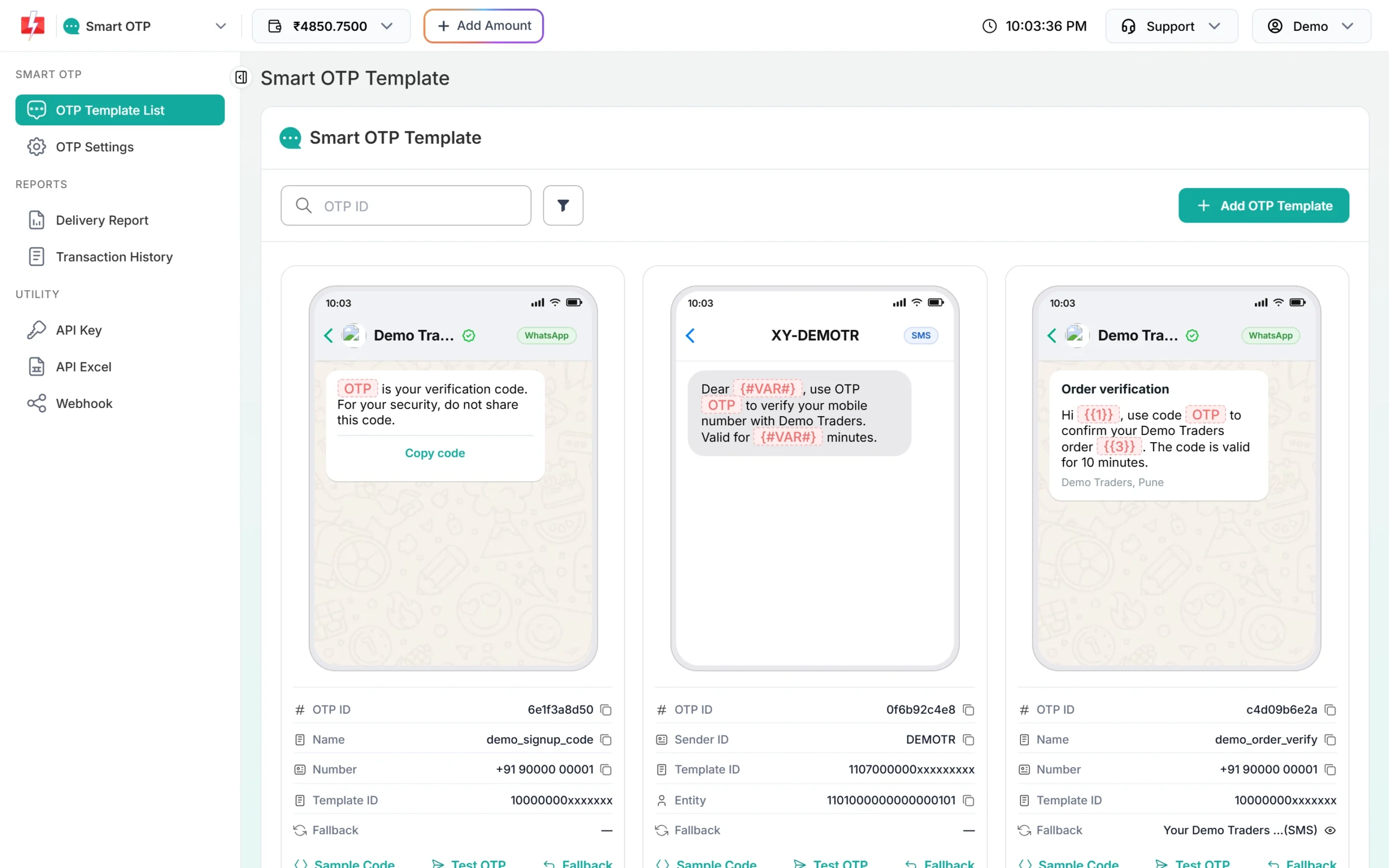
Copy the OTP ID from the template card. -
Deploy the backend with your key and store domains
Deploy the Cloudflare Worker backend from the full kit. Copy your key from API Key under UTILITY in the panel and set:
# secrets FAST2SMS_API_KEY=YOUR_API_KEY F2S_TOKEN_SECRET=at-least-32-random-characters # settings F2S_OTP_ID=YOUR_OTP_ID F2S_ALLOWED_ORIGINS=https://www.yourstore.com,https://yourstore.myshopify.comF2S_ALLOWED_ORIGINSmust list every domain your store opens on, so the backend accepts requests from your store pages and refuses other sites.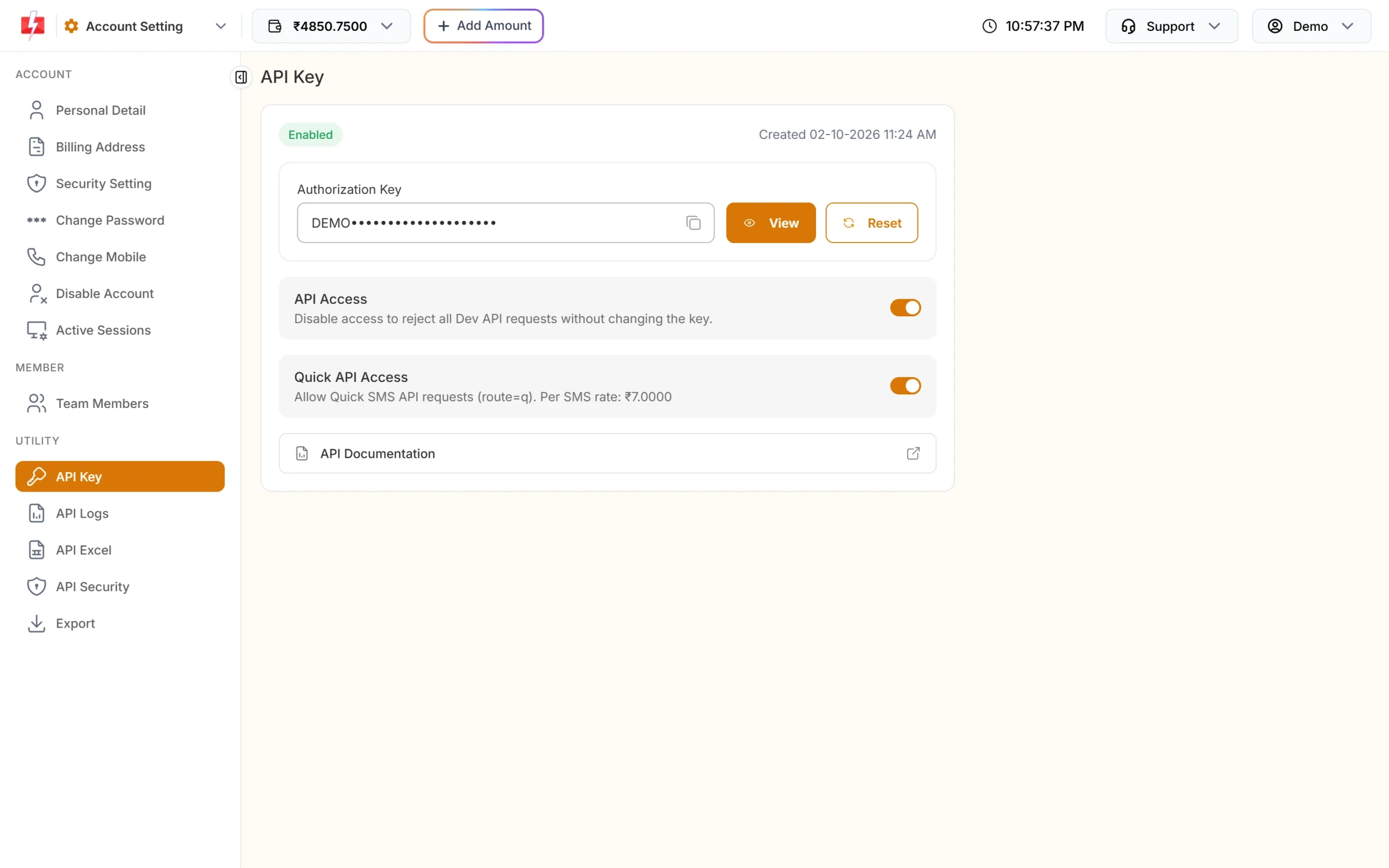
The key goes into your backend settings only. -
Add the files to your theme
In Shopify admin, open Online Store > Themes, then Edit code on your theme:
- Upload
assets/f2s-otp-widget.min.jsas a new asset. - Add
sections/f2s-otp.liquidas a new section. - Optional: add
snippets/f2s-otp-protect.liquidas a new snippet.
- Upload
-
Add the OTP verification section
Open the theme editor (Customize), click Add section and pick OTP verification. Set Backend URL to your backend, for example
https://otp.yourstore.com/f2s-otp. The section also has settings for the heading, an optional OTP ID, the button text, the text shown after verification, the button colour and spacing.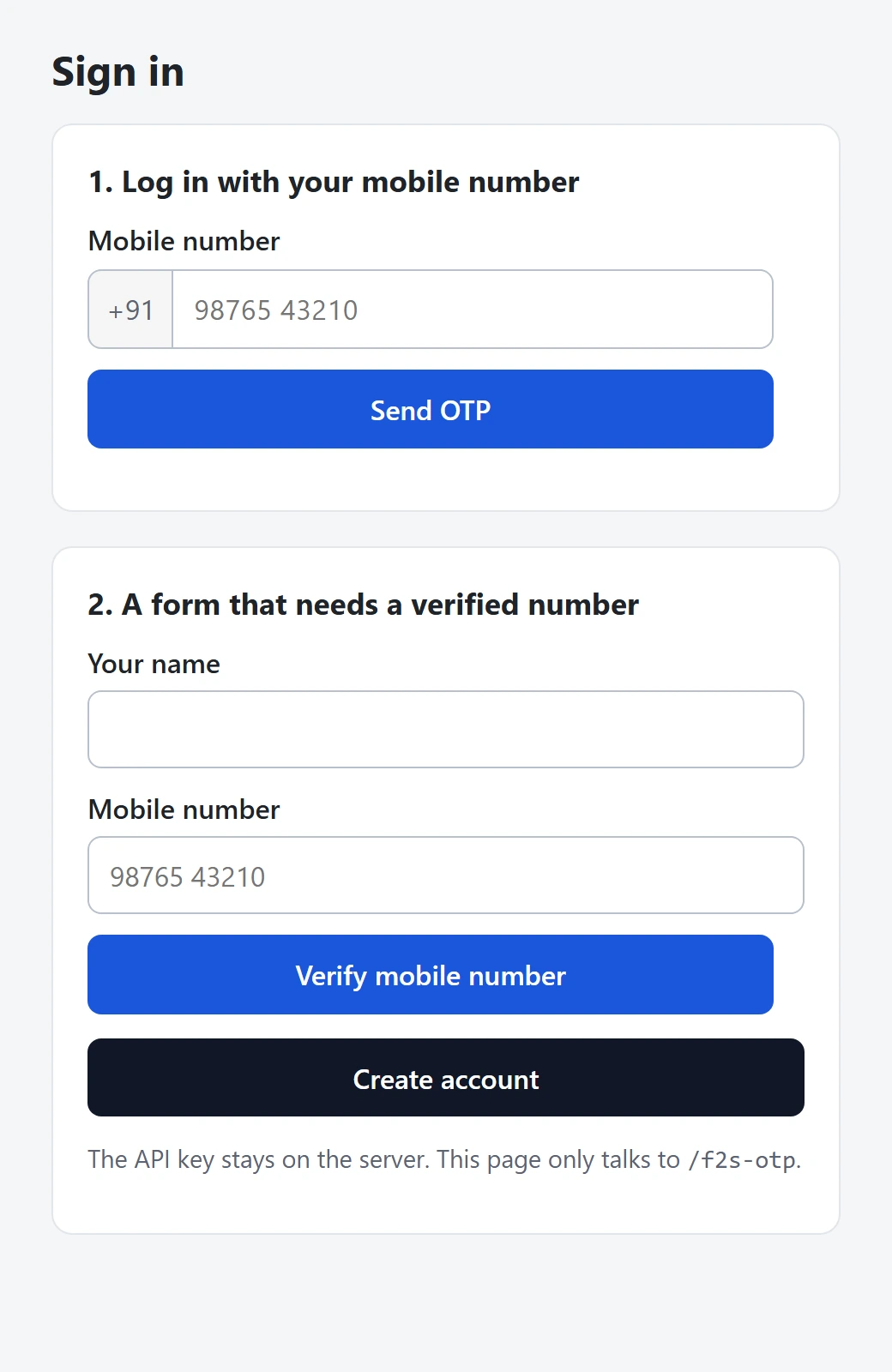
The same widget box, shown here on a plain test page, not in a Shopify theme. -
Optional: make a theme form wait for OTP
Render the snippet after a form, for example in the register template:
{% render 'f2s-otp-protect',
   form_selector: '#create_customer',
   endpoint: 'https://otp.yourstore.com/f2s-otp',
   mobile_field: 'customer[phone]' %}
The form then cannot be submitted until the number is verified. Read the next section before you rely on it.
What this does and does not stop on Shopify
f2s_token. On those forms, the snippet only stops normal visitors who skip verification. It does not stop a bot that posts to Shopify directly.To enforce verification:
- Post the form to your backend instead of to Shopify.
- Check the token there with the kit’s
verifyTokenhelper. - Then create the customer or save the lead with the Shopify Admin API.
For a discount code or gated content, have your backend check the token before it returns the code. Never print the code in the theme where anyone can read it.
If you build a Shopify app, you can serve the backend under your store’s own domain with a Shopify App Proxy (/apps/f2s-otp). Then the box and the backend are on one origin and you need no CORS setting.
Limits and cost
The backend checks these before any paid call. On Cloudflare, the counters in Workers KV are approximate under heavy parallel load; for hard limits, add a Cloudflare WAF rate-limiting rule.
| Backend setting | Default | What it does |
|---|---|---|
F2S_RESEND_WAIT |
30 seconds | Wait between two sends to one number. |
F2S_LIMIT_PER_NUMBER |
5 per hour | Sends to one mobile number. |
F2S_LIMIT_PER_IP |
20 per hour | Sends from one IP address. |
F2S_LIMIT_VERIFY_PER_IP |
60 per hour | Verify calls from one IP address. |
F2S_MAX_VERIFY |
5 | Wrong codes allowed for one code. |
F2S_TOKEN_TTL |
600 seconds | How long the verified token lasts. |
F2S_CAPTCHA |
off | turnstile or recaptcha, with F2S_CAPTCHA_SECRET. |
Resend sends the same code again. Fast2SMS allows it within 10 minutes of the first send, up to 5 sends in total. Sending a fresh code for a number cancels the older code. If the template has a fallback and the first channel fails, Fast2SMS sends the same code once on the other channel.
Each send and each resend is charged at your Smart OTP rate. Verify is free. If a fallback message goes out on the second channel, that message is charged too, and so is a Test OTP from the template card, because it is a real send. See the current rates on the Smart OTP page.
Sending in bulk? For high OTP volumes our team offers discounted rates. Talk to our team or see OTP pricing.
Test status
Frequently asked questions
Can I add OTP verification to Shopify without an app?
Yes. The OTP box is a theme section, and the backend runs outside Shopify, for example as a Cloudflare Worker. You do not need to build a Shopify app.
Will OTP stop fake registrations on Shopify?
It stops normal visitors who skip the OTP. It cannot stop bots that post to Shopify’s register form directly, because Shopify cannot check the token. To enforce it, post the form to your backend, check the token and create the customer with the Admin API.
Can I use OTP for cash on delivery orders?
You can verify the number with this widget, but Shopify checkout itself is not changed by a theme section. For order confirmation by OTP, see the COD guide linked below.
Where do I put my Fast2SMS API key?
Only in the backend’s secrets, for example the Worker secret FAST2SMS_API_KEY. Never in Liquid, theme settings or metafields.
Why does the box say the page is not allowed?
Your store domain is missing from F2S_ALLOWED_ORIGINS. Add every domain the store opens on, including the myshopify.com one.
Does Resend send a new code?
No. Resend sends the same code again, within 10 minutes and up to 5 sends in total. Each resend is charged.
Related guides
- Smart OTP in Fast2SMS: set up OTP on SMS and WhatsApp with fallback
- Confirm COD orders with OTP to cut fake orders (Fast2SMS Smart OTP)
- Bulk SMS and WhatsApp for E-commerce and D2C Brands: Templates and Setup
- OTP fraud and SMS pumping: how to protect your OTP form and wallet
- OTP verification for signup forms: verify mobile numbers before creating accounts