
The Voice Report in Fast2SMS shows the result of every bulk voice call: Answered, No Answer, Busy, Failed, DND or Pending, with the call length, pulses and charge for each number. Only answered calls are charged, at 15-second pulses. Everything held for unanswered, busy, failed and DND calls is refunded to your wallet automatically after the campaign.
This guide explains each call status, how voice call billing works, how refunds reach your wallet and how to download a campaign report.
How to check your voice call report
-
Open Voice Report
Click Delivery Report, then Voice Report. The page opens on the last 2 days. Use the filter to choose another date range, a status, a campaign type (Simple, Key Press or Call Patch), the source (panel or API), a campaign name or a mobile number. The cards show Total Calls, Answered, No Answer, Busy, Failed, DND and Pending.
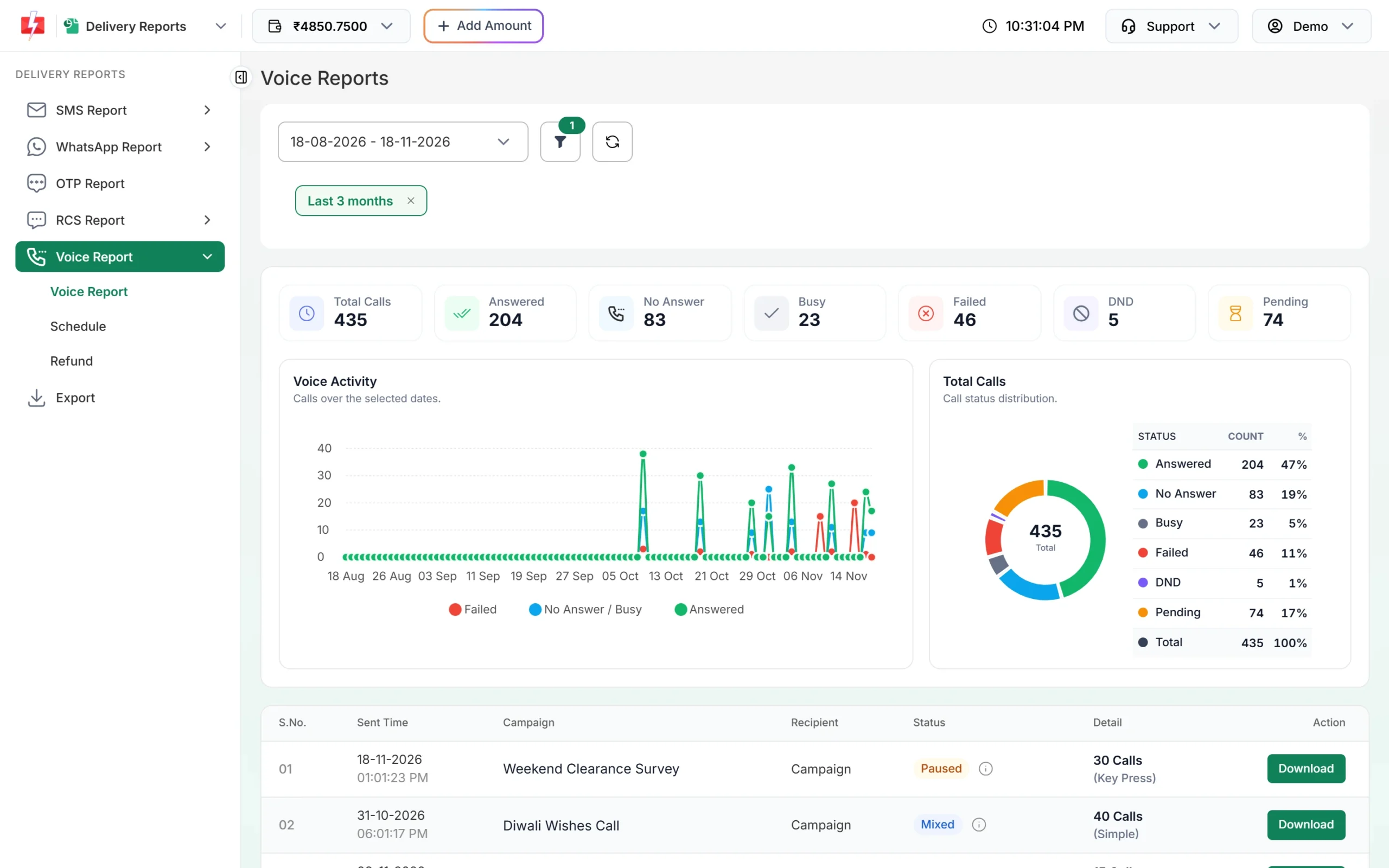
All voice campaigns for the selected dates. -
Read the campaign row
Each row shows Sent Time, Campaign, Status, Detail (for example “30 Calls (Key Press)”) and a Download button. Hover the (i) icon next to the status to see the breakdown of that campaign.
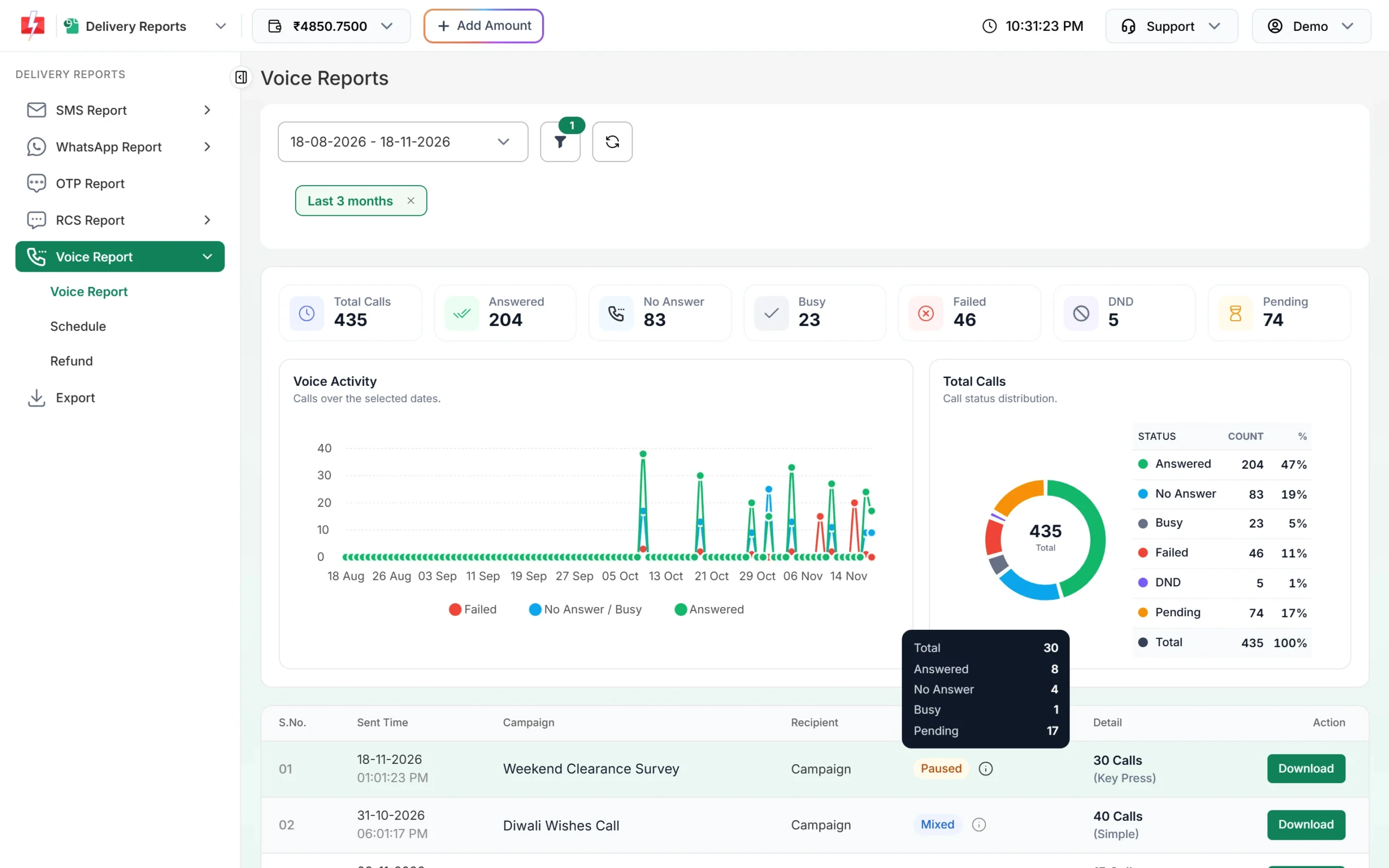
The (i) icon shows the count for each status. -
Open a campaign for every number
Click a row to see the campaign detail: Request ID, a status chart, Total Pulses, Cost per Pulse, Charged and Refunded. The Receivers table lists each number with Status, Description, Process Time, Duration, Pulses and Charge. Key Press campaigns add the key pressed; Call Patch adds the agent and recording.
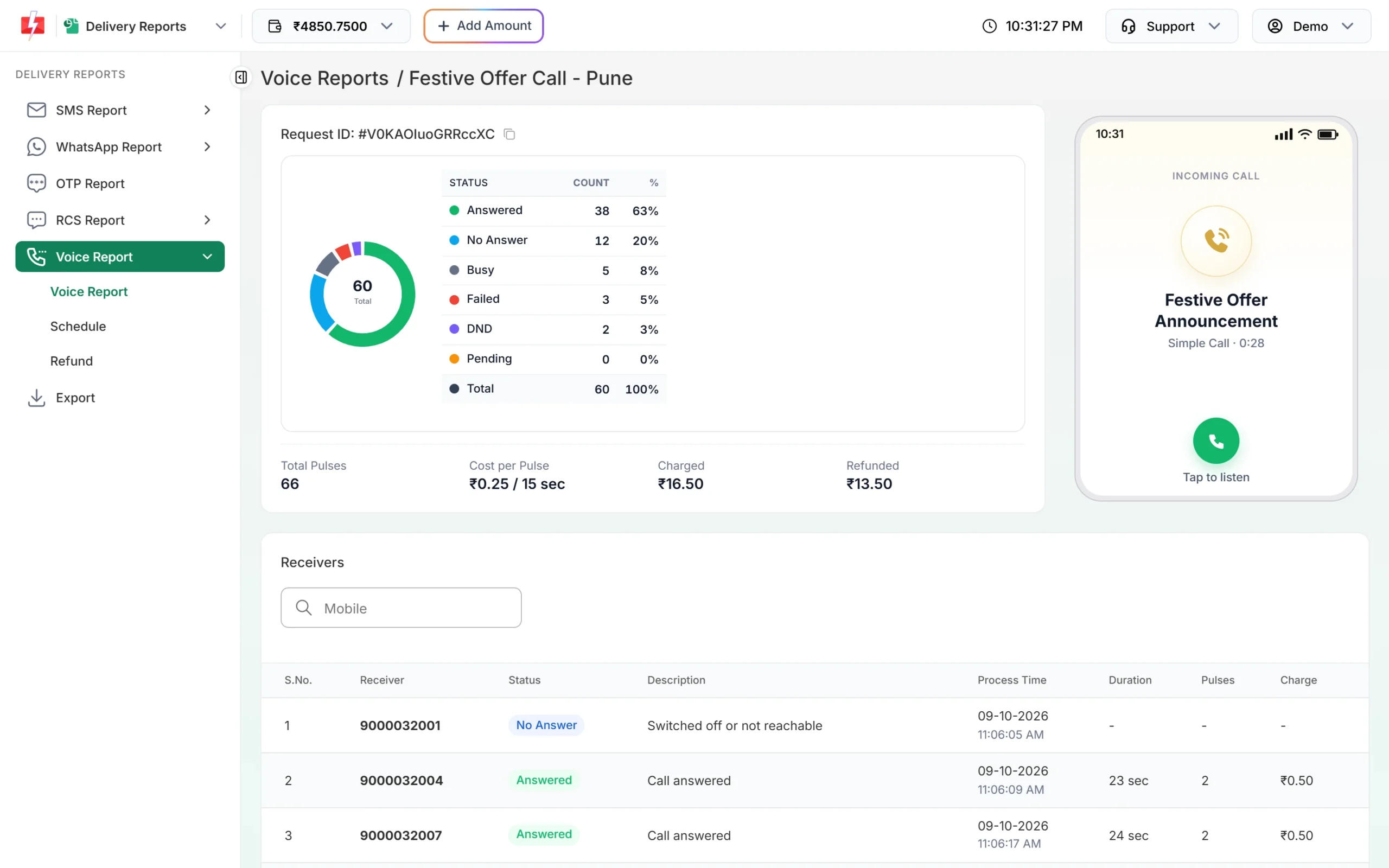
Charged and refunded amounts for one campaign. -
Download the report
Click Download on the campaign row to get an Excel file with Mobile, Status, Start Time, End Time, Duration (sec), Pulses, Charge (Rs) and Reason for every number, plus Key Pressed and Agent where they apply.
What does each voice call status mean?
| Status | Meaning | Charged? |
|---|---|---|
| Answered | The person picked up. Description says “Call answered”, or for Call Patch “Connected to agent”, “Agent did not answer”, “Agent busy” or “Agent not connected”. | Yes, per pulse |
| No Answer | The call was not picked up. Description often says “Not answered” or “Switched off or not reachable”. | No |
| Busy | The line was busy (“Number busy”). | No |
| Failed | The call could not connect, for example “Invalid number”, “Network error, call not connected”, “Call failed” or “Campaign not submitted”. | No |
| DND | “DND number: not called by operator”. The number is on the DND registry. | No |
| Blacklisted | The number is in your voice blacklist and was not called. | No |
| Pending | The call is queued or the result has not come back yet. | Held until the result |
The Description column gives the exact reason for each number. “Call rejected” means the person declined the call. A campaign row can also show Scheduled, Sending, Running, Paused, Cancelled or Failed, and when finished: Answered (all calls answered), Not Answered (none answered) or Mixed.
How is a voice call charged?
Voice calls are charged in pulses of 15 seconds, only when answered. Any part of a pulse counts as a full pulse, so a 23-second call is 2 pulses. At the time of writing the rate is ₹0.25 per pulse; see the voice call page for the current rate.
Sending in bulk? For high voice call volumes our team offers discounted rates. Talk to our team or see voice call pricing.
- When you send, an estimate is held from your wallet for every valid number, based on the voice file length (plus wait time for Key Press). It appears as “Voice Call (N Calls)”.
- For Call Patch, a fixed amount per number is held because the talk time is not known. Both the caller’s time and the agent’s talk time are charged.
- After the campaign, only answered calls are charged. A Simple or Key Press call is never charged more than the estimate plus 1 pulse.
When do I get the refund for unanswered calls?
Once the operator’s results for the campaign are in, the campaign is settled and the unused amount is credited automatically about 1 hour after the campaign finishes, as “Unanswered Voice Call Refund (N Calls)”. If results for some numbers never arrive, the campaign is settled after 48 hours and those numbers are not charged.
A campaign that is cancelled or could not start is refunded in full at once.
-
If a campaign failed
The campaign detail shows a warning with the reason, for example “A voice file of this campaign is not approved by the operator. The full amount has been refunded to your wallet.” Every number shows Failed and nothing is charged.
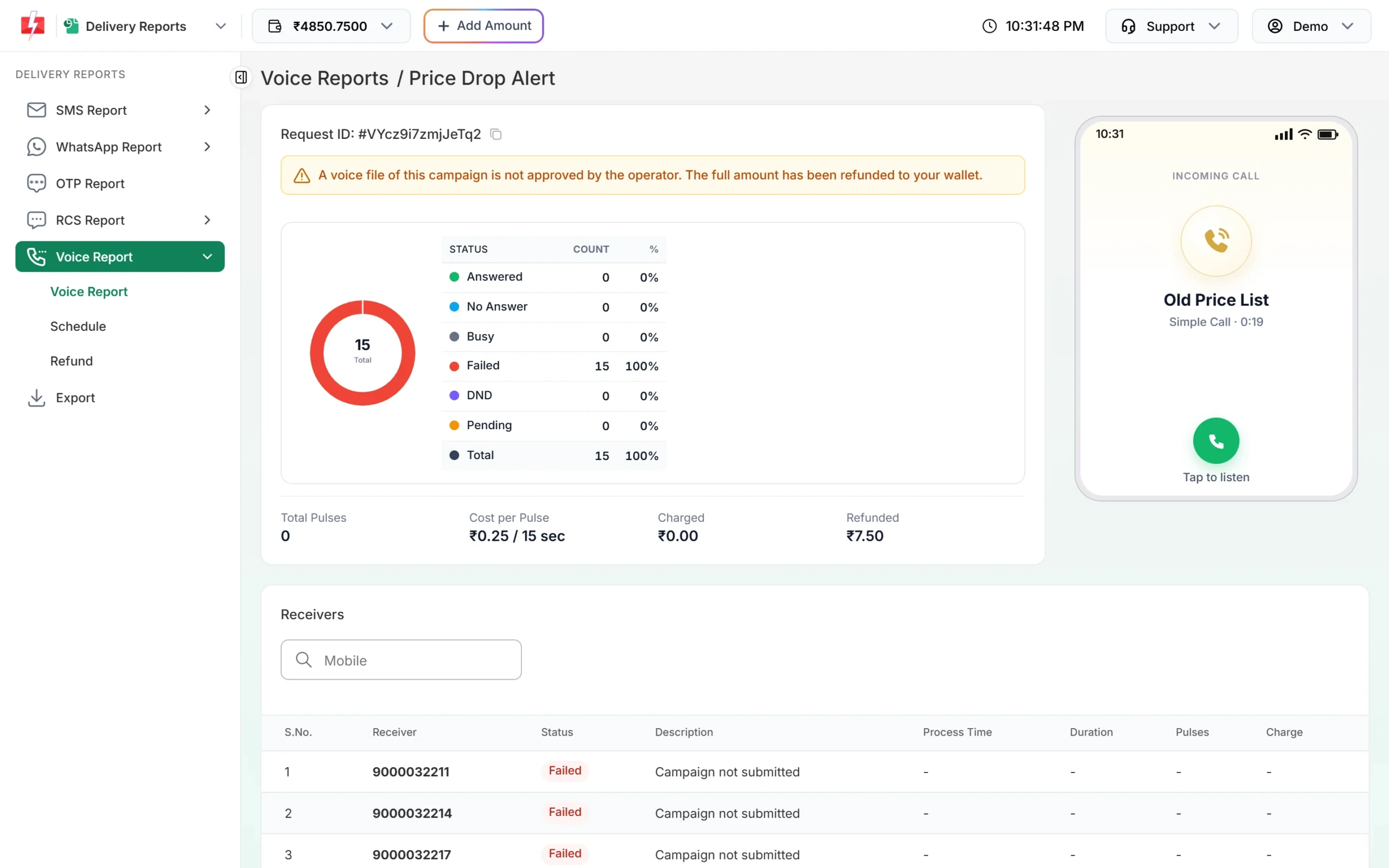
A failed campaign is refunded in full. -
Cancel a scheduled campaign
Go to Voice Report > Schedule. Each scheduled campaign shows its time, type, number count and the amount held. Click Cancel and confirm. The held amount is credited back to your wallet. A campaign that has just started calling can no longer be cancelled.
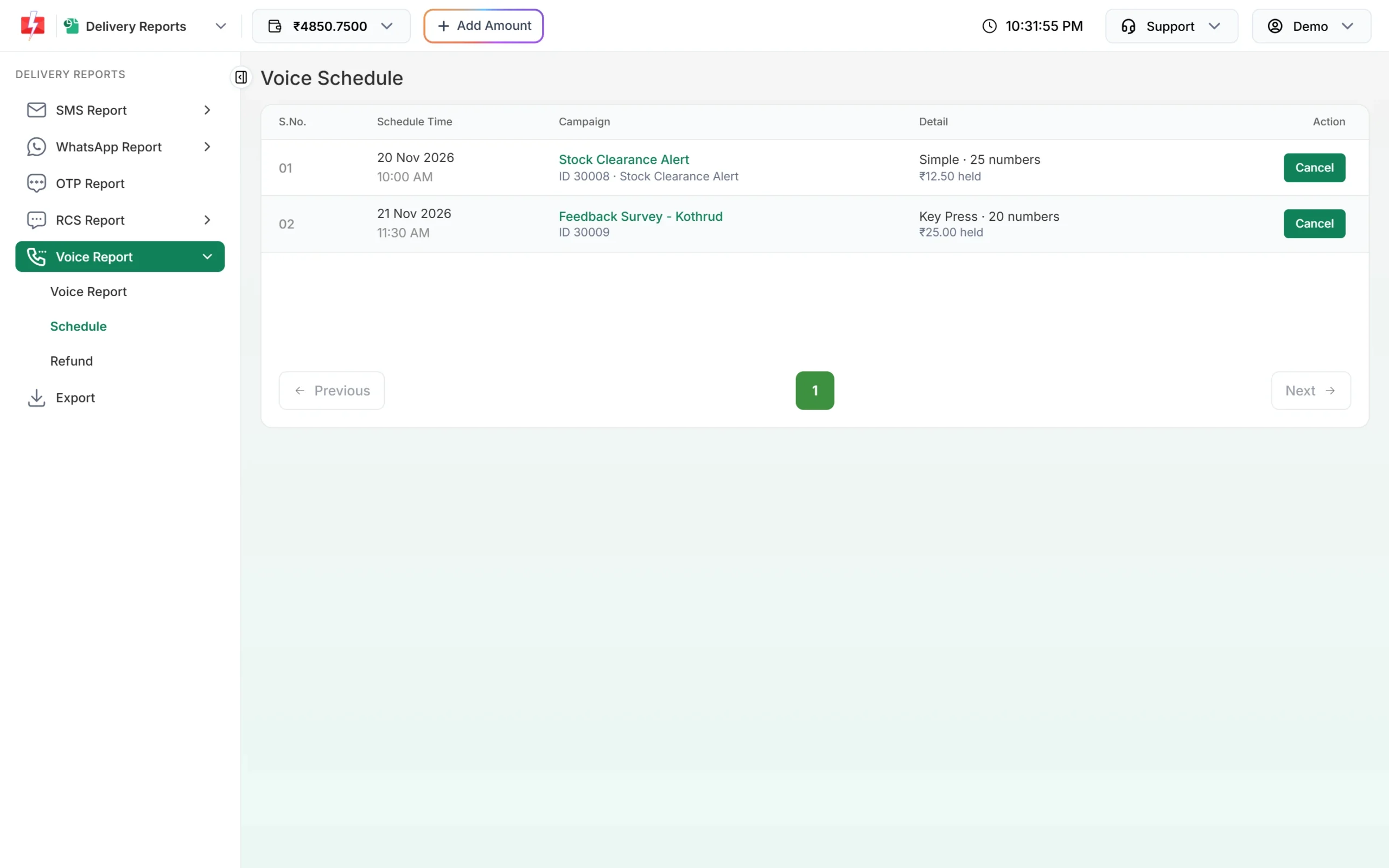
Cancel before the start time for a full refund. -
See refunds by month
Open Voice Report > Refund and pick a month. The cards show Total Calls, Amount Debited, Amount Refunded and Net Amount. Each row is a campaign or a voice file upload with its Total, Unanswered, Debited, Refunded and final Amount. Click Export CSV to save it.
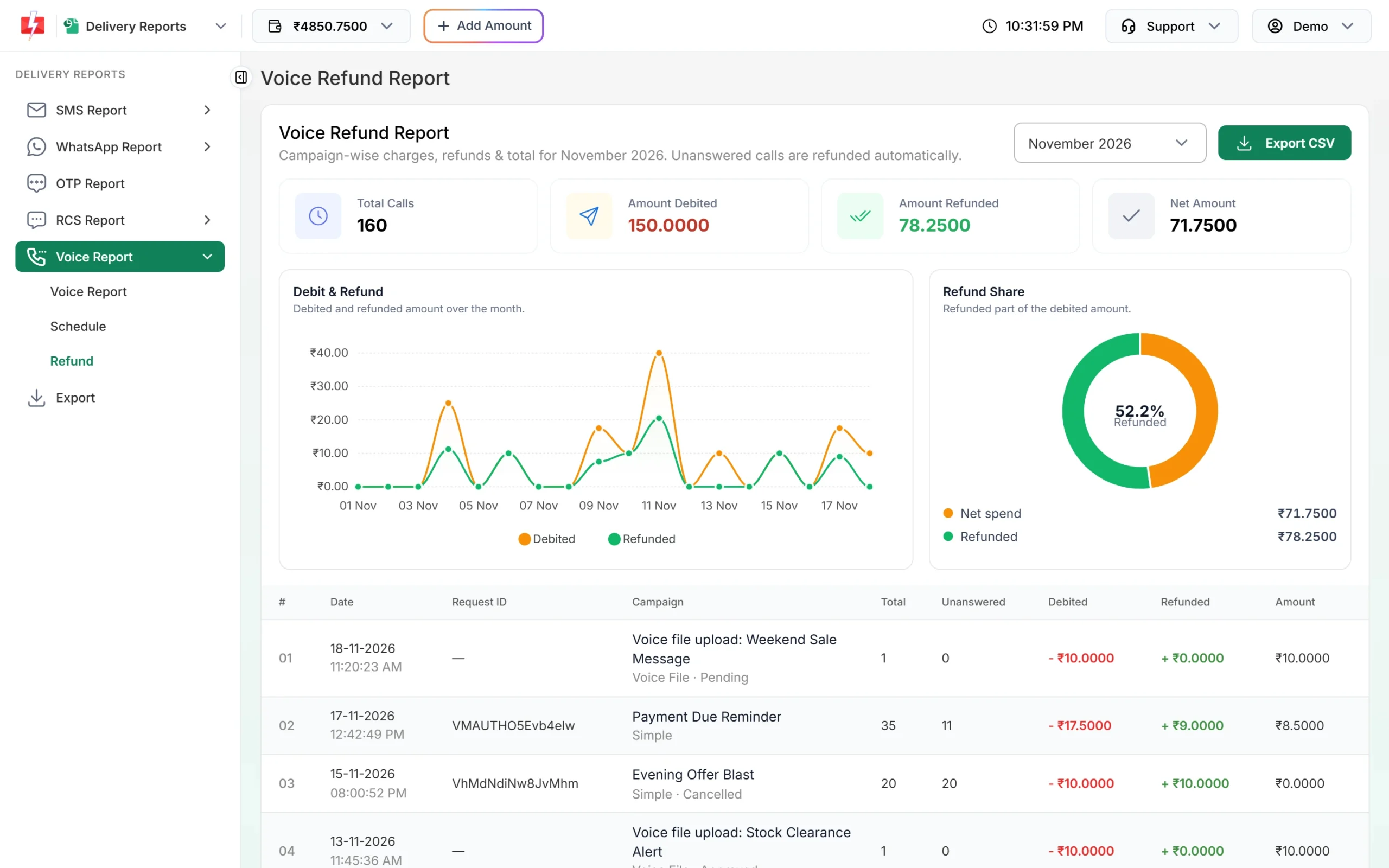
Campaign-wise charges and refunds for the month. -
Match it with your wallet
In Transaction History > Voice, sends appear as “Voice Call (N Calls)” debits, refunds as “Unanswered Voice Call Refund (N Calls)” or “Voice Call Refund (N Calls)” credits, and file uploads as “Voice File Upload Fee”.
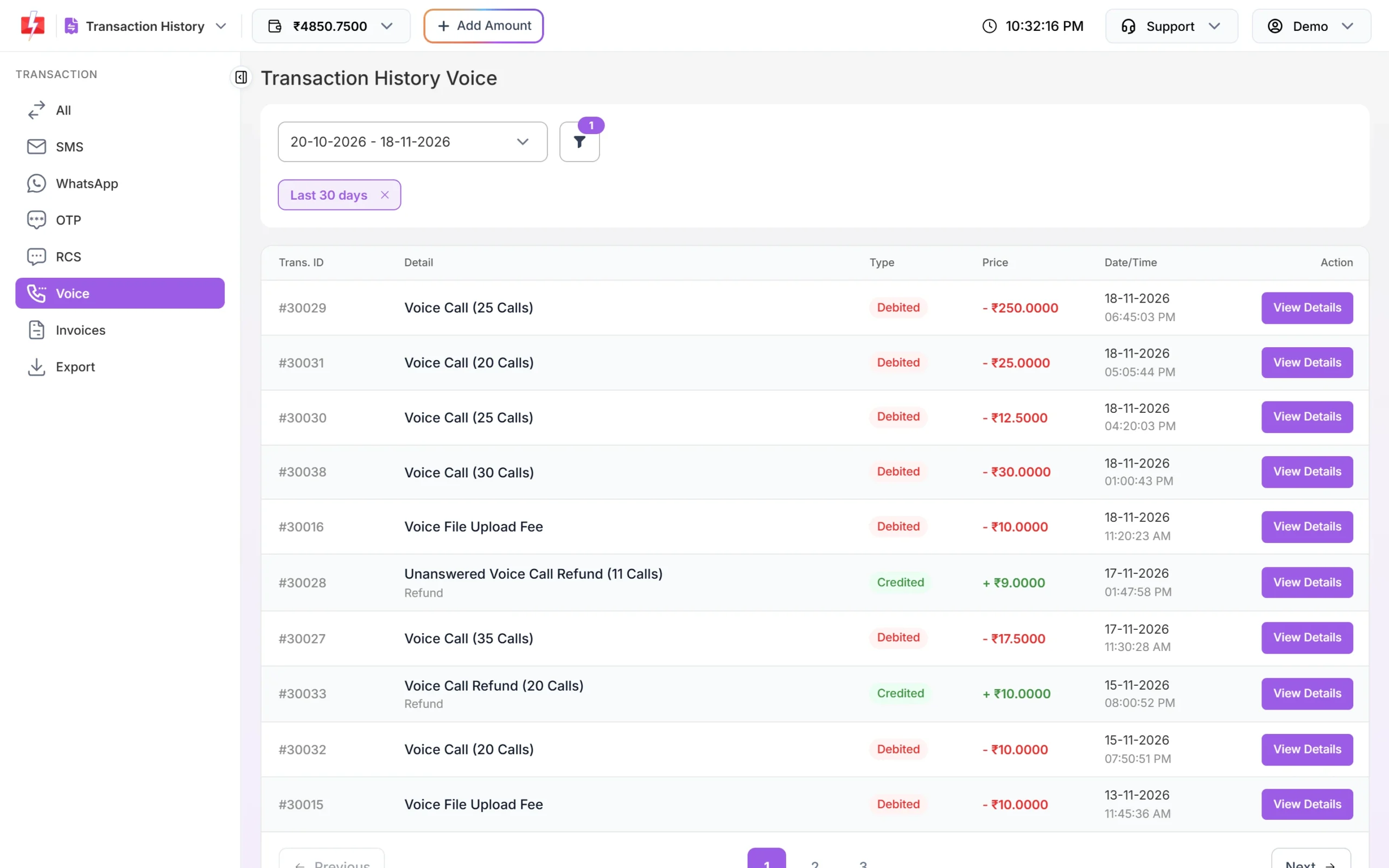
Voice debits and refunds in your wallet history.
Long Call Patch talks: If an agent talks longer than the amount held, the extra is charged after the call as “Voice Call Extra Talk Time” and can take your wallet below ₹0. Running campaigns then pause until you recharge, and a scheduled campaign is cancelled with a full refund. Keep some balance when you run Call Patch.
Frequently asked questions
What is a pulse in voice calls?
A pulse is a 15-second block of answered call time. A call of 1 to 15 seconds is 1 pulse, 16 to 30 seconds is 2 pulses, and so on.
Am I charged if the customer does not answer?
No. No answer, busy, failed, DND and blacklisted calls cost nothing, and the held amount is refunded.
Why is my voice campaign still Pending?
Calls are still going out or the operator has not sent results yet. Check again later. Pending amounts are settled when the results arrive, or after 48 hours at most.
Why was my voice campaign paused?
Campaigns pause at 9 PM, the end of calling hours, and can be resumed after 10 AM. They also pause if your wallet goes below ₹0.
Can I search one mobile number across all campaigns?
Yes. Use the Mobile Number filter in Voice Report to find that number in every campaign.
Does Fast2SMS retry unanswered calls?
No. Automatic retry is not available because the operator does not allow retries.
Can I get call results by API or webhook?
Yes. The voice report API returns results by request ID, and a voice webhook sends one update per number after the campaign is settled.