
Most OTP SMS reach the phone within a few seconds. When an OTP is delayed, the cause is usually the user’s phone or network, the wrong DLT template category, or the user asking for a new code again and again. This guide explains why OTPs get delayed and the settings that help them arrive faster, with Smart OTP and with the DLT SMS API.
Why OTPs are delayed
| Cause | What happens | Fix |
|---|---|---|
| Phone switched off, weak signal or flight mode | The operator keeps trying and delivers when the phone is back on the network | Add a WhatsApp fallback, and show a clear “resend” option in your app |
| OTP template registered as promotional, or a numeric header | Promotional DLT SMS sent at night are held and go out at about 10 AM the next morning. They also do not reach DND numbers. | Register the OTP template as Transactional and send with a letter header |
| User taps “resend” many times | With Smart OTP, each new OTP sent to a number replaces the older ones. An older SMS that arrives late will not verify. | Make the user wait before resending. Set a resend wait in OTP Settings. |
| Busy network at peak times | Operator congestion during big sales or festivals can slow delivery | Keep the OTP valid long enough, for example 10 to 15 minutes |
| Your own server is slow | The OTP request reaches Fast2SMS late, for example when your app queues it behind other jobs | Call the send API as soon as the user taps “Get OTP” |
| Sending OTP with Quick SMS | Quick SMS messages may be held for a manual check before they are sent | Never use Quick SMS for OTPs. Use Smart OTP or a DLT OTP template. |
Check where the delay happened
Before changing anything, look at one delayed OTP in the report. It tells you whether the SMS left late, failed, or reached the phone.
-
Open the OTP report and find the OTP
In the Smart OTP app, click Delivery Report. Use the filter to search by Mobile Number or Request ID, then click the message to open Delivery Details.
-
Read the status, description and process time
The Receivers table shows the number, the status with the channel (SMS or WhatsApp), the Description and the Process Time. “Delivered successfully” means the operator confirmed delivery. A status of Sent means the operator has the SMS but has not confirmed delivery yet, which usually points to the phone or network.
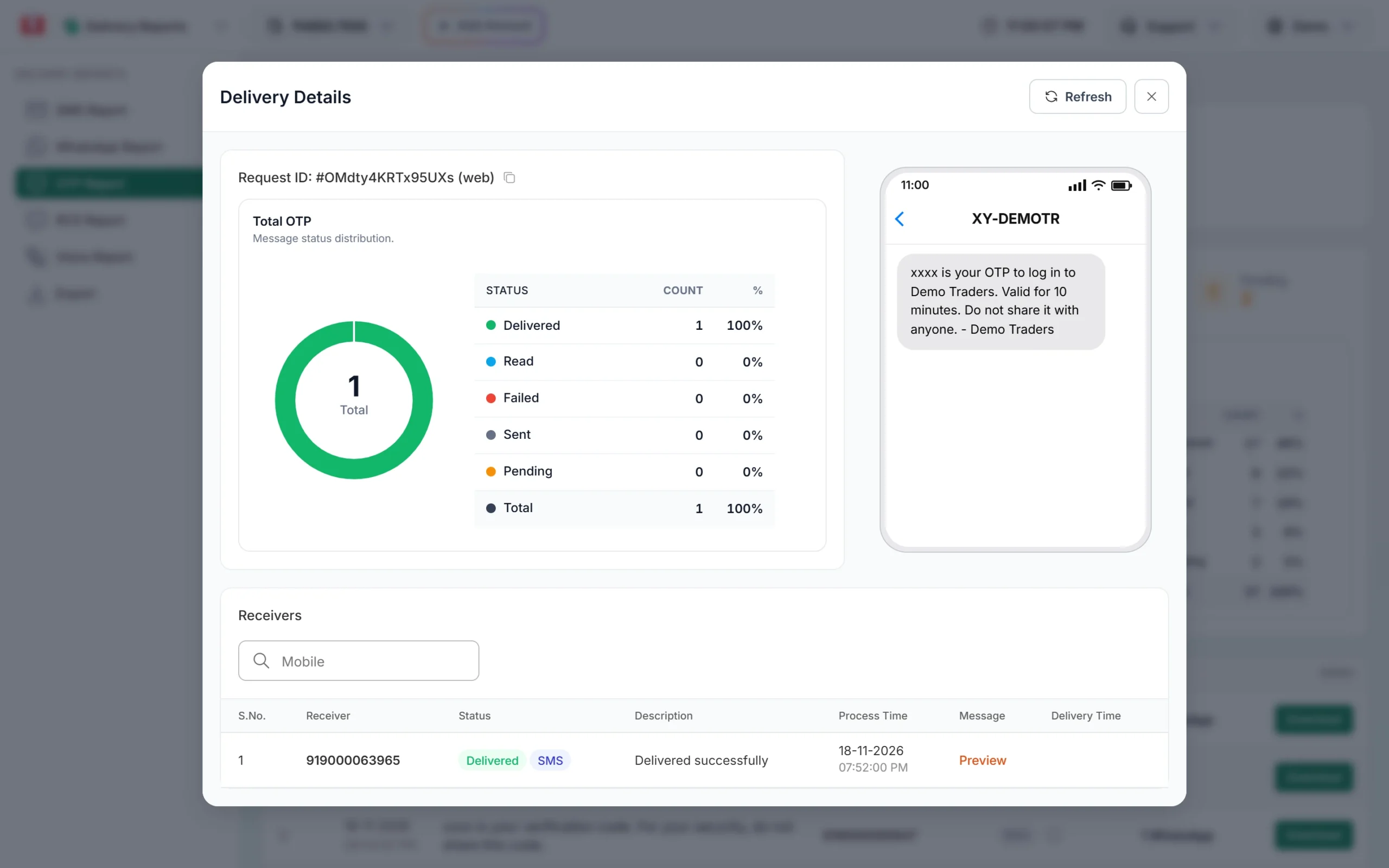
One OTP delivered by SMS. The code is masked as xxxx in the report. -
Check if the fallback was used
If the SMS failed and your template has a WhatsApp fallback, you see a second row for the same number with the WhatsApp channel. The process times show how long the switch took.
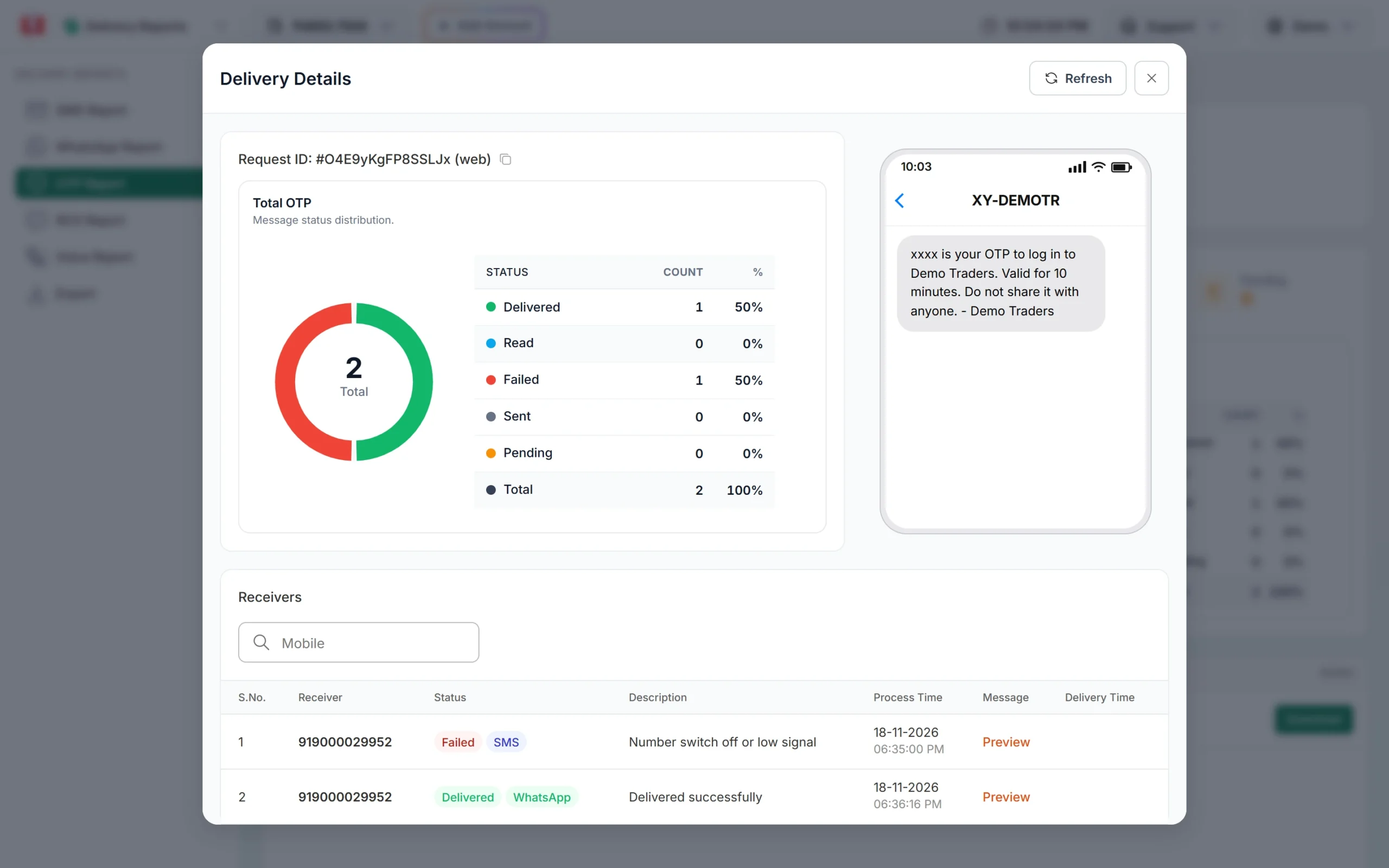
SMS failed because the phone was off. The WhatsApp fallback was delivered.
How to make OTPs arrive faster
1. Use Smart OTP
Smart OTP is our recommended way to send OTPs. It sends on a priority route, creates and verifies the code for you, and can fall back to the other channel. See the Smart OTP setup guide.
2. Register the OTP template as Transactional
Use a Transactional template with a letter header such as DMTRDS. In Fast2SMS it shows as Service Implicit. A template linked to a numeric header is treated as promotional and is held at night. See DLT OTP template rules.
3. Add a fallback on the other channel
For an SMS OTP template, add a WhatsApp fallback. If the SMS is reported failed within 120 seconds of sending, Smart OTP sends the same OTP on WhatsApp. The fallback works only when the first message fails, not when it is only slow, and it is charged like a normal send.
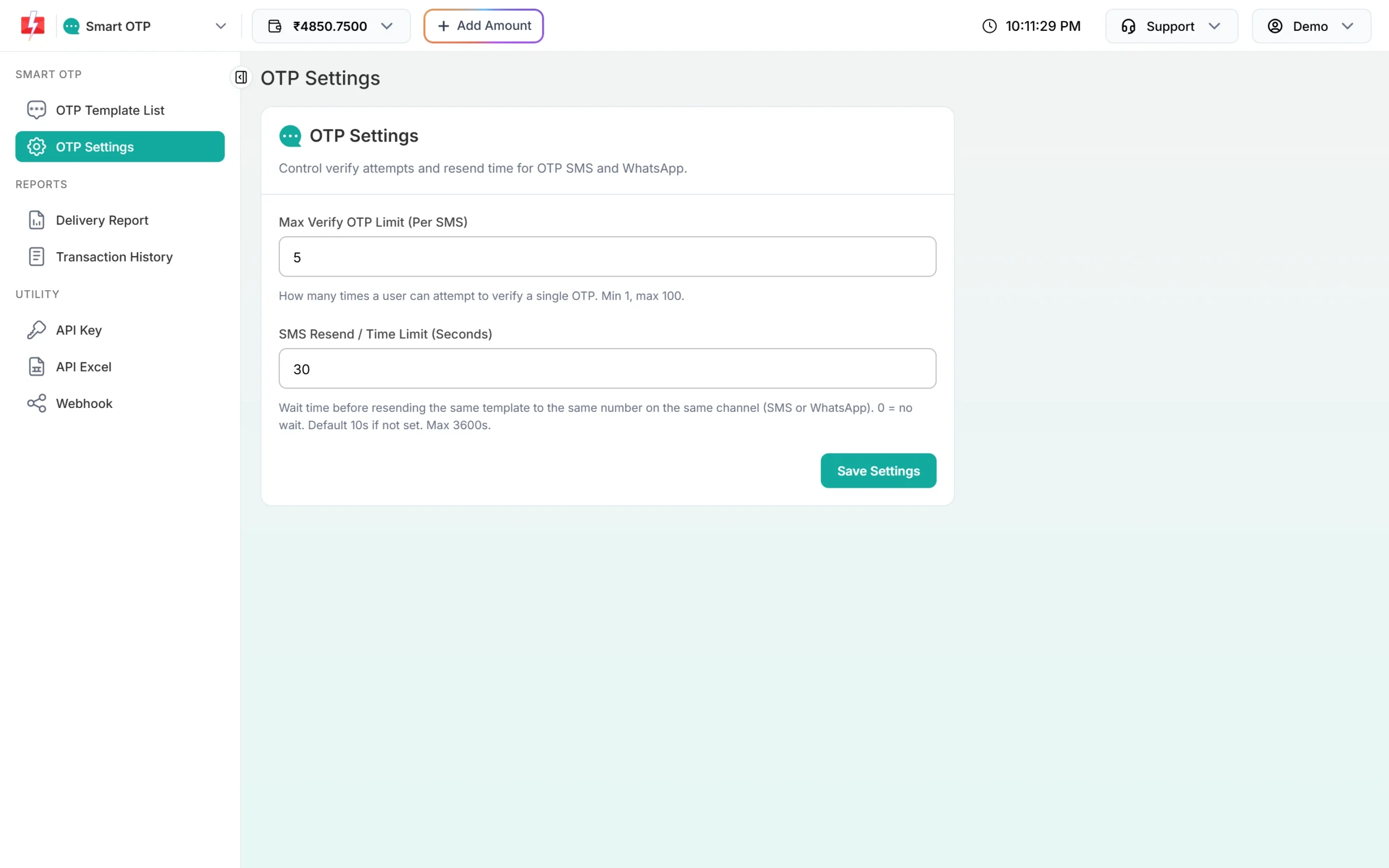
4. Set a sensible resend wait
Open Smart OTP > OTP Settings and set SMS Resend / Time Limit (Seconds). This is the wait before the same template can go to the same number again. A wait of 30 seconds or more stops users from creating a pile of codes while the first one is still on its way. In your app, show a countdown before the resend button.
When the user does ask again, call the Resend API. It sends the same code, so an SMS that arrives late still works.
5. Keep the OTP valid long enough
With Smart OTP, otp_expiry is in minutes and the default is 15. Very short expiry times make a slightly late SMS useless. Ten to fifteen minutes is a good balance.
6. Keep the message to one SMS part
A short OTP message fits in one SMS part: 160 characters in English or 70 in Hindi. It also costs less.
7. Turn on autofill
Autofill does not make the SMS arrive faster, but users finish sign-in quicker once it lands. See OTP autofill on Android and iOS.
Frequently asked questions
How long does an OTP SMS take to arrive?
Usually a few seconds when the phone is on and has signal. Delays come mostly from the phone’s network or a template in the wrong category.
Why do OTPs arrive late at night?
If the OTP template is promotional or uses a numeric header, DLT SMS sent at night are held until the next morning. Register the OTP as Transactional.
Why does the old OTP not work when it finally arrives?
With Smart OTP, a new Send to the same number cancels the older codes. Use the Resend API instead, which repeats the same code.
Does WhatsApp fallback trigger if the SMS is slow?
No. It triggers only when the SMS is reported failed within 120 seconds of sending.
Do OTPs to DND numbers get delayed?
No. Transactional OTPs reach DND numbers without delay.
Can I see when an OTP was delivered?
Yes. Open the OTP report, click the message and check the Receivers table. The export file also has a Delivery Time column.