
Fast2SMS has no single “resend” button for SMS. To send the same message again, you create a new send: pick the same DLT template on the DLT SMS page, or reuse an old text from Previous Messages on the Quick SMS page. To resend only to the numbers that failed, download the campaign report, keep the failed numbers and upload them as a new list.
Each new send is a new SMS and is charged like any other send.
Resend a DLT SMS
Open DLT SMS, choose the same Sender ID, click Select DLT Template and pick the template you used before. You can search by message text or template ID. Fill the variables again, add the numbers and click Send. The confirmation window shows the cost before anything goes out.
Reuse a Quick SMS message
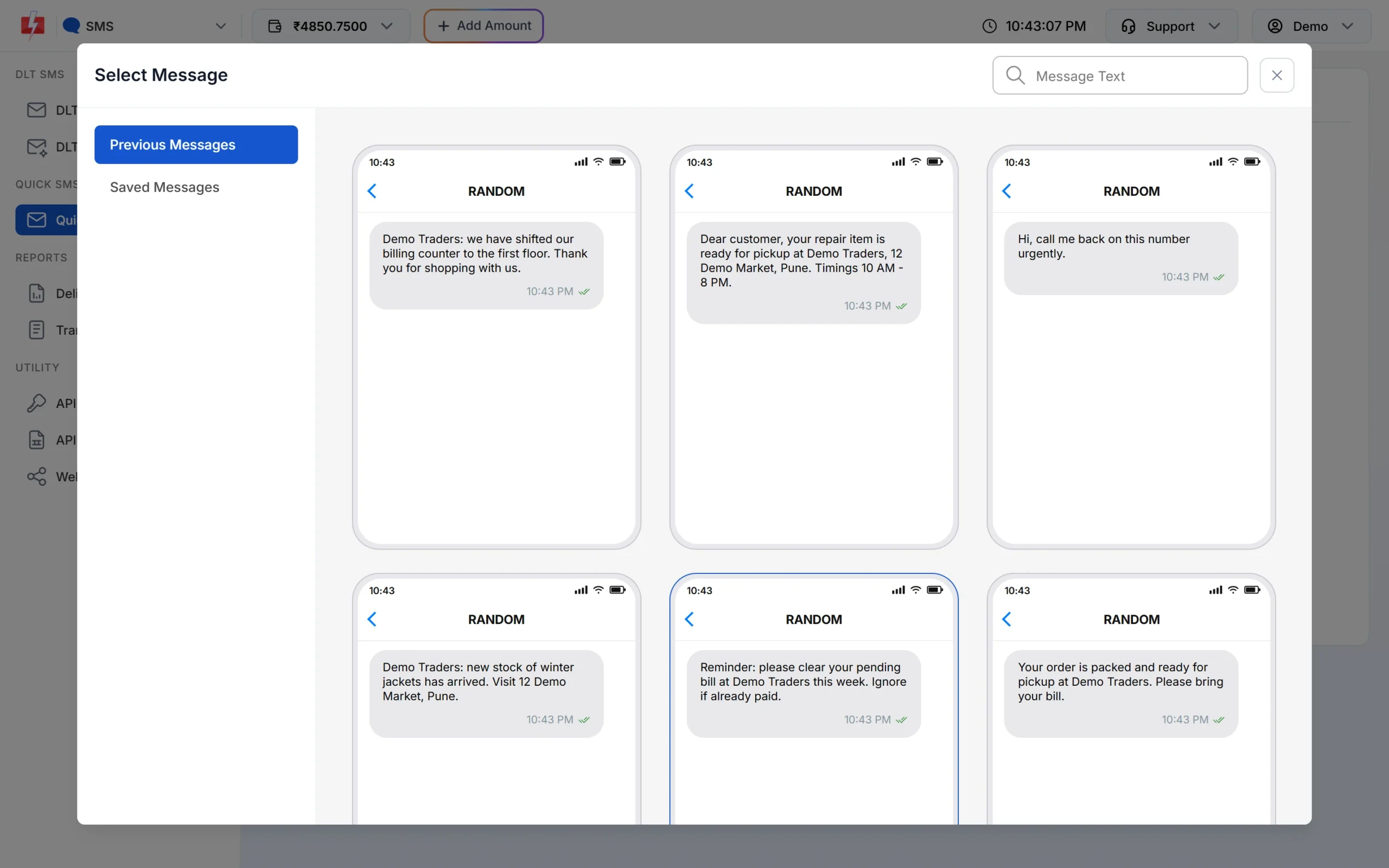
On Quick SMS, click Select Message. The Previous Messages tab shows your last 15 Quick SMS texts and Saved Messages shows up to 30 texts you saved. Click one to load it into the message box, add the numbers and send.
Resend only to failed numbers
-
Download the campaign report
Open Delivery Report in the SMS app, find the campaign and click Download on its row. The file lists every number (Receiver) with its Status and Description.
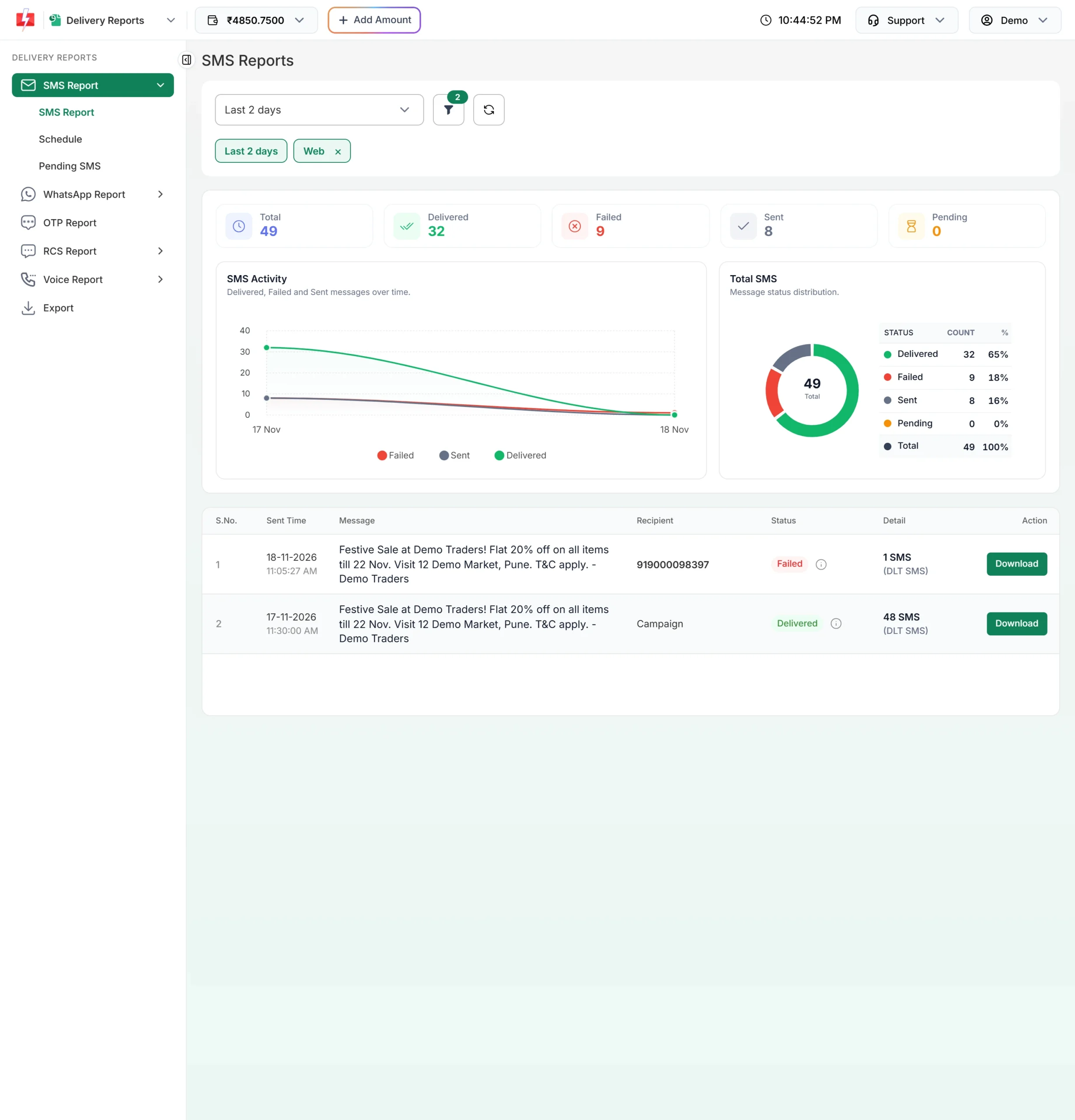
Each report row has a Download button. -
Keep the numbers worth retrying
Filter the Status column. Numbers that failed because the phone was off or out of network can be tried again later. Numbers marked DND, Invalid or Blocked will fail again, so remove them.
-
Send to the new list
Save the numbers as a CSV file and upload them with CSV File on the DLT SMS page, or paste them into the List box. Then pick the template and send.
Resending by API
For API sends, call the same API again with the same template and the numbers you want to retry. For OTPs, use Smart OTP: it has its own resend API that sends the same OTP again within a time window, so the user does not get a different code each time.
Frequently asked questions
Will the customer get the same SMS twice?
Yes, if the first SMS was delivered. Check the report first and resend only to numbers that did not get it.
Am I charged again when I resend?
Yes. A resend is a new send, charged per number and per SMS part.
Can I resend a DLT SMS with different text?
Only if the new text matches an approved DLT template. Free text outside a template is not allowed on DLT SMS.
Should I resend to DND numbers?
No. A promotional SMS fails again on a DND number. Send OTPs and alerts on a Service Implicit template, which reaches DND numbers.