
DLT Registration for WordPress SMS: What Store Owners Need to Know
You installed an SMS plugin on your WordPress site, hit send, and nothing arrived. In India, that is almost always DLT. Every business SMS in India must go through DLT registration, a TRAI rule that trips up most website and store owners on day one.
This guide explains DLT in plain language, from a WordPress point of view: what you must register, how it connects to your Fast2SMS account, and how the free plugin uses it to send order updates, OTPs, and campaigns.
What is DLT, in one minute
DLT (Distributed Ledger Technology) is a registration system run by Indian telecom operators. Before you can send business SMS, you register three things:
- Entity ID. Your business identity on the DLT portal. One-time registration with your PAN and GST or other business proof.
- Sender ID (header). The 6-letter name your SMS arrives from, like FSTSMS.
- Content templates. The exact text of each message you will send, with
{#var#}placeholders for the parts that change, like names and order numbers.
Messages that do not match an approved template are simply blocked by the operators. For the full background, read what is DLT and how to register and the detailed DLT registration process guide.
Good news: you do not do this alone
Fast2SMS provides free dedicated DLT support. The team helps you register your entity, sender ID, and templates correctly the first time. Most rejections happen because of small template mistakes, and experienced eyes prevent them.
Add your DLT details to Fast2SMS
Once your DLT registration is approved, add the three pieces to your Fast2SMS panel: Entity ID in DLT Manager, then your approved sender ID, then each approved content template. After that, they appear in simple dropdowns everywhere, including the WordPress plugin.
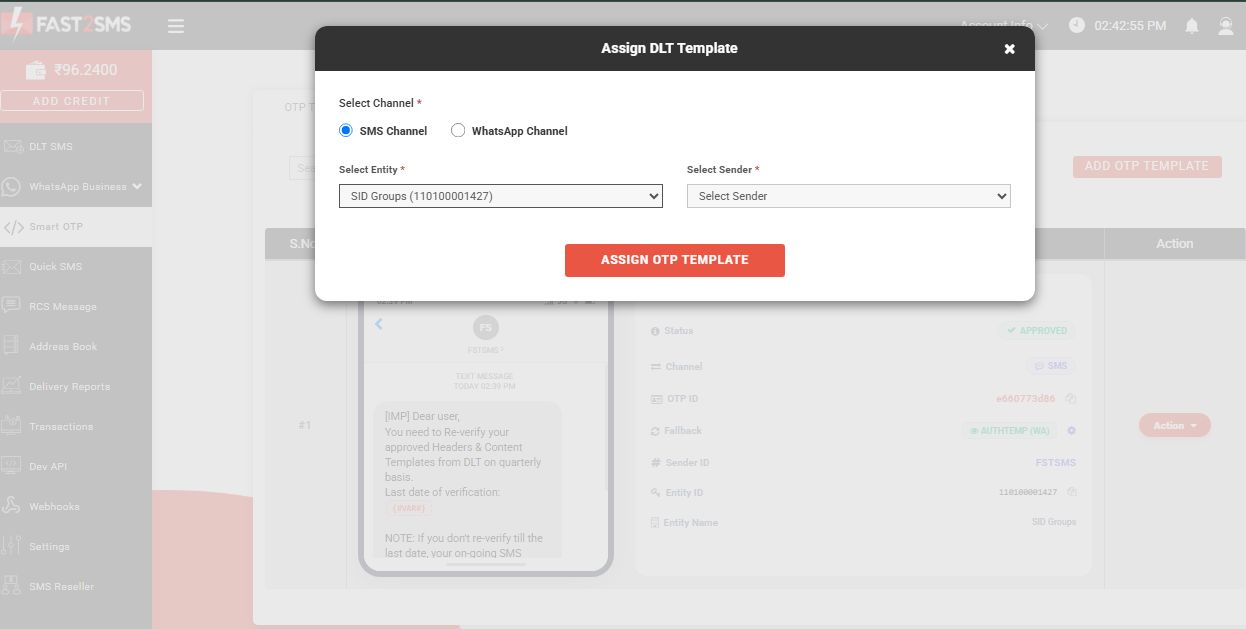
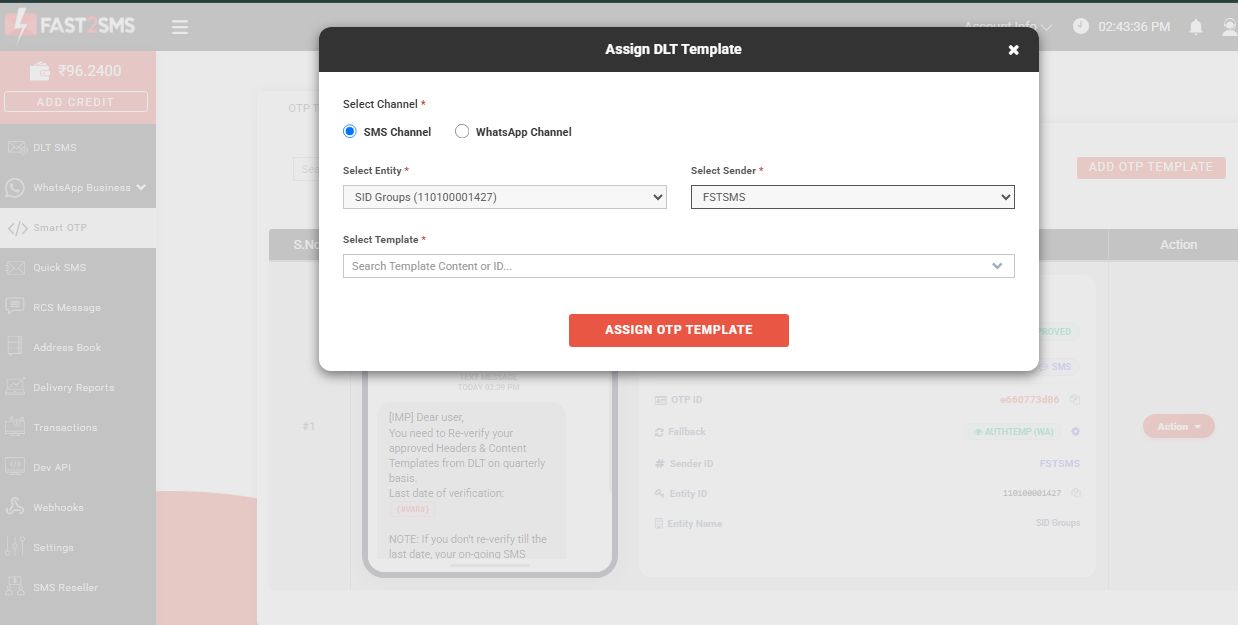
Not sure what these IDs mean? This Entity ID, Sender ID and Template ID explainer breaks each one down.
How the WordPress plugin uses your DLT setup
Install the free Fast2SMS plugin (search Fast2SMS under Plugins > Add New, or get it from the official directory) and connect your API key. Then, in any automation:
- Click Fetch templates from Fast2SMS. Your approved DLT templates load into a dropdown. No copy-pasting template IDs.
- Map each
{#var#}in the template to order data like {name}, {order_id}, or {amount}. - Check the live phone preview, send a test to your own number, and save.
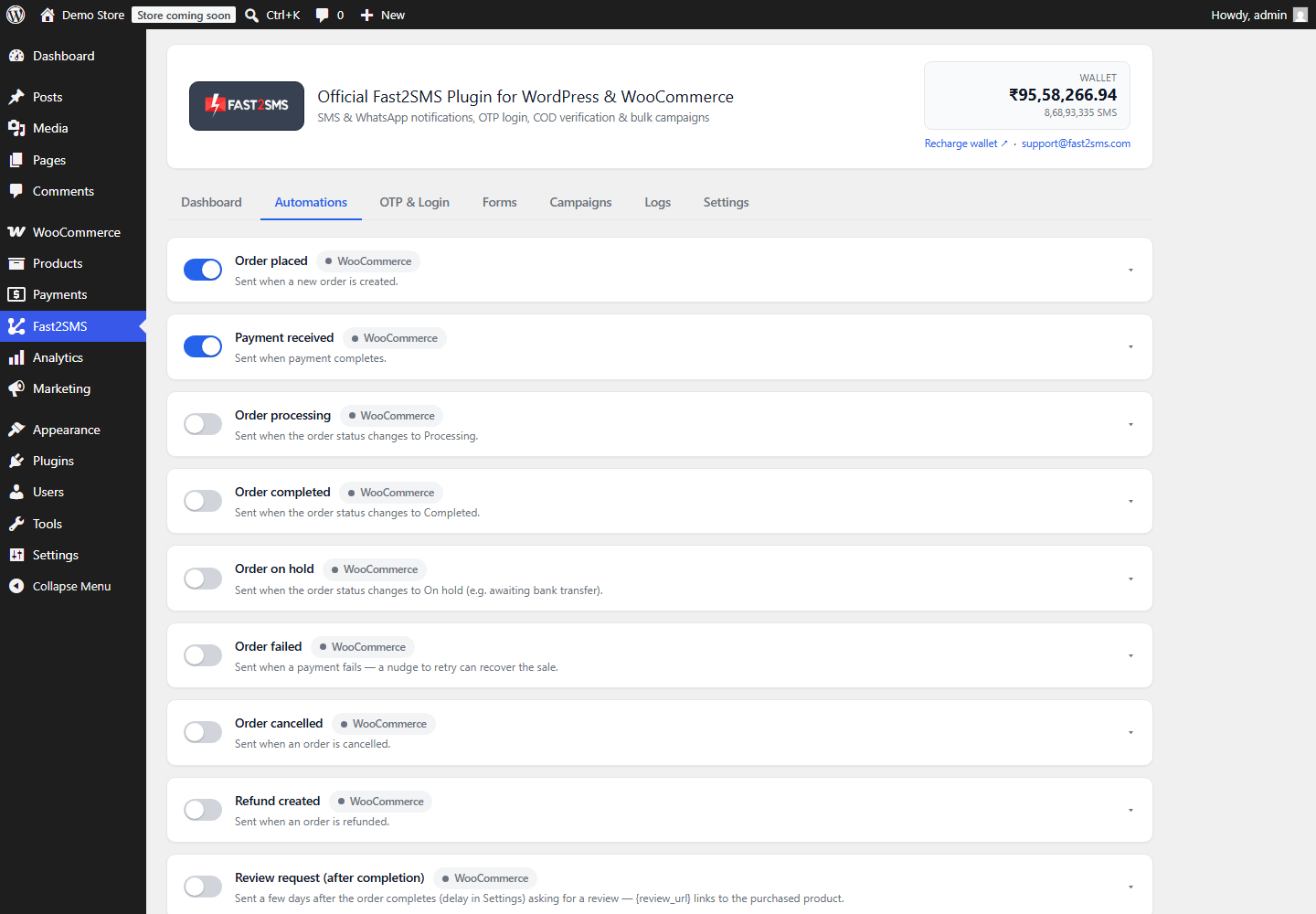
The same approved templates power order notifications, bulk campaigns, and OTP SMS through the plugin.
Template tips that avoid rejections
- Keep each variable under 30 characters. Long links need to be split across two variables.
- Match the template category to the use: transactional for OTPs, service for order updates.
- Write the template exactly as the message should read. Extra spaces around
{#var#}cause delivery failures. - Getting OTP templates right has its own quirks. See how to get a DLT template ID for OTP and transactional SMS.
- If deliveries look weak after setup, read how to improve DLT SMS delivery rates.
Can I skip DLT?
For SMS, no. Every business SMS in India needs DLT. There are two honest ways around the paperwork:
- Fast2SMS OTP routes that work with pre-approved templates for common cases. Details in send SMS without DLT registration.
- WhatsApp. DLT does not apply to WhatsApp at all. Many stores send order updates and OTPs on WhatsApp first and keep SMS as backup.
Frequently asked questions
Is DLT registration mandatory for my WordPress site?
If you send SMS to Indian numbers, yes. It is a TRAI requirement that applies to every business, big or small.
How long does DLT registration take?
Entity and sender ID approval usually takes a few working days. Template approvals are faster. The free Fast2SMS DLT support team keeps it moving.
Does DLT cost money?
The DLT portals charge a small one-time registration fee. Fast2SMS DLT support itself is free.
Do WhatsApp messages need DLT?
No. DLT covers SMS only. WhatsApp needs template approval from Meta instead, which Fast2SMS also handles from the same panel.
Which SMS routes does the plugin support?
Both DLT routes: quick templates fetched from your account and manual entity, template ID and message text entry. It also supports OTP routes and WhatsApp.
My template got rejected. Now what?
Write to [email protected] with the rejection reason. Usually a small wording fix gets it approved on the next pass.
Get set up with free DLT help
Create your free account at fast2sms.com, let the free DLT support team handle the registration, and install the free WordPress plugin. Follow the setup guide and your store can send compliant SMS today. Fast2SMS works with Indian 10-digit mobile numbers only.
More WooCommerce OTP, SMS and WhatsApp guides
- WooCommerce OTP plugin: 110 FAQs
- WooCommerce checkout OTP verification
- WooCommerce login with mobile number
- Phone number verification at registration
- WooCommerce WhatsApp OTP login
- WooCommerce COD OTP verification
- WooCommerce OTP not received: fixes
- WooCommerce OTP cost
- Best WooCommerce OTP plugins compared
- Free mobile login plugin alternative
- WooCommerce WhatsApp plugin: 100+ FAQs
- WooCommerce SMS notification plugin: 100+ FAQs
- Order status SMS and WhatsApp
- COD to prepaid and pending payment reminders
- Abandoned cart recovery on WhatsApp and SMS
- Back in stock notifier
- WooCommerce SMS marketing campaigns
- Best WooCommerce SMS and WhatsApp plugins
- Twilio SMS alternative for India
- WooCommerce OTP plugin guide in Hindi
High volume? Rates are negotiable: call sales on +91-6262778811, email [email protected] or book a free meeting with our team.